Customer Happiness Guaranteed


Take control of your employee’s experience at each stage of their journey at your workplace.


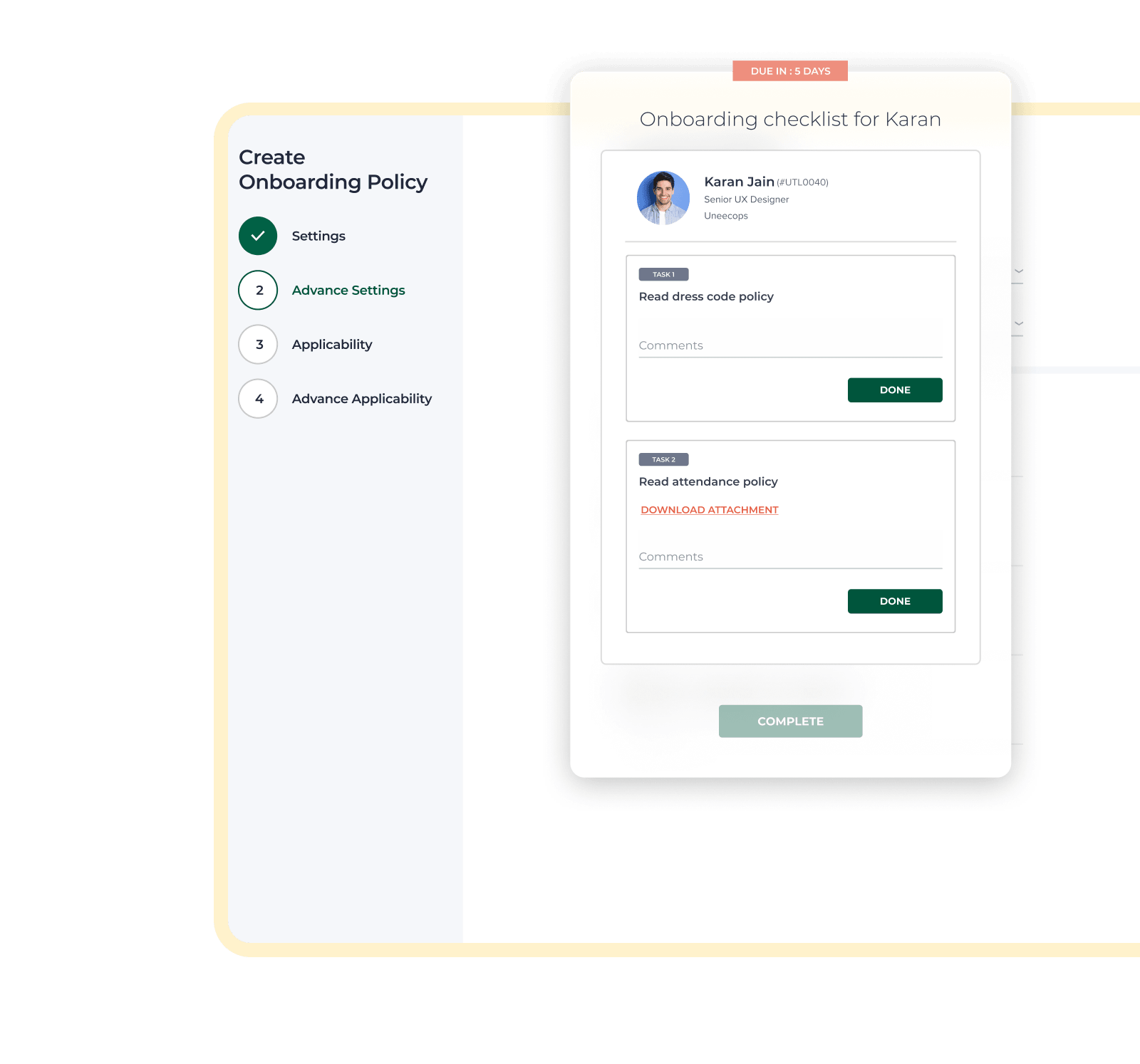
With HROne, you can conveniently submit all your documents digitally and accept letters through e-signatures, making the entire process seamless and accessible via web or mobile phone.
By syncing the candidate database, you can easily transfer candidate information into the pre-onboarding phase, eliminating redundant data entry and streamlining the process.
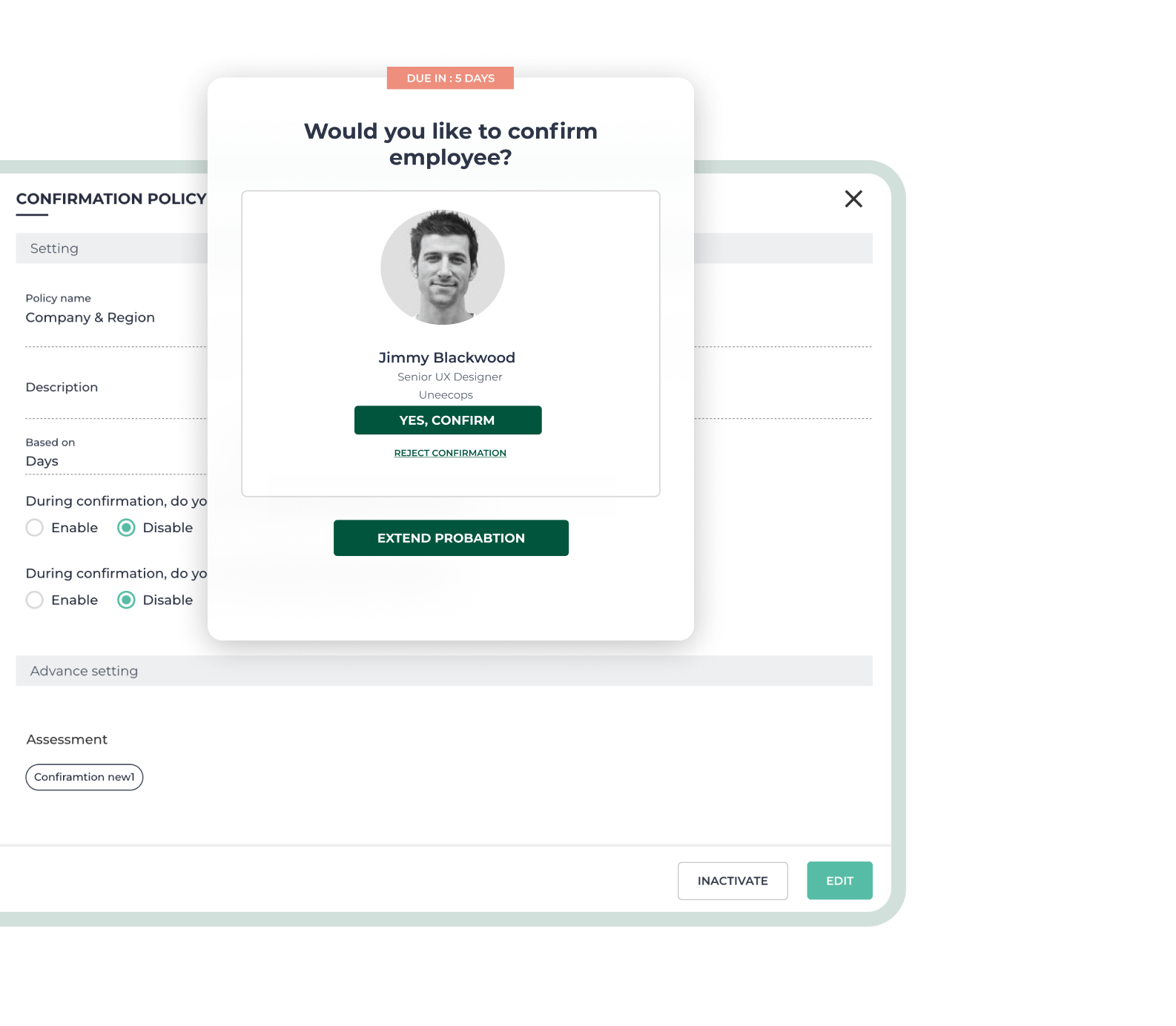
With HROne, you can automate the process of generating and distributing confirmation letters once an employee is confirmed.
HROne offers the flexibility to set and manage distinct probation periods and criteria based on various factors such as employee roles or departments. This ensures that the confirmation process aligns with the specific requirements of each employee category.
Yes, HROne efficiently manages the entire end-to-end separation process, covering everything from offboarding checklists to the calculation and processing of final settlements for separating employees.
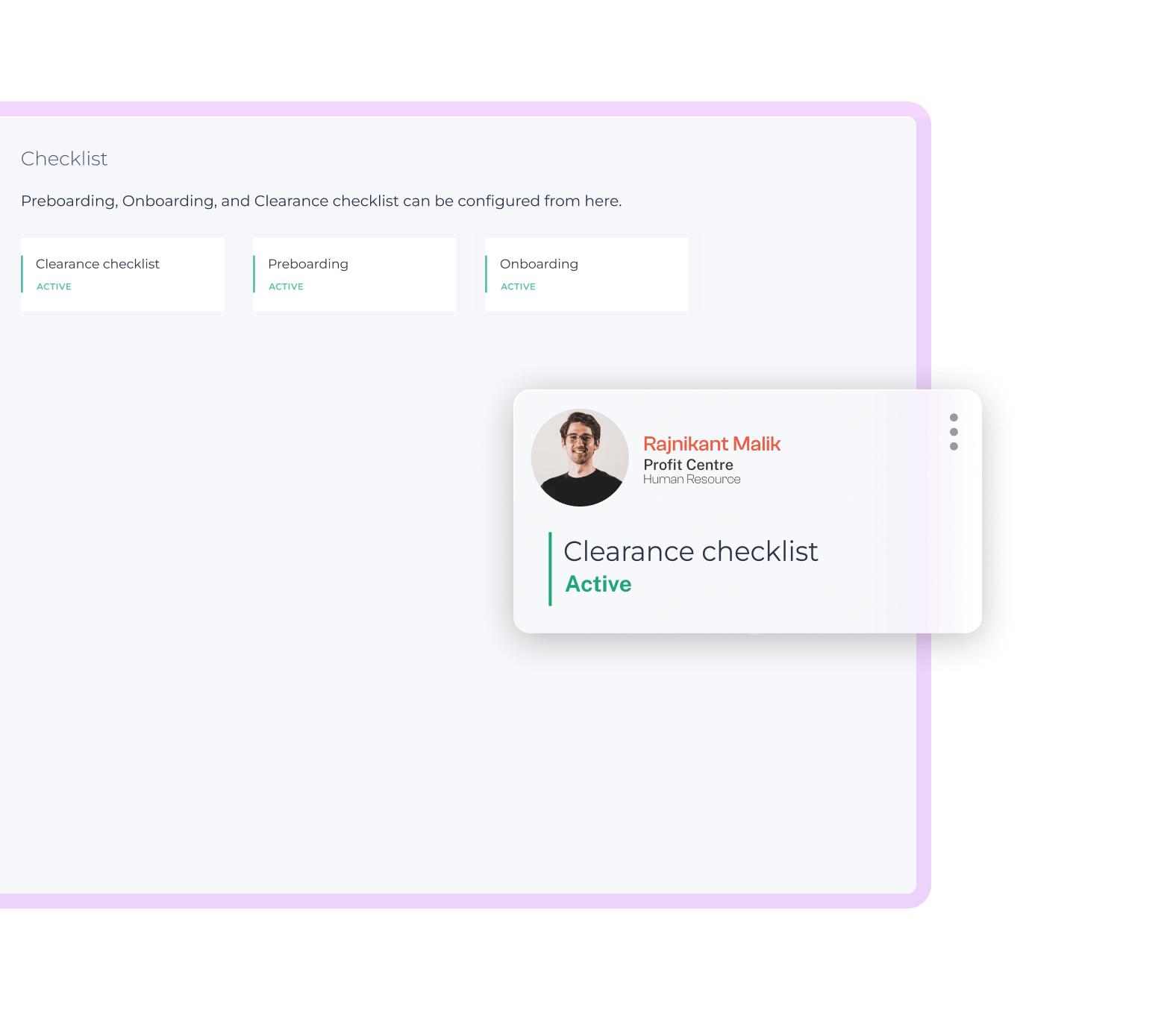
Yes, you can customize the separation policy according to your organization's requirements. You can define the notice period, configure when to initiate exit interviews, and map a clearance checklist that triggers before the employee's last working date with workforce management solution
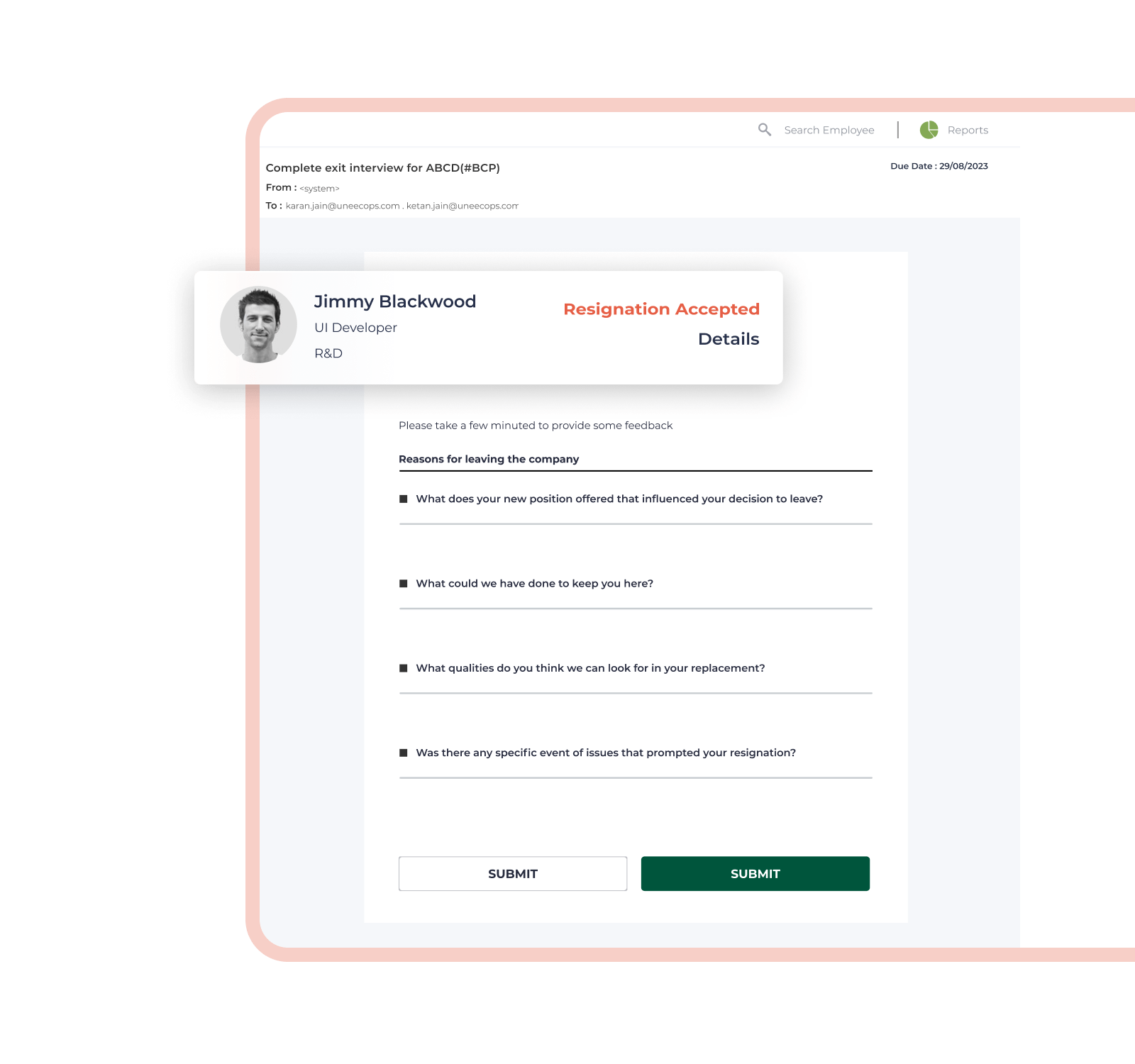
The software provides a seamless option to conduct exit interviews and gather valuable feedback from managers, HR personnel and leaving employees. This allows you to enhance your work culture and environment based on insightful input received during the exit interview process.
Final dues are automatically credited and synchronized with the payroll, eliminating the need for follow-up between departments with our top workforce management software.
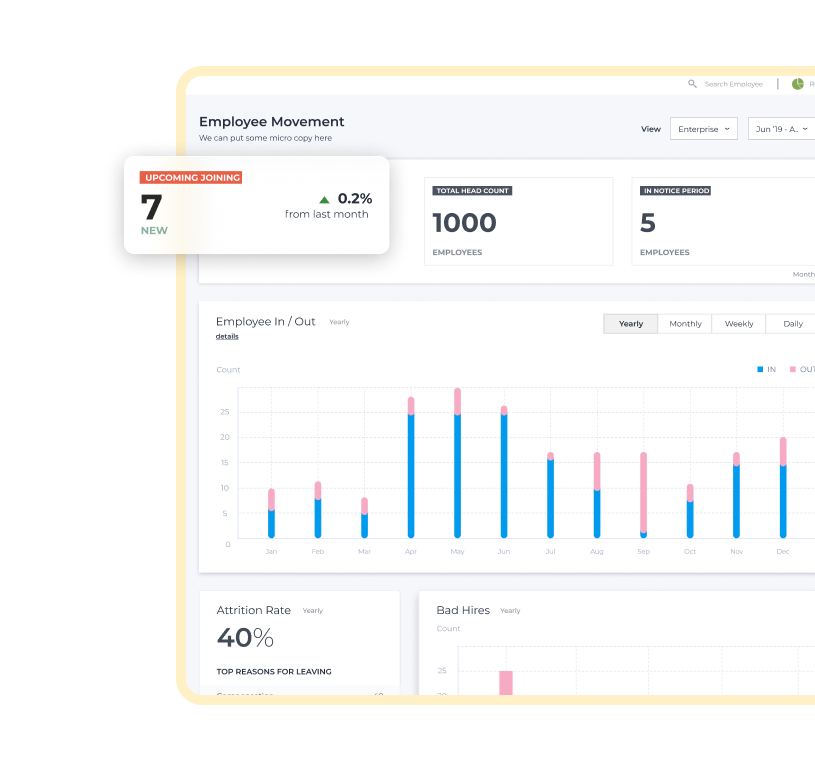
Yes, with HROne, you can easily track and analyze the attrition rate within your organization while also capturing the reasons behind employees leaving the company.
You can track the movement pulse by knowing the number of employees hired and those who left within a specific time frame with insightful in-built dashboards offered by HROne workforce management software
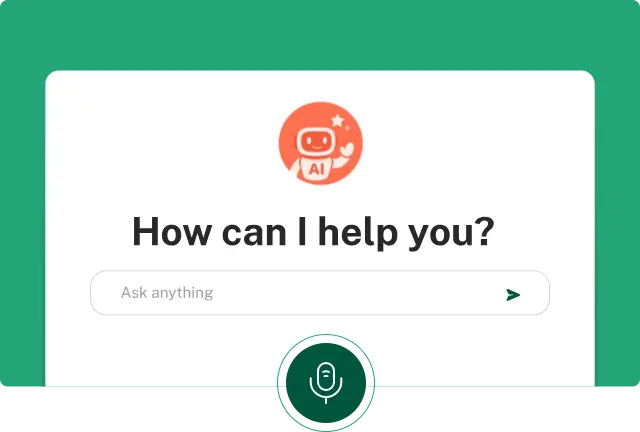
Now featuring a built in Voice-Powered Employee AI Agent Your Everyday Task Companion.
Curious what else One AI can do?

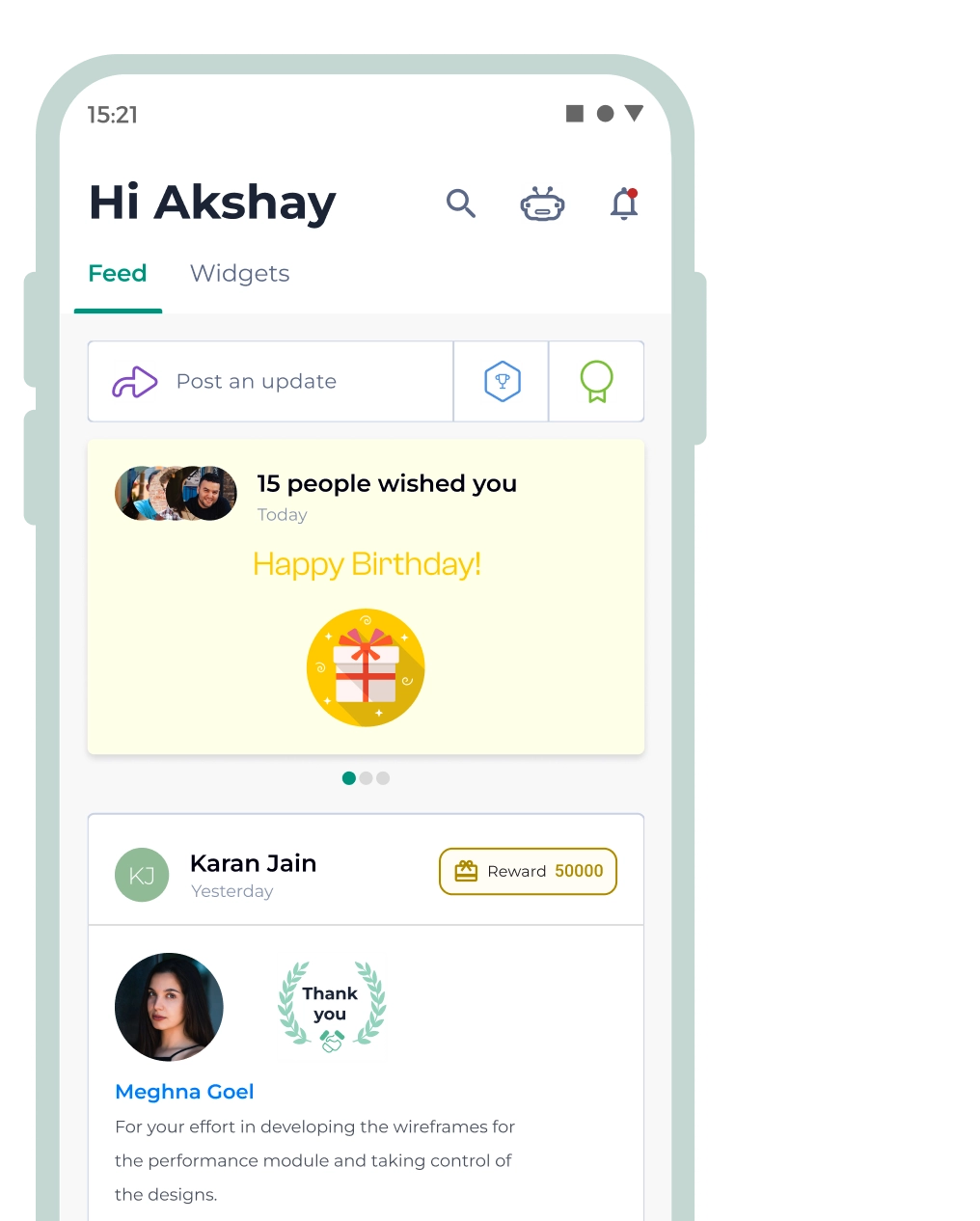
The Award Winning HROne Mobile App to empower everyone including new joiners

HROne ensures fast and easy HR processes from onboarding to F&F settlements.










56+ Reviews | 4.7

36+ Reviews | 4.6
Eliminate data fragmentation and automate HR processes to keep up with expectations of employees
Enhance your functionality and efficiency with customizable add-ons for your unique requirements.

Outsource end-to-end payroll management to experts and ensure timely payroll processing, tax deductions, and compliance with tax regulations.

Communicate instantly and conveniently all employees’ and candidates’ concerns without having to be there, from anywhere- anytime.

Get all notifications directly on teams without having to log in to your HROne app and provide an extraordinary experience to your employees.

HROne Manages Work Modes So, You can Ensure Work-Life Balance Let you people feel the freedom of dynamic work environment and schedules-with HROne

Get deeper trends understanding for future decisions with pictorial representation of data in various formats.

Get a unique code generator to identify each employee. Make informed decisions regarding recruitment, training, and workforce development.
10+ modules and 127+ customisable workflows

Get the freedom to configure your HRMS to cater organisational needs

Make faster and better hiring possible and enhance candidate experience

Simplify attendance and leave management with integrated HRMS systems

Ensure compliant, error-free and timely payroll management without hassles

Leave no room of double entry and fraud with structured and effortless expense system

Ensure amazing employee experience by resolving their concerns within specific time

Create high performing teams by smart goal mapping and transparent reviews

Leave no room for unaccounted assets by mapping the whole asset lifecycle on a well-structured system

Amplify human interactions, work happiness and boost morale of your workforce

to get operational tasks done faster and save more time
Click Here

We offer faster response times, on-site assistance, and global-grade application experience locally.
Ensuring optimization of employee productivity and well-being in the workplace
using a set of well-defined processes throughout the employee lifecycle is known
as Workforce Management. WFM includes analysing and planning the requirements of
the workforce, and managing staff schedules to achieve goals on a day-to-day or
hour-to-hour basis.
The objectives of a workforce management system are as follows
Minimization of business expenses
The most common workforce management functionality is to plan, manage and track
employees’ work on a daily, monthly, and yearly basis. This involves gathering
workforce requirements, fixing employee schedules, managing paid time-off, and
providing businesses with advanced analytics to facilitate informed
decision-making on employee welfare.
Workforce management is important for streamlining the operations performed in
an organization and maintaining synchronized functioning of the employees to get
optimum output through a defined set of procedures. The WFM system not only
improves productivity of the employees but also enhances the overall business
performance.
Once the employee is deemed fit for the organization, you can customize
confirmation letters and feedback templates and simply share ahead. The WFM
software, the confirmation auto initiates the confirmation process and assigns
it to the task owners in the inbox for approval as the confirmation due date
arrives. You can generate confirmation letters, auto-send to the joinee, and
auto-update the profiles in a click, once approvals are in place. Also, users
can go to the smart global search and know the status of the employee or quickly
refer to the insights dashboard to learn what all is pending.
HROne helps you to get organized by customizing separation policies, defining
notice period, configuring initiation of exit interview, and mapping clearance
checklist that starts before the last working day of an employee. Moreover,
after the approval of resignation, the employee profile gets auto-updated and
data is synced across HR software, payroll software, attendance management software. There is no
need for manual clearance and no follow-ups between departments. You can define
and intimate the task owners, auto initiate the clearance checklists prior to
the LWD, and also auto credit and synchronize final dues with the payroll. The
single click F&F settlement compliant with payroll, leaves a positive
lasting impression on the parting employee. Lastly, the employees feel valued
with the personalized exit interview, and you can even record feedback, if
required.
There are 4 critical areas of workforce management that HROne’s WFM module takes care
of:
By providing in-depth workforce insights including the movement pulse to keep
count of how many employees left the organization and how many new joinees are
there in a given span of time. This data supports decision making by analysing
the attrition rate, reason for quitting the job and taking preventive measures
to control the same. HROne also gives you a peek into the bad hires that left
the organization before completing probation period, observe such trends and
make changes in the WFM system accordingly.
When you use HROne Workforce Management Software, you run the entire employee lifecycle on autopilot with ease, and
spend less time on HR operations and more time on human interactions. It makes
the lives of employees as well as HRs simplified like never before.
HROne workforce management software experts are available in Ahmedabad, Pune, Delhi, Mumbai , Chennai, Hyderabad, and Bangalore, Vijayawada. However, because the HCM suite is available all over India, the HROne experts are ready to come visit your office.



Your Workplace. Your Way.

Every employee’s journey through an organisation has a beginning, a middle, and an end. From the moment a candidate accepts an offer to the day they receive their relieving letter, there are dozens of HR processes that must happen correctly, on time, and in the right order. Miss any one of them – a delayed confirmation letter, an incomplete onboarding checklist, an undocumented exit – and the consequences range from employee frustration to compliance risk to costly errors in the final settlement.
Workforce management software was built to ensure none of those things happen. It is the operational backbone of HR – the system that manages every stage of the employee lifecycle automatically, so HR teams can focus on the employee experience rather than the administrative mechanics.
This guide covers everything you need to know about workforce management software – what it does, which features are essential, how it works for remote and enterprise teams, and why HROne is consistently rated the best workforce management solution for Indian businesses.
Workforce management software is a digital platform that automates and manages the complete employee lifecycle within an organisation – from pre-boarding and digital onboarding, through probation confirmation and role changes, to voluntary or involuntary separation, exit management, and full & final settlement. It ensures that every HR process in an employee’s lifecycle is structured, tracked, documented, and completed on time.
The term ‘workforce management’ is sometimes used to refer only to attendance and scheduling (particularly in shift-heavy industries like manufacturing and retail). In the context of a comprehensive HRMS like HROne, workforce management covers the full hire-to-retire lifecycle: all the operational HR processes that happen between when an employee joins and when they leave.
A workforce management solution gives HR teams complete control over the employee journey – with automated task routing, pre-configured checklists, digital document management, and real-time dashboards that show exactly where every employee is in their lifecycle at any given moment.
| The Cost of Manual Workforce Management: Indian companies processing onboarding and offboarding manually report an average of 12 hours per employee for onboarding admin, and 8–15 hours per employee for offboarding and F&F settlement. At 500 annual joiners/exits, that is 10,000+ HR hours per year on pure administration. |
Onboarding is the most impression-critical process in the employee lifecycle. Research consistently shows that employees who have a structured onboarding experience are 58% more likely to still be at the company after three years. Yet in most Indian organisations, onboarding is a Day 1 paper-filling exercise – offer letter, joining letter, NDA, bank details – done manually across departments that are not coordinated.
HROne’s workforce management software transforms onboarding with digital pre-boarding that starts before Day 1. The moment a candidate is marked as hired in the recruitment module, their pre-onboarding process is automatically initiated. They receive a secure link to complete their employee profile, upload required documents (Aadhaar, PAN, educational certificates, bank details), and accept their joining letter digitally – all from their phone, before they walk in the door. A pre-configured onboarding checklist tracks every task across departments – IT (laptop setup), Admin (access card), Payroll (salary account), HR (induction schedule) – with automated reminders for task owners. A buddy/mentor can be assigned automatically to ensure new joiners are not left confused on their first week.
The probation period is a critical but frequently mismanaged phase. In many Indian companies, confirmation simply happens when someone remembers – or worse, it is delayed for months because the process is manual and no one follows up. Late confirmations create legal ambiguity (what is the employee’s notice period?) and send a poor signal to the new hire.
HROne’s workforce management tools automate the entire confirmation cycle. When an employee’s probation period ends (based on the joining date and configured probation length), the system automatically initiates the confirmation workflow – notifying the manager to provide input, generating the confirmation letter from a pre-approved template, and routing it for internal approval. HR gets an 11-dashboard view of all pending confirmations across the organisation. Confirmation letters are sent to employees digitally, with e-signature acceptance tracked in the system.
Different probation periods and criteria for different grades or departments are all configurable – ensuring the system matches your organisation’s actual policies, not a one-size-fits-all default.
Offboarding – when an employee resigns, is terminated, or retires – is one of the most process-intensive HR events in any company. There is a resignation to accept, a notice period to serve, a clearance checklist to complete across departments, exit interview to conduct, documents to return, access to revoke, and a full & final settlement to calculate and process. Doing all of this manually, via email, is error-prone and often results in delayed settlements, missed clearances, and unhappy departing employees.
HROne’s workforce management software automates the entire separation workflow. When a separation is initiated – either by the employee (resignation) or HR (termination) – the system automatically triggers the configured offboarding workflow: assigns clearance tasks to each relevant department, sends reminders to task owners, tracks completion status on a central dashboard, and flags overdue items for HR escalation. The notice period counter begins automatically from the resignation date, adjusting for any notice period buyout or waiver.
Customisable separation policies allow HR to define different notice periods for different grades, configure when the exit interview should be triggered, and set the clearance timeline. No policy ambiguity, no missed steps.
The exit process ends with two critical deliverables: the clearance certificate (all departments have confirmed the employee has returned their assets, repaid any advances, and handed over their work) and the full & final settlement payment (calculating the employee’s final pay, leave encashment, gratuity if applicable, TDS, and any deductions).
HROne makes both seamless. Clearance tasks are pre-defined at the department level – IT clears the laptop, Admin takes back the access card, Finance closes outstanding expense claims, HR closes the EPFO account nomination. All tasks are tracked in real time. Once all clearance is complete, the F&F settlement is calculated automatically by the payroll module and synced for processing – no manual calculation, no back-and-forth between HR and Finance.
Exit interview templates are built into the system, with structured feedback capturing the employee’s reasons for leaving. This data feeds directly into the workforce analytics dashboards – enabling HR to identify patterns in attrition that inform retention strategy.
Workforce management is not just about processing individual employee events – it is about understanding the aggregate workforce health of the organisation. HROne’s workforce analytics dashboards give HR leaders real-time visibility into the metrics that matter most.
Track headcount movement (hires vs exits per month, department, or location). Monitor attrition rate by role, tenure, or business unit – with drill-down into the exit interview reasons behind each departure. Identify the number of pending onboarding tasks, outstanding confirmations, or employees in notice period at any point. Analyse time-to-onboard and time-to-confirm metrics across departments to identify bottlenecks. And flag bad hires early – employees who exit within the first 90 days – to improve recruitment quality.
The shift to hybrid and remote work has made workforce management significantly more complex for Indian organisations. When employees are spread across multiple cities, states, or even countries, the challenges are: How do you onboard someone who is not in the office? How do you track confirmations and separations for employees you never meet in person? How do you ensure compliance documentation is complete for distributed teams?
HROne’s remote workforce management software answers all of these questions. Every onboarding, confirmation, and separation process is fully digital – no physical documents required. New hires in Chennai can onboard from home while the HR team in Delhi monitors their progress. Confirmation letters can be sent to and signed by employees in Hyderabad without anyone physically meeting. Exit clearance tasks are assigned and tracked digitally across distributed department heads.
India’s workforce is mobile-first. HR managers check approvals on their phones. Managers review team tasks between meetings. Employees submit documents and sign letters from their smartphones. Your workforce management software must work as well on a 5-inch screen as on a desktop – with full functionality, not a stripped-down mobile view.
HROne’s mobile workforce management app (iOS and Android) gives every user complete access to their relevant lifecycle functions. HR teams can send bulk confirmation letters, track pending onboarding tasks, and view attrition dashboards. Managers can approve new joiner confirmations, review separation requests, and complete clearance sign-offs from their phone. New employees can complete their entire onboarding – document upload, profile completion, buddy introduction – without needing a laptop.
This is particularly valuable for Indian industries with distributed on-ground teams – logistics, manufacturing, retail, construction – where HR and employees are rarely at the same location.
For enterprise organisations in India – companies with 1,000+ employees, multiple legal entities, and operations across states – workforce management software needs capabilities that go beyond a standard SME solution.
Large Indian conglomerates and multi-business companies may have five, ten, or twenty legal entities – each with its own HR policies, notice periods, confirmation criteria, and separation workflows. HROne’s enterprise workforce management software supports multi-entity configuration from a single platform. Each entity can have its own onboarding checklist, confirmation timeline, separation policy, and clearance workflow – while Group HR maintains consolidated visibility across all entities.
Enterprise-grade workforce management requires every HR event to be documented, timestamped, and auditable. BFSI companies face regulatory audits. Manufacturing companies face labour law inspections. IT companies face client audits on employee data management. HROne maintains a complete audit log of every action taken in the workforce management module – who initiated a separation, who approved a confirmation, which clearance tasks were completed by whom and when.
Retail and manufacturing companies may onboard 50–200 employees in a single week during peak seasons. Manual onboarding at this scale is impossible. HROne’s bulk onboarding features allow HR to initiate onboarding for entire joining batches simultaneously – with tasks auto-assigned to all relevant departments, pre-boarding emails sent in bulk, and onboarding status tracked on a single dashboard.
Many workforce management tools only cover attendance and scheduling. Ensure your solution covers the full hire-to-retire lifecycle: onboarding, confirmation, employee movements, separation, exit management, and F&F settlement.
The most critical integration in workforce management is with payroll. When an employee’s last working date is confirmed, the F&F settlement should calculate and process automatically – without any manual data transfer. HROne’s workforce management module is natively integrated with payroll, making this handoff seamless.
Physical document management is no longer acceptable for modern Indian companies – particularly post-2020. Your workforce management software must support digital document submission, e-signature for letters, and secure cloud storage of all employee documents.
If any of your employees are remote, field-based, or in multiple cities, your workforce management solution must be fully functional on mobile and accessible without VPN or local network dependency.
Workforce management involves compliance obligations – gratuity calculation (after 5 years), notice period enforcement, full & final settlement timelines (varying by state), and documentation requirements under various Indian labour laws. Your software must handle these automatically.
| Differentiator | What It Delivers |
| Hire-to-Retire in One Platform | From recruitment to exit, every employee lifecycle event is managed in one connected system. No data migration between tools at any stage. |
| India-Specific Workflows | Pre-configured for Indian HR realities – PF account setup at joining, gratuity eligibility tracking, state-specific notice period rules, DPDP-compliant document storage. |
| 7-Day Go-Live | Dedicated implementation manager. Pre-built templates for onboarding checklists, confirmation letters, and separation policies. Go live in a week, not months. |
| Mobile First | Complete workforce management on iOS and Android. HR, managers, and employees can handle all lifecycle tasks from their phones – including bulk approvals and document submissions. |
| Enterprise Ready | Multi-entity support, role-based access, bulk onboarding for high-volume joining cycles, and audit-ready documentation for compliance inspections. |
| Rated 4.8/5 | Gartner Peer Insights Customers’ Choice 2025. G2 Best Software Awards 2026. Trusted by 2,500+ Indian companies across IT, manufacturing, retail, BFSI, healthcare, and logistics. |
Copyright © 2026. Uneecops Workplace Solutions Pvt. Ltd. All Rights Reserved. | Uneecops Group Company | Privacy Policy | Cookies Policy | POSH Policy | T&C






4.8/5 (650+ Reviews)

 Secures Top Spot in
4.8/5 (1600+ Reviews)