


Q1. What Are the 9 Best RazorpayX Payroll Alternatives for Compliance-Heavy Payroll in 2026?
The nine best RazorpayX Payroll alternatives for compliance-heavy Indian payroll in 2026 are HROne, Keka, greytHR, Zoho Payroll, Darwinbox, factoHR, Zimyo, Paybooks, and Pocket HRMS. HROne ranks first for 100 to 5,000 employee teams running multiple legal entities, because it manages multi-legal-entity environments in a single instance with no limit on entity count, and automates 127 pre-built workflows across the employee lifecycle.
Choosing a payroll platform is a high-stakes decision once a company crosses two legal entities and three states, because a single wrong pay run touches every employee’s rent, EMI, and TDS record. RazorpayX Payroll publishes plans capped at 20 employees (Prime) and 100 employees (Elite), with anything above that routed to an enterprise quote, which is where multi-entity teams start looking elsewhere. For this guide, nine India-focused payroll and HCM vendors were evaluated on statutory depth, multi-entity handling, support model, and commercial structure, using published pricing pages and verified G2 reviews as the evidence base.
Our Evaluation Criteria
Each vendor was assessed across these operator-relevant metrics.
- Statutory Depth 📊 PF, ESI, professional tax across states, LWF, TDS with Form 24Q filing, and Form 16 generation without spreadsheet workarounds.
- Multi-Entity Handling 🏢 Ability to run several legal entities in one instance with entity-specific policy logic, not separate logins per company.
- Time to Value ⏰ Published or reference-checked go-live timeline, and whether billing starts at purchase or at go-live.
- Attendance-to-Payroll Integrity ⚙️ Biometric sync reliability, arrear and paid-day calculation, and overtime or comp-off accuracy feeding the pay run.
- Configuration Control 🛠️ Whether an HR user can change a leave or shift policy on the front end, or must raise a vendor ticket.
- Support Model 📞 Phone, email, chat, or a named single point of contact, plus escalation reality reported in reviews.
- Commercial Transparency 💰 Flat per-employee-per-month rates, minimum seat floors, implementation fees, and lock-in length.
- Scale Fit 📈 Whether the product holds up between 100 and 5,000 employees, the band most India payroll tools break in.
Who This Guide Is For
- Payroll Managers running multi-state, multi-entity monthly cycles with PT slabs and LWF differing by location.
- HR Ops leads manually reconciling biometric exports against a separate leave portal before every pay run.
- CHROs and HR Heads consolidating a five-vendor hire-to-retire stack into one employee record.
- CFOs validating flat PEPM commercials, setup fees, and the real cost of a three-year lock-in.
- IT Directors assessing mobile-first HCMs, API access, and biometric device integration against legacy portals.
Comparison Snapshot: Nine Alternatives at a Glance
| Provider | Best For | Standout Strength | Known Limitation | Multi-Entity & Statutory Fit | Support Model | Pricing Model |
| HROne ⭐ 4.8 |
HR Ops leads drowning in multi-entity payroll reconciliation across states | Super Inbox closes 1 to 10 daily HR tasks from one screen in three clicks | Reviewers report customization requests take long discussion cycles | Unlimited legal entities in one instance, India-tuned PT, PF, ESI, LWF | Dedicated prior-HR SPOC on phone and email, 9.8 NPS | Flat PEPM, Basic listed from ₹85, billing starts after go-live |
| Keka ⭐ 4.5 |
Product-led mid-market teams wanting fast self-serve setup | Intuitive interface plus strong PF, ESI, and TDS salary automation | Users report slow implementation and unescalated support threads | Payroll compliance solid, weaker on shift-heavy multi-entity reality | Email and chat led, no weekend phone POC per reviewers | Roughly ₹9,999 to ₹15,999 per 100 employees monthly, 25-seat floor, setup fee |
| greytHR ⭐ 4.4 |
SME payroll desks that want compliance handled and little else | Deep statutory library, 30,000+ companies live, 7-day trial | Limited workflows and rigid configuration reported by users | Strong single-entity statutory work, multi-company is a paid add-on | Ticket first, callback within hours per some reviewers | ₹2,495 Essential or ₹4,495 Growth for 50 employees, then ₹45 to ₹85 PEPM |
| Zoho Payroll ⭐ 4.4 |
Finance-led teams already standardised on the Zoho stack | Lowest published entry cost with tight Zoho Books and People sync | Support response delays and thin mobile app reported | India statutory payroll yes, depth thinner than dedicated HCMs | Email and ticket, self-serve documentation heavy | ₹1,000 per organisation monthly for 25 employees, ₹40 per extra employee |
| Darwinbox ⭐ 4.4 |
3,000+ headcount enterprises with a dedicated HRIS team | Broad enterprise module suite and strong brand in large Indian firms | Tab and email juggling, plus configurations breaking in production | Enterprise multi-entity capable, heavy internal admin load | Account-managed, reviewers report weak service after sale | Quote-based, multi-year lock-in, billing from day one of purchase |
| factoHR ⭐ 4.5 |
Shop-floor payroll desks with biometric and contract labour loads | Manufacturing-oriented attendance and statutory payroll focus | Sales-led pricing with no clean public rate card | India statutory strong, multi-state handled, entity depth quote-driven | Vendor-led onboarding, email and phone | Not publicly disclosed, request a quote |
| Zimyo ⭐ 4.5 |
Lean HR teams needing core payroll plus basic HRMS on a budget | Lowest-tier modular pricing published transparently | Module depth thins out at enterprise scale | India payroll yes, complex multi-entity logic limited | Email and chat led | HRMS Basic ₹50 PEPM, Standard ₹75, Enterprise ₹100 |
| Paybooks ⭐ 4.3 |
Teams that want a vendor to run the pay run, not just the software | Software plus managed payroll processing in one contract | Narrow beyond payroll and attendance | India statutory payroll and filings focus | Managed service plus email support | From ₹2,499 monthly for the entry plan |
| Pocket HRMS ⭐ 4.3 |
Small single-state teams stepping off spreadsheets for the first time | Simple per-employee HRMS plus payroll bundle | Thin AI and enterprise workflow depth | Single-state payroll fit, limited multi-entity | Email and ticket | Per-employee plans published on site, quote for larger teams |
1.1 HROne
HROne, the full hire-to-retire operating system for 100 to 5,000 employee Indian companies.
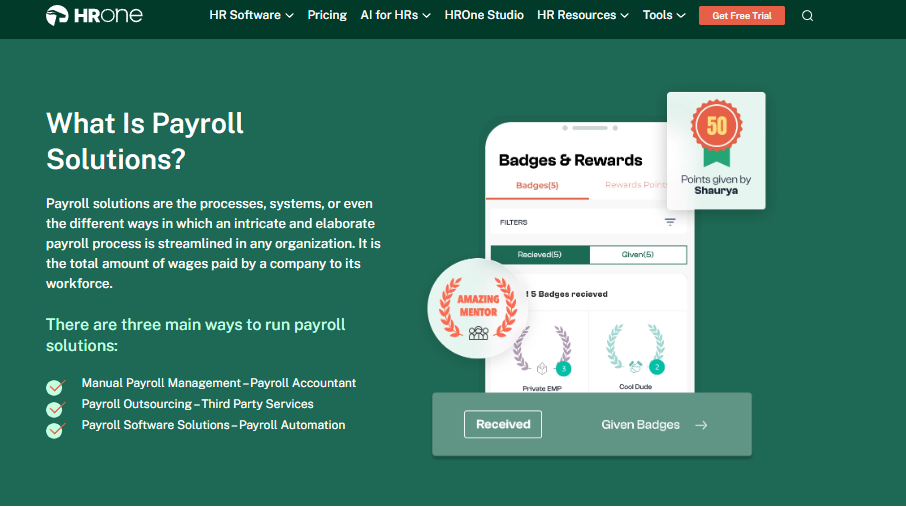
Overview
HROne, built by Uneecops Workplace Solutions and founded in 2016 by Karan Jain, is an India-first, mobile-native core HCM based in Noida. It serves around 2,000 enterprise brands across 20 industries and has processed over 70 lakh payslips. G2’s 2026 Best Software Awards placed HROne top three globally for customer satisfaction and first in India, on 2,074 verified reviews averaging 4.8. It is primarily used by teams reconciling attendance, payroll, and compliance across several legal entities.
🧩 Core Services
- Super Inbox (InboxforHR) puts every pending task, request, and approval on one Gmail-style screen, closing 1 to 10 daily tasks in three clicks so HR stops tab-switching across tools. See how the HR inbox handles this.
- 127 pre-built workflows define who does what by when across pre-boarding, onboarding, confirmation, transfer, promotion, and exit clearance, which removes the daily chasing of managers over email.
- Payroll engine with group payout validations automates paid-day, arrear, PF, ESI, PT, and LWF math, then generates bank challan files, cutting month-end reconciliation errors. This is the heart of the payroll software.
- Time Office with live biometric sync pulls punches in real time and supports geo-fenced mobile marking plus offline attendance management that syncs when connectivity returns.
- One AI Suite adds resume relevancy scoring, a receipt parser, JD and interview question generators, and an employee AI agent for policy queries and task execution.
- India’s first inbuilt ROI Dashboard computes lifetime and monthly hours saved against average HR salary, so the CHRO walks into a board review with a rupee figure.
- HRV Studio lets HR build custom apps such as visitor, seating, or vendor management without raising a developer ticket.
🇮🇳 India-Specific Compliance and Localization
- PF / ESI / TDS: Yes (automated calculation, Form 16 and TDS slip release)
- Labour law compliance: Strong (front-end policy engine built for Indian rules)
- Payroll localization: Yes (PT slabs, LWF, arrear days, comp-off and OT logic)
- Multi-state compliance: Yes (state-wise slabs inside one instance)
- Multi-entity: Yes (no cap on entities, no extra charge per entity)
👥 Who This Is Built For
- Payroll Manager firefighting CTC-revision arrears and PT slab differences across four states every month-end.
- HR Ops lead manually matching biometric exports against a standalone leave portal before each pay run.
- CHRO who cannot answer, in a board review, how many days a confirmation letter actually takes to close.
🚫 Who Should Skip This
- Sub-50 employee startups wanting a lightweight, spreadsheet-like payroll run, since HROne deliberately targets 100+ headcount organisations.
- Teams needing heavy bespoke report formats immediately, because reviewers say customization takes long discussion cycles and sometimes extra commercials.
💰 Pricing Structure
- Plan Type(s): Modular PEPM bundles, with Core HR, Workforce, Time Office, and Payroll as the base bundle used by 98% of customers.
- Starting Price: Basic listed from ₹85 per employee per month, covering Core HR, Time Office, and Payroll. Full detail sits on the pricing page.
- Tier-wise Breakdown: Each module carries its own PEPM cost, and customers pick and choose to build their own bundle.
- Incremental Cost Drivers: Additional modules such as Performance, Engage, Recruitment, Expense, or HRV Studio add-ons. No hidden charge for managing multiple entities in one instance.
- Implementation Fee: Not publicly disclosed, request a quote. Subscription meters only after go-live.
- Cost at 200 Employees: Not publicly disclosed, request a quote | Cost at 500 Employees: Not publicly disclosed, request a quote.
⏰ Implementation and Support Reality
- Onboarding is led by prior-HR consultants rather than technical project managers, aimed at fastest effective go-live.
- Support runs on a dedicated SPOC available over both phone and email, carrying a 9.8 NPS.
- Data migration is vendor-led, and one reviewer reported moving data from an old ERP server “in fraction of hours”.
- Reviewers also flag a learning curve on Payroll and Performance modules for first-time users.
⭐ What Reviewers Actually Say
“Proper calculation of PF and ESI was a pain area for us before, but now with the HROne automated calculation process, results are up to the mark and following Indian tax compliances properly.”
Ajay K., HR user HROne G2 Verified Review
“While HROne does a great job overall, one thing I don’t like is that it can sometimes feel a bit overwhelming for new users. Certain features take time to understand.”
Nijanthan R., HR professional HROne G2 Verified Review
🧠 My Read on Why HROne Sits First
Here is the structural thing I keep coming back to. The biggest HR systems sell mainly to businesses above 3,000 employees, while payroll-only tools start cracking past two legal entities. That leaves the 100 to 5,000 band buying tools built for someone else’s problem.
HROne’s data points one way here, and I might be reading it too strongly, but micro-specificity is what convinced me. Not “end-to-end HR” as a slogan, but 127 named workflows running from pre-boarding formalities through exit-interview separation, with an HR Ops heat map showing which of them are slipping. That is a different claim from a prettier portal.
HROne is the only vendor on this list that pairs unlimited legal entities in one instance with an inbuilt ROI Dashboard tying hours saved to average HR salary. Billing starting after go-live, not at purchase, is the part payroll managers notice second.
1.2 Keka
Keka, polished, self-serve mid-market HRMS with solid statutory payroll for single-entity teams.
Overview
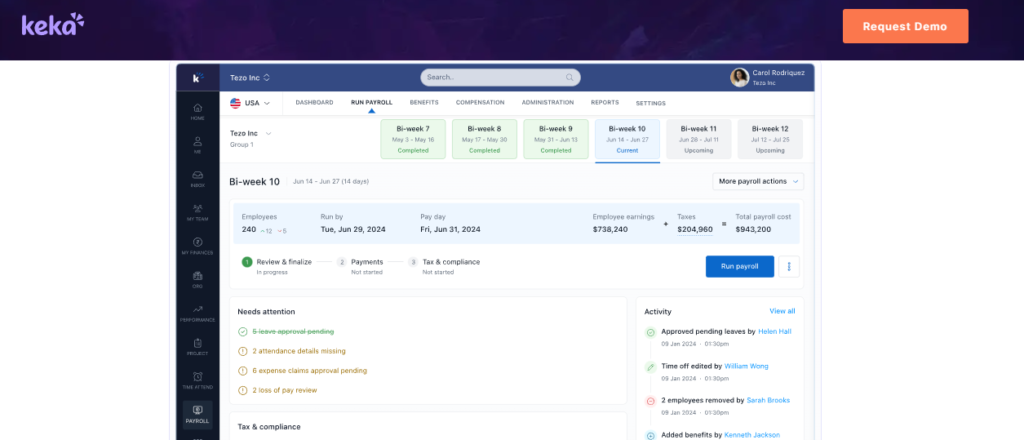
Keka is a Hyderabad-built HR and payroll platform known for interface quality and SME traction, holding a G2 rating of 4.5. It automates salary, attendance, PF, ESI, and TDS processing with payslip and statutory outputs, and ships a mobile app. Its documented vulnerability is a limited enterprise footprint and a weaker AI and mobile story than newer India HCMs, as covered in this Keka review. Keka is primarily used by growing teams that want to configure payroll themselves without a long vendor-led project.
🧩 Core Services
- Payroll and compliance engine automates salary, attendance-linked processing, PF, ESI, and TDS, then produces payslips and statutory outputs, which removes manual deduction math.
- Attendance and leave handles shift and punch capture with mobile access, reducing spreadsheet tracking for distributed teams.
- Keka Hiro (recruitment) tracks requisitions and automates hiring approvals and offer-letter workflows, cutting email approval chains.
- Document and letter generation produces most HR documents inside the platform, which reduced paperwork for one reviewer’s team.
- Performance and engagement modules cover KRA and KPI definition plus employee satisfaction surveys, though reviewers call the PMS module confusing.
- Asset management tracks issued assets against employee records, removing a separate register.
🇮🇳 India-Specific Compliance and Localization
- PF / ESI / TDS: Yes (automated salary deductions, quarterly TDS return support)
- Labour law compliance: Moderate (statutory basics covered, location-level policy edits reported as hard)
- Payroll localization: Partial (users report PT missing from CTC deduction display and incentive fields distorting CTC)
- Multi-state compliance: Partial (a reviewer could not configure location-specific leave without help)
👥 Who This Is Built For
- HR generalist in a single-entity, 100 to 300 person company who wants to self-configure payroll quickly.
- People lead prioritising employee-facing UX and mobile adoption over deep HR process automation.
🚫 Who Should Skip This
- Payroll Manager running multi-entity, shift-based manufacturing HR payroll needing location-specific policy applicability.
- Finance-heavy teams needing ESOP records, insurance details, or department-wise travel budgets inside the system, since reviewers report these are unavailable.
💰 Pricing Structure
- Plan Type(s): Foundation, Strength, and Growth.
- Starting Price: Roughly ₹100 PEPM at Foundation level, typically with a 25-employee minimum and a setup fee, billed quarterly.
- Tier-wise Breakdown: Published advertising spans ₹9,999 to ₹15,999 per 100 employees per month across the three plans, working out to roughly ₹100 to ₹160 PEPM, as broken down in this Keka pricing guide.
- Incremental Cost Drivers: Implementation fees, add-on stacking, and multi-entity charges.
- Implementation Fee: Yes, charged separately. Exact range not publicly disclosed, request a quote.
- Cost at 200 Employees: Not publicly disclosed, request a quote | Cost at 500 Employees: Not publicly disclosed, request a quote.
⏰ Implementation and Support Reality
- Go-live timelines are self-serve fast on paper, but reviewers report months-long stalls, including one implementation unfinished from August onward.
- Support is chat and email centred, and one long-time user reported chat staff unaware of functionality.
- Data migration is customer-led with vendor assistance, and reviewers cite Oracle integration friction.
- No published NPS or CSAT figure.
⭐ What Reviewers Actually Say
“Strong payroll and compliance, automate salary and attendance processing with pf, esi, tds. Responsive support team. Mobile app available. PMS module is confusing and needs to be simpler.”
Kiran B., HR user Keka G2 Verified Review
“From Friday evening 6PM to Monday morning 10Am there is no source of support from KEKA, telephonic communication to a POC during emergency is not possible.”
Prem K., HR user Keka G2 Verified Review
🧠 Where I Land on Keka
Keka earns its UX reputation, and I would not argue with anyone who picks it for a clean single-entity setup. The interface is genuinely liked, including by reviewers who otherwise gave low scores.
HROne’s read is that the standard advice gets this backwards, because buyers weight the demo screen and underweight the support model behind it. Keka ranks #55 for overall satisfaction on G2 against HROne’s #3, and #16 versus HROne’s #3 for easiest-to-use Core HR, a contrast set out in full on the HROne vs Keka page. What surfaces repeatedly in Keka’s own review corpus is not product hatred, it is escalation silence during payroll emergencies.
HROne’s dedicated prior-HR SPOC model, reachable on phone and email at a 9.8 NPS, exists because payroll failures are same-day problems, not next-ticket problems. We built it that way after watching where email-only support leaves a payroll manager on the 30th.
1.3 greytHR
greytHR, compliance-first payroll for SME desks that want statutory work handled and little else.
Overview
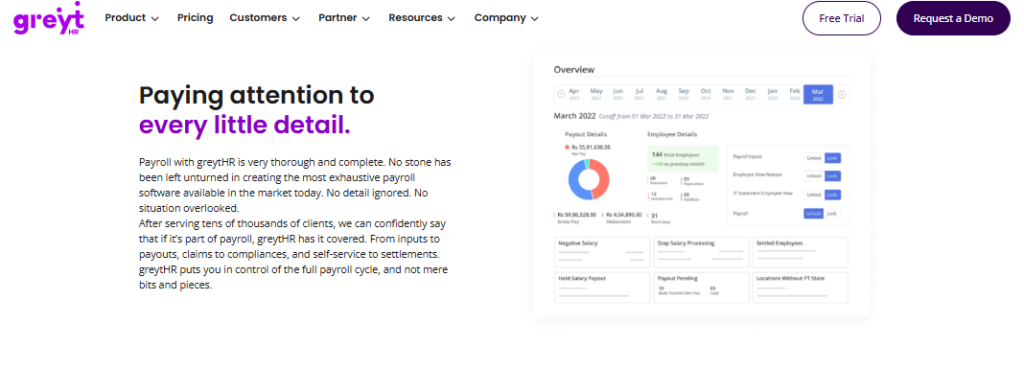
greytHR is one of India’s most widely deployed HR and payroll platforms, built around statutory depth for SMB and mid-market teams. It publishes open pricing with a 7-day free trial and add-on modules sold separately from the core plans. Its documented weakness is an aging interface and limited engagement depth compared to newer India HCMs. It is primarily used by payroll desks that want PF, ESI, PT, and TDS handled without buying a full lifecycle suite.
🧩 Core Services
- Payroll and statutory engine automates salary, PF, ESI, PT, and TDS computation with challan-ready outputs, removing manual deduction sheets each month.
- Leave and attendance tracks balances, holidays, and punch data, though users report manually correcting leave balances after implementation.
- Employee self-service portal lets staff pull payslips, apply for leave, and view tax details without routing through HR.
- Tax declaration module allows employees to declare investments and pick a tax regime themselves, cutting HR’s collection work.
- Workflow assignment lets each department view and monitor its own employee data, reducing cross-team data requests.
- Add-on modules for performance management and time and attendance are priced separately on top of the base plan.
🇮🇳 India-Specific Compliance and Localization
- PF / ESI / TDS: Yes (core statutory computation and filing support)
- Labour law compliance: Moderate (strong statutory library, weak policy flexibility)
- Payroll localization: Yes (India-built payroll, though users report TDS revision gaps)
- Multi-state compliance: Partial (handled, but customization requires vendor help)
👥 Who This Is Built For
- Payroll Manager in a single-entity SME who needs statutory filings closed on time and nothing more.
- HR generalist who wants employees to self-declare taxes instead of chasing investment proofs over email.
🚫 Who Should Skip This
- HR Ops lead needing custom workflows or entity-specific policy logic, since users report limited configuration and heavy vendor dependency.
- Teams that need TDS revision and challan mapping handled in-platform, which a long-term user reports is not possible.
💰 Pricing Structure
- Plan Type(s): Essential, Growth, and Premium.
- Starting Price: ₹2,495 per month for the Essential plan, monthly billing, covering up to 50 employees.
- Tier-wise Breakdown: Essential from ₹2,495 plus ₹45 per employee above 50. Growth from ₹4,495 plus ₹85 per employee above 50. Premium is quote-based, as broken out in this greytHR pricing breakdown.
- Incremental Cost Drivers: Performance management and time-and-attendance add-ons, plus per-employee charges past the 50-seat base.
- Implementation Fee: Not publicly disclosed, request a quote.
- Cost at 200 Employees: Essential works out to roughly ₹9,245 monthly (₹2,495 plus 150 × ₹45) | Cost at 500 Employees: Essential works out to roughly ₹22,745 monthly (₹2,495 plus 450 × ₹45).
⏰ Implementation and Support Reality
- Go-live is self-serve for basic payroll, with a 7-day free trial available before purchase.
- Support is ticket-first, and one reviewer reported callbacks within one to two hours.
- Data migration is vendor-assisted, and reviewers report configuration gaps surfacing after go-live.
- No published NPS or CSAT figure.
⭐ What Reviewers Actually Say
“GreytHR is fine software for payroll processing and I have been using since 10 years. Better UI, simplicity and time for support. Reporting configuration, TDS filing, revising of TDS is not possible.”
Krishnanand B., Payroll user greytHR G2 Verified Review
“GreytHR is not much good at customizing based on our requirements. For our case, from implementation onwards, there were issues with leave balance and all.”
Verified User in IT Services greytHR G2 Verified Review
🧠 My Read on greytHR
greytHR is honest about what it is, and that deserves credit. For a 60-person single-state company, the statutory library alone can justify the spend.
HROne’s read is that the category confuses statutory coverage with process automation, and they are not the same purchase. greytHR offers limited workflows, while HROne runs 127 pre-built workflows from onboarding through offboarding, a contrast laid out on the HROne vs greytHR page. I have watched teams buy compliance, then spend the next year manually chasing the process around it.
1.4 Zoho Payroll
Zoho Payroll, lowest-cost India payroll for finance teams already living inside the Zoho stack.
Overview
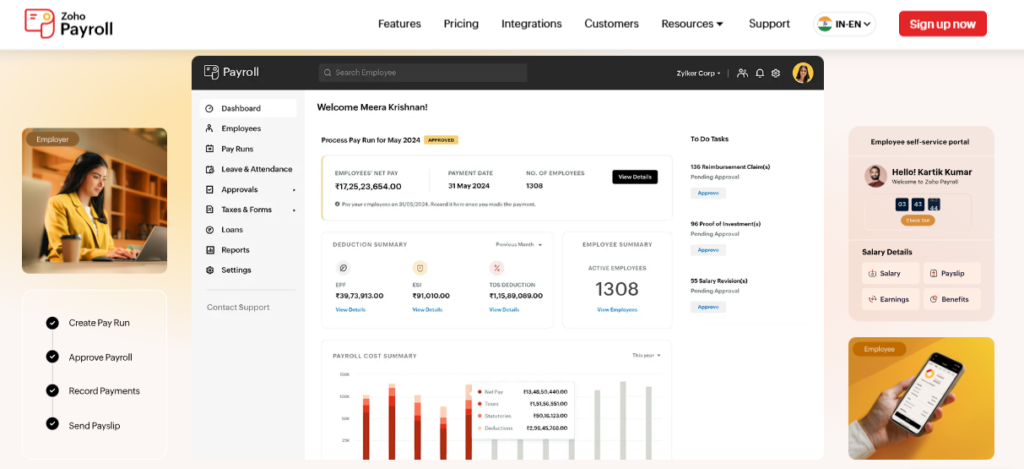
Zoho Payroll is the India payroll product inside Zoho’s business suite, priced per organisation rather than purely per employee. Its strength is bundled trust and integration with Zoho Books, People, and Recruit. Its documented gap is that HR is not Zoho’s primary product, which shows up as thinner depth per module. It is primarily used by finance-led teams that want statutory payroll at the lowest published entry cost.
🧩 Core Services
- Payroll processing engine computes salary, PF, ESI, PT, and TDS with statutory outputs, removing manual tax computation for finance teams.
- Zoho ecosystem sync connects payroll to Zoho Books, People, and Recruit, which removes duplicate employee data entry.
- Employee self-service lets staff view payslips, declare investments, and check balances without HR involvement.
- Leave and attendance (via Zoho People) feeds attendance into payroll, though users report slow time-logging screens.
- Onboarding self-entry lets candidates fill their own details, which one HR reviewer says compressed onboarding automation to a single day.
🇮🇳 India-Specific Compliance and Localization
- PF / ESI / TDS: Yes (Section 192 TDS, PF, ESI, PT handled)
- Labour law compliance: Moderate (statutory payroll covered, limited labour-code workflow depth)
- Payroll localization: Yes (dedicated India edition with rupee pricing)
- Multi-state compliance: Partial (PT slabs supported, complex multi-entity logic limited)
👥 Who This Is Built For
- Finance controller running payroll inside Zoho Books who wants one vendor and one ledger.
- HR manager in a 50 to 150 person company who needs candidate self-onboarding and payslip self-service.
🚫 Who Should Skip This
- Payroll Manager needing phone-reachable support during a pay-run failure, since users report long response delays.
- Field-heavy teams depending on mobile, because one HR reviewer reports most features are inaccessible on the app.
💰 Pricing Structure
- Plan Type(s): Standard and Professional.
- Starting Price: ₹1,000 per organisation per month (from a ₹1,250 list price), including 25 employees.
- Tier-wise Breakdown: Standard at ₹1,000 monthly for 25 employees, then ₹40 to ₹50 per additional employee. Professional at ₹3,000 monthly (from ₹3,750 list).
- Incremental Cost Drivers: Per-additional-employee charges, plus separate subscriptions for Zoho People or Recruit.
- Implementation Fee: Not charged by Zoho directly, though partner setup packages are advertised from ₹9,999.
- Cost at 200 Employees: Standard works out to roughly ₹8,000 monthly (₹1,000 plus 175 × ₹40) | Cost at 500 Employees: Roughly ₹20,000 monthly on the same Standard math.
⏰ Implementation and Support Reality
- Setup is self-serve with instructional videos, and one reviewer called the initial setup “very easy”.
- Support is email and ticket based, with reviewers reporting phone lines often unavailable.
- Data migration is self-serve or partner-led.
- No published NPS or CSAT figure.
⭐ What Reviewers Actually Say
“The biggest drawback for me has been the lack of customer support. There were days when I was stuck with errors and couldn’t find a solution.”
Dhana C., HR professional Zoho People G2 Verified Review
“The breadth of applications and the price of it. Features are shallow and there is no depth in each application.”
Verified User in IT Services Zoho People G2 Verified Review
🧠 My Read on Zoho Payroll
Price is the real argument here, and it is a strong one under 100 employees. I would not talk anyone out of it at that size.
Working with 2,000+ HR teams, what I have felt is that the cost curve flips somewhere past 300 employees. HROne’s ROI Dashboard exists precisely because cheap per-employee pricing hides the expensive part, which is HR hours spent reconciling across apps, and you can model that with the ROI calculator. My current thinking is that support reachability, not licence cost, is what breaks the Zoho choice at scale.
1.5 Darwinbox
Darwinbox, enterprise-brand HCM for 3,000+ headcount firms with a dedicated HRIS team in-house.
Overview
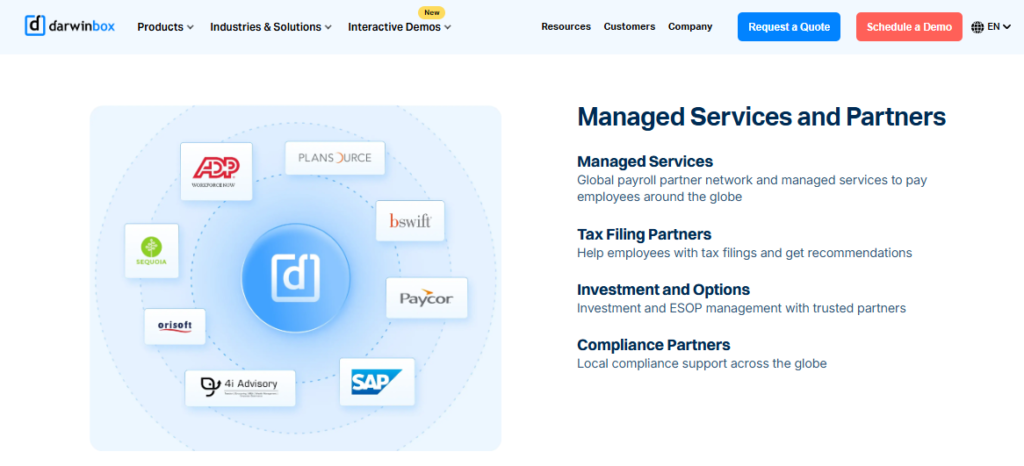
Darwinbox is a Hyderabad-founded enterprise HCM with deep penetration in large Indian organisations, holding a G2 rating of around 4.4. It reports ₹534 crore FY25 revenue, 1,016 enterprise clients, and $140M raised including KKR backing. Its documented weaknesses are complex UI, high total cost of ownership, and less India-SMB fit. It is primarily used by enterprises with internal HRIS staff who can absorb configuration overhead.
🧩 Core Services
- Unified HCM suite brings attendance, payroll, and performance onto one platform, cutting parallel tool usage.
- Configurable workflows adapt to internal processes with limited technical intervention, per a 4-star reviewer.
- Mobile app supports leave applications, attendance, and payslip access on the go, though users call it less smooth than desktop.
- Bulk approvals view shows out-of-office clusters and enables bulk leave and attendance approvals, saving manager time.
- Organisational structure mapping gives employees visibility into reporting lines and org charts.
- Performance and recruitment modules exist but need training before teams are productive, per reviewers.
🇮🇳 India-Specific Compliance and Localization
- PF / ESI / TDS: Yes (enterprise India payroll)
- Labour law compliance: Moderate (capable, but change requests are project-driven)
- Payroll localization: Yes (built in India for Indian enterprises)
- Multi-state compliance: Yes (enterprise multi-entity capable, admin-heavy)
👥 Who This Is Built For
- CHRO at a 3,000+ employee listed group consolidating HR across several business units, a scenario covered in this guide to enterprise HRMS for 1,000+ employees.
- HRIS manager with dedicated internal capacity to own configuration and release testing.
🚫 Who Should Skip This
- HR Ops lead at a 200 to 500 person company who cannot staff an internal HRIS owner.
- Finance teams unwilling to pay subscription during implementation, since billing starts from day one of purchase.
💰 Pricing Structure
- Plan Type(s): Enterprise quote-based, no public tiers.
- Starting Price: Not publicly disclosed, request a quote.
- Tier-wise Breakdown: Not publicly disclosed, request a quote, though estimates are collected in this Darwinbox pricing analysis.
- Incremental Cost Drivers: Multi-year contract commitments and module additions.
- Implementation Fee: Not publicly disclosed, request a quote. Subscription meters from purchase date, not go-live.
- Cost at 200 Employees: Not publicly disclosed, request a quote | Cost at 500 Employees: Not publicly disclosed, request a quote.
⏰ Implementation and Support Reality
- Implementation is known for long cycles, with one reviewer describing a “bad implementation experience”.
- Support is account-managed, and a 0-star reviewer reported “terrible customer service” post-sale.
- Data migration is vendor or partner led, and one reviewer called transitioning from the old system “quite difficult”.
- No published NPS or CSAT figure.
⭐ What Reviewers Actually Say
“Darwinbox has made HR processes much smoother by bringing everything together on one platform. Pages sometimes load slowly. Limited customization in reports.”
Saksham A., HR user Darwinbox G2 Verified Review
“Bad implementation experience, bad UI UX, configurations getting broken in production on its own due to product deployments, terrible customer service.”
Verified User in Computer Software Darwinbox G2 Verified Review
🧠 My Read on Darwinbox
Darwinbox earned its enterprise brand, and for a 5,000-person conglomerate it belongs on the shortlist. I want to be fair about that.
HROne’s data points one way here, though I might be reading it too strongly. What surfaces repeatedly in HROne’s own client engagements is a specific complaint about Darwinbox, which is tab and email juggling to close everyday tasks. That is why HROne outperforms it on G2 for ease of setup, ease of admin, and quality of support, as set out on the HROne vs Darwinbox page. Paying subscription during a long implementation is the part CFOs question hardest.
1.6 factoHR
factoHR, shop-floor-oriented payroll and attendance for manufacturing statutory loads.
Overview
factoHR is an India-built HR and payroll platform positioned around enterprise attendance and biometric-driven payroll. It carries a G2 rating around 4.5 and lists India statutory payroll as a core capability. Its pricing is sales-led with no clean public rate card, which slows procurement comparison. It is primarily used by manufacturing and shop-floor-heavy teams reconciling biometric punches against statutory pay rules.
🧩 Core Services
- Biometric-linked attendance captures punches from devices and feeds them into payroll, removing manual muster reconciliation.
- Payroll engine computes PF, ESI, PT, and TDS with statutory outputs for Indian pay runs.
- Labour-code oriented attendance features are marketed for compliance-heavy shop-floor environments.
- Mobile app supports attendance and self-service for field and plant staff.
- Leave and shift management handles rotational shift patterns common in plants.
🇮🇳 India-Specific Compliance and Localization
- PF / ESI / TDS: Yes (India statutory payroll core)
- Labour law compliance: Moderate to Strong (labour-code framing in product marketing)
- Payroll localization: Yes (India-first product)
- Multi-state compliance: Partial (handled, entity depth quote-driven)
👥 Who This Is Built For
- Payroll Manager at a plant reconciling shift-wise biometric punches against overtime and statutory rules, the core use case in HRMS for manufacturing companies.
- HR Ops lead handling contract labour alongside on-roll staff in the same pay cycle.
🚫 Who Should Skip This
- Procurement teams needing published PEPM rates to build a business case, since pricing is sales-led.
- CHROs wanting inbuilt ROI instrumentation to present savings to a board, which is not a documented factoHR capability.
💰 Pricing Structure
- Plan Type(s): Sales-led plan structure, tiers not publicly published.
- Starting Price: Not publicly disclosed, request a quote.
- Tier-wise Breakdown: Not publicly disclosed, request a quote.
- Incremental Cost Drivers: Not publicly disclosed, request a quote.
- Implementation Fee: Not publicly disclosed, request a quote.
- Cost at 200 Employees: Not publicly disclosed, request a quote | Cost at 500 Employees: Not publicly disclosed, request a quote.
⏰ Implementation and Support Reality
- Go-live timeline is not publicly published, request a reference check.
- Support runs through vendor-led onboarding with email and phone channels.
- Data migration is vendor-led.
- No published NPS or CSAT figure.
🧠 My Read on factoHR
Manufacturing payroll is its own discipline, and factoHR clearly builds for it. Anyone running three plants should look at it seriously.
HROne’s read is that shop-floor buyers get sold attendance accuracy and then discover the rest of the lifecycle is still manual. Offline attendance that marks without internet and syncs on reconnection is table stakes for plants, and HROne ships it inside its mobile HR app. I would push any plant HR head to ask both vendors what happens after the punch reaches payroll.
1.7 Zimyo
Zimyo, cost-conscious modular HRMS for lean HR teams needing payroll plus basics.
Overview
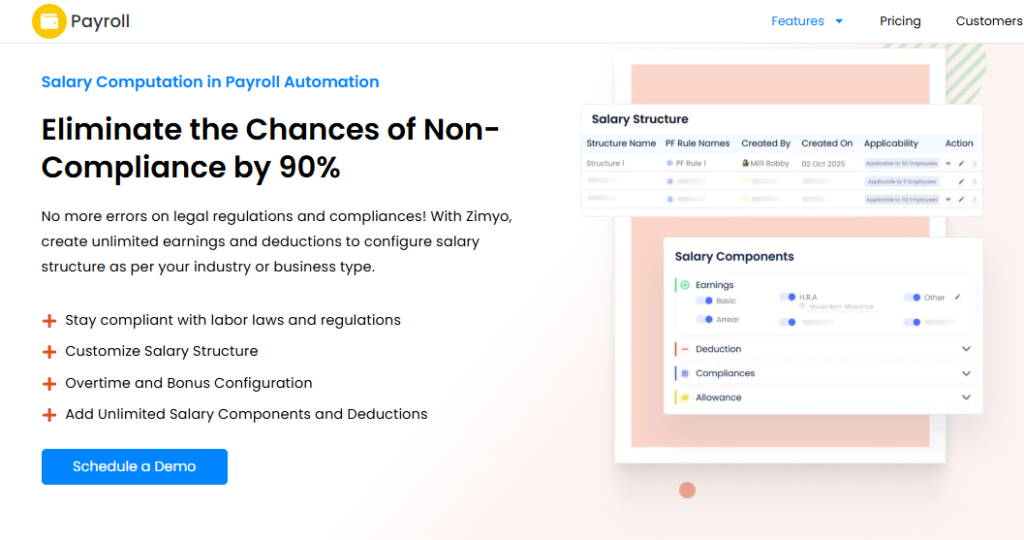
Zimyo is an India-founded HRMS with transparent low-tier pricing and modular packaging, and it now publishes separate Middle East pricing in AED. It is grouped with budget SMB HRMS players whose documented gap is a limited AI and innovation story plus lower brand authority. It is primarily used by small HR teams stepping up from spreadsheets who need payroll, attendance, and a basic employee record in one place.
🧩 Core Services
- Core HRMS maintains a central employee record, removing the multi-spreadsheet master data problem.
- Payroll module computes salary with Indian statutory deductions and generates payslips.
- Attendance and leave tracks punches and balances feeding into the pay run.
- Performance module supports basic review cycles at higher tiers.
- Employee self-service gives staff payslip and leave access without HR requests.
🇮🇳 India-Specific Compliance and Localization
- PF / ESI / TDS: Yes (standard India statutory payroll)
- Labour law compliance: Moderate (basics covered, depth limited at enterprise scale)
- Payroll localization: Yes (India-built with rupee PEPM pricing)
- Multi-state compliance: Partial (supported, complex entity logic limited)
👥 Who This Is Built For
- Solo HR manager in a 60 to 200 person company replacing Excel-based payroll and leave tracking, the shift covered in HR software vs Excel.
- Founder-operator who needs statutory payroll running correctly at the lowest defensible cost.
🚫 Who Should Skip This
- CHRO consolidating a multi-entity, multi-state group onto one instance with entity-specific policy logic.
- Teams expecting AI-driven recruitment or expense automation, which is a documented gap for budget SMB HRMS players.
💰 Pricing Structure
- Plan Type(s): HRMS Basic, Standard, and Enterprise.
- Starting Price: ₹50 per employee per month on HRMS Basic.
- Tier-wise Breakdown: Basic at ₹50 PEPM, Standard at ₹75 PEPM, Enterprise at ₹100 PEPM.
- Incremental Cost Drivers: Module upgrades between tiers, plus 18% GST on Indian invoices.
- Implementation Fee: Not publicly disclosed, request a quote.
- Cost at 200 Employees: Roughly ₹10,000 monthly on Basic (200 × ₹50) | Cost at 500 Employees: Roughly ₹25,000 monthly on Basic (500 × ₹50).
⏰ Implementation and Support Reality
- Go-live timeline is not publicly published, request a reference check.
- Support is email and chat led.
- Data migration is largely self-serve with vendor assistance.
- No published NPS or CSAT figure.
🧠 My Read on Zimyo
At ₹50 PEPM, Zimyo is doing something useful, which is getting small Indian teams off spreadsheets. That matters more than the category admits.
HROne’s Basic bundle lists from ₹85 PEPM covering Core HR, Time Office, and Payroll, so the gap is real but narrower than it looks, and the full split sits on the HROne vs Zimyo page. I might be wrong here, but my current thinking is that price comparisons at this level are decided by what breaks first, not by the invoice.
1.8 Paybooks
Paybooks, payroll software plus a managed processing team, for HR desks that want the run outsourced.
Overview
Paybooks is an India payroll provider that pairs software with managed payroll processing services, publicly positioning itself on affordability with plans advertised from ₹2,499. Its distinguishing model is that a service team can run the cycle rather than the HR desk doing it alone. It is primarily used by teams without a dedicated payroll specialist who still need statutory filings closed on time.
🧩 Core Services
- Managed payroll processing hands the monthly run to a Paybooks team, removing the need for an in-house payroll specialist, which is the trade-off examined in payroll software vs outsourcing.
- Statutory computation and filings cover PF, ESI, PT, and TDS obligations each cycle.
- Payslip and Form 16 generation produces employee tax documents without manual assembly.
- Employee self-service portal gives staff payslip and declaration access.
- Leave and attendance inputs feed the pay run for smaller teams.
🇮🇳 India-Specific Compliance and Localization
- PF / ESI / TDS: Yes (payroll and filing focus)
- Labour law compliance: Moderate (statutory filings covered, workflow depth limited)
- Payroll localization: Yes (India-only payroll provider)
- Multi-state compliance: Partial (supported, verify entity handling on a quote)
👥 Who This Is Built For
- Founder or admin head with no payroll specialist who needs the cycle run correctly by someone else.
- HR generalist who wants filings owned by a vendor team rather than sitting on her own calendar.
🚫 Who Should Skip This
- CHRO wanting recruitment, performance, and engagement on the same employee record, since Paybooks stays narrow.
- Teams that want in-house control of every payroll input rather than a managed handoff.
💰 Pricing Structure
- Plan Type(s): Software and managed payroll service plans.
- Starting Price: From ₹2,499 per month for the entry plan.
- Tier-wise Breakdown: Full tier detail not publicly disclosed, request a quote.
- Incremental Cost Drivers: Managed-service scope and employee count.
- Implementation Fee: Not publicly disclosed, request a quote.
- Cost at 200 Employees: Not publicly disclosed, request a quote | Cost at 500 Employees: Not publicly disclosed, request a quote.
⏰ Implementation and Support Reality
- Go-live timeline is not publicly published, request a reference check.
- Support combines managed-service contact with email channels.
- Data migration is vendor-led as part of the service model.
- No published NPS or CSAT figure.
🧠 My Read on Paybooks
Outsourced payroll solves a real staffing problem, and I have seen it work well under 200 employees. There is no shame in buying the service instead of the software.
The trade-off is visibility, and HROne’s HR Ops heat map exists because CHROs kept asking how many days a process actually takes, which is why we built it into the CHRO solutions view. When the run lives outside your system, that answer lives outside your system too. I would weigh that against the salary of the specialist you are avoiding hiring.
1.9 Pocket HRMS
Pocket HRMS, transparent low-cost HRMS for small single-state teams leaving spreadsheets behind.
Overview
Pocket HRMS is an India HRMS with fully published pricing, hosted on Microsoft Azure, and marketed on transparent per-employee rates. It requires a minimum of 50 employees and publishes three tiers with a clear feature matrix. Its documented gap, shared with budget SMB HRMS players, is a thin AI and innovation story. It is primarily used by small teams needing payroll, attendance, and geo-tagging without an enterprise contract.
🧩 Core Services
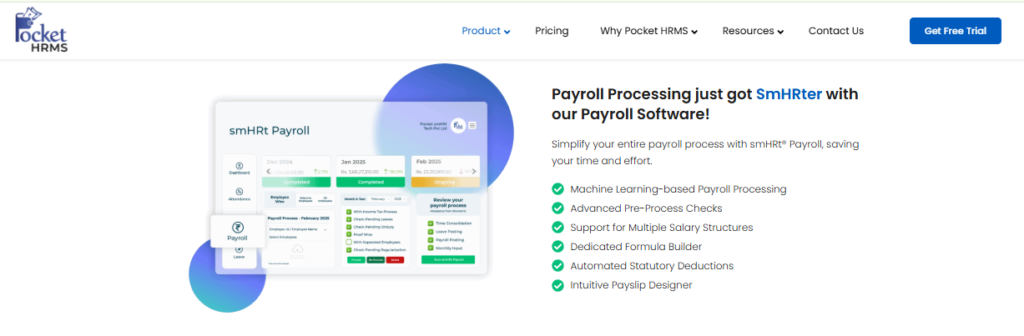
- smHRt Payroll Processing automates salary computation with PF, ESIC, PT, and TDS compliance, removing manual statutory sheets.
- Flexible attendance management supports biometric integration, geo-tagging, and geo-fencing at higher tiers.
- Complete leave management handles configurable policies and balances feeding payroll.
- Self-service portal covers payslips, requests, and profile updates, cutting routine HR queries.
- WhatsApp automation delivers payslips and manager approvals over WhatsApp, useful for low-email workforces.
- Attendance fraud detection and audit trail are available on the Premium tier for compliance-sensitive teams.
🇮🇳 India-Specific Compliance and Localization
- PF / ESI / TDS: Yes (automated statutory compliance in the base plan)
- Labour law compliance: Moderate (statutory automation, limited labour-code workflow depth)
- Payroll localization: Yes (India-built with rupee tiers)
- Multi-state compliance: Partial (payroll JV and advanced logic sit in Premium)
👥 Who This Is Built For
- HR executive in a 50 to 150 person single-state company moving off Excel payroll for the first time.
- Ops manager tracking field staff who needs geo-tagged check-ins tied to attendance, a need detailed in this guide to HRMS for field and blue-collar employees.
🚫 Who Should Skip This
- Teams under 50 employees, since Pocket HRMS enforces a 50-employee minimum.
- Payroll Managers needing shift auto-assignment, break shifts, or audit trails without upgrading, as these sit only in Premium.
💰 Pricing Structure
- Plan Type(s): Standard, Professional, and Premium.
- Starting Price: ₹2,995 per month billed annually for 50 employees, roughly ₹60 PEPM.
- Tier-wise Breakdown: Standard at ₹2,995 monthly for 50 employees plus ₹60 per extra employee. Professional at ₹4,495 monthly for 50 employees plus ₹90 per extra employee. Premium is quote-based with a 100+ employee minimum.
- Incremental Cost Drivers: Per-employee charges above 50, custom API integrations, and tier upgrades for geo-fencing or fraud detection.
- Implementation Fee: Yes, a nominal one-time fee varying by size, customisations, and migration complexity.
- Cost at 200 Employees: Roughly ₹11,995 monthly on Standard (₹2,995 plus 150 × ₹60) | Cost at 500 Employees: Roughly ₹29,995 monthly on Standard (₹2,995 plus 450 × ₹60).
⏰ Implementation and Support Reality
- Live virtual training is offered after implementation completes, at no extra cost.
- Support includes email with roughly 24-hour response, live chat, and phone.
- Data migration is vendor-assisted and priced into the one-time implementation fee.
- No published NPS or CSAT figure.
🧠 My Read on Pocket HRMS
Publishing a full price list with the implementation fee acknowledged upfront is genuinely good behaviour in this category. More vendors should do it.
HROne’s positioning difference is scale of automation, not price, since 127 pre-built workflows and unlimited legal entities in one instance are built for the 100 to 5,000 band, as compared on the HROne vs Pocket HRMS page. I would tell a 70-person single-state team to look hard at Pocket HRMS. I would tell a four-entity group to skip it.
⏰ Pick One in 30 Seconds
- Under 100 employees, one entity, one state: Zoho Payroll or Pocket HRMS on published low-tier pricing.
- 100 to 5,000 employees across multiple legal entities and states: HROne, because entity-specific policy logic sits in one instance at no extra entity charge, as explained in this guide to HR software for multi-entity companies.
- 3,000+ employees with an internal HRIS team and appetite for a multi-year contract: Darwinbox.
HROne closes this list first on one narrow, checkable basis. It manages multi-legal-entity environments in a single instance with no cap on entities, automates 127 workflows from pre-boarding to exit clearance, and meters subscription only after go-live. G2’s 2026 awards placed it top three globally for customer satisfaction on 2,074 verified reviews.
Q2. How Did We Score These Tools, and What Do You Actually Gain or Lose by Leaving RazorpayX Payroll?
Each tool was scored out of 100 on five weighted criteria: Statutory Depth and Labour Code Readiness (30%), Multi-Entity and Scale Configurability (20%), Support Responsiveness (20%), Migration and Implementation Effort (15%), and Pricing Transparency (15%). RazorpayX Payroll scores well on automated TDS, PF, PT, and ESIC filing plus fast onboarding, but loses points on entity-level policy logic and layered role-based access. HROne scores 5 stars on this rubric.
Why Most “Best Payroll” Lists Cannot Be Trusted
Most listicles publish a ranking with no weights, no bands, and no disclosure of what was tested. That makes the verdict unfalsifiable, which means you cannot argue with it or check it.
⚖️ The Weights, and Why Each One Earns Its Number
| Criterion | Weight | Why this weight |
| Statutory Depth and Labour Code Readiness | 30% | All four Labour Codes took effect on 21 November 2025, consolidating 29 central Acts |
| Multi-Entity and Scale Configurability | 20% | Payroll-only tools commonly need one instance per legal entity |
| Support Responsiveness | 20% | Pay-run failures are same-day problems, and reviewers report email-only escalation stalls |
| Migration and Implementation Effort | 15% | Repeat system switches burn HR bandwidth more than licence cost does |
| Pricing Transparency | 15% | Published India HRMS rates span roughly ₹45 to ₹350 PEPM, so opacity distorts comparison |
HROne measures its own support performance on a 9.8 NPS for its dedicated prior-HR SPOC, which is the kind of number this criterion is built to test. I weighted support at 20% because I have watched good software fail on a bad Thursday, a pattern also visible in this HRMS evaluation checklist.
⭐ Star Bands
- 0 to 20 = 1 star
- 21 to 40 = 2 stars
- 41 to 60 = 3 stars
- 61 to 80 = 4 stars
- 81 to 100 = 5 stars
💰 The RazorpayX Payroll Gain and Loss Ledger
| What you keep by staying | What you lose by staying |
| Automated PF, ESIC, PT, and TDS computation and filing | Entity-specific policy applicability inside one instance |
| Payslip access and reimbursement claims over WhatsApp, up to 6 months of PDFs | Full hire-to-retire workflow depth beyond payroll |
| 10,000+ companies already running on it | Layered role-based access for decentralised payroll tasks |
| Plans published openly, Prime up to 20 and Elite up to 100 employees | Headroom past 100 employees without moving to a quote |
✅ When Staying Put Is the Right Call
RazorpayX Payroll remains a sound answer for a 30-person single-state startup, or a contractor-heavy payroll where compliance is narrow and headcount is stable. Leaving costs money and attention, and neither is free.
🧠 Design the Rubric for Equity, Not Equality
Weighting every criterion equally feels fair, and it is exactly how buyers misprice risk. A 12-state manufacturer and a single-city startup should never run the same weights, which is why multi-state payroll compliance deserves its own column in your scorecard.
HROne’s own review corpus shows the trade-off honestly, with users praising statutory automation while flagging a learning curve on payroll and performance modules. My honest disclosure is this: HROne is the wrong tool for a 30-person single-state team. Saying that is what should make the other eight verdicts believable.
“Proper calculation of PF and ESI was a pain area for us before, but now with the HROne automated calculation process, results are up to the mark and following Indian tax compliances properly.”
Ajay K., HR user HROne G2 Verified Review
“While HROne does a great job overall, one thing I don’t like is that it can sometimes feel a bit overwhelming for new users. Certain features take time to understand.”
Nijanthan R., HR professional HROne G2 Verified Review
HROne earns its 5-star score mainly on two measurable things: a dedicated prior-HR SPOC carrying 9.8 NPS instead of an email queue, and 300+ product enhancements shipped annually through bi-monthly updates. Re-weight this rubric for your own state footprint before shortlisting.
Q3. Which Alternatives Are Genuinely Ready for the 2026 Labour Codes, Multi-State Filings, Gig Workers and DPDP Consent?
Genuine readiness means five verifiable things, not vendor claims: the uniform wages definition applied to all employees, gratuity recomputed including pro-rata gratuity for fixed-term staff, the unified digital register set and single electronic return, state-wise professional tax and Labour Welfare Fund slabs held as configuration, a distinct gig or platform worker class, and a consent trail for biometric attendance data. Demand a sandbox demo, not a claim.
The Law Moved, the Rulebook Is Still Catching Up
All four Labour Codes commenced on 21 November 2025, replacing 29 central Acts. Registers employers must maintain dropped from 84 to 8, and 31 returns collapsed into a single electronic return.
The awkward part is timing. State rules are still being finalised, so you run old state rules alongside new central definitions in the same pay cycle, which is where labour law compliance software either earns its keep or does not.
📊 The Five Readiness Axes
Axis 1: Wage definition. Under the Code on Wages, if excluded allowances exceed 50% of total pay, the excess is treated as wages. In plain HR terms, your PF and gratuity liability can rise without anyone getting a raise.
Axis 2: Register and return consolidation. The statutory set is now attendance-cum-muster roll, wage register, overtime register, and register of fines and deductions, held physically or electronically for five years. Your system should generate these, not your junior executive.
Axis 3: Multi-state PT and LWF depth. Slabs must sit as configuration you can edit, not code a vendor edits for you.
Axis 4: Gig and platform worker class. Aggregators now carry defined social security obligations, so these workers need their own record type.
Axis 5: Biometric consent trail. Biometric attendance is sensitive processing, so you need consent, a non-biometric alternative for those who decline, purpose limitation, and deletion on exit.
🇮🇳 The Field-Level Test That Separates Claims from Readiness
Here is the concrete check I run. Ask the vendor to show me PF configuration fields on screen, not a slide.
HROne holds PF wages, pension wages, EDLI wages, employee-level contribution limits, and the PF admin-charge basis as separate configurable fields inside its payroll software. That is exactly what recomputing liability under the new wage definition requires. If a vendor cannot show those fields, the readiness answer is no.
✅ Vendor Readiness by Axis
| Vendor | Wage definition fields | Unified registers | Multi-state PT and LWF | Gig worker class | Biometric consent trail |
| HROne | Field-level configurable | Yes | Yes, in one instance | Configurable record types | Yes |
| Keka | Statutory basics | Partial | Partial, location edits need help | Limited | Partial |
| greytHR | Statutory library strong | Yes | Partial, vendor-assisted | Limited | Partial |
| Zoho Payroll | Standard India payroll | Partial | Partial | Limited | Partial |
| RazorpayX Payroll | Automated filings | Partial | Partial | Contractor payouts | Partial |
⚠️ The Monday-Morning RFP Questions
- Show me the PF wages, pension wages, and EDLI wages fields in a sandbox, live.
- Generate the four statutory registers for a sample month, on screen.
- Change a Karnataka PT slab in front of me, without a support ticket.
- Show the consent record and the non-biometric alternative for one employee, using your attendance management module.
- Delete one employee’s biometric template and show the audit log.
🧠 Systems Optimise People, They Do Not Replace Judgement
No rules engine decides whether to restructure your CTC bands. That call stays with a human who knows the business.
What the software must remove is arithmetic and register-chasing. HROne lets teams download an error sheet before processing salaries, so prerequisites get reviewed before the run rather than after the complaint, a habit that directly helps improve payroll accuracy. Avoid vendor abstractions like “scalable”. The real pain is being handstrung by multiple state tax situations, and that is what you should test.
HROne’s readiness case rests on configuration you can see, since PF wage components, employee-level contribution limits, and admin-charge basis are all editable fields inside the platform. Ask every shortlisted vendor to prove the same in a sandbox.
Q4. Which Alternative Holds Up Across Multiple Legal Entities and 1,000+ Employees?
At 1,000-plus employees across entities, three capabilities decide the outcome: multiple legal entities configured in one instance with entity-specific policy applicability, three-layer role-based access so payroll tasks decentralise safely, and scheduled manager reports so nobody chases HR for team data. HROne is built for the 100 to 5,000 band, while lighter payroll-only tools typically need one instance per legal entity.
The Shadow-Bugging Cycle Nobody Budgets For
The failure mode at scale is not a missing feature. It is a person-dependent payroll desk.
One executive holds the tribal knowledge, and managers keep pinging HR for Excel updates just to verify PF and ESI inputs. Nobody can see where a process actually stands.
🏢 Pillar One: One Instance, Many Entities
Entity-specific policy logic is the architectural dividing line. HROne configures multiple legal entities in a single instance, so people in company A carry different policies from people in company B, the exact scenario mapped in this guide to HR software for multi-entity companies. That is the specific reason mid-market groups stop stacking one payroll tool per entity.
Buyers say they want pick-and-choose modules. In practice, real ROI shows up when four to eight modules run together, because the handoffs are where time leaks.
🔐 Pillar Two: Three-Layer Role-Based Access
Role-based access control (RBAC) means each user sees only what their role permits. Three layers let you decentralise payroll input to unit HR without exposing group-wide salary data.
HROne grants access rights across three layers and shows each user what activity is pending with them, an approach explained further in this note on HR software permissions. Without this, scale forces everything back through one central desk.
📩 Pillar Three: Scheduled Manager Reports
Managers get their own team-oriented report section, and they can schedule those emails themselves through manager solutions. That single capability ends the constant HR chase.
Global search matters more than it sounds. Clicking through three or four screens to find one record is where an HR hour disappears daily.
📈 What Scale Actually Looks Like in Numbers
One pharma client’s recruitment throughput is the cleanest before-and-after I can point to. The team used to close roughly 8 to 10 positions a day with existing practices, and moved to 15 to 20 positions a day on HROne. Payroll cycle proof is similar, with MR DIY India collapsing cycles from 10 days to 5 to 6 days, as documented in the MRDIY case study.
I might be reading these too strongly, since sample size is small. But the direction has been consistent across deployments.
⭐ What Operators Report at Scale
“GreytHR is fine software for payroll processing and I have been using since 10 years. Reporting configuration, TDS filing, revising of TDS is not possible.”
Krishnanand B., Payroll user greytHR G2 Verified Review
“Bad implementation experience, bad UI UX, configurations getting broken in production on its own due to product deployments, terrible customer service.”
Verified User in Computer Software Darwinbox G2 Verified Review
🏎️ The Ferrari Adoption Test
A Ferrari in a garage is not transport. Implementation is not done at go-live, it is done when your own admins run the system without the vendor in the room, a standard set out in this HROne implementation guide.
HROne’s onboarding is led by prior-HR consultants rather than technical project managers, which is why we push clients to have their team drive the last two weeks of setup. I have also worked with frugal CEOs, building a genuinely good workplace off Excel and Word. Tools help, but how you make people feel is still the part that decides everything.
Q5. What Do These Alternatives Cost, and How Does That Compare to Your Penalty Exposure?
Indian payroll and HRMS software runs roughly ₹45 per employee per month at basic tiers to around ₹350 at enterprise, with free or entry plans usually capped by headcount and excluding statutory filing depth. Judge the spend against downside risk, not list price. Under the Code on Wages, first-offence penalties for wage and statutory-dues failures reach ₹50,000, and repeat violations climb toward ₹1 lakh.
The Quote Gate and the Post-Demo Upsell
The pattern repeats across this category. You see a headline PEPM number, then the compliance module, the multi-entity charge, and the implementation fee arrive after the demo.
Two of the nine vendors on this list publish nothing at all, which makes an apples-to-apples business case impossible without a sales call, a gap this HR software pricing guide unpacks in detail.
💰 Published Price Bands and What They Exclude
| Vendor | Published entry price | Headcount cap or floor | What the entry tier excludes |
| Zoho Payroll | ₹1,000 per org monthly, 25 employees included | ₹40 to ₹50 per extra employee | Zoho People and Recruit sold separately |
| Pocket HRMS | ₹2,995 monthly for 50 employees | 50-employee minimum | Geo-fencing, fraud detection, and audit trail (Premium only) |
| Zimyo | ₹50 PEPM (Basic) | None published | Standard and Enterprise module depth |
| greytHR | ₹2,495 monthly for 50 employees | ₹45 per extra employee | Performance and time-attendance add-ons |
| HROne | ₹85 PEPM (Basic) | Built for 100 to 5,000 employees | Modules beyond Core HR, Time Office, and Payroll |
| Keka | ~₹9,999 to ₹15,999 per 100 employees monthly | 25-seat floor | Setup fee charged separately |
| Darwinbox | Not publicly disclosed | Enterprise quote | Billing starts at purchase, not go-live |
| factoHR | Not publicly disclosed | Sales-led | Full tier structure unpublished |
| Paybooks | From ₹2,499 monthly | Not published | Tier detail unpublished |
⚠️ The Risk-Adjusted Maths, Worked
Take a 600-employee business across four states. Moving from a ₹60 PEPM tool to a ₹120 PEPM platform costs about ₹4.32 lakh more per year, and you can sanity-check that against published payroll software price benchmarks in India.
Now price the downside. A single late Form 24Q filing attracts ₹200 per day under Section 234E, and a wage or statutory-dues default can hit ₹50,000 on first offence. Two missed quarters plus one wage default wipes out a meaningful chunk of that delta, which is the case for treating statutory compliance software as risk cover rather than overhead.
📊 The Hours-Saved Method Your CFO Can Check
HROne includes an inbuilt ROI dashboard that computes saved hours from average HR salary and per-task minutes before and after adoption. That turns a pricing argument into arithmetic finance can audit, and the same logic sits behind the ROI calculator.
Build the same calculation yourself even if you buy elsewhere. Time three tasks today, time them post-go-live, and multiply by fully loaded HR cost per hour.
🧠 Budget Cancer, Said Plainly
Here is the uncomfortable industry truth. Enterprise-grade vendors deliberately avoid sub-100-employee startups because those leads are unqualified on budget, and HROne’s own qualified band sits at 100 to 5,000 employees. I would rather say that than pretend one list serves everyone.
“Proper calculation of PF and ESI was a pain area for us before, but now with the HROne automated calculation process, results are up to the mark.”
Ajay K., HR user HROne G2 Verified Review
“Its user-friendly interface and automation simplify HR tasks. Its cost effective too. Users report occasional glitches affecting payroll processing.”
Gunjan M., HR user Keka G2 Verified Review
HROne’s commercial structure exists to remove two specific line items from this maths: subscription meters only after go-live, and multiple legal entities in one instance carry no per-entity charge, as set out on the pricing page.
The open question I am sitting with is whether penalty exposure under the new Codes gets priced into HR tech budgets at all in 2026, or stays a finance-side surprise. What does your board currently see?
Q6. How Do You Move Off RazorpayX Payroll Mid-Financial-Year Without Breaking Form 24Q?
Migrate across 90 days in six steps: export year-to-date earnings, deductions, and TDS; reconcile Form 24Q filings already submitted; archive challans and Form 16 history; rebuild salary structures under the new uniform wage definition; run one full parallel payroll cycle; then cut over and validate the first live statutory filing. Never cut over in the same month as an annual increment.
The Fear Is Specific, Not Vague
Nobody is scared of the software. They are scared of a mis-stated Form 16 landing in 600 inboxes next May.
Form 24Q is the quarterly salary TDS return under Section 192, and it is the foundation on which Form 16 is generated. Break the continuity and every downstream document inherits the error, which is why this HRMS migration guide starts with reconciliation rather than configuration.
✅ The Six Steps, With Owners
| Step | Owner | Expected output |
| 1. Export YTD earnings, deductions, and TDS per employee | Payroll Manager | One reconciled master file with PAN, salary heads, and TDS deducted |
| 2. Reconcile Form 24Q returns already filed this year | Finance plus CA | Quarter-wise match against challans and 26AS credits |
| 3. Archive challans and Form 16 history | Payroll Manager | Five-year retrievable archive outside the old tool |
| 4. Rebuild salary structures under the new wage definition | HR Head | Structures where excluded allowances stay within 50% of total pay |
| 5. Run one full parallel cycle | Payroll plus vendor SPOC | Variance report, zero unexplained differences |
| 6. Cut over and validate first live filing | Payroll Manager | FVU-validated 24Q accepted on the e-filing portal |
⏰ Where Step 4 Usually Breaks
Step 4 is the error-prone one, because structures get retyped by hand. HROne copies salary structures directly from offer letters and auto-triggers a structure-assignment task the moment an employee is onboarded through its onboarding process. That removes the retyping, which is where most mid-year cutover errors are born.
Filing dates give you your windows. Form 24Q is due 31 July, 31 October, 31 January, and 31 May. Cut over early in a quarter, never in its last three weeks, a sequencing point also covered in this PF, ESI, and TDS compliance guide.
⚠️ What Is Still Genuinely Contested
Some implementers argue historical payroll data is unnecessary, and that a clean start is faster. Practitioners I trust argue the opposite, that data continuity is the key to a good implementation.
My honest position is that continuity wins for anything mid-year, and a clean start is only defensible on 1 April. I might be wrong for very small teams.
📅 The 90-Day Shape
- Days 1 to 30: exports, 24Q reconciliation, and archiving (steps 1 to 3).
- Days 31 to 60: structure rebuild and configuration (step 4).
- Days 61 to 90: parallel run, cutover, and first live filing (steps 5 and 6).
HROne’s onboarding is run by prior-HR consultants rather than technical project managers, which matters most during step 5 when someone has to explain a ₹42 variance. We ask clients to own the parallel run themselves, a pattern reflected in this HRMS implementation timeline.
🧠 Do Not Conflate Two Different Timelines
Core payroll going live in about a month is realistic. Building a performance-management culture is closer to a 36-month scope, including job descriptions and framework design.
Conflating those two is exactly how implementations get labelled failures. Every rollout is its own snowflake, so meet the team where they are before moving them anywhere.
What I keep wondering is whether the new wage definition pushes more companies to cut over on 1 April 2027 rather than mid-year. Which window are you looking at?
Q7. Which RazorpayX Payroll Alternative Should You Choose for Your Situation?
Choose by profile, not by score. Under 50 employees in one state: stay on a lightweight payroll tool. 100 to 5,000 employees across multiple entities and states: HROne, which runs multiple legal entities in a single instance with entity-specific policies. Product-led startups wanting fast self-serve setup: Keka or Zoho Payroll. Managed-compliance preference: greytHR or Paybooks. Above 3,000 headcount with a dedicated HRIS team: Darwinbox-class platforms.
Six Verdicts in One Screen
- Single state, under 50 people, stable headcount: do not switch, tune what you have.
- Two to twenty legal entities, multi-state PT and LWF: HROne, on single-instance entity policy logic.
- Finance-led team already on Zoho Books: Zoho Payroll at ₹1,000 monthly for 25 employees.
- Shop-floor and contract labour heavy: factoHR, on biometric-driven statutory payroll.
- Wants the pay run outsourced entirely: Paybooks, from ₹2,499 monthly, though weigh it against in-house payroll outsourcing options first.
- Listed group above 3,000 with internal HRIS staff: Darwinbox.
⚠️ Read the Review Themes, Not the Averages
Four themes repeat across this category, and they predict your next 12 months better than any star rating.
Implementation drag. Keka reviewers report months without a working setup. Darwinbox reviewers report configurations breaking in production.
Support latency. Weekend support gaps and unescalated tickets appear in Keka’s set. Zoho users report being stuck on errors with no reachable help.
Customisation limits. greytHR users report TDS revision and reporting configuration not being possible after ten years of use. HROne’s own reviewers report customisation discussions taking long cycles, and you can read the full set in these HROne reviews.
Onboarding curve. HROne’s own review set carries this criticism plainly, and I would rather you read it here than discover it in month two.
“While HROne does a great job overall, one thing I don’t like is that it can sometimes feel a bit overwhelming for new users. Certain features take time to understand.”
Nijanthan R., HR professional HROne G2 Verified Review
“I have been Keka user since 2021, and the service is decreasing day by day. TAT on customer request on features is bad.”
Verified User in Consulting Keka G2 Verified Review
Read the last 90 days of reviews, not lifetime averages. Products change, and so do support teams.
❌ Two Situations Where Switching This Quarter Is Wrong
Do not migrate during a live statutory audit or inspection. Do not migrate with an entity restructure pending, because your entity map is the configuration, a risk explained further in this guide to HR software for multi-entity companies.
Wait one quarter in both cases. The cost of waiting is far lower than the cost of a broken filing trail.
🧠 What Operators Actually Want
The outcome one HR ops lead described stuck with me. Workload occupancy dropped from 150% by 70% on HROne, freeing 30% of team time for other work, and the sleep-at-night confidence that the data was correct.
That is the real purchase. Not a dashboard, not a module count.
HROne holds its place in the 100 to 5,000 band on checkable facts: single-instance multi-entity configuration, 127 pre-built workflows, and a top-three global customer satisfaction placement in G2’s 2026 awards on 2,074 verified reviews. You can see the full capability list on the HROne features page.
So here is my actual question back to you. What are you trying to fix first, the filings, the reconciliation hours, or the fact that nobody can tell you where a process stands?
















 Secures Top Spot in
