


Q1. What Are the 9 Best Kredily Alternatives for Growing Indian Teams in 2026?
The nine best Kredily alternatives for growing Indian teams in 2026 are HROne, greytHR, Keka, Zoho People, factoHR, Darwinbox, Pocket HRMS, Qandle, and sumHR. Each was scored on statutory depth, multi-entity policy configurability, implementation support, verified reviews, and pricing transparency. HROne leads for 100 to 5,000-employee teams, configuring multiple legal entities in one instance and automating 127 hire-to-retire workflows.
Choosing an HR software platform is a high-stakes decision once headcount crosses 100, because payroll errors, multi-state compliance, and field attendance stop being spreadsheet problems. For this guide, nine India-fit HR platforms were evaluated against operational, statutory, and commercial criteria instead of popularity. The primary reader is the operator who lives inside the tool daily, meaning the HR ops lead and the payroll manager. The shadow readers are the CHRO signing the business case, the CFO approving PEPM commercials, and the IT director reviewing integrations, access control, and data migration risk.
Our Evaluation Criteria
- Statutory Depth 🇮🇳 PF, ESI, TDS, professional tax, and state-wise minimum wage handling, plus full-and-final settlement timelines under wage-code rules.
- Multi-Entity Configurability ⚙️ Ability to run several legal entities, OU structures, and state policies inside one instance without duplicate setups.
- Time to Value ⏰ Published go-live timelines, data migration model, and whether billing starts at purchase or at go-live.
- Workflow Automation Depth 🔁 Number of pre-built lifecycle workflows covering onboarding, confirmation, transfer, promotion, and exit clearance.
- Attendance Reality Check 📍 Biometric sync, geofencing, offline punch capture, and shift or plant-floor rostering.
- Support Model ☎️ Phone plus email plus dedicated SPOC versus email-only or ticket-only escalation.
- Pricing Transparency 💰 Published PEPM, minimum employee slabs, add-on charges, implementation fees, and lock-in terms.
- Verified Review Evidence ⭐ Volume and recency of G2 reviews, including documented complaints, not just five-star quotes.
Who This Guide Is For
- CHROs and HR heads consolidating fragmented hire-to-retire stacks into one employee record.
- Payroll managers running multi-entity, India-compliant monthly cycles with arrears and CTC revisions.
- HR ops leads reconciling biometric exports against a separate leave portal every month-end.
- CFOs validating HR tech ROI, flat PEPM commercials, and go-live-based billing clauses.
- IT directors evaluating mobile-first HCMs, SSO, API depth, and role-based access against legacy portals.
Nine Kredily Alternatives, Compared
| Provider | Best For | Standout Strength | Known Limitation | Go-Live Timeline | Support Model | Pricing Model |
| HROne ⭐ 4.8/5 (2,074 G2 reviews) |
HR ops leads drowning in multi-entity payroll and attendance reconciliation | Super Inbox closes 1 in 10 pending HR tasks from one screen in three clicks | New users report a steep learning curve on Payroll and Performance without guided onboarding | 30 days reported at MR DIY India | Phone, email, and dedicated prior-HR SPOC (9.8 NPS) | Flat PEPM, billing starts after go-live, no lock-in |
| greytHR ⭐ See current G2 listing |
Payroll managers at sub-200 SMBs needing statutory basics on a tight budget | Deep, long-running Indian payroll and compliance install base | Users report limited customisation and manual leave-balance corrections | Weeks for single-entity SMB setups | Ticket-led, with callback follow-up reported by users | Slab pricing: ₹2,495/month for 50 employees, then ₹45 PEPM |
| Keka ⭐ See current G2 listing |
HR teams prioritising employee-facing UX over configuration depth | Clean, intuitive interface that employees adopt with little training | Documented implementation delays and weekend support gaps | Reported as slow by multiple reviewers | Chat and email threads, escalation gaps reported | Per-employee tiers, quote-based above SMB |
| Zoho People ⭐ See current G2 listing |
Companies already standardised on the Zoho stack | Native links to Zoho Recruit and Zoho Payroll cut duplicate data entry | Reviewers cite shallow module depth and slow support responses | Self-serve, fast for basic modules | Email and ticket-led | Per-user/month, low entry tiers |
| factoHR ⭐ See current G2 listing |
Plant HR teams running biometric-heavy shift attendance | Attendance and payroll bundle aimed at manufacturing floors | Limited public AI and innovation footprint | Vendor-led, varies by scope | Email and phone | Quote-based per-employee |
| Darwinbox ⭐ See current G2 listing |
3,000-plus global enterprises with a dedicated HRIS team | Broad enterprise HCM suite with strong brand traction | Reviewers report slow pages, inconsistent syncs, and hard migrations | Long enterprise cycles | Enterprise CSM, service quality contested in reviews | Quote-based, multi-year commitments |
| Pocket HRMS ⭐ See current G2 listing |
Lean HR teams wanting AI-assisted payroll basics | Lightweight payroll with AI assistant positioning | Budget-tier brand with limited enterprise depth | Fast for small teams | Email and ticket-led | Per-employee tiers |
| Qandle ⭐ See current G2 listing |
100 to 300-person teams wanting modular pick-and-choose HR | Buy-what-you-need module packaging | Module-by-module buying can fragment the employee record | Weeks, scope-dependent | Email and account manager | Modular per-user/month |
| sumHR ⭐ See current G2 listing |
Sub-100 teams stepping off a free tier for the first time | Simple attendance and payroll for first-time HRMS buyers | Not built for multi-entity or 500-plus complexity | Days to weeks | Email and chat | Low-cost per-employee |
Only HROne’s rating was cross-checked against verified review data available here; confirm the others on their live G2 listings before an RFP shortlist. A structured HRMS evaluation checklist helps keep that comparison honest.
1.1 HROne
HROne, a full hire-to-retire operating system for Indian mid-market and enterprise teams.
Overview
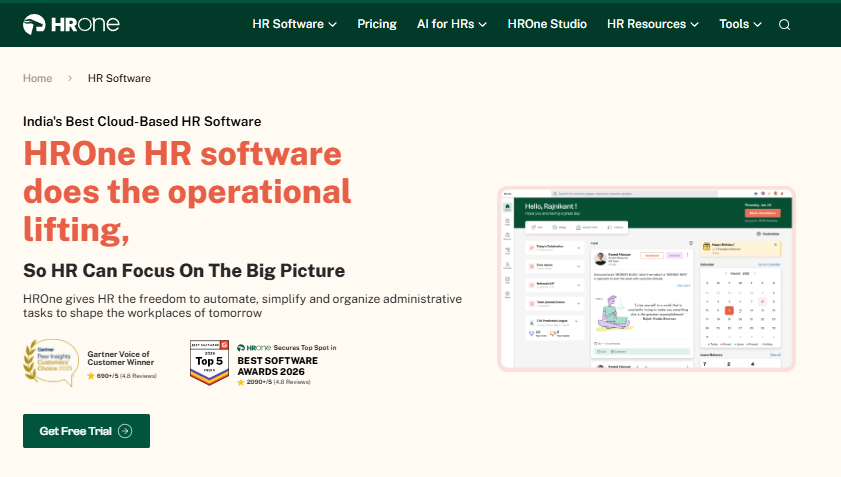
HROne is an India-first, mobile-native HCM built by Uneecops Workplace Solutions, founded in 2016 and headquartered in Noida. The platform automates 127 HR processes across payroll, attendance, recruitment, performance, and engagement, and serves roughly 2,000 HR teams with 1,500-plus brands live. G2’s 2026 Best Software Awards placed HROne in the global Top 3 for customer satisfaction, ranked #1 in APAC and #1 in India, across 2,074 verified reviews at 4.8/5. It is used mostly by teams reconciling payroll, biometric attendance, and leave across disconnected systems.
🧩 Core Services
- Super Inbox surfaces every pending approval, request, and task in one Gmail-style screen, closing 1 in 10 tasks within three clicks, which is why the HR inbox replaces tab-switching across five tools.
- 127 Pre-Built Workflows define who does what by when across onboarding, confirmation, transfer, promotion, and exit clearance, removing manual follow-up chains.
- Payroll Auto-Scheduler with Group Payout Validations runs recurring cycles and validates all payouts at once, targeting zero salary delays through connected payroll software.
- Time Office with Offline Attendance captures punches in low-connectivity zones and auto-syncs on reconnect, so field staff are never wrongly marked absent.
- One AI Suite scores resume relevancy, parses receipts, and runs an employee AI agent, cutting manual screening and expense data entry.
- ROI Dashboard calculates lifetime hours saved against average HR salary, giving CHROs a rupee figure for board reviews.
- HRV Studio lets HR build custom apps such as visitor or vendor management without raising a developer ticket.
🇮🇳 India-Specific Compliance and Localization
- PF/ESI/TDS: Yes (automated computation, challan file generation)
- Labour law compliance: Strong (state-wise minimum wages, PT, and LWF slabs)
- Payroll localization (India-specific): Yes (FBP declarations, arrears, Form 16)
- Multi-state compliance handling: Yes (multi-legal-entity config in one instance)
👥 Who This Is Built For
- Payroll manager firefighting CTC-revision arrears and overtime corrections every month-end.
- HR ops lead manually matching biometric exports against a standalone leave portal.
- CHRO who cannot answer, in a board review, how many days a confirmation letter takes.
🚫 Who Should Skip This
- Sub-100-employee startups wanting a free or near-free tier; HROne deliberately does not target this segment.
- Teams buying only a biometric attendance tool or a standalone ATS, where a full suite is overkill.
💰 Pricing Structure
- Plan Type(s): Basic, Professional, Enterprise
- Starting Price: ₹4,950 per month covering 50 users, billed monthly
- Tier-wise Breakdown: Basic ₹4,950/month for 50 users, then ₹99 per additional user; Professional ₹6,500/month for 50 users, then ₹130 per additional user; Enterprise is customised and quoted on request via the published pricing page.
- Incremental Cost Drivers: Per-user charges above the 50-user base, module scope in Enterprise quotes, and custom report formats.
- Implementation Fee: Yes, one-time, charged mainly for enterprise-scale rollouts.
- Cost at 200 Employees: ₹19,800/month (Basic) or ₹26,000/month (Professional) | Cost at 500 Employees: ₹49,500/month (Basic) or ₹65,000/month (Professional), computed from published slabs.
⏰ Implementation and Support Reality
- MR DIY India went live one month after signing and moved payroll in-house, cutting cycles from 10 days to 5 or 6, as documented in the MRDIY case study.
- Support runs on phone plus email with a dedicated prior-HR SPOC carrying a 9.8 NPS.
- Data migration is vendor-led; one reviewer moved ERP data across in a few hours.
- Subscription meters only after go-live, with no lock-in and two months’ exit notice.
“The best functionality of the product is the onboarding module and time office module. Live sync of biometric punches are available where HR Head can easily track no. of employee present at particular instance of time on a day.”
Komal S., 5/5 HROne G2 Verified Review
“While HROne does a great job overall, it can sometimes feel a bit overwhelming for new users. Certain features take time to understand, and without enough guided support, the learning curve can feel quite steep.”
Nijanthan R., 3/5 HROne G2 Verified Review
🔍 What I’d Stress-Test Before Signing
Working with 2,000-plus HR teams, what I’ve felt is that suite breadth is not the hard part. The hard part is whether month two still runs without a consultant on call. HROne’s read is that the standard advice gets this backwards: buyers audit feature checklists, then discover the real cost sits in policy configuration.
HROne’s own review data points one way here, though I might be reading it too strongly. The praise clusters around time office and onboarding, while the complaints cluster around learning curve and customisation turnaround. My current thinking is that you should demand a paid pilot on your real attendance data before signature, and a realistic HRMS implementation timeline in writing.
HROne configures multiple legal entities in a single instance, runs 127 hire-to-retire workflows, and starts billing only at go-live with no lock-in. Asia Healthcare Holdings runs 20 pan-India units on one instance with state-wise minimum wages configured, and we have seen appraisal cycles compress to 15 days at Pena4.
1.2 greytHR
greytHR, compliance-first payroll for SMB teams on a tight budget.
Overview
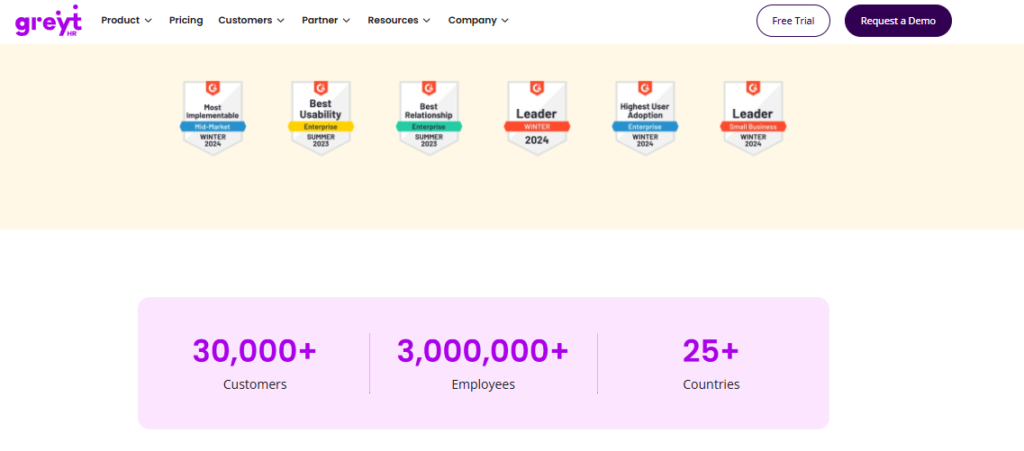
greytHR is one of India’s most widely deployed payroll and compliance platforms, strongest in the small-business and lower-mid-market segment. Its content and organic footprint is roughly five times HROne’s, at around 500,000 monthly organic visits, which reflects how deeply it owns Indian payroll-compliance search. It is primarily used by teams that need payslips, statutory filings, and leave tracking to simply work, without heavy workflow design.
🧾 Core Services
- Payroll Processing computes salary, PF, ESI, TDS, and professional tax, removing month-end spreadsheet reconciliation.
- Leave Management supports unlimited leave types with self-service balances, cutting HR’s inbox load compared with a dedicated leave management module.
- Employee Self-Onboarding and Exit lets joiners submit their own data and documents, reducing HR data entry.
- Employee Self-Service Portal gives staff payslips, attendance, and tax declarations without routing through HR.
- Helpdesk and Ticketing logs employee queries with acknowledgement and status updates, so requests stop living in email.
- Expense Management and SSO are available as add-ons rather than bundled modules.
🇮🇳 India-Specific Compliance and Localization
- PF/ESI/TDS: Yes (core strength, long-standing statutory coverage)
- Labour law compliance: Moderate to Strong (broad coverage, TDS revision gaps reported)
- Payroll localization (India-specific): Yes (tax regime selection, declarations)
- Multi-state compliance handling: Partial (works, but users report configuration limits)
👥 Who This Is Built For
- Payroll manager at a 60 to 150-person single-entity firm who needs compliant payslips, not workflow design.
- HR generalist who wants employees pulling their own payslips and tax declarations from a portal.
🚫 Who Should Skip This
- HR ops leads at multi-legal-entity or shift-based manufacturing firms needing deep policy configuration, where HR software for multi-entity companies is the better starting point.
- Teams whose mobile-first workforce needs full feature parity on the app, which reviewers say is missing.
💰 Pricing Structure
- Plan Type(s): Starter (free tier), Essential, Growth, and higher paid plans
- Starting Price: ₹2,495 per month covering the first 50 employees, billed monthly
- Tier-wise Breakdown: Essential ₹2,495/month for 50 employees, then ₹45 per additional employee; Growth ₹4,495/month for 50 employees, then ₹85 per additional employee.
- Incremental Cost Drivers: Add-ons such as Expense Management and SSO, plus per-employee charges above the 50-employee base.
- Implementation Fee: Not publicly disclosed, request a quote.
- Cost at 200 Employees: ₹9,245/month (Essential) or ₹17,245/month (Growth) | Cost at 500 Employees: ₹22,745/month (Essential) or ₹42,745/month (Growth), computed from published slabs.
⏰ Implementation and Support Reality
- Go-live is typically weeks for single-entity SMB payroll scope; enterprise timelines are not publicly published.
- Support is ticket-led, and one reviewer reported callbacks within one to two hours.
- Configuration is vendor-dependent, with users describing high reliance on the greytHR team.
- Publicly reported NPS or CSAT: not disclosed.
“GreytHR is not much good at customizing based on our requirements. For our case, from implementation onwards, there were issues with leave balance and all. Many times we were manually correcting the leave balance of employees.”
Verified User in IT and Services, 2/5 greytHR G2 Verified Review
“Better UI, simplicity and time for support. Reporting configuration, TDS filing, revising of TDS is not possible.”
Krishnanand B., 3/5, ten-year user greytHR G2 Verified Review
⚠️ Where the Budget Logic Breaks
At 100 employees, greytHR’s ₹45 incremental slab is genuinely hard to beat on paper. What surfaces in HROne’s client engagements is that the saving evaporates the moment a second legal entity or a shift-based plant appears. Then someone in HR becomes the integration layer, unpaid.
I might be wrong here, but the pattern I keep seeing is switching cost, not license cost. A reviewer who spent ten years on the platform still flags TDS revision as impossible. That is the kind of gap you should test in a demo with your own challan data, not a vendor sandbox, and it is worth reading a full greytHR review before you commit.
HROne takes the opposite architectural bet: unlimited legal entities in one instance, 127 pre-built workflows, and front-end policy configuration that does not need a developer ticket. greytHR earns its SMB reputation on payroll compliance depth. Above 100 employees and two entities, the reconciliation work moves back onto HR, which is the switch HROne vs greytHR buyers most often weigh.
1.3 Keka
Keka, employee-facing UX polish for mid-market teams that value adoption.
Overview
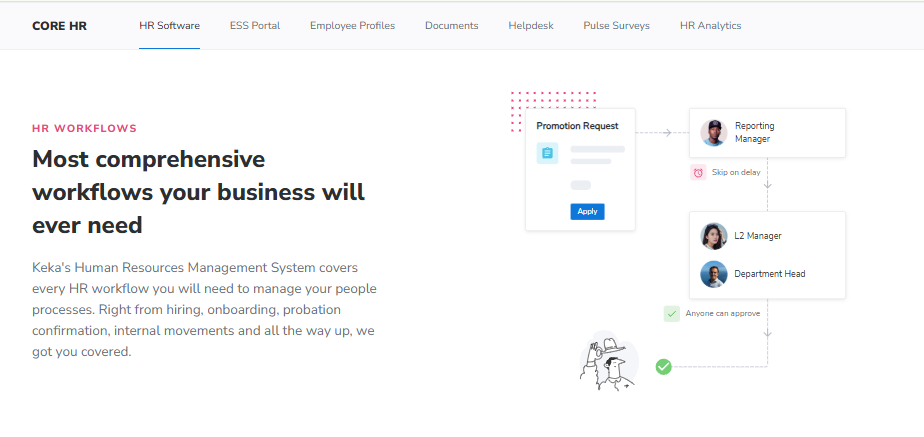
Keka is a cloud HRMS and payroll platform founded in 2014 and headquartered in India, serving 12,500-plus customers across India, the US, and the UAE. It targets companies from roughly 50 employees upward and holds SOC 2 Type II, ISO 27001, and GDPR certifications. Teams pick it mainly to escape scattered HR tools with an interface employees adopt without training. Its known weak spot is configuration depth once policies get unusual.
🧰 Core Services
- Core HR centralises employee records, documents, and org charts, cutting document-chase emails during onboarding.
- Payroll with Statutory Automation computes multi-state PF, ESI, and TDS, removing manual challan preparation, which is the baseline any statutory compliance software must clear.
- Time and Attendance tracks punches and leave through self-service, reducing HR’s daily regularisation load.
- Performance Management runs goals, OKRs, and continuous check-ins, replacing appraisal spreadsheets.
- Keka Hiring (ATS) manages requisitions and offers, though it is quote-based rather than bundled.
- Keka Learn (LMS) adds training at ₹60 per employee monthly with a 50-employee minimum.
🇮🇳 India-Specific Compliance and Localization
- PF/ESI/TDS: Yes (automated multi-state statutory payroll)
- Labour law compliance: Moderate to Strong (users report RBI-linked payroll blocks)
- Payroll localization (India-specific): Yes (payslips, declarations, compliance logic)
- Multi-state compliance handling: Yes (location-based configuration, some limits reported)
👥 Who This Is Built For
- HR generalist whose employees ignore the current portal because it is ugly and slow.
- People ops lead running goals and reviews in Excel across a 150-person team.
🚫 Who Should Skip This
- HR ops leads needing location-specific policy variants, which reviewers say chat support struggles with.
- Payroll managers handling ESOPs, insurance records, or separated monthly incentives.
💰 Pricing Structure
- Plan Type(s): Foundation, Strength, Growth
- Starting Price: ₹9,999 per month including up to 100 employees, billed monthly
- Tier-wise Breakdown: Foundation ₹9,999 for 100 employees, then ₹90 each; Strength ₹12,999 for 100, then ₹120 each; Growth ₹15,999 for 100, then ₹150 each, as detailed in this Keka pricing breakdown.
- Incremental Cost Drivers: Keka Learn at ₹60 PEPM, quote-based Hiring and Projects modules
- Implementation Fee: Not publicly disclosed, request a quote
- Cost at 200 Employees: ₹18,999/month (Foundation) | Cost at 500 Employees: ₹45,999/month (Foundation), computed from published slabs
⏰ Implementation and Support Reality
- Keka guarantees a 99.9% uptime SLA on its cloud platform.
- Support runs through chat and email, and reviewers report weekend gaps.
- Multiple reviewers describe implementation stretching for months.
- Publicly reported NPS or CSAT: not disclosed.
“We started working with Keka HRMS in August, and to this day, we have been unable to implement the tool in our company due to their consistently delayed responses and poor coordination between their internal teams.”
Divya P., 0/5 Keka G2 Verified Review
“Strong payroll and compliance, automate salary and attendance processing with pf/esi/tds. PMS module is confusing and needs to be simpler and easier to use.”
Kiran B., 3/5 Keka G2 Verified Review
⚠️ The Adoption Versus Configuration Trade
Keka genuinely wins on interface. Reviewers who dislike the service still praise the UI. That matters, because an HRMS nobody opens is a wasted line item.
HROne’s read is that the category overweights UI in demos and underweights escalation paths. Buyers see screens for one hour and live with support for three years. I would ask Keka directly, in writing, for a named escalation matrix before signing, and buyers weighing the switch usually start at HROne vs Keka.
1.4 Zoho People
Zoho People, bundled HR for companies already standardised on Zoho.
Overview
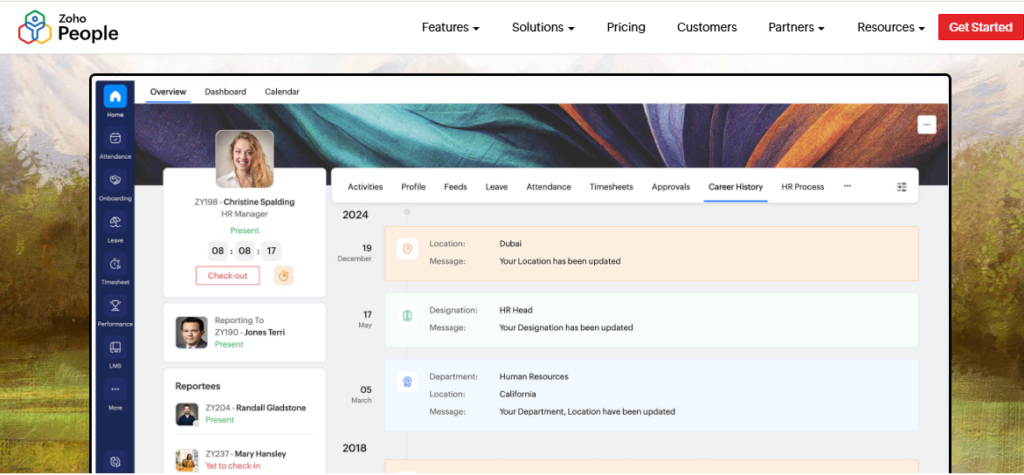
Zoho People is the HR module inside the wider Zoho suite, carrying the brand trust and global reach of its parent. Its plan comparison page publishes a free tier for up to three users, then paid per-user monthly tiers. It suits teams already running Zoho Recruit, Zoho Payroll, or Zoho Books, where shared data removes duplicate entry. Reviewers consistently flag that HR is not Zoho’s primary product, and depth suffers.
🔗 Core Services
- Employee Database Management stores records with unit-wise organisation, cutting scattered spreadsheet lookups.
- Leave and Attendance Tracker handles requests digitally, letting managers approve without HR mediation, much like a dedicated leave management module.
- Self-Onboarding lets candidates enter their own details, compressing onboarding to a day.
- Timesheets and Time Logging captures billable hours, though users report slow cell-by-cell entry.
- Zoho Ecosystem Integration links Recruit and Payroll so recruitment and monthly payroll share one record.
🇮🇳 India-Specific Compliance and Localization
- PF/ESI/TDS: Partial (handled largely through Zoho Payroll, a separate product)
- Labour law compliance: Moderate (global generalist design)
- Payroll localization (India-specific): Partial (needs the Payroll module pairing)
- Multi-state compliance handling: Partial (limited depth reported by reviewers)
👥 Who This Is Built For
- HR manager at a firm already billing through Zoho Books who wants one login set.
- Recruiter tired of re-keying candidate data between an ATS and an HR record.
🚫 Who Should Skip This
- Payroll managers needing deep India-specific CTC revision and FBP handling in one product.
- Field-heavy teams needing full mobile parity, which reviewers say is missing, unlike a purpose-built mobile HR app.
💰 Pricing Structure
- Plan Type(s): Free plus paid tiers published on Zoho’s plan comparison page
- Starting Price: Free for up to three users, then per-user monthly or annual billing
- Tier-wise Breakdown: Rupee rates per tier are published only on Zoho’s live pricing page and should be verified there before budgeting.
- Incremental Cost Drivers: Zoho Payroll, Zoho Recruit, and other suite modules bought separately
- Implementation Fee: Not publicly disclosed, request a quote
- Cost at 200 Employees: Not publicly disclosed, request a quote | Cost at 500 Employees: Not publicly disclosed, request a quote
⏰ Implementation and Support Reality
- Setup is largely self-serve, and one reviewer completed onboarding within a day using instructional videos.
- Support is email and ticket-led, with slow response times reported repeatedly.
- Data migration is self-serve for standard modules.
- Publicly reported NPS or CSAT: not disclosed.
“The biggest drawback for me has been the lack of customer support. Whenever I try to reach out, it often takes a long time to get a response. The mobile application is quite limited.”
Dhana C., 4/5 Zoho People G2 Verified Review
“The breadth of applications and the price of it. [Dislike] Features are shallow and there is no depth in each application.”
Verified User in IT and Services, 2.5/5 Zoho People G2 Verified Review
💸 The Bundle Discount Has a Bill Attached
Bundling looks cheap on the invoice. What surfaces in HROne’s client engagements is that suite pricing hides the compliance gap, not the licence cost. Someone still reconciles state-wise wage slabs by hand, which is exactly what multi-state payroll compliance is meant to remove.
I might be reading this too strongly, but the reviewer phrase that stuck with me was “no depth in each application”. For a 500-person Indian payroll, depth is the whole job.
1.5 factoHR
factoHR, biometric-heavy attendance and payroll for plant and field teams.
Overview
factoHR is an India-focused payroll and HR platform positioned around biometric attendance and workforce management for manufacturing-style operations. G2 lists five pricing editions ranging from ₹2,999 to ₹5,999 per month. It is used mostly by plant HR teams reconciling shift punches against payroll inputs. Its public AI and innovation footprint is thinner than the larger India players.
🏭 Core Services
- Biometric Attendance syncs device punches into payroll inputs, removing manual export and paste cycles.
- Payroll Engine automates PF, ESI, TDS, and professional tax computation, cutting month-end reconciliation errors.
- Leave and Shift Management handles rosters and shift rules so supervisors stop maintaining paper registers.
- Mobile App lets field staff punch and apply for leave without visiting the HR desk, a core need for HRMS for field and blue-collar employees.
- Statutory Reports generates challan-ready outputs, reducing filing preparation time.
🇮🇳 India-Specific Compliance and Localization
- PF/ESI/TDS: Yes (core India payroll focus)
- Labour law compliance: Moderate to Strong (attendance and wage rules)
- Payroll localization (India-specific): Yes (India-built product)
- Multi-state compliance handling: Yes (verify entity limits during demo)
👥 Who This Is Built For
- Plant HR officer reconciling three biometric devices against one payroll sheet monthly.
- Payroll manager computing overtime and shift allowances for hourly workers by hand.
🚫 Who Should Skip This
- CHROs wanting inbuilt ROI instrumentation and AI-led screening as buying criteria.
- White-collar-only teams whose main pain is performance and engagement, not punches.
💰 Pricing Structure
- Plan Type(s): Velocity, Bolster, Performer, and further editions as listed on G2
- Starting Price: ₹2,999 per month for the Velocity edition
- Tier-wise Breakdown: Velocity ₹2,999/month, Bolster ₹4,999/month, and Performer ₹5,999/month; a Core plan covering up to 50 employees adds ₹69 per additional employee.
- Incremental Cost Drivers: Per-additional-employee charges above plan caps, device integration scope
- Implementation Fee: Not publicly disclosed, request a quote
- Cost at 200 Employees: Not publicly disclosed, request a quote | Cost at 500 Employees: Not publicly disclosed, request a quote
⏰ Implementation and Support Reality
- Go-live is vendor-led and scope-dependent; no published standard timeline.
- Support runs through email and phone channels.
- Data migration is vendor-led for payroll history.
- Publicly reported NPS or CSAT: not disclosed.
1.6 Darwinbox
Darwinbox, enterprise HCM for 3,000-plus headcount with an in-house HRIS team.
Overview
Darwinbox is an enterprise HCM with deep Indian enterprise penetration, backed by roughly $140M in funding and around 1,016 enterprise clients at reported FY25 revenue of ₹534 crore. It is built for large, multi-country organisations with dedicated HRIS staff. Reviewers praise the module breadth and the mobile app, while flagging speed, report customisation, and support consistency.
🏢 Core Services
- Unified Core HCM brings attendance, payroll, and performance into one record, cutting cross-tool tracking.
- Configurable Workflows adapt to internal processes with limited technical help, per reviewer accounts.
- Mobile App enables leave, attendance, and payslip actions on the go, reducing desk dependency.
- Payroll and Statutory Processing handles Indian compliance at enterprise scale, the benchmark for enterprise HRMS buyers above 1,000 employees.
- Performance and Recruitment Modules exist but need training to use fully.
🇮🇳 India-Specific Compliance and Localization
- PF/ESI/TDS: Yes (enterprise-grade statutory processing)
- Labour law compliance: Strong (large Indian enterprise install base)
- Payroll localization (India-specific): Yes (India-origin product)
- Multi-state compliance handling: Yes (built for multi-location enterprises)
👥 Who This Is Built For
- Group HR head consolidating HR across 3,000-plus employees and several countries.
- HRIS manager with in-house capacity to own configuration and release testing.
🚫 Who Should Skip This
- 200 to 500-person teams without an HRIS owner, given reported implementation and config complexity.
- CFOs who refuse to pay subscription during a long implementation window.
💰 Pricing Structure
- Plan Type(s): Enterprise plans, not publicly tiered
- Starting Price: Not publicly disclosed, request a quote
- Tier-wise Breakdown: Not publicly disclosed, request a quote, though reported ranges are collected in this Darwinbox pricing guide.
- Incremental Cost Drivers: Module scope, entity count, integration work, and third-party customisation
- Implementation Fee: Not publicly disclosed, request a quote
- Cost at 200 Employees: Not publicly disclosed, request a quote | Cost at 500 Employees: Not publicly disclosed, request a quote
⏰ Implementation and Support Reality
- Implementation cycles are long, and billing commonly starts at purchase rather than go-live.
- Support is enterprise CSM-led, with quality disputed across reviews.
- Migration is vendor-led, and one reviewer called the transition “quite difficult”.
- Contracts commonly involve multi-year lock-in.
“Bad implementation experience, bad UI UX, configurations getting broken in production on its own due to product deployments, terrible customer service.”
Verified User in Computer Software, 0/5 Darwinbox G2 Verified Review
“Darwinbox has made HR processes much smoother by bringing everything together on one platform. Pages sometimes load slowly. Limited customization in reports.”
Saksham A., 4/5 Darwinbox G2 Verified Review
🧮 Pay-From-Day-One Is a Real Cash Cost
Working with 2,000-plus HR teams, what I’ve felt is that CFOs never object to the PEPM. They object to paying for six months of nothing. That is a cash-flow problem, not a software problem.
HROne bills only after go-live, with no lock-in and a two-month exit notice. My current thinking is that this single clause reveals more about a vendor’s implementation confidence than any reference call, which is why the HROne vs Darwinbox conversation usually turns commercial, not technical.
1.7 Pocket HRMS
Pocket HRMS, AI-assisted payroll basics for lean Indian HR teams.
Overview
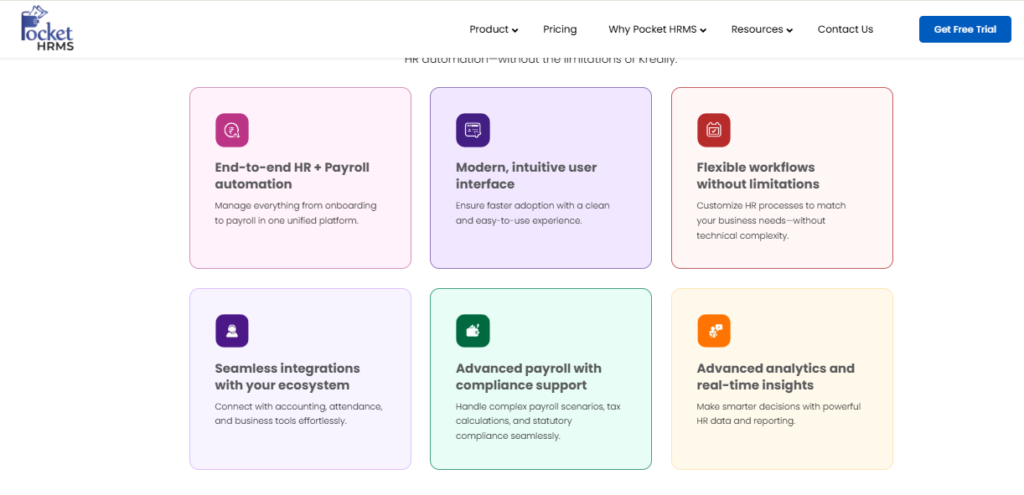
Pocket HRMS is an India-focused HRMS running on Microsoft Azure, with an ISO 27001, SOC 2, and GDPR posture. It publishes transparent plans starting at ₹2,995 per month for 50 employees, with a 50-employee minimum. It suits one or two-person HR teams that need payroll, attendance, and compliance working without a project team. Enterprise-depth features sit behind a custom-quoted Premium tier.
🤖 Core Services
- smHRt Payroll Processing automates salary computation with statutory taxes, removing manual reconciliation.
- Flexible Attendance with Geo-Tagging verifies field check-ins by location, cutting attendance disputes, the same job handled by dedicated attendance management systems.
- Geo-Fencing and Fraud Detection flag out-of-boundary punches, available on higher tiers.
- Custom Payslip Designer builds branded payslips without vendor tickets, on Professional and above.
- Confirmation, Transfer, and Exit Modules structure lifecycle events instead of email chains.
- Payroll JV Integration pushes payroll entries into finance systems on Premium, reducing double entry.
🇮🇳 India-Specific Compliance and Localization
- PF/ESI/TDS: Yes (automated taxes and compliance in Standard)
- Labour law compliance: Moderate (statutory automation, PF, ESIC, PT, TDS)
- Payroll localization (India-specific): Yes (India-built payroll engine)
- Multi-state compliance handling: Partial (verify state coverage on Premium quote)
👥 Who This Is Built For
- Solo HR manager at a 60-person firm running payroll on Excel formulas.
- Ops lead needing geo-tagged attendance for a small field sales team.
🚫 Who Should Skip This
- Teams under 50 employees, since Pocket HRMS enforces a 50-employee minimum.
- CHROs needing advanced analytics and shift automation without paying for the custom Premium tier.
💰 Pricing Structure
- Plan Type(s): Standard, Professional, Premium
- Starting Price: ₹2,995 per month for 50 employees, billed annually
- Tier-wise Breakdown: Standard ₹2,995 for 50 employees, then ₹60 each; Professional ₹4,495 for 50 employees, then ₹90 each; Premium custom-quoted with a 100-employee minimum
- Incremental Cost Drivers: Per-employee charges above 50, custom API integrations, and Premium module upgrades
- Implementation Fee: Yes, a nominal one-time fee disclosed during the sales discussion, varying by size and migration complexity
- Cost at 200 Employees: ₹11,995/month (Standard) or ₹17,995/month (Professional) | Cost at 500 Employees: ₹29,995/month (Standard) or ₹44,995/month (Professional), computed from published slabs
⏰ Implementation and Support Reality
- Go-live timeline is not published; training is scheduled after implementation completes.
- Support includes email with roughly 24-hour responses, live chat, and phone.
- Data migration is vendor-led and priced inside the implementation fee.
- Publicly reported NPS or CSAT: not disclosed.
1.8 Qandle
Qandle, modular pick-and-choose HR for 100 to 300-person teams.
Overview
Qandle is an India-based HRMS covering core HR, payroll, compliance, leave, assets, travel expenses, and recruitment, sold module by module. The vendor states implementation goes live within about two weeks, including employee data and policy configuration. It fits teams that want to start with two modules and add later. There is no free plan.
🧱 Core Services
- Core HR and Employee Database centralises records in secure cloud storage, replacing local file folders.
- Payroll and Compliance processes salaries with statutory handling, cutting manual computation.
- Leave Management tracks balances and approvals so HR stops maintaining registers.
- Asset and Travel Expense Tracking logs company property and claims, reducing recovery disputes, similar to an integrated expense and reimbursement module.
- Recruitment Workflows set position-specific hiring criteria and requisition flows for transparency.
🇮🇳 India-Specific Compliance and Localization
- PF/ESI/TDS: Yes (payroll and compliance module)
- Labour law compliance: Moderate (verify depth per module purchased)
- Payroll localization (India-specific): Yes (India-built product)
- Multi-state compliance handling: Partial (confirm during demo)
👥 Who This Is Built For
- HR lead at a 150-person firm who needs payroll and leave now, performance next year.
- Finance-adjacent HR admin tracking laptops and travel claims on spreadsheets.
🚫 Who Should Skip This
- CHROs at 1,000-plus headcount needing one connected record across every lifecycle stage.
- Teams that dislike modular buying, where each add-on renegotiates scope and price.
💰 Pricing Structure
- Plan Type(s): Modular plans; no free plan offered
- Starting Price: Not publicly disclosed, request a quote
- Tier-wise Breakdown: Not publicly disclosed, request a quote
- Incremental Cost Drivers: Additional modules, integration scope, and employee count bands
- Implementation Fee: Not publicly disclosed, request a quote
- Cost at 200 Employees: Not publicly disclosed, request a quote | Cost at 500 Employees: Not publicly disclosed, request a quote
⏰ Implementation and Support Reality
- Qandle publishes a roughly two-week go-live including data and policy configuration.
- Support is account-manager and email-led.
- Data migration is vendor-assisted during the two-week setup.
- Publicly reported NPS or CSAT: not disclosed.
1.9 sumHR
sumHR, first paid HRMS for sub-100 teams leaving a free tier.
Overview
sumHR is an India-based HR and payroll platform aimed at small teams, publishing rates from ₹49 per user per month billed annually alongside a free plan option. It is the closest structural match to Kredily’s freemium logic, which makes it a low-friction next step rather than a leap. It suits teams whose main need is attendance, leave, and simple payroll, not multi-entity workflow design.
🪶 Core Services
- Leave and Attendance Management digitises punches and approvals, removing shared spreadsheets.
- Payroll Processing computes salaries and statutory deductions for straightforward structures.
- Employee Self-Service gives staff payslips and balances without HR follow-up, the same principle behind an employee self-service portal.
- Employee Database stores records centrally, cutting document hunts.
- Basic Reports cover headcount and attendance for monthly review.
🇮🇳 India-Specific Compliance and Localization
- PF/ESI/TDS: Yes (standard Indian statutory deductions)
- Labour law compliance: Limited to Moderate (small-team scope)
- Payroll localization (India-specific): Yes (India-built product)
- Multi-state compliance handling: Limited (verify before multi-location rollout)
👥 Who This Is Built For
- Founder-HR at an 80-person firm paying for structure for the first time.
- Office manager tracking leave in a shared sheet that three people edit.
🚫 Who Should Skip This
- HR ops leads at 500-plus headcount running multiple legal entities in one instance.
- Manufacturing teams needing shift rostering, offline punches, and plant-level rules, which is the remit of manufacturing HR platforms.
💰 Pricing Structure
- Plan Type(s): Free plan plus paid per-user tiers
- Starting Price: ₹49 per user per month, billed annually, with a free plan alternative
- Tier-wise Breakdown: Published tiers include a ₹25 per-user option and higher-priced plans; verify current tier contents on the live pricing page.
- Incremental Cost Drivers: Per-user counts and module additions
- Implementation Fee: Not publicly disclosed, request a quote
- Cost at 200 Employees: Approximately ₹9,800/month at the ₹49 per-user rate | Cost at 500 Employees: Approximately ₹24,500/month at the same rate
⏰ Implementation and Support Reality
- Setup is fast and largely self-serve for small teams.
- Support runs through email and chat.
- Data migration is self-serve for basic employee and leave data.
- Publicly reported NPS or CSAT: not disclosed.
⭐ Reading This List Honestly
Nine vendors, and only three broad architectural bets sit underneath them. Cheap-and-simple, pretty-and-mid-market, or connected-and-instrumented. Price gaps of 3x usually signal which bet you are buying, not which product is better.
HROne’s data points one way here, though I might be reading it too strongly. The teams that regret their choice almost never regret the features; they regret the reconciliation work that quietly returned. My advice for Monday morning is simple: shortlist three, then run each on one real month of your own attendance data, using a structured HR software buyer checklist.
HROne anchors the top of this list because it configures unlimited legal entities in a single instance, ships 127 pre-built workflows across hire-to-retire, and meters subscription only after go-live. MR DIY India went live in a month and cut payroll from 10 days to 5 or 6, and we hold a 4.8/5 G2 rating across 2,074 verified reviews, with the full picture in our HRMS migration guide.
Q2. How Did We Score and Shortlist These Kredily Alternatives?
Every tool was scored on five weighted criteria: Statutory and Payroll Depth (30%), Multi-Entity and Policy Configurability (20%), Implementation and Support Quality (20%), Verified User Reviews (15%), and Pricing Transparency (15%). Scores of 0 to 20 earn 1 star, 21 to 40 earn 2, rising to 5 stars above 80. HROne scored 5 stars on the widest lifecycle-plus-statutory coverage in this set, with 127 pre-built workflows spanning pre-boarding to full-and-final settlement.
The Weighting, and Why Statutory Depth Dominates
Statutory depth carries the heaviest weight because it is the only criterion where failure is illegal, not just annoying. Since the Code on Wages, 2019 took effect on 21 November 2025, wage definition, gratuity, and overtime maths all changed. A tool that lags a rule change costs you money, not patience, which is why buyers increasingly start with dedicated labour law compliance software.
Configurability and implementation come next, at 20% each. Both decide whether the software works in month six, not just at demo stage.
📊 The Rubric
| Criterion | Weight | What was measured |
| Statutory and Payroll Depth | 30% | PF, ESI, TDS, PT, prescribed-format registers, and the revised wage definition |
| Multi-Entity and Policy Configurability | 20% | Entities per instance, policy applicability rules, and front-end config |
| Implementation and Support Quality | 20% | Go-live timeline, SPOC model, escalation path, and migration ownership |
| Verified User Reviews | 15% | G2 volume, recency, and documented complaints, not just praise |
| Pricing Transparency | 15% | Published PEPM, minimum slabs, add-ons, and billing start point |
The India-Fit Exclusion Rule
Several tools that rank on global “best HRMS” lists were removed before scoring. Rippling, Gusto, Paycor, Paychex, UKG, and HiBob were excluded because they do not carry native Indian statutory payroll for PF, ESIC, professional tax, and TDS. Ranking them for an Indian 300-person firm would be a category error, not a recommendation, since PF, ESI, and TDS compliance is the baseline test here.
⚠️ The Database Trap Deduction
One deduction was added deliberately. Tools that store employee data but cannot act on it, meaning no workflow engine, lost points on configurability. HROne measures this by counting how many lifecycle events run as pre-built workflows rather than manual chases, which is where the 127 figure comes from.
A payroll manager once told me her old system was “a very expensive Excel with logins”. That is the trap. Storage is cheap now; action is what you are actually buying, and that gap is exactly what HR software versus Excel comparisons keep exposing.
What Was Deliberately Not Weighted
Three popular signals were left out on purpose:
- Funding raised. Capital tells you about investor conviction, not about your month-end payroll run.
- Logo count alone. A thousand 20-person customers say nothing about 800-employee multi-entity behaviour.
- Raw review volume. Older platforms accumulate reviews mechanically, so recency and complaint patterns were weighted instead.
🔍 Three Demo Questions Worth Scoring Yourself
Ask each vendor these, in writing, and score the answers:
- Show me the exception queue for a 200-person payroll month. Vague answers mean manual reconciliation returns to you.
- Is a statutory rule change a configuration update or a product release? Release-dependent vendors move at their roadmap’s pace, not the government’s.
- What is your certified attendance device list? Unlisted biometric devices become an integration project nobody budgeted, so check the vendor’s integrations coverage early.
One Stated Limitation
This scoring has a real weakness, and pretending otherwise would be dishonest. Implementation quality was scored from published timelines and public reviews, not from a controlled parallel-run test across all nine vendors. That means the 20% implementation weight carries more uncertainty than the statutory 30%, where the law is written down.
HROne earned its 5-star band on lifecycle breadth plus statutory coverage, running unlimited legal entities in a single instance with policy applicability set per entity. greytHR, Keka, and Darwinbox landed at 4 stars, each strong in one dimension and thinner in another, a pattern also visible across best HR software for the Indian mid-market.
Q3. Why Do Growing Indian Teams Outgrow Kredily in the First Place?
Teams outgrow Kredily at three breakpoints: crossing roughly 100 to 150 employees, adding a second legal entity, and hitting audit-grade statutory reporting. A free tier handles core HR and attendance well. What breaks is multi-state professional tax, prescribed-format registers, policy variation across entities, and analytics you trust enough to put in front of a board.
The Person-Dependent Desk
Below 100 people, HR runs on one person’s memory. She knows who joined when, which manager forgets timesheets, and where the offer letter template lives. That works, right up until she takes leave.
Past 100 headcount, the same desk becomes a bottleneck. Nothing has failed technically; the operating model has simply run out of road, which is the core challenge in scaling HR processes from 100 to 1,000 employees.
😮💨 What the Breakpoint Actually Feels Like
The symptoms are boring and specific. HR chases four managers over WhatsApp for one appraisal sheet. Attendance sits in a biometric export, leave sits in a portal, and someone pastes both into Excel on the 28th.
I’ve seen this exact pattern repeatedly, and the tell is always the same sentence: “let me just check with her.” That is a system-dependency problem wearing a people problem’s clothes.
The Analytics Trust Gap
The second breakpoint is quieter and more dangerous. A CHRO gets a dashboard, then cannot say whether the numbers are right. So the dashboard goes unused, and decisions revert to instinct.
HROne’s read is that the standard advice gets this backwards. Buyers are told to demand more reports. My current thinking is that fewer reports built on one employee record beat twenty reports stitched from four exports, which is the practical case for consolidated HR analytics tools.
📉 Where Free and Low-Cost Tiers Actually Cap Out
Reviewers of budget-tier Indian HRMS platforms describe the same five ceilings:
- Customisation limits that force manual workarounds on leave balances.
- TDS revision and filing gaps that surface only at year-end.
- Mobile apps missing features the web version has, which breaks field teams.
- Rigid policy configuration when a second entity or shift pattern appears.
- Support routed through tickets with no escalation matrix.
“GreytHR is not much good at customizing based on our requirements. For our case, from implementation onwards, there were issues with leave balance and all. Many times we were manually correcting the leave balance of employees.”
Verified User in IT and Services, 2/5 greytHR G2 Verified Review
“Reporting configuration, TDS filing, revising of TDS is not possible.”
Krishnanand B., 3/5, ten-year user greytHR G2 Verified Review
The Relief That Actually Matters
HROne customers report the specific relief this breakpoint demands: one HR operations team cut occupancy from 150% down by 70% after moving lifecycle tasks onto pre-built workflows. That hands roughly a third of the week back. We see it used mostly for work that is not chasing updates, which is the promise of real HR process automation.
“The best functionality of the product is the onboarding module and time office module. Live sync of biometric punches are available where HR Head can easily track no. of employee present at particular instance of time on a day.”
Komal S., 5/5 HROne G2 Verified Review
✅ Five Questions to Ask Before You Book a Demo
Run this diagnostic first. If you answer yes to three or more, you have outgrown your current tool:
- Does month-end payroll require pasting data between two systems?
- Would a second legal entity need a second setup or a second vendor?
- Can you produce a wage register in the prescribed format without manual formatting?
- Does one person’s absence stall onboarding or confirmations?
- Would you show your current HR dashboard to your board unedited?
HROne configures unlimited legal entities in one instance and starts billing only after go-live, with no lock-in. Outgrowing a free tool is not the tool failing. It is your headcount changing what “good enough” means, and the practical next step is a side-by-side look at HROne vs Kredily.
Q4. Which Kredily Alternative Handles Indian Compliance and Multi-Entity Setups Best?
Since the Code on Wages, 2019 came into force on 21 November 2025, an HRMS must generate prescribed-format wage, attendance, and deduction registers, issue wage slips every cycle, apply overtime at twice the ordinary rate, and recalculate gratuity on the revised wage definition. HROne, greytHR, and factoHR score highest on this axis, with HROne running unlimited legal entities in a single instance.
What Changed on 21 November 2025
Four labour codes took effect together, and the central rules were notified afterwards. The wage definition itself changed, which is the part that hits payroll hardest. Statutory components such as employer PF and pension contributions count toward the 50% remuneration test.
Gratuity now follows the revised wage definition from 21 November 2025 onward, not retrospectively. Overtime is payable at twice the normal wage rate beyond eight hours a day or 48 hours a week, so recheck your figures against a gratuity calculator before the next cycle.
💸 Penalty Exposure, Plainly Stated
Non-payment or delayed payment of wages attracts a fine up to ₹1,00,000, or imprisonment up to six months. A first offence of a lesser kind draws a fine up to ₹50,000. Compliance is no longer a filing chore; it is a balance-sheet risk.
The Code also expects settlement of dues on exit within two working days of separation. If your full-and-final process currently takes 30 days, that is a workflow redesign, not a policy note.
Policy Applicability Across Legal Entities
This is where most HRMS platforms quietly break. You need one employee master, meaning one single record per person, with different policy sets attached by entity. A manufacturing arm needs shift-based overtime rules; the corporate arm does not.
HROne handles this through a front-end policy engine, so an HR admin changes an overtime rule for the manufacturing entity without raising an IT ticket or waiting for a product release. Asia Healthcare Holdings runs 20 pan-India units on one instance with state-wise minimum wages configured, the kind of setup detailed under healthcare HR deployments.
🔐 Access Rights Are a Compliance Control
Multi-entity setups fail on permissions as often as on payroll logic. A plant HR officer should not see corporate CTC data. Role-based access control, meaning permissions attached to a job role rather than a person, is the fix, and HR software permissions deserve a full demo slot.
HROne applies a three-layer access rule across entity, module, and field level, and its pre-payroll error sheet lets HR download and clear prerequisite gaps before processing. My honest hedge here is that no access model survives sloppy role definitions. The tool enforces; you still design.
Compliance Scorecard
| Vendor | PF/ESI/TDS | Multi-Entity in One Instance | Prescribed Registers | Attendance Devices |
| HROne | Yes, automated with challan outputs | Yes, unlimited entities with per-entity policy applicability | Yes | Biometric, geo-fencing, and offline sync |
| greytHR | Yes, long-standing statutory strength | Partial, configuration limits reported | Yes | Biometric integrations |
| factoHR | Yes, India payroll focus | Verify entity limits in demo | Yes | Biometric and shift-heavy |
| Keka | Yes, multi-state statutory payroll | Yes, with location-config gaps reported | Yes | Biometric and mobile |
| Zoho People | Partial, needs Zoho Payroll pairing | Partial | Partial | Basic |
“Payroll not getting processed due to RBI regulations. CA raised a concern that tax figures deducted in the last FY vs the amounts reflecting on system now are different.”
Pooja M., 2.5/5 Keka G2 Verified Review
“Certain features take time to understand, and without enough guided support, the learning curve can feel quite steep.”
Nijanthan R., 3/5 HROne G2 Verified Review
⚠️ Uniformity Is a Scaling Failure
Most HR systems break not because rules were unfair, but because they were too uniform. Equal treatment across a factory and a head office produces the wrong answer twice.
What surfaces in HROne’s client engagements is that the winning design allows different rules with one audit trail. Stitching separate vendors for attendance, payroll, and compliance recreates the gap you were paying to close, which is the trap HR software for multi-entity companies is built to avoid.
HROne runs unlimited legal entities in a single instance with a front-end policy engine and a pre-payroll error sheet, so statutory changes land as configuration rather than a release wait. MR DIY India went live in a month and moved payroll cycles from 10 days to 5 or 6, as recorded in the MRDIY case study.
Q5. What Does Each Alternative Cost, and What Does “Free” Actually Cost You?
Indian HRMS platforms price per employee per month, typically ₹45 to ₹150 for mid-market suites, with implementation billed separately. The real comparison is not free versus paid. It is subscription cost against payroll rework, delayed settlements, and statutory penalties running from ₹50,000 to ₹1,00,000. HROne bills only after go-live, with no lock-in and no surcharge for additional legal entities.
The Published Numbers, Side by Side
| Vendor | Entry Price | Incremental Rate | Cost at 500 Employees |
| HROne | ₹4,950/month for 50 users | ₹99 per extra user (Basic) | ₹49,500/month (Basic) |
| greytHR | ₹2,495/month for 50 employees | ₹45 per extra employee | ₹22,745/month (Essential) |
| Keka | ₹9,999/month for 100 employees | ₹90 per extra employee | ₹45,999/month (Foundation) |
| Pocket HRMS | ₹2,995/month for 50 employees | ₹60 per extra employee | ₹29,995/month (Standard) |
| sumHR | ₹49 per user monthly, billed annually | Per-user | Approximately ₹24,500/month |
💰 Four Costs the Sticker Price Hides
- Implementation fees. Pocket HRMS charges a one-time fee that varies with size and migration complexity. Several vendors do not publish theirs at all.
- Bundle creep. Keka Learn adds ₹60 per employee monthly with a 50-employee floor, and hiring modules are quoted separately, a pattern worth checking against wider HR software pricing benchmarks.
- Error rework. Every wrong paycheque costs HR hours, finance corrections, and employee goodwill.
- Penalty exposure. Late or unpaid wages attract fines up to ₹1,00,000, with imprisonment possible up to six months.
The Retention Cost Nobody Prices
This is the line item CFOs miss. Workforce Institute research found 49% of employees would look for another job after just two payroll errors. A 2026 survey put the figure at 53% who would consider leaving over payroll mistakes.
Compare that to your replacement cost per hire. Two bad payroll cycles can cost more than three years of subscription, which is why teams invest early in ways to improve payroll accuracy.
🧮 Run the ROI Arithmetic Yourself
HROne’s inbuilt ROI dashboard converts minutes saved per task against your average HR salary into an hours-saved figure you can hand to finance. You can do the same maths on paper before any demo, or start with the ROI calculator.
Take your average monthly HR salary, divide by working hours to get a per-hour cost. Multiply that by the hours your team spends on reconciliation, chasing approvals, and payroll corrections. That number, not the PEPM, is your baseline.
Price the Bundle, Not the Entry SKU
Vendors invite you to pick and choose modules. In practice, almost everyone lands on the same four-module core: Core HR, Workforce, Time Office, and Payroll. Quote that bundle from day one, or your year-two invoice will surprise you.
HROne’s data points one way here, though I might be reading it too strongly. Around 98% of customers end up on that four-module core regardless of how the deal started. My current thinking is that modular pricing mostly benefits the seller’s opening number, so price the whole stack against published pricing before negotiating.
✅ When Staying Free Is Genuinely Right
Honest counterpoint, because pricing sections usually skip it. If you are under 50 people, single-entity, single-state, and your payroll structures are simple, a free tier is the correct answer. Paying for workflow depth you will not use is waste, not prudence, and a lean SMB HRMS often covers the need.
The switch becomes rational at the breakpoints, not on the calendar. Second legal entity, multi-state professional tax, or audit-grade registers under the Code on Wages. Until then, keep the cash.
HROne meters subscription only after go-live, charges flat PEPM with no lock-in, and adds no per-entity surcharge. That structure exists because paying for six months of implementation is a cash-flow problem, not a software problem.
Q6. What Do Real Users Say About Implementation, Support, and Adoption?
Across verified G2 reviews, complaints cluster into four patterns: slow or templated support, customisation that needs vendor intervention, mobile apps thinner than the web product, and implementation timelines that overrun the sales estimate. Core HR, attendance, and payroll realistically go live in four to eight weeks. HROne reviewers name accurate biometric sync as a strength while flagging a payroll-module learning curve.
The Four Complaint Patterns
Read enough reviews and the same four sentences repeat across every vendor. Support arrives as an email thread with no escalation path. Customisation needs a ticket, and the ticket needs a follow-up.
The mobile app gap is the most underrated. Reviewers of multiple platforms report the app missing features the web version has, which breaks field and plant teams entirely, so test the HRMS app before signing.
⚠️ Support Is the Thing You Actually Buy
“Lack of timely, responsive, and easily reachable customer support. There is a very high dependency on the greythr team to customize and the customization is full of gaps. There is no escalation matrix.”
Verified User in IT and Services, 1/5 greytHR G2 Verified Review
“From Friday evening 6PM to Monday morning 10AM there is no source of support from KEKA. Telephonic communication to a POC during emergency is not possible.”
Prem K., 2.5/5 Keka G2 Verified Review
HROne runs a dedicated prior-HR onboarding SPOC carrying a 9.8 NPS, meaning the person configuring your leave policy has run leave policies before. I’ve seen the difference this makes on one specific call: the SPOC who asks “is this a probation confirmation or a lateral?” without being taught the terms.
The Multi-Switch Cycle
Here is the pattern that should worry you more than any single bad review. Across nearly 600 businesses studied, some had made three system changes in under four years. Each switch cost data integrity, training time, and manager trust.
The cause is rarely a missing feature. It is buying for the demo instead of buying for month six, which a disciplined HRMS evaluation checklist is designed to prevent.
⏰ Realistic Go-Live Timelines
- Core HR plus attendance: three to five weeks for a single entity.
- Add payroll with one parallel cycle: six to eight weeks.
- Multi-entity with statutory variation: eight to twelve weeks, in line with a typical HRMS implementation timeline.
HROne’s MR DIY India deployment went live one month after signing, then moved payroll in-house and cut cycles from 10 days to 5 or 6. That is a fast case, not a promise; scope and data hygiene drive the rest.
Adoption Beats Purchase
The evidence on HR systems is consistent and slightly uncomfortable. Gains are conditional on adoption, not on purchase. A configured platform nobody logs into produces zero hours saved.
Caliber, a pharma client, moved from closing roughly eight to ten hiring positions a day to 15 to 20 after HROne streamlined its goals and recruitment flow. What we noticed is that the jump came after managers, not HR, started using it daily, which is the whole point of manager solutions.
🚦 Your 90-Day Adoption Scorecard
Write these into the contract, not the kick-off deck:
- Percentage of managers who approved at least one request in the system, week four.
- Payroll run completed with zero manual spreadsheet inputs, cycle two.
- Employee self-service adoption rate for payslips, day 60.
- Number of vendor tickets raised for routine policy changes, day 90.
- Can your own admin change a leave rule unassisted? This is the real test.
❌ Where HROne Gets Criticised
HROne’s own reviewers flag a learning curve on the payroll and performance modules without guided support. A list that spares its own vendor is not a list.
“While HROne does a great job overall, it can sometimes feel a bit overwhelming for new users. Certain features take time to understand.”
Nijanthan R., 3/5 HROne G2 Verified Review
HROne pairs the 127 pre-built workflows with a prior-HR SPOC precisely because software alone does not create adoption. A system cannot replace an HR professional. It can make one consistent, and the full method is set out in our HROne implementation guide.
Q7. How Do You Pick the Right One and Migrate Off Kredily Without Breaking Payroll?
Match the tool to your shape: sumHR or Zoho People under 50 people, greytHR or factoHR at 50 to 200 with payroll depth needs, HROne at 100 to 5,000 across multiple entities, and Darwinbox above 3,000 globally. Then switch at 1 April or a quarter boundary so year-to-date TDS and Form 16 continuity stay intact, and run one parallel payroll cycle before cancelling anything.
Pick by Shape, Not by Rating
| Your Situation | Best Fit | Why |
| Under 50, single state | sumHR or Zoho People | ₹49 per user and free tiers keep cash intact |
| 50 to 200, payroll-first | greytHR or Pocket HRMS | ₹45 and ₹60 incremental rates with statutory depth |
| 100 to 5,000, multi-entity | HROne | Unlimited legal entities in one instance with per-entity policy rules |
| Plant or field-heavy | factoHR or HROne | Biometric depth and offline punch sync for low-connectivity sites |
| 3,000-plus, global | Darwinbox | Enterprise footprint with a dedicated HRIS team assumed |
🏗️ The Middle Market Lockout
The best enterprise HR systems mostly ignore Indian mid-market. Workday-class vendors sell to organisations of 3,000 employees and above, which leaves the 100 to 5,000 band underserved. That gap is where most Indian growth companies actually sit.
HROne targets exactly that band across IT/ITeS, BFSI, manufacturing, and logistics. My honest read is that segment focus matters more than feature count, because the roadmap follows the customer base, a point reinforced across HRMS choices for IT and ITeS companies.
Where HROne Is the Wrong Answer
Two exclusions, stated plainly. Sub-50-employee teams should not buy HROne; the workflow depth outruns the need. And anyone shopping for standalone recruitment should look elsewhere, because the ROI only lands when attendance, payroll, and lifecycle share one engine.
“It is standard HRMS portal. Sometimes, they can or cannot change details as per client requirement.”
Verified User in Research, 3/5 Keka G2 Verified Review
Seven Steps to Migrate Without Breaking Payroll
- Export five data objects. Employee master, salary structures, leave balances, attendance history, and year-to-date tax data. Everything else is optional.
- Validate opening balances. Leave balances and YTD tax are where errors hide. Reconcile against your last payslip run, not the old system’s dashboard.
- Configure policies per entity. Set applicability rules before uploading people, or you will re-tag everyone later.
- Train managers, not just HR. Approvals live with managers. If they do not log in, the workflow stalls.
- Run one parallel cycle. Process the same month in both systems and compare line by line. Non-negotiable.
- Run the first live cycle with an error-sheet audit. HROne lets HR download a pre-payroll error sheet to clear prerequisite gaps before processing. Fix flags before, not after, payout.
- Decommission last. Keep read access to the old system for at least one full quarter, because wage claims can now be filed within a three-year window. The sequencing detail sits in our HRMS migration guide.
⏰ Why Timing Beats Everything
Switch on 1 April if you can. Mid-year switches force manual YTD tax reconstruction, and Form 16 becomes a stitched document. A quarter boundary is the fallback.
The other timing rule is boring but saves cycles. Do not migrate in the same month as an appraisal round or a statutory deadline.
⚠️ What Usually Breaks in Month One
Three things, almost every time. Retyped CTC data introduces mismatches, so HROne copies salary structures directly from the offer letter and auto-triggers onboarding tasks on joining. Reimbursement rules get skipped in configuration. And nobody defines who approves exceptions, which is where a structured onboarding process earns its keep.
“Extremely easy to use platform. Feature-rich for a very affordable price.”
Sushmita S., 5/5 HROne G2 Verified Review
What I’m Still Sitting With
What I think we’ll see in the next two years is statutory logic shifting from vendor releases to configuration layers. The Code on Wages made rule changes frequent enough that release cycles cannot keep pace. I am not certain the mid-market will demand this quickly, though.
HROne runs unlimited entities in one instance with front-end policy configuration, and bills only after go-live. If you have migrated payroll mid-year and survived, I would genuinely like to hear what broke, because that list is shorter in theory than in practice. If you want to pressure-test your own case, book a demo and bring one real month of attendance data.















 Secures Top Spot in
