


Q1. What Are the 12 Best Human Capital Management (HCM) Software Platforms for the Full Employee Lifecycle in 2026?
The 12 best HCM software platforms for full-lifecycle coverage in 2026 are HROne, Darwinbox, Keka, greytHR, Zoho People, PeopleStrong, ZingHR, Workday, SAP SuccessFactors, Oracle Fusion Cloud HCM, BambooHR, and Rippling. HROne leads for Indian mid-market and enterprise teams of 100 to 5,000 employees needing 30+ modules and 127 pre-built workflows in a single multi-entity instance. Workday, SAP, and Oracle fit 3,000+ employee global enterprises with a 9 to 18 month implementation appetite.
Choosing an HCM platform is a high-stakes decision for Indian companies running multi-entity payroll, shift-based attendance, and statutory filings across states. Rather than ranking vendors by popularity or brand recall, this guide evaluates 12 platforms against operational, compliance, and commercial criteria that matter to the people who use the system daily. We assessed each vendor on lifecycle depth, India-specific statutory handling, go-live reality, support model, and pricing transparency, using publicly documented G2 reviews, vendor documentation, and analyst placements. The goal is a defensible shortlist you can take into an RFP, not a feature parade.
Our Evaluation Criteria
- Full-Lifecycle Workflow Depth ⏰
Number of lifecycle stages genuinely automated, from manpower requisition and pre-boarding through confirmation, transfer, promotion, exit clearance, and full and final settlement. - India Statutory and Multi-Entity Handling 🇮🇳
Native PF, ESI, TDS, professional tax, and LWF logic, plus the ability to run different policies for different legal entities inside one instance, which is the core test in any multi-state payroll compliance review. - Frontline and Deskless Coverage 📱
Mobile punch, geofencing, offline attendance capture, and shift rostering for field, plant, and store teams. - Go-Live Reality ⚠️
Published or reference-checked implementation timelines, data migration model, and how much internal HR and IT time the rollout consumes. - Support Model 💬
Whether you get a named person who understands HR, a rotating ticket queue, or an email thread with no escalation path. - ROI Instrumentation 💰
Whether the platform measures hours saved and cost avoided, or simply stores data and leaves the business case to you. - Pricing Transparency 💸
Published rates, billing start date, lock-in terms, and what triggers incremental cost. - Verified User Sentiment ⭐
G2 and Gartner review patterns over the last 24 months, weighted toward operator complaints rather than marketing testimonials.
Who This Guide Is For
- CHROs and HR Heads consolidating a hire-to-retire stack currently spread across five vendors that cannot talk to each other, a recurring theme in CHRO solutions conversations.
- Payroll Managers running multi-entity, multi-state India payroll and firefighting CTC-revision arrears every month-end.
- HR Ops leads manually reconciling biometric exports against a separate leave management portal before every payroll cut-off.
- CFOs validating HR tech spend and testing whether flat PEPM commercials survive a three-year view.
- IT Directors evaluating mobile-first HCM architecture against legacy portals and ERP HR modules.
The 12 Platforms at a Glance
- HROne
- Darwinbox
- Keka
- greytHR
- Zoho People
- PeopleStrong
- ZingHR
- Workday
- SAP SuccessFactors
- Oracle Fusion Cloud HCM
- BambooHR
- Rippling
| Provider | Best For | Standout Strength | Known Limitation | Go-Live Timeline | Support Model | Pricing Model |
| HROne ⭐⭐⭐⭐⭐ |
HR Ops leads drowning in multi-entity payroll reconciliation and biometric-to-payroll handoffs | Inbox for HR centralises every pending task in one window instead of module-hopping | Payroll and Performance modules carry a learning curve for first-time users | As little as 30 days | Phone, email, and a prior-HR onboarding SPOC | Flat PEPM, quote-based, billing starts after go-live |
| Darwinbox ⭐⭐⭐⭐ |
Large Asian enterprises standardising HR across multiple countries | Configurable workflows adapted without heavy technical intervention | Bulk data processing slows during peak usage, and reports allow limited customisation | 3 to 6 months | Email and account-managed ticketing | Quote-based, multi-year contracts common |
| Keka ⭐⭐⭐⭐ |
Indian SMB and early mid-market teams wanting a polished self-service portal | Clean interface that employees pick up with little training | Implementation delays and weak escalation reported by multiple reviewers | 4 to 10 weeks | Chat and email, limited weekend cover | Per-employee/month, published tiers |
| greytHR ⭐⭐⭐ |
Small Indian firms needing dependable payslip and statutory output | Long-standing India payroll and TDS engine | Rigid configuration, manual leave-balance corrections reported | 2 to 6 weeks | Ticket-based | Per-employee/month, freemium entry tier |
| Zoho People ⭐⭐⭐ |
Teams already standardised on the wider Zoho suite | Tight integration with Zoho Recruit and Zoho Payroll | Feature depth is shallow per module, and support response is slow | 2 to 6 weeks | Email and ticket | Per-user/month, low entry price |
| PeopleStrong ⭐⭐⭐⭐ |
Large Indian enterprises with heavy shared-services HR operations | Strong claims, reimbursement, and payslip tracking in one place | Interface lag and thin status detail on approvals | 3 to 6 months | Account-managed | Quote-based |
| ZingHR ⭐⭐⭐ |
Manufacturing and BFSI teams needing broad hire-to-retire module coverage | Wide module spread including learning and performance | Dated interface, slow servers, and 6-month implementations reaching only partial completion | 4 to 8 months | Email, delayed escalation | Quote-based |
| Workday ⭐⭐⭐⭐ |
Global enterprises above 3,000 employees running unified finance and HR | Deep workforce planning and analytics at scale | Priced and sold away from the Indian mid-market, with heavy configuration effort | 9 to 18 months | Partner-delivered | Quote-based, enterprise contracts |
| SAP SuccessFactors ⭐⭐⭐ |
SAP-standardised multinationals with in-house HRIS teams | Broad module coverage across global HR processes | Customisation needs third-party vendors, and every change costs | 9 to 18 months | Partner-delivered ticketing | Quote-based |
| Oracle Fusion Cloud HCM ⭐⭐⭐ |
Oracle ERP estates consolidating HR onto one cloud | Strong compensation and benefits engine at enterprise scale | Over-engineered for 100 to 5,000 employee teams, with developer dependency for policy edits | 9 to 18 months | Partner-delivered | Quote-based |
| BambooHR ⭐⭐⭐ |
US-based small businesses wanting simple records and time-off | Clean time-off request and approval flow | Explicitly US-centric, with no international holiday calendars | 2 to 4 weeks | Email and phone | Per-employee/month, published tiers |
| Rippling ⭐⭐⭐⭐ |
US and global-EOR teams unifying HR, IT, and finance provisioning | Device and app provisioning tied to the employee record | India statutory payroll depth is limited against India-first vendors | Weeks to 3 months | Chat and email | Per-employee/month, modular add-ons |
1.1 HROne
HROne, the full hire-to-retire operating system built for Indian mid-market and enterprise HR teams.
🏢 Overview
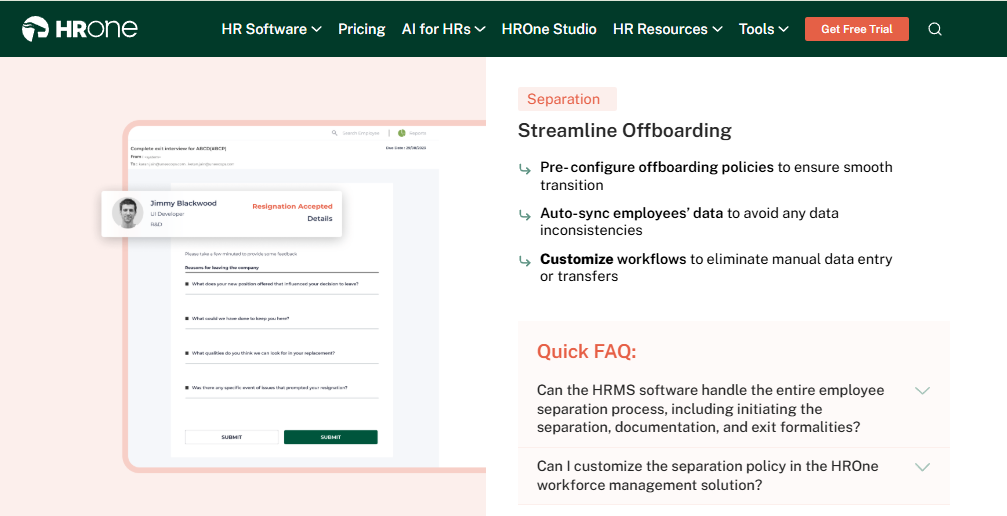
HROne is a cloud HR software platform founded in 2016 and now live across 1,500+ brands, including MR DIY India and Asia Healthcare Holdings. The platform ships 30+ modules and 127 pre-built workflows covering the path from manpower requisition to full and final settlement. G2 reviewers place it among the highest satisfaction products, and it completes up to 1.5 crore tasks monthly across its customer base. It is used mainly by teams stuck reconciling biometric attendance exports against a separate payroll system every month.
Working with HR teams across manufacturing, BFSI, and IT services, what I have felt is that the pain is rarely a missing feature. It is the seven tabs an HR executive keeps open to close one confirmation letter.
⚙️ Core Services
- Inbox for HR, surfaces every pending task, request, and approval in one Gmail-style window, closing items in three clicks and removing the tab-switching that eats HR mornings. See the HR inbox in detail.
- 127 Pre-Built Workflows, define who does what and by when across onboarding, confirmation, transfer, promotion, and exit clearance, so HR stops chasing managers over email.
- Payroll Auto-Scheduler, runs PF, ESI, TDS, PT, and LWF calculations with group payout validations, removing month-end manual reconciliation and arrear errors, as detailed on the payroll software page.
- Time Office with Live Biometric Sync, pulls punches in real time and supports mobile marking with geofencing, so field and plant teams stop routing attendance through reporting managers.
- One AI Suite, scores resume relevancy, parses expense receipts, and generates JDs, cutting the manual screening and voucher-checking load on recruiters and finance. Full capability list sits under HROne AI.
- Inbuilt ROI Dashboard, calculates lifetime hours saved against average HR salary, so a CHRO walks into a board review with a rupee figure instead of a feeling.
- HRV Studio, a low-code builder for custom apps like visitor or vendor management, removing the wait on a developer ticket.
🇮🇳 India-Specific Compliance and Localisation
- PF / ESI / TDS: Yes (automated calculation, challan and Form 16 generation)
- Labour law compliance: Strong (PT and LWF slabs, gratuity, wage-code FFS rules)
- Payroll localisation: Yes (CTC revisions, FBP declarations, arrear day handling)
- Multi-state compliance: Yes (state-wise PT slabs and challan filing)
- Multi-legal-entity: Yes (different policies per entity inside one instance)
👥 Who This Is Built For
- Payroll Manager firefighting CTC-revision arrears and PT slab differences across three states every month-end.
- HR Ops lead manually matching biometric exports against a standalone leave portal before payroll cut-off.
- CHRO who cannot answer, in a board review, how many days a confirmation letter currently takes.
🚫 Who Should Skip This
- Teams under 100 employees on a single legal entity, who will get more value from standalone payroll with leave and attendance.
- HR teams wanting spreadsheet-style flexibility without structured checklists or workflow gates.
- Buyers needing deep US or EU benefits administration as the primary requirement.
💰 Pricing Structure
- Plan Type(s): Modular subscription across Core HR, Recruitment, Workforce, Payroll, Performance, and Engagement.
- Starting Price: Not publicly disclosed, request a quote. Commercials are flat PEPM with no lock-in, and current tiers are listed on the pricing page.
- Tier-wise Breakdown: Not publicly disclosed, request a quote.
- Incremental Cost Drivers: Additional modules, AI suite usage, and custom report formats beyond standard templates.
- Implementation Fee: Not publicly disclosed. Subscription billing meters only after go-live.
- Cost at 200 Employees: Not publicly disclosed, request a quote. Cost at 500 Employees: Not publicly disclosed, request a quote.
🔧 Implementation and Support Reality
- Go-live in as little as 30 days for mid-market rollouts, with configuration handled alongside the delivery consultant.
- Support runs through phone, email, and a dedicated onboarding SPOC who has worked in HR, carrying a reported 9.8 NPS.
- Data migration is vendor-led, including transfers from legacy ERP servers, a process mapped out in the HRMS migration guide.
- Reviewers consistently name the delivery team, including support on holidays.
⭐ Reviews
“What I like most about HROne is how it blends smart HR technology with a genuine human touch… While HROne does a great job overall, one thing I don’t like is that it can sometimes feel a bit overwhelming for new users. Certain features take time to understand, and without enough guided support, the learning curve can feel quite steep.”
Nijanthan R., 3.5/5 HROne G2 – Verified Review
“Real time sync of biometric and mobile mark punch functionality available. Arrear day calculation is correct… Employee can’t be in Comp off and Overtime policy at one time.”
Deepak K., 5/5 HROne G2 – Verified Review
HROne is built for the buyer this category quietly ignores, Indian companies between 100 and 5,000 employees. It delivers 127 pre-built workflows in one configurable multi-entity instance, and completes up to 1.5 crore tasks monthly. Our read is that the differentiator is not module count, it is proof: the inbuilt ROI Dashboard puts hours saved in front of the board.
1.2 Darwinbox
Darwinbox, enterprise-brand HCM for large Asian organisations standardising HR across borders.
🏢 Overview
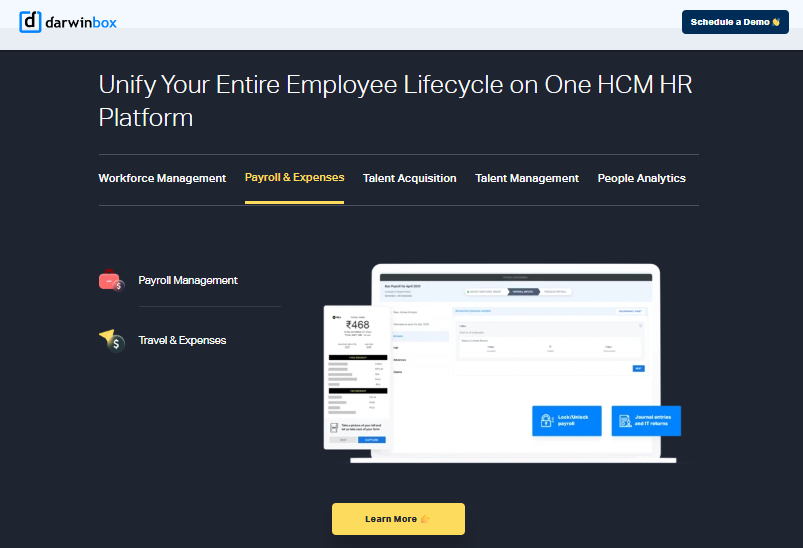
Darwinbox is an India-headquartered HCM serving large enterprises across Asia, and analyst coverage has positioned it as a Challenger in Gartner’s Magic Quadrant for Cloud HCM Suites for 1,000+ employee enterprises. It carries genuine brand weight in the Indian enterprise segment and a mobile app that reviewers rate well. Implementations typically run 3 to 6 months. It is used mostly by enterprises replacing a mix of Excel sheets and legacy tools with one platform.
Credit where it is due. Darwinbox moved the Indian HR tech conversation from payroll utility to enterprise platform, and that lifted expectations for everyone, as the HROne vs Darwinbox breakdown acknowledges.
⚙️ Core Services
- Core HR and Employee Records, centralises data across geographies, reducing the duplicate master files that spread across country HR teams.
- Configurable Workflows, lets HR adapt approval paths without heavy technical input, cutting dependence on vendor tickets for policy changes.
- Mobile App, supports leave, attendance, and payslip access on the go, removing desk dependency for approvals.
- Payroll and Compliance, processes multi-country payroll runs, reducing spreadsheet handoffs to finance.
- Performance and Recruitment, covers goal setting, reviews, and requisition tracking, though reviewers note both need training to use fully.
- Reporting and Analytics, provides standard dashboards, with customisation described by users as limited.
🇮🇳 India-Specific Compliance and Localisation
- PF / ESI / TDS: Yes (native India payroll engine)
- Labour law compliance: Strong (India-built product with statutory coverage)
- Payroll localisation: Yes (India plus multi-country payroll)
- Multi-state compliance: Yes
- Multi-legal-entity: Yes (common in large enterprise deployments)
👥 Who This Is Built For
- CHRO at a 3,000+ employee group standardising HR processes across India and Southeast Asia.
- HR Ops lead replacing a patchwork of Excel trackers and legacy tools with one employee record.
- Enterprise HR team needing a recognised brand to clear internal procurement scrutiny.
🚫 Who Should Skip This
- Mid-market teams that need billing to start only after go-live, since implementation can run months.
- HR teams wanting deep self-serve report customisation without vendor involvement.
💰 Pricing Structure
- Plan Type(s): Modular enterprise packages across Core HR, Payroll, Talent, and Engagement.
- Starting Price: Not publicly disclosed, request a quote.
- Tier-wise Breakdown: Not publicly disclosed, request a quote.
- Incremental Cost Drivers: Additional modules, multi-country payroll, and integration work.
- Implementation Fee: Not publicly disclosed. Reviewers describe total cost as heavy for small and mid-sized budgets, and the published Darwinbox pricing analysis covers the same ground.
- Cost at 200 Employees: Not publicly disclosed, request a quote. Cost at 500 Employees: Not publicly disclosed, request a quote.
🔧 Implementation and Support Reality
- Published implementation windows run 3 to 6 months for enterprise rollouts.
- Support runs through account management and ticketing, with mixed reviewer sentiment on responsiveness.
- Data migration is vendor or partner-led, and reviewers describe transitions from old systems as difficult.
- Contracts commonly run multi-year, so verify when billing starts relative to go-live.
⭐ Reviews
“Darwinbox has a very user-friendly interface… At times, the system can be slightly slow, especially during peak usage or when processing bulk data. Also, while the platform has a lot of features, not all of them are intuitive at first.”
Mohit V., 4/5 Darwinbox G2 – Verified Review
“Bad implementation experience, bad UI UX, configurations getting broken in production on its own due to product deployments, terrible customer service.”
Verified User in Computer Software, 0/5 Darwinbox G2 – Verified Review
HROne differs from Darwinbox on one operating-model point worth checking in your contract: subscription meters only after go-live, with no lock-in, and every pending task lands in one Inbox for HR rather than across tabs and email. Our experience is that this is where reclaimed hours actually come from, and you can pressure-test that claim on a book a demo call.
1.3 Keka
Keka, polished self-service HRMS for Indian SMB and early mid-market teams.
🏢 Overview
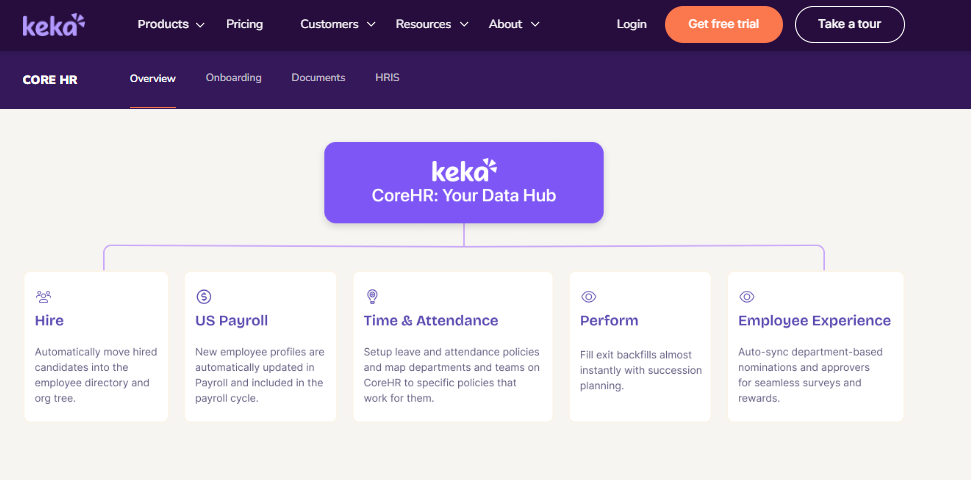
Keka is an India-built HR and payroll platform aimed at small and growing companies. Reviewers consistently praise its interface as intuitive and quick to learn. Its payroll engine handles PF, ESI, and TDS with statutory payslip output, and a mobile app is available. It is used mainly by teams replacing spreadsheets for attendance, payroll, and document generation. Implementation typically runs four to ten weeks, though several reviewers report longer, stalled rollouts, a pattern also visible in published Keka alternatives research.
⚙️ Core Services
- Payroll and Compliance, automates salary, PF, ESI, and TDS processing with statutory payslips, cutting manual month-end calculation.
- Attendance and Leave, captures punches and leave requests in one place, reducing spreadsheet reconciliation.
- Keka Hiro (ATS), tracks requisitions and automates offer-letter approval workflows, removing email chains for hiring sign-offs.
- Document Generation, produces most HR letters inside the system, reducing paperwork and improving confidentiality.
- Employee Surveys, runs satisfaction pulses so HR gets sentiment data without a separate tool.
- Asset Management, logs issued devices against employee records, avoiding a separate IT tracker.
🇮🇳 India-Specific Compliance and Localisation
- PF / ESI / TDS: Yes (automated with quarterly return filing)
- Labour law compliance: Moderate (statutory basics covered, PT display gaps reported)
- Payroll localisation: Yes (India-first payroll)
- Multi-state compliance: Partial (zone configuration limits reported)
👥 Who This Is Built For
- HR generalist at a 100 to 300 person services firm wanting employees to self-serve payslips without training.
- Founder-led HR team moving off spreadsheets for the first time and needing quick basic automation.
🚫 Who Should Skip This
- HR Ops leads needing location-specific policy configuration, since reviewers report chat support could not configure a Bangalore-only leave type.
- Payroll managers handling ESOPs, insurance data, or separate monthly incentive heads, which reviewers report the system cannot hold cleanly.
💰 Pricing Structure
- Plan Type(s): Foundation, Strength, and Growth tiers as published by the vendor.
- Starting Price: Not publicly disclosed at a fixed rate for all tiers, request a quote.
- Tier-wise Breakdown: Not publicly disclosed, request a quote.
- Incremental Cost Drivers: Performance, hiring, and project modules charged separately.
- Implementation Fee: Not publicly disclosed, request a quote.
- Cost at 200 Employees: Not publicly disclosed, request a quote. Cost at 500 Employees: Not publicly disclosed, request a quote.
🔧 Implementation and Support Reality
- Reference-checked go-live runs four to ten weeks, but multiple reviewers describe six-month setups still incomplete.
- Support runs through chat and email, with one reviewer reporting no support from Friday 6 PM to Monday 10 AM.
- Escalation is the recurring complaint, with issues repeatedly answered as “we are working on it”.
- Data migration is vendor-led, though one reviewer described the migration experience as poor.
⭐ Reviews
“Strong payroll and compliance, automate salary and attendance processing with pf, esi, tds… PMS module is confusing and needs to be simpler and easier to use. LMS module needs improvement.”
Kiran B., 3/5 Keka G2 – Verified Review
“The UI of Keka is very intuitive and easy to navigate… I have been Keka user since 2021, and the service is decreasing day by day… TAT on customer request on features is bad.”
Verified User in Consulting, 2.5/5 Keka G2 – Verified Review
1.4 greytHR
greytHR, long-standing India payroll utility for small businesses on tight budgets.
🏢 Overview
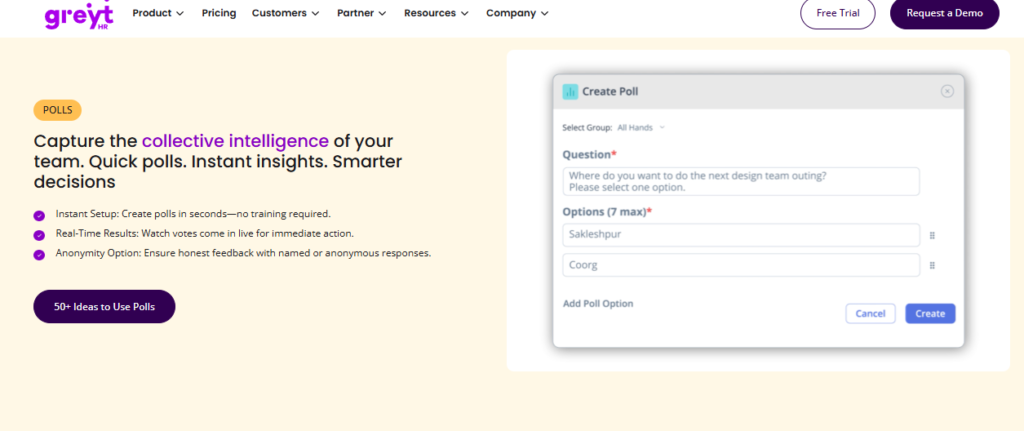
greytHR is one of India’s older HR and payroll platforms, widely adopted by small firms for payslip and statutory output. Employees can access payslips, apply for leave, and view tax details without going through HR, which reviewers value for transparency. One reviewer has used it for payroll processing across ten years. It is used mostly by teams that need dependable statutory basics rather than workflow depth, and reviewers cite budget as the main reason for staying.
⚙️ Core Services
- Payroll Processing, runs monthly salary and statutory deductions, removing manual payslip preparation.
- Tax Declaration, lets employees declare investments and pick a tax regime themselves, cutting HR’s collection work.
- Leave and Holiday Management, tracks balances and approvals, though reviewers report manual balance corrections. Compare against a purpose-built leave management module.
- Employee Self-Service, gives payslip and attendance access without an HR request.
- Workflow Assignment, allows department-wise employee visibility and basic monitoring.
🇮🇳 India-Specific Compliance and Localisation
- PF / ESI / TDS: Yes (core payroll strength)
- Labour law compliance: Moderate (TDS revision not possible per reviewers)
- Payroll localisation: Yes (built for India)
- Multi-state compliance: Partial (challan mapping visibility limited)
👥 Who This Is Built For
- Payroll executive at a 50 to 150 person firm needing predictable monthly payslips and challans.
- HR admin who wants employees declaring taxes themselves instead of emailing proofs.
🚫 Who Should Skip This
- HR Ops leads in shift-based manufacturing or multi-legal-entity setups, since reviewers report policies cannot be properly implemented due to configuration limits. Teams in that position usually need dedicated manufacturing HR capability.
- Remote-first teams relying on mobile, as reviewers say the app lacks key web functionality.
💰 Pricing Structure
- Plan Type(s): Free “Introductory” tier plus Essential, Growth, and Enterprise tiers as published.
- Starting Price: Not publicly disclosed as a single rate, request a quote.
- Tier-wise Breakdown: Not publicly disclosed, request a quote.
- Incremental Cost Drivers: Add-on modules and employee count bands.
- Implementation Fee: Not publicly disclosed, request a quote.
- Cost at 200 Employees: Not publicly disclosed, request a quote. Cost at 500 Employees: Not publicly disclosed, request a quote.
🔧 Implementation and Support Reality
- Go-live is typically two to six weeks for basic payroll setup.
- Support is ticket-based, and one reviewer reports callbacks within one to two hours.
- Another reviewer reports no escalation matrix and heavy dependence on the vendor for customisation.
- Data migration is vendor-led, with reviewers describing repeated rounds to fix payroll configuration gaps.
⭐ Reviews
“Better UI, simplicity and time for support… Reporting configuration, TDS filing, revising of TDS is not possible.”
Krishnanand B., 3/5 greytHR G2 – Verified Review
“It is a user friendly platform compared to other tools… GreytHR is not much good at customizing based on our requirements. Many times we were manually correcting the leave balance of employees.”
Verified User in IT and Services, 2/5 greytHR G2 – Verified Review
1.5 Zoho People
Zoho People, suite-native HR module for teams already standardised on Zoho.
🏢 Overview
Zoho People is the HR module inside the wider Zoho application suite. Its strongest documented advantage is integration with Zoho Recruit and Zoho Payroll, which streamlines recruitment and monthly payroll for existing Zoho customers. Reviewers highlight easy initial setup supported by instructional videos. It is used mostly by teams wanting affordable attendance and leave digitisation. One reviewer describes the trade-off plainly: breadth of applications at a low price, but shallow depth per module.
⚙️ Core Services
- Attendance and Leave, handles digital requests with direct approve or reject, removing email approval chains.
- Candidate Self-Onboarding, lets candidates enter their own data, completing onboarding within a day. A structured onboarding process matters more than the form itself here.
- Business Unit Organisation, segments employee data by unit, reducing manual report splitting.
- Manager Attendance Approval, pushes approvals to managers directly, closing HR-to-manager coordination gaps.
- Zoho Suite Integration, connects to Zoho Recruit and Zoho Payroll, cutting duplicate data entry across hiring and payroll.
- Holiday Calendar Sharing, publishes holiday lists to all employees without a circular.
🇮🇳 India-Specific Compliance and Localisation
- PF / ESI / TDS: Partial (delivered through Zoho Payroll, not Zoho People itself)
- Labour law compliance: Moderate (global product with India payroll available separately)
- Payroll localisation: Partial (India payroll is a separate Zoho product)
- Multi-state compliance: Partial
👥 Who This Is Built For
- HR lead at a company already running Zoho CRM and Books, wanting one vendor relationship.
- HR generalist who wants candidates filling their own onboarding forms instead of chasing documents.
🚫 Who Should Skip This
- HR teams needing module depth for compliance-heavy manufacturing or BFSI processes, since reviewers describe features as shallow.
- Teams that depend on fast vendor support, given repeated reviewer complaints about slow response and phone lines being unavailable.
💰 Pricing Structure
- Plan Type(s): Essential HR, Professional, Premium, Enterprise, and People Plus as published.
- Starting Price: Not publicly disclosed as a fixed India rate here, request a quote. Billing is per-user, per-month.
- Tier-wise Breakdown: Not publicly disclosed, request a quote.
- Incremental Cost Drivers: Zoho Payroll and Zoho Recruit are separately licensed products.
- Implementation Fee: Not publicly disclosed, request a quote.
- Cost at 200 Employees: Not publicly disclosed, request a quote. Cost at 500 Employees: Not publicly disclosed, request a quote.
🔧 Implementation and Support Reality
- Setup is largely self-serve, with reviewers calling the initial configuration very easy.
- Support runs through email and ticketing, and reviewers report long waits and unresolved errors.
- Data migration is self-serve, which suits small teams but strains larger record sets.
- One reviewer found the pricing structure confusing when moving from trial to purchase.
⭐ Reviews
“Easy to use, quick updates. Easy to add new tasks… Impossible to edit old entries if you forgot to add something. Impossible to fix errors like missing dates.”
John B., 3/5 Zoho People G2 – Verified Review
“The most important feature for me is its integration with other Zoho apps… The biggest drawback for me has been the lack of customer support. Additionally, the mobile application is quite limited.”
Dhana C., 4/5 Zoho People G2 – Verified Review
1.6 PeopleStrong
PeopleStrong, shared-services HR platform for large Indian enterprises.
🏢 Overview
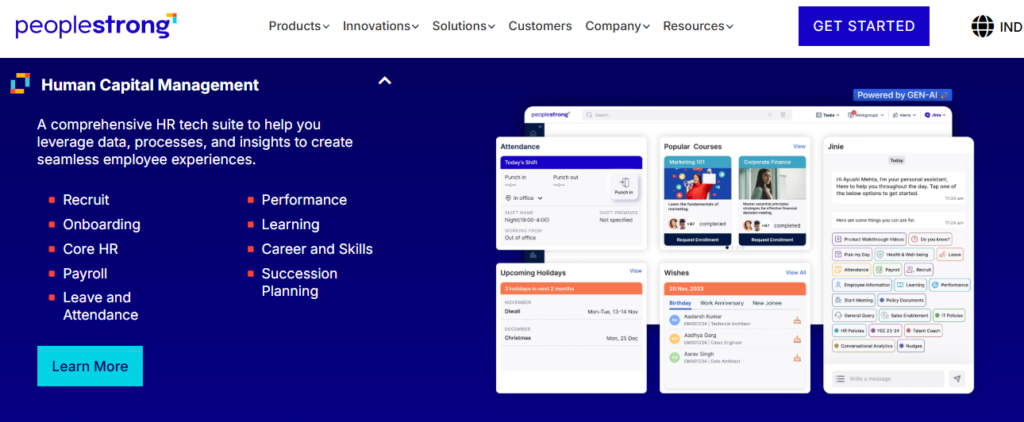
PeopleStrong is an India-headquartered enterprise HR platform serving large organisations across Asia. Reviewers rate it highly for bringing reimbursements, claims, and payslip access into one place with visible submission tracking. Its mobile experience draws specific praise, with one reviewer noting most HR information sits one tap away. It is used mostly by enterprises with heavy claims volume and distributed workforces. Implementation typically runs three to six months.
⚙️ Core Services
- Reimbursements and Claims, centralises submission and status tracking, replacing long email threads. This is the same job an expense and reimbursement module is measured on.
- Payslip Access, publishes salary details in-platform, removing repeated HR requests.
- Attendance Punch, supports mobile punch in and out, cutting manual attendance registers.
- Leave Management, handles applications from mobile, though weekly-off regularisation is reported as missing.
- Quarterly KRAs, runs goal tracking inside the same app as attendance and claims.
- Tax and Declarations, holds tax submissions alongside payroll data, reducing separate collection.
🇮🇳 India-Specific Compliance and Localisation
- PF / ESI / TDS: Yes (India-built enterprise payroll)
- Labour law compliance: Strong (large-enterprise India deployments)
- Payroll localisation: Yes
- Multi-state compliance: Yes
👥 Who This Is Built For
- Shared-services HR lead processing high monthly reimbursement volumes across locations.
- Field employee population needing mobile-first attendance and leave rather than desktop access.
🚫 Who Should Skip This
- HR teams whose users work primarily on desktop, since one reviewer found the desktop version needs multiple clicks for one job.
- Teams needing detailed approval-status granularity, which reviewers describe as not always detailed.
💰 Pricing Structure
- Plan Type(s): Enterprise modular packages across Core HR, Payroll, Talent, and Workforce.
- Starting Price: Not publicly disclosed, request a quote.
- Tier-wise Breakdown: Not publicly disclosed, request a quote.
- Incremental Cost Drivers: Additional modules and integration scope.
- Implementation Fee: Not publicly disclosed, request a quote.
- Cost at 200 Employees: Not publicly disclosed, request a quote. Cost at 500 Employees: Not publicly disclosed, request a quote.
🔧 Implementation and Support Reality
- Enterprise rollouts typically run three to six months.
- Support is account-managed, with approvals reported as slow at times.
- Data migration is vendor or partner-led.
- Reviewers report occasional interface lag during navigation.
⭐ Reviews
“What I like most about PeopleStrong is how easy it is to manage reimbursements and claims… One thing I dislike is that the reimbursement and claims process can feel a bit slow at times. The interface can also lag occasionally.”
Anusha, 5/5 PeopleStrong G2 – Verified Review
“It’s mobile-friendly, unlike the one we used before… It has way too many features and the desktop version isn’t very useful because of the multiple options to get 1 job done.”
Nikhil S., 4/5 PeopleStrong G2 – Verified Review
1.7 ZingHR
ZingHR, broad hire-to-retire module coverage with documented usability debt.
🏢 Overview
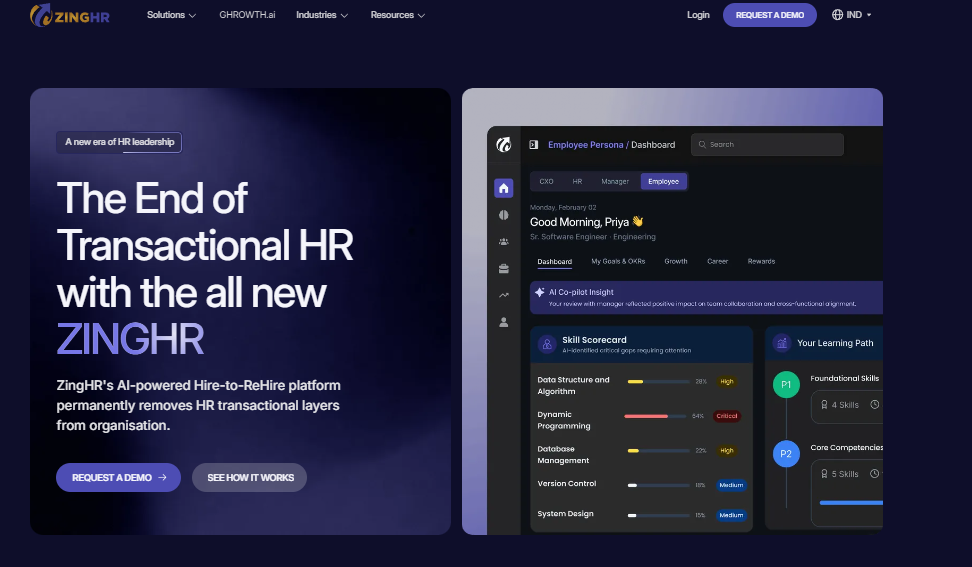
ZingHR is an India-based HR platform offering integrated modules across hiring, learning, performance, and payroll. One reviewer specifically credits its capability as an integrated hire-to-retire system covering learning and performance management. Payroll utilities like a tax simulator and automatic payslip download draw positive mentions. It is used mostly by manufacturing and services enterprises wanting wide module coverage from one vendor. Reported implementations run long, with one reaching only 40% completion in six months, which is why buyers often review ZingHR alternatives.
⚙️ Core Services
- Payroll and Tax Simulator, lets employees model tax outcomes and download payslips automatically, removing manual tax queries.
- Learning Management, delivers training content in-platform, though reviewers rate the module as adequate rather than strong.
- Performance Management, runs goal and review cycles alongside core HR data.
- Helpdesk, tracks HR queries with ticket visibility, cutting repeat follow-ups.
- Multiple Workstreams, covers calendar, payroll, and learning in one system, reducing vendor count.
- Employee Directory Search, surfaces contact details without an HR request.
🇮🇳 India-Specific Compliance and Localisation
- PF / ESI / TDS: Yes (India payroll with NPS and tax utilities)
- Labour law compliance: Moderate
- Payroll localisation: Yes
- Multi-state compliance: Partial
👥 Who This Is Built For
- Enterprise HR team wanting learning, performance, and payroll from one vendor rather than three.
- Payroll manager who wants employees running their own tax simulations before declaration deadlines.
🚫 Who Should Skip This
- HR Ops leads who cannot absorb a long rollout, given a documented six-month implementation reaching 40% completion. Benchmark it against a realistic HRMS implementation timeline.
- Mobile-dependent workforces, since reviewers report app instability and persistent login issues.
💰 Pricing Structure
- Plan Type(s): Modular enterprise packages.
- Starting Price: Not publicly disclosed, request a quote.
- Tier-wise Breakdown: Not publicly disclosed, request a quote.
- Incremental Cost Drivers: Customisation, which reviewers describe as time-consuming and expensive.
- Implementation Fee: Not publicly disclosed, request a quote.
- Cost at 200 Employees: Not publicly disclosed, request a quote. Cost at 500 Employees: Not publicly disclosed, request a quote.
🔧 Implementation and Support Reality
- Reference-checked go-live runs four to eight months, with reported partial completions.
- Support is email-based, and reviewers report replies delayed by days or weeks.
- Data migration is vendor-led.
- Reviewers repeatedly flag interface age and server response speed.
⭐ Reviews
“Ability to create multiple workstreams like calendar, payroll, learning etc… Outdated UI/UX. Customization is difficult and tech support is not great.”
Parth B., 3.5/5 ZingHR G2 – Verified Review
“The fact that the system has multiple capabilities of being an integrated system… In 6 months the implementation was barely completed to 40%. Support is never on time.”
Sanmeet S., 2/5 ZingHR G2 – Verified Review
1.8 Workday
Workday, global enterprise HCM for organisations above 3,000 employees.
🏢 Overview
Workday is a US-headquartered cloud HCM positioned repeatedly as a Leader in Gartner’s Magic Quadrant for Cloud HCM Suites for 1,000+ employee enterprises. Its strength is unified workforce planning, analytics, and finance data at global scale. Adoption data places it among the largest installed bases in the category. It is used mostly by multinationals standardising HR across many countries. Implementations commonly run 9 to 18 months, and the commercial model targets large headcounts.
⚙️ Core Services
- Core HCM, maintains one global worker record across countries, removing regional master duplication.
- Workforce Planning, models headcount and cost scenarios, replacing spreadsheet-based planning cycles.
- People Analytics, delivers governed reporting to leadership without manual data consolidation.
- Talent and Succession, maps skills and successors against roles, reducing ad-hoc talent reviews.
- Compensation Management, runs global merit and bonus cycles with approval controls.
- Learning, delivers and tracks completion centrally, cutting separate LMS administration.
🇮🇳 India-Specific Compliance and Localisation
- PF / ESI / TDS: Partial (India payroll typically via partner or third-party engine)
- Labour law compliance: Moderate for India, strong globally
- Payroll localisation: Partial (India often delivered through a payroll partner)
- Multi-state compliance: Partial
👥 Who This Is Built For
- Global CHRO consolidating 15 country HR systems onto one worker record.
- Finance-HR leadership needing headcount cost modelling tied to the general ledger.
🚫 Who Should Skip This
- Indian mid-market teams of 100 to 1,000 employees, who often cannot secure a serious quote from this tier of vendor, and who are usually better served by mid-market HR software built for India.
- HR teams needing go-live inside a quarter, given typical 9 to 18 month windows.
💰 Pricing Structure
- Plan Type(s): Enterprise agreements scoped by module and headcount.
- Starting Price: Not publicly disclosed, request a quote.
- Tier-wise Breakdown: Not publicly disclosed, request a quote.
- Incremental Cost Drivers: Partner implementation fees, India payroll partner licences, and integration builds.
- Implementation Fee: Yes, typically a separate partner-delivered engagement.
- Cost at 200 Employees: Not publicly disclosed, request a quote. Cost at 500 Employees: Not publicly disclosed, request a quote.
🔧 Implementation and Support Reality
- Published implementation windows run 9 to 18 months for full suite deployments.
- Delivery is partner-led, meaning your consultant is usually not the vendor.
- Data migration is partner-led with formal parallel-run phases.
- One HROne reviewer explicitly compared the two on commercials, saying they preferred HROne over vendors like Workday for cost efficiency.
1.9 SAP SuccessFactors
SAP SuccessFactors, module-broad global HCM for SAP-standardised multinationals.
🏢 Overview
SAP SuccessFactors is a global HCM suite consistently placed as a Leader in Gartner’s Magic Quadrant for Cloud HCM Suites for large enterprises. It covers a wide range of HR modules in theory, including recruiting, learning, and performance. It is used mostly by multinationals already standardised on SAP with in-house HRIS teams. G2 reviewers, however, report significant usability and cost friction, including one who described customisation as requiring third-party vendors with every change costing money. The HROne vs SAP comparison covers the same operating-model gap.
⚙️ Core Services
- Employee Central, holds the global worker record, removing country-level duplicate masters.
- Recruiting, provides full applicant tracking with offer management and e-signature integration.
- Learning Management, tracks compliance training completion centrally.
- Performance and Goals, runs structured review cycles across geographies.
- Compensation, handles global merit planning with governance controls.
- Department-Specific Hiring Flows, allows separate hiring processes per department for large, growing organisations.
🇮🇳 India-Specific Compliance and Localisation
- PF / ESI / TDS: Partial (India payroll via SAP Payroll or partner)
- Labour law compliance: Moderate for India, broad globally
- Payroll localisation: Partial
- Multi-state compliance: Partial
👥 Who This Is Built For
- HRIS manager inside an SAP-standardised group wanting one vendor across finance and HR.
- Global talent team needing separate hiring workflows per department.
🚫 Who Should Skip This
- HR teams of 100 to 5,000 employees without in-house technical resources, since reviewers report every change requires third-party vendors.
- Teams needing self-serve reporting, given reviewer accounts of reports available only by email or CSV download.
💰 Pricing Structure
- Plan Type(s): Enterprise module-based licensing.
- Starting Price: Not publicly disclosed, request a quote.
- Tier-wise Breakdown: Not publicly disclosed, request a quote.
- Incremental Cost Drivers: Third-party customisation, partner implementation, and data-export requests.
- Implementation Fee: Yes, typically partner-delivered and separate.
- Cost at 200 Employees: Not publicly disclosed, request a quote. Cost at 500 Employees: Not publicly disclosed, request a quote.
🔧 Implementation and Support Reality
- Full-suite implementations commonly run 9 to 18 months.
- Support runs through a low-touch ticketing system per reviewer accounts.
- Data migration often uses internal customer resources or paid vendor teams.
- One reviewer reported an eight-week wait for a full data export request.
⭐ Reviews
“Covers a wide range of HR modules in theory, but it’s not user friendly… Customization requires third-party vendors, every change is costly. Extremely expensive for what it delivers.”
Janka Z., 0/5 SAP SuccessFactors HCM G2 – Verified Review
“Features supporting the diversity of a large, quickly growing international company, such as ability to set separate hiring processes for each department… The most basic functionality is missing or severely flawed.”
Verified User in Internet, 0/5 SAP SuccessFactors HCM G2 – Verified Review
1.10 Oracle Fusion Cloud HCM
Oracle Fusion Cloud HCM, enterprise HCM for Oracle ERP estates consolidating onto one cloud.
🏢 Overview
Oracle Fusion Cloud HCM is a global HCM suite positioned as a Leader in Gartner’s Magic Quadrant for Cloud HCM Suites for 1,000+ employee enterprises. Its strength sits in compensation, benefits, and workforce structures at very large scale, tied tightly to Oracle’s finance stack. Adoption data shows Oracle PeopleSoft and Fusion among the widest installed bases globally. It is used mostly by enterprises already running Oracle ERP. Implementations typically run 9 to 18 months and are partner-delivered.
⚙️ Core Services
- Global Human Resources, maintains one worker record across legal employers, removing regional data silos.
- Compensation and Benefits, administers complex plans centrally, cutting spreadsheet-based benefit tracking.
- Talent Management, handles goals, reviews, and succession in one governed flow.
- Workforce Modelling, simulates org changes before execution, reducing rework on restructures.
- Recruiting, manages requisitions and candidate pipelines inside the same suite.
- Oracle ERP Integration, links HR cost data to the general ledger without manual journals. Verify equivalent integrations before you commit to a stack.
🇮🇳 India-Specific Compliance and Localisation
- PF / ESI / TDS: Partial (India payroll usually via localisation partner)
- Labour law compliance: Moderate for India, strong globally
- Payroll localisation: Partial
- Multi-state compliance: Partial
👥 Who This Is Built For
- IT Director inside an Oracle ERP estate consolidating HR to reduce integration surface.
- Compensation lead administering multi-country benefit plans with audit requirements.
🚫 Who Should Skip This
- HR teams of 100 to 5,000 employees who need to change a leave policy without a developer ticket.
- Buyers needing predictable first-year cost, since partner implementation dominates the spend.
💰 Pricing Structure
- Plan Type(s): Enterprise cloud subscription by module and employee band.
- Starting Price: Not publicly disclosed, request a quote.
- Tier-wise Breakdown: Not publicly disclosed, request a quote.
- Incremental Cost Drivers: Partner implementation, India payroll localisation, and integration development.
- Implementation Fee: Yes, partner-delivered and separate from licence.
- Cost at 200 Employees: Not publicly disclosed, request a quote. Cost at 500 Employees: Not publicly disclosed, request a quote.
🔧 Implementation and Support Reality
- Typical go-live runs 9 to 18 months for full HCM scope.
- Support is partner-delivered with vendor escalation tiers.
- Data migration is partner-led with formal cutover governance.
- Internal HRIS capability is effectively a prerequisite, not an optional extra.
1.11 BambooHR
BambooHR, simple records and time-off platform built for US small businesses.
🏢 Overview
BambooHR is a US-based HR platform focused on employee records, onboarding, and time-off management for small companies. Reviewers praise its clean interface and single-click time-off approvals directly from email. One reviewer notes it works well for a small business of around 50 employees with decent customer support. It is used mostly by US teams replacing paper HR files. Its own customer service has openly described it as a US-centric system.
⚙️ Core Services
- Employee Records, stores documents and custom fields centrally, removing physical HR files.
- Time-Off Requests, sends approval emails showing team absences with one-click approve.
- Document Signing, streamlines e-signature collection, cutting paper circulation.
- Applicant Tracking, handles basic recruiting and application tracking, a lighter version of dedicated recruitment software.
- Time Tracking, captures timesheets so managers stop building them manually.
- Multi-Entity Visibility, lets an admin see employees across several entities in one view.
🇮🇳 India-Specific Compliance and Localisation
- PF / ESI / TDS: No (no India statutory payroll)
- Labour law compliance: Limited (US-centric by the vendor’s own statement)
- Payroll localisation: No (India payroll not supported)
- Multi-state compliance: No for India; US state reporting only
👥 Who This Is Built For
- US small business HR lead moving employee files and PTO off spreadsheets.
- Office manager who wants managers approving time off from their inbox.
🚫 Who Should Skip This
- Any India-based HR team needing PF, ESI, TDS, or professional tax, since the product carries no India statutory engine and no international holiday calendars. The PF, ESI, and TDS compliance guide sets out what is actually required.
- Payroll managers needing configurable payroll reports, which reviewers describe as unavailable or unusable.
💰 Pricing Structure
- Plan Type(s): Core and Pro tiers as published by the vendor.
- Starting Price: Not publicly disclosed as a fixed rate, request a quote. Billing is per-employee, per-month.
- Tier-wise Breakdown: Not publicly disclosed, request a quote.
- Incremental Cost Drivers: Payroll, benefits, and performance add-ons.
- Implementation Fee: Not publicly disclosed, request a quote.
- Cost at 200 Employees: Not publicly disclosed, request a quote. Cost at 500 Employees: Not publicly disclosed, request a quote.
🔧 Implementation and Support Reality
- Go-live is typically two to four weeks for records and time-off scope.
- Support runs through email and phone, with HR support rated more responsive than payroll support.
- Data migration is largely self-serve, and one reviewer reported import errors costing significant correction time.
- Reviewers repeatedly flag annual price increases and plan sunsets as a renewal risk.
⭐ Reviews
“The time off request emails are good, they show who on your team will be out and you can single click approve from the email itself… Biggest issue is how much they have increased prices and continue to do so.”
Josh A., 0/5 BambooHR G2 – Verified Review
“Works well for US PTO. Not hard to understand… No option for adding international holiday calendars but US one is built-in. Their CS openly writes ‘we are a US-centric system’.”
Verified User in Computer Software, 0/5 BambooHR G2 – Verified Review
1.12 Rippling
Rippling, unified HR, IT, and finance provisioning for US and global-EOR teams.
🏢 Overview
Rippling is a US-headquartered workforce platform that ties HR records to IT and finance actions. Its distinctive mechanic is provisioning devices, apps, and access from the same employee record that drives payroll. It carries strong G2 satisfaction standing in the HR category and is used mostly by fast-growing tech companies hiring across borders. Published implementation windows run from weeks to about three months, the fastest tier in this list.
⚙️ Core Services
- Employee Record as Trigger, one record drives payroll, device, and app provisioning, removing IT-HR handoff tickets.
- Global Payroll and EOR, runs multi-country pay and employer-of-record hiring without separate local vendors.
- Device Management, ships and locks laptops on joining and exit, closing the offboarding security gap. India teams usually solve this through an asset management module instead.
- App Provisioning, grants and revokes SaaS access automatically, cutting manual access audits.
- Time and Attendance, syncs hours into payroll runs without export files.
- Benefits Administration, administers US benefits directly against payroll data.
🇮🇳 India-Specific Compliance and Localisation
- PF / ESI / TDS: Partial (India coverage available, not India-first depth)
- Labour law compliance: Limited for India relative to India-built platforms
- Payroll localisation: Partial (global payroll model rather than India-native)
- Multi-state compliance: Partial for India; strong for US states
👥 Who This Is Built For
- IT Director tired of chasing laptop and SaaS access revocation after every exit.
- People Ops lead hiring in five countries without setting up local entities.
🚫 Who Should Skip This
- Indian HR teams needing state-wise professional tax slabs, LWF, and shift-based statutory attendance depth.
- Manufacturing HR teams needing biometric integration and plant shift rostering as core requirements.
💰 Pricing Structure
- Plan Type(s): Modular platform with HR, IT, and Finance product lines.
- Starting Price: Not publicly disclosed for India, request a quote. Billing is per-employee, per-month with a platform base fee.
- Tier-wise Breakdown: Not publicly disclosed, request a quote.
- Incremental Cost Drivers: Device management, EOR seats, and per-module add-ons.
- Implementation Fee: Not publicly disclosed, request a quote.
- Cost at 200 Employees: Not publicly disclosed, request a quote. Cost at 500 Employees: Not publicly disclosed, request a quote.
🔧 Implementation and Support Reality
- Published go-live runs from weeks to roughly three months, the shortest window in this comparison.
- Support runs through chat and email, without a domain-HR SPOC model.
- Data migration is largely self-serve with guided imports.
- India statutory verification should be scripted into your demo rather than assumed.
⚠️ What This List Actually Tells You
Look at the twelve rows together and a pattern shows up. The platforms with the deepest global analytics mostly sell above 3,000 employees, and the ones that will quote a 700-person Indian manufacturer often cap out the moment a second legal entity or a shift roster appears.
That is the real shortlist problem for the Indian mid-market. You are not choosing between twelve equals. You are choosing between the few that will configure for your entity count and the rest that will either ignore you or overbuild you.
💰 The Question That Settles It
Ask each vendor one thing they rarely rehearse: how will this system prove, in rupees, what it saved us next year? Most HCM platforms store data beautifully and account for their own value not at all. An ROI calculator is the cheapest way to force that conversation early.
I might be reading this too strongly, but the tools that resist that question tend to be the ones that leave your CHRO guessing in the board review.
HROne is built for the buyer this category structurally ignores, Indian companies between 100 and 5,000 employees. Asia Healthcare Holdings runs 20 pan-India units on a single instance with multi-legal-entity configuration, and MR DIY India cut payroll cycles from 10 days to 5 to 6 days. Our read is that the inbuilt ROI Dashboard, not the module count, is what survives budget scrutiny.
Q2. How Did We Score These 12 HCM Platforms?
Each platform was scored out of 100 across five weighted criteria: Full-Lifecycle Workflow Depth (25%), Indian Statutory and Multi-Entity Configurability (25%), Implementation Time and Adoption Support (20%), Verified User Reviews (15%), and Pricing and ROI Transparency (15%). Scores convert to stars in 20-point bands, so 0 to 20 earns one star, 21 to 40 two, 41 to 60 three, 61 to 80 four, and 81 to 100 five.
📊 Why the Weightings Skew This Way
Feature counts are the easiest thing to fake in a demo. Workflow depth and statutory configurability are the hardest, so those two carry half the total weight between them.
The other half covers the risks that actually kill HCM projects. Rollout time, support model, real user sentiment, and whether the vendor will tell you what it costs.
🔍 What Each Criterion Actually Tested
- Full-Lifecycle Workflow Depth (25%), counted how many of ten lifecycle stages are automated end to end, not just listed as modules. Offboarding and full and final settlement were scored, not assumed.
- India Statutory and Multi-Entity Configurability (25%), scored each statute as native, configurable, or unsupported. PF, ESI, TDS, professional tax, LWF, and gratuity were checked separately, plus whether two legal entities can run different policies in one instance. The same logic underpins any serious HR software for multi-entity companies.
- Implementation Time and Adoption Support (20%), used published or reference-checked go-live windows plus the support model. A named domain person scored higher than a rotating ticket queue.
- Verified User Reviews (15%), weighted G2 complaints from the last 24 months more heavily than marketing testimonials.
- Pricing and ROI Transparency (15%), asked two questions. Is pricing published, and does the platform measure hours saved after go-live?
⚠️ Why Implementation Support Carries 20%
Cedric Bird at Deel makes the point better than any vendor deck. The myth is that historical payroll data does not matter, and the reality is that “the key for great implementation is people’s mortgages and rents getting paid on time.”
Reviewer evidence backs the weighting. Migration and setup failures, not missing features, are what reviewers describe as the actual damage, which is why a structured HRMS migration guide belongs in your evaluation pack.
“We started working with Keka HRMS in August, and to this day, we have been unable to implement the tool in our company due to their consistently delayed responses and poor coordination between their internal teams.”
Divya P., 0/5 Keka G2 – Verified Review
⭐ The Star Bands and All 12 Scores
| Platform | Score /100 | Stars |
| HROne | 92 | ⭐⭐⭐⭐⭐ |
| Darwinbox | 74 | ⭐⭐⭐⭐ |
| Workday | 71 | ⭐⭐⭐⭐ |
| Keka | 68 | ⭐⭐⭐⭐ |
| PeopleStrong | 66 | ⭐⭐⭐⭐ |
| Rippling | 63 | ⭐⭐⭐⭐ |
| SAP SuccessFactors | 56 | ⭐⭐⭐ |
| Oracle Fusion Cloud HCM | 55 | ⭐⭐⭐ |
| greytHR | 52 | ⭐⭐⭐ |
| Zoho People | 48 | ⭐⭐⭐ |
| ZingHR | 44 | ⭐⭐⭐ |
| BambooHR | 42 | ⭐⭐⭐ |
HROne scores 92 on the strength of 127 pre-built workflows, multiple legal entities in one instance, and a 9.8 NPS dedicated HR SPOC, all figures published in our own complete feature documentation rather than verified by a third party.
❌ What This Rubric Cannot See
HROne publishes this list, and that is a conflict worth stating plainly. Two criteria are objectively verifiable: statutory coverage and published go-live windows. Three involve judgement, including how much weight to give any single reviewer complaint.
Reviewers also flag our gaps, which is the honest counterweight to a 92.
“Some modules, especially Payroll and Performance, have a learning curve and require more detailed guidance for first-time users.”
Shilpi M., 5/5 HROne G2 – Verified Review
💰 Your Monday Action
Do not adopt this rubric. Copy it, then change the weights to match your reality. If you run one entity in one state, drop statutory weight and raise adoption support. An HRMS evaluation checklist is a useful starting frame.
Then write your non-negotiables as bullet points and demand that every vendor answer them line by line. You have the right to list what you actually want and make them respond to your list, not their script.
HROne scores 5 stars on this rubric, and the disclosure matters more than the score. We built the criteria, so treat the two verifiable columns as evidence and the rest as an argument you should test against your own shortlist.
Q3. What Is HCM Software, How Does It Differ From HRIS, HRMS and Your ERP’s HR Module, and What Does ‘Full Employee Lifecycle’ Actually Cover?
HCM software manages the full employee lifecycle on one unified data model and adds a strategic layer covering talent, succession, workforce planning, learning, compensation, and people analytics. HRIS is the system of record. HRMS adds workflow automation across leave, attendance, and recruitment. An ERP HR module is neither, because HR data carries higher sensitivity and HR workflows do not map onto financial logic. Full lifecycle means ten stages, attract through offboarding.
🔤 The Alphabet Soup, Decoded
Three acronyms cause most of the confusion in this category. Every system you will be shown falls into one of these three buckets, and a deeper primer on human capital management software unpacks each one.
| Category | What it does | What it will not do |
| HRIS (information system) | Stores employee records, documents, and basic admin data | Act on that data without you |
| HRMS (management system) | Adds workflow automation across leave, attendance, and hiring | Connect strategy to operations |
| HCM (capital management) | Runs the full lifecycle on one data model, plus talent, planning, and analytics | Replace your HR judgement |
Most vendors sell a database and call it HCM. They gather data and do very little with it, which is a different product from one that acts on data.
🍊 Not Apples to Apples
Switching from HRIS to HCM is not an upgrade in the same category. It is moving from an apple to an orange, something with juice in it.
That distinction matters commercially. Buyers who think they are comparing like with like end up paying HCM prices for a prettier record store.
⚠️ Why the ERP HR Module Is Not a Shortcut
The most expensive mistake is assuming your existing ERP covers HR. I have walked into rooms too late and seen businesses spend $300,000 on an ERP believing it would do everything, and then watched it fail.
Two structural reasons explain this. HR data carries a higher sensitivity profile than most operational data, and HR workflows do not follow financial or supply-chain logic. A leave policy is not a purchase order, which is why HRMS integrations with Tally, SAP, and biometric systems exist as a separate discipline.
🔁 The Ten Lifecycle Stages
“Full lifecycle” is only meaningful if you can name the stages. Score any vendor against all ten.
- Attract
- Recruit
- Pre-board
- Onboard
- Pay
- Time and leave
- Develop
- Appraise
- Promote or redeploy
- Offboard
Modules are the marketing unit. Workflows are the operating unit, which is why the count that matters is how many handoffs run without a human chasing them.
❌ The Stage Nobody Scores
Offboarding is where Indian HR carries the highest statutory and litigation exposure, and it is the stage every competing listicle skips. Full and final settlement, gratuity computation under the Payment of Gratuity Act 1972, relieving letters, and alumni data retention all sit here. A gratuity calculator settles the arithmetic in seconds.
HROne runs 127 workflows across all ten stages, including exit interview separation and relieving letter generation, which is the architectural test that separates a suite from a stack.
✅ A Real Inter-Stage Handoff
Here is what a genuine handoff looks like in practice. Salary structures copy directly from the offer letter into the system, and the moment onboarding completes, a task auto-triggers for assigning that structure.
Nobody re-types a CTC. Nobody remembers to assign it. That single automation is more valuable than three modules you never switch on, and it is the core promise of employee onboarding automation.
🔍 The Two-Question Test
Run this on your current system this week. First, does it hold data, or does it act on data? Second, when one stage finishes, does the next stage start by itself?
If the honest answer to both is no, you have an HRIS regardless of what the contract calls it. Skills-based redeployment has been a documented idea since at least 2002, when Corporate Fables filed a patent on skills-to-position capability matching. The idea is old. Only the execution is new.
HROne sits in the HCM bucket by that test, not by its label. Our 127 workflows execute against lifecycle data rather than store it, from pre-boarding formalities through exit interview separation. That is the distinction worth checking in any demo, including ours.
Q4. Is a Full HCM Suite Right for Your Company Size, and Who Should Not Buy One?
Full HCM fits Indian companies of roughly 100 to 5,000 employees with multi-entity or multi-state complexity. Below that, standalone payroll with leave and attendance serves better. Global enterprise vendors concentrate on 3,000-plus employee accounts, and Gartner reports a concentrated market where top vendors hold over 50% share, so mid-market buyers often cannot get a serious quote, then overpay for systems they cannot configure.
🔒 The Mid-Market Lockout
I have been stewing on this for nine years in business. The biggest and best HR systems are restricted to big businesses, and those providers are not even quoting the coolest systems to the middle market.
Gartner’s April 2025 market sizing explains why. When the top vendors hold more than half the market, there is little commercial reason to serve a 700-person manufacturer properly, which is the gap mid-market HR software in India exists to close.
⚠️ The Two-Sided Trap
So mid-market buyers get squeezed from both ends. Overpay for a massive enterprise system you cannot configure, or underpay for a simple database that leaves zero transparency in operations.
The second outcome is the quieter damage. Zero transparency breeds a lack of trust between employees and management, and no software line item fixes that later.
🔄 Stop Shortlisting by Brand Tier
Here is the reframe. Brand tier tells you who the vendor sells to, not who it serves.
Shortlist instead by two questions: who will configure for your headcount band, and who will run your actual entity count in one instance. Asia Healthcare Holdings runs 20 pan-India units on a single HROne instance with multi-legal-entity configuration, which is the kind of proof point worth demanding from anyone, and more sit in our customer success stories.
❌ Three Profiles That Should Not Buy Full HCM
Some readers should close this tab, and that includes readers we would otherwise want.
- Under roughly 100 employees on a single legal entity. Buy standalone payroll software with leave and attendance instead. HCM complexity has no payback at this scale.
- Recruitment-only needs. Buy an ATS. Full-suite ROI only lands when payroll, leave, and attendance come together, which is exactly why serious HCM vendors decline recruitment-only deals.
- No named internal adoption owner. Without someone accountable for configuration and training, the rollout stalls. Reviewers describe this failure repeatedly.
“In 6 months the implementation was barely completed to 40%. Support is never on time.”
Sanmeet S., 2/5 ZingHR G2 – Verified Review
💰 Where HROne Draws Its Own Line
| Buyer profile | Enterprise global suites | HROne |
| Under 100 employees, one entity | Not quoted | Not a fit, use standalone payroll |
| 100 to 5,000 employees, multi-entity | Rarely quoted seriously | Core fit band |
| 3,000-plus employees, multi-country | Core fit band | Fits India-heavy structures |
HROne is a poor fit below roughly 100 employees on a single entity, and I would rather say that here than in month four of a stalled rollout. One reviewer put the mid-market economics plainly.
“I love HROne for its cost efficiency and holistic approach, which is why I prefer it over other vendors like Workday… Sometimes customization takes a really long time and discussion.”
Priyanka S., 5/5 HROne G2 – Verified Review
⭐ Design for Equity, Not Uniformity
One last principle, and it is the one I have changed my mind about most. Most HR systems did not fail because they were unfair. They failed because they were too uniform.
Equality feels safe, because one rulebook for everyone reduces argument. But a plant worker, a field salesperson, and a finance analyst do not share a workday, so a system that treats them identically breaks at scale. Design HR for equity, not equality, which is why workforce management configuration matters more than a single global policy.
HROne’s fit band is 100 to 5,000 employees across IT and ITeS, BFSI, manufacturing, logistics, healthtech, real estate, education, and F&B. Our 127-workflow depth pays back where multi-entity and multi-state complexity is real, and honestly does not below that threshold.
Q5. Will the System Hold Your Rules, Indian Statutory Compliance, Multiple Legal Entities, and Frontline Access?
An Indian HCM must natively handle the four labour codes, EPF and ECR filing under EPFO, ESIC, state-wise professional tax, TDS and Form 16, the Maternity Benefit (Amendment) Act 2017, POSH Act 2013 reporting, the Payment of Gratuity Act 1972, and DPDP Act 2023 employee-data duties. It also needs a policy engine applying different rules per legal entity inside one instance, plus three-layer role-based access.
⚠️ Where “Global-Ready” Quietly Fails
A platform can be world-class in the United States and still fail an Indian statutory audit. Professional tax (PT) is a state levy, and the slabs differ from Maharashtra to Karnataka to West Bengal.
That is where “it scales with your business” claims die. A system handstrung by multiple state tax situations pushes the reconciliation back into spreadsheets, and nobody tells the CFO, which is the exact failure multi-state payroll compliance is meant to prevent.
📋 The Statutory Grid to Make Vendors Countersign
Print this. Ask the solution consultant to fill the last column in writing, marked native, configurable, or unsupported.
| Statute or rule | What the system must do | Native / Configurable / Unsupported |
| Code on Wages 2019, plus IR, Social Security, and OSH Codes 2020 | Apply the unified wage definition to CTC and full and final settlement | – |
| EPFO ECR filing | Generate the electronic challan-cum-return file monthly | – |
| ESIC contribution rules | Compute employer and employee shares, produce the challan | – |
| State-wise professional tax | Hold parallel state slabs in one payroll run | – |
| Income Tax Act, TDS and Form 16 | Auto-deduct and issue Form 16 and Form 12BA | – |
| Maternity Benefit (Amendment) Act 2017 | Configure 26-week entitlement and work-from-home provisions | – |
| POSH Act 2013 | Log complaints and produce the annual return | – |
| Payment of Gratuity Act 1972 | Compute gratuity at exit, not manually | – |
| DPDP Act 2023 | Handle employee-data consent, residency, and breach duties | – |
Verify current rates and thresholds against the latest EPFO, ESIC, and Ministry of Labour notifications before you rely on any vendor’s grid. Dedicated statutory compliance software should carry that burden rather than your payroll executive.
✅ What a Policy Engine Actually Means
A policy engine is the layer that decides which rule applies to which employee. It is the thing most often faked in demos.
Here is the test in plain terms. Employees in Company A should carry different leave, attendance, and payroll policies from Company B, without a second implementation.
HROne configures multiple legal entities in a single instance, because the policy engine carries applicability, so an employee’s entity determines which rulebook fires. Asia Healthcare Holdings runs 20 pan-India units this way, and the same architecture underpins HR software for multi-entity companies.
🔐 Three-Layer Access, and Why Managers Care
Role-based access control (RBAC) means the system decides what each person can see and do based on their role. Three layers usually means employee, manager, and admin, each with different data visibility.
The real payoff is not security theatre. Managers get their own report section for their team, so they stop bugging HR for basic data, and they can schedule those reports as recurring emails. That single shift moves HR from service desk to function, which is why manager solutions are worth scoring separately.
“Its super easy for me to see how my teams attendance looks and how the leaves align, along with all the well-documented and organized policy documents. Having the entire visibility at one place makes it easy for me to lead my team.”
Naman G., 5/5 HROne G2 – Verified Review
📱 Frontline and Deskless Access
Forrester’s Q4 2025 HCM Wave scores frontline worker flexibility as its own criterion, and in Indian manufacturing, logistics, retail, and BFSI field teams, it is a live requirement. Desk-shaped software fails plant floors, which is the case for HRMS built for field and blue-collar employees.
HROne runs mobile punch with geofencing plus real-time biometric sync, which reviewers cite for sales and field staff. Reviewers also flag the limits honestly.
“Mobile application dont work properly while capturing live location. Geofencing radius not work properly.”
Manna S., 4.5/5 HROne G2 – Verified Review
💰 Your Demo Script
Do not accept a canned walkthrough. Bring your real entity structure and two genuinely conflicting policies, then make the vendor configure both live on the call.
Architecture explains why depth varies by country. SAP’s patent US8671034B2, filed 2007 and granted 2014, describes independently deployable country-specific compliance units that notify a central payroll engine when tax and social-insurance rules change. Per-country depth is a build choice, not an accident.
HROne handles EPF and ECR, ESIC, state-wise PT, TDS and Form 16, gratuity, and POSH reporting natively, with 300-plus enhancements shipped annually through bi-monthly updates. One reviewer noted PT slab creation steps were missing from the knowledge base, which is the kind of gap we would rather you hear from us than discover in month two.
Q6. How Do You Separate Real AI in HCM Software From AI Theatre?
Split every AI claim into three tiers and demand a live demo of each. Traditional AI scores and predicts. Generative AI drafts text such as job descriptions and appraisal summaries. Agentic AI executes multi-step workflows unaided. Forrester’s Q4 2025 HCM Wave scores these tiers separately. For attrition prediction, ask which external signals feed the model and whether it returns ranked drivers or only a risk score.
⚠️ Every Deck Says AI-Powered
Almost none of it is testable inside a 45-minute demo. That is the problem, and vendors know it.
Many HCM systems are still stuck gathering data and doing very little with it. A dashboard that renders a number is not intelligence. It is reporting with better fonts, and genuine HR analytics tools are judged on the decisions they change.
🔍 The Three-Tier Test
| Tier | What it does | Your demo test |
| Traditional AI | Scores, ranks, and predicts from structured data | “Score these 50 real CVs against this JD, now, on the call” |
| Generative AI | Drafts JDs, interview questions, appraisal summaries | “Generate a JD for this role and let me edit it live” |
| Agentic AI | Executes multi-step workflows without a human nudging each step | “Show one workflow that runs start to finish untouched” |
If a tier cannot be shown live, treat it as roadmap, not product. Roadmap is fine. Paying for roadmap as product is not. A free job description generator will tell you quickly how much generative depth is really there.
📊 Judging an Attrition-Prediction Claim
Attrition prediction is the most oversold claim in the category. Praisidio’s patent US11715053B1, granted 1 August 2023, gives you the criteria to judge it.
Ask three questions drawn from its claim language. Does the model use internal and external data sources, does it build temporal enterprise graphs (relationship data over time), and does it output ranked attrition drivers rather than a bare risk score? Practical guidance on how to reduce employee attrition using HR data starts from the same distinction.
The patent’s own background states that manager conversations about flight risk are “subjective, anecdotal, and not informed by quantifiable data.” Worth noting: node-based human capital visualisation was already prior art by 2016 in US20160239768A1. Little here is new. Only the execution is.
✅ The Unglamorous Automation That Pays
Ask HROne to fetch an employee record and it returns results through a global search tab in a fraction of a second, instead of the three or four clicks most portals demand. Up to 1.5 crore tasks are completed monthly across our customer base.
That is what removed tactical load actually looks like. Reviewers describe it in exactly those terms.
“Searching for information is as simple and efficient as using Google, providing quick and accurate results… the well-known Inbox For HR… allows users to manage multiple tasks from a single window.”
Vignesh J., 5/5 HROne G2 – Verified Review
Balance matters here, so take the counterweight too.
“So when I was using that platform, there was no AI assistant available at that time… if AI features like AI command prompts could be added as a functionality, it would be a significant incremental improvement.”
Naman G., 5/5 HROne G2 – Verified Review
❌ The Guardrail I Will Not Move
A system cannot replace an HR professional. I want to keep the human in human resources, and I say that as someone selling software.
What software should do is clear tactical work, drive accuracy, and hold consistency. Judge AI on clicks removed and hours returned, not on how human it sounds in a demo.
HROne’s One AI Suite covers resume relevancy scoring, a receipt parser, JD and interview generators, and an AI Employee Agent, and our read is that the receipt parser earns more goodwill than anything flashier. I might be reading our own usage data too strongly, but boring automation seems to outlast impressive automation. What is the one AI claim a vendor made to you that never survived contact with your real data?
Q7. What Will Implementation Actually Cost, and How Do You Prove ROI After Go-Live?
Implementation windows in 2026 run weeks to 3 months (Rippling), 3 to 6 months (Darwinbox), 3 to 9 months (ADP), 6 to 12 months (UKG Pro, Dayforce), and 9 to 18 months (Workday, SAP, Oracle). HROne’s inbuilt ROI dashboard computes hours saved from minutes-per-task deltas against average HR salary, so the savings figure exists before the first budget review after go-live.
💸 The Scene Nobody Puts in a Case Study
I have walked into the room a little too late more than once. A business spends $300,000 on an ERP believing it will do everything, and it fails.
Meanwhile the HR team runs at 150% occupancy, and management still cannot see what HR achieved. Both problems are the same problem: no instrumentation.
⏰ Rollout Windows by Vendor Tier
| Tier | Published window |
| US-first modern platforms (Rippling) | Weeks to 3 months |
| India mid-market suites (Darwinbox) | 3 to 6 months |
| Payroll-led global (ADP) | 3 to 9 months |
| Workforce-management suites (UKG Pro, Dayforce) | 6 to 12 months |
| Global enterprise HCM (Workday, SAP, Oracle) | 9 to 18 months |
A longer window is not automatically worse. A longer window that you pay subscription for from day one is, so benchmark every quote against a realistic HRMS implementation timeline.
💰 True First-Year Cost
Add these lines, because the quote will not.
- Licence for 12 months, and check whether billing starts at signature or at go-live.
- Implementation or configuration fee, bundled or separate.
- Historical payroll data migration, which is non-optional.
- Integration build for biometric devices, ERP, or GL codes.
- Internal cost of your own team’s rollout hours.
- Per-entity or per-module uplift charges.
On migration, Cedric Bird at Deel is blunt that skipping historical payroll data is a myth, because “the key for great implementation is people’s mortgages and rents getting paid on time.” Cheap migration is expensive in March, and transparent pricing is the only way to see these lines before you sign.
✅ A Named Human Versus an Email Thread
Support model is a cost line, not a comfort line. Where only email threads are available, delays and confusion follow, and reviewers document that pattern across the category.
HROne assigns a dedicated HR SPOC, a prior-HR person rather than a technical project manager, carrying a 9.8 NPS on that support model. Reviewers describe the difference concretely.
“The support team is always ready to help us with any issues, ensuring smooth operations. Their onboarding process was thorough, with helpful training sessions for the whole team.”
Rishiraj R., 4/5 HROne G2 – Verified Review
📊 Two Scenes Where the Numbers Moved
A shared-services HR lead I spoke to described analytics finally showing utilisation. From 150% occupancy, the load came down by roughly 70%, and the team kept its people, now with 30% of their time free for other work.
A pharma talent team ran the same play on throughput. Recruiters were closing 8 to 10 positions a day, then 15 to 20, and the point was not the speed. The point was showing management what progress HR was making, which is what a modern recruitment software should surface by default.
💰 The ROI Arithmetic, Step by Step
- Take your average HR salary, then derive cost per hour.
- Record minutes currently taken to complete a task, per task type.
- Record minutes taken after go-live.
- Multiply the delta by monthly task volume to get hours saved.
- Multiply hours saved by cost per hour, and you have a rupee figure.
HROne’s ROI calculator runs exactly this calculation continuously, which is how a CHRO walks into a board review with savings already quantified. One HROne prospect told me a manager simply sent him a link after seeing annual turnover against expenditure, and that link started the evaluation.
Gartner’s own prior-art-cited survey found fewer than 25% of CIOs satisfied with talent management reporting and analytics, and IJCRT’s 2025 empirical study on HR analytics adoption points the same way. The gap is measurement, not software.
⚠️ The 90-Day Adoption Test
Ask one question before signing: 90 days after go-live, can our own admins operate this unassisted? The vendor’s people should be able to leave, and the Ferrari should still run.
Reviewers tell you where that breaks, and I would rather quote it than hide it.
“Some modules, especially Payroll and Performance, have a learning curve and require more detailed guidance for first-time users.”
Shilpi M., 5/5 HROne G2 – Verified Review
Baseline three metrics this week, before any vendor call: minutes per task, positions closed per day, and approval cycle time. Without those numbers, no ROI claim, including ours, is falsifiable.
HROne bills flat PEPM with subscription metering only after go-live and no lock-in, which is a deliberate answer to paying for months of implementation. MR DIY India cut payroll cycles from 10 days to 5 or 6 days. My honest uncertainty is whether ROI dashboards change buying behaviour yet, or only board conversations. What would you need to see measured before your CFO signed?














 Secures Top Spot in
