


Q1: Which Are the 10 Best Biometric Attendance Software Platforms in 2026, and How Were They Evaluated?
Ten biometric attendance platforms were evaluated for 2026 against offline sync, modality support, existing-device compatibility, payroll integration, and support model. HROne, built in Noida since 2016, syncs biometric punches in real time and buffers offline mobile punches until connectivity returns, and it carries a 4.8 out of 5 rating across 2,074 verified G2 reviews, the most-reviewed Indian HRMS on the platform.
Choosing biometric attendance software is a high-stakes decision for Indian mid-market and enterprise employers, because the output feeds statutory registers, overtime claims, and every paycheque. Rather than ranking by brand visibility, this guide assesses ten platforms against operational criteria that decide whether a rollout survives its first monsoon power cut: offline punch buffering, multi-site sync, compatibility with readers already installed, shift-rule depth, payroll handoff, and support model. Device-only vendors and software-only vendors are treated separately, because buyers routinely conflate the two and discover the gap after purchase.
Our Evaluation Criteria
- Offline and Multi-Site Reliability ⏰ Local punch buffering, on-device versus server-side matching, conflict resolution on reconnect, and behaviour across plants with weak connectivity.
- Modality and Fallback Coverage 📊 Fingerprint, face, iris, and palm support, plus non-biometric fallbacks like RFID, PIN, QR, and selfie with geofence for exceptions.
- Brownfield Device Compatibility 🔌 Whether the software runs on readers you already own, and whether the vendor gives written SDK-level confirmation for your exact models.
- Shift and Overtime Rule Depth ⚙️ Night shifts, rotational rosters, comp-off, grace periods, and daily versus weekly overtime logic under Section 59(1).
- Attendance-to-Payroll Integration 💰 Whether paid days, arrears, and overtime flow into payroll natively or need a monthly export-and-reconcile ritual.
- Compliance Register Output ✅ Ability to generate muster roll, overtime, and wage registers in state-prescribed formats.
- Implementation and Support Model 🤝 Go-live timeline, migration ownership, and whether you get a named human or an email queue.
- Commercial Transparency 💸 Published pricing, per-entity charges, implementation fees, lock-in terms, and when the meter actually starts.
Who This Guide Is For
- HR Ops leads manually reconciling biometric exports against a separate leave portal every month-end
- Payroll Managers firefighting overtime and comp-off disputes with no punch-level evidence
- CHROs consolidating a plant biometric portal, an outsourced payroll vendor, and Excel into one record
- IT Directors validating offline sync, device SDK compatibility, and template storage before sign-off
- CFOs testing whether flat per-employee pricing and go-live-triggered billing hold up over three years
- Factory and plant HR handling contract labour attendance across multiple legal entities
The 10 Best Biometric Attendance Software Platforms in 2026
- HROne: biometric punch sync tied natively to India-compliant payroll
- Truein: face-based attendance for contract and distributed workforces
- Jibble: free-tier face recognition with unlimited users
- greytHR: payroll-compliance-led attendance for SMB buyers
- Keka: intuitive white-collar office attendance
- Zoho People: attendance inside an existing Zoho estate
- factoHR: shift-heavy manufacturing attendance
- Kredily: budget entry point for small teams
- SalaryBox: single-site retail and micro-business attendance
- Matrix COSEC: device-first, on-premise access control plus attendance
Comparison Table
| Provider | Best For | Standout Strength | Known Limitation | Offline & Multi-Site Behaviour | Support Model | Pricing Model |
|---|---|---|---|---|---|---|
| HROne ⭐ 4.8/5 (2,074 G2 reviews) | HR Ops leads reconciling plant biometric data against payroll every month-end | Real-time biometric punch sync feeding paid days straight into India-compliant payroll | Users report punch sync occasionally needing manual service restarts, and a learning curve on Payroll and Performance | Offline mobile attendance with automatic sync on reconnect; multi-legal-entity on one instance | Dedicated prior-HR SPOC on phone and email, 9.8 NPS | Flat per-employee-per-month, no lock-in, subscription starts after go-live |
| Truein ⭐ Not verified in our review set | Contract-labour supervisors tracking headcount across sites without fixed hardware | Face-based attendance positioned for distributed and contract workforces | Not documented in our review set; verify sync reliability in pilot | Verify offline punch storage limits at demo | Verify channels at demo | Not publicly disclosed, request a quote |
| Jibble ⭐ Not verified in our review set | Small field teams needing GPS attendance with no hardware spend | Free tier with unlimited users and payroll-ready timesheets, per user reports | Free tiers commonly cap advanced reporting and shift rules; verify before standardising | Mobile and kiosk capture; verify offline buffering depth | Verify channels at demo | Freemium, paid tiers for advanced features |
| greytHR ⭐ Not verified in our review set | Compliance-first SMB payroll teams | Deep statutory payroll and register output | Reported to cap out on limited workflows and rigid configuration for multi-entity or shift-based plants | Verify multi-site sync at demo | Email and ticket-led | Per-employee tiered plans |
| Keka ⭐ Not verified in our review set | White-collar HR teams wanting low-training attendance UX | Clean employee-facing experience | Support reported as largely email-thread based during migration | Verify offline and kiosk behaviour at demo | Email-led | Per-employee-per-month plans |
| Zoho People ⭐ Not verified in our review set | Teams already standardised on Zoho apps | Native links to Zoho Recruit and Zoho Payroll | “Extremely slow time logging”, limited mobile access, and slow support response reported | Verify biometric integration scope at demo | Ticket-led | Per-user-per-month tiers |
| factoHR ⭐ Not verified in our review set | Plant HR managing rotational shifts and overtime registers | Shift and overtime configuration for manufacturing | Not documented in our review set; verify in pilot | Verify plant-level offline sync at demo | Email and phone; verify SLA | Quote-based |
| Kredily ⭐ Not verified in our review set | Small teams starting from registers on a tight budget | Low entry cost | Not documented in our review set; verify depth of shift rules | Verify offline capability at demo | Ticket-led | Freemium with paid add-ons |
| SalaryBox ⭐ Not verified in our review set | Single-site retail owners paying daily-wage staff | Simple attendance to wage flow for very small teams | Not documented in our review set; verify multi-site handling | Limited multi-site depth; verify at demo | In-app and email | Low-cost subscription |
| Matrix COSEC ⭐ Not verified in our review set | IT teams running on-premise access control plus attendance | Device-first estate with access control integration | Not documented in our review set; verify software-side rule depth | On-premise server model; verify branch sync | Partner-delivered | Licence plus hardware, quote-based |
1.1 HROne: Biometric Punch Sync Wired Directly Into India-Compliant Payroll
🏢 Overview
HROne is a cloud-based HCM platform founded in Noida in 2016 by Karan Jain, operating under Uneecops Workplace Solutions. It serves around 2,000 enterprise brands across 20 industries, has processed over 70 lakh payslips, and ranks third out of roughly 1.17 lakh products for customer satisfaction on G2, with a 4.8 out of 5 rating across 2,074 verified reviews. It is primarily used by 100 to 5,000 employee Indian firms whose attendance data currently lives apart from payroll.
⚙️ Core Services
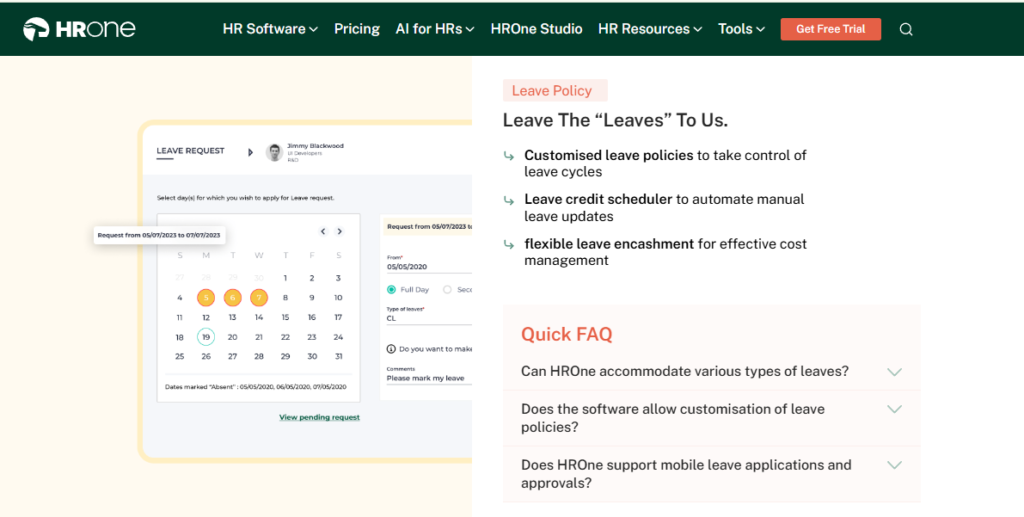
- Time Office attendance engine: applies dual or single punch policies per employee group, removing the manual judgement calls HR makes on half days and late marks.
- Real-time biometric punch sync: pulls verified punches from installed readers as they happen, so HR heads see live present-count instead of a next-day export.
- Offline attendance capture: records the punch with timestamp and location in no-network areas and syncs automatically on reconnect, ending month-end reconstruction for field staff.
- Geofenced mobile punch: confirms location on check-in for sales and service teams, with auto-approval rules so managers stop adjudicating every entry, delivered through the mobile HR app.
- Shift, roster, and comp-off rules: manages weekly rosters, holiday calendars, comp-off, and overtime computation so paid days are derived, not typed.
- Attendance-to-payroll handoff: feeds paid days and arrears into an auto-scheduled payroll run with group payout validations, cutting month-end reconciliation between two systems.
- Module and workflow breadth: ships across Core HR, Recruitment, Workforce, Time Office, Payroll, Performance, Engagement, Helpdesk, Assets, and Expenses, with 127 pre-built workflows defining who does what by when. The full HROne feature list sets out the module breadth.
🇮🇳 India-Specific Compliance and Localisation
- PF / ESI / TDS support: Yes (automated computation, challan file generation)
- Labour law compliance: Strong (Indian statutory payroll and register output)
- Payroll localisation: Yes (CTC revisions, FBP declarations, PT and LWF slabs)
- Multi-state, multi-entity handling: Yes (multi-legal-entity setup on one instance, no entity cap)
👤 Who This Is Built For
- Payroll Manager reconciling biometric exports against a leave portal before every salary run
- HR Ops lead in a multi-plant manufacturer where each site keeps its own attendance register, a common pattern in manufacturing HR environments
- CHRO who cannot answer, in a board review, how many days a confirmation letter actually takes
🚫 Who Should Skip This
- Teams under 50 employees wanting a lightweight, spreadsheet-style punch log without structured workflows
- Buyers who need heavy report-format customisation at no extra commercial, since users report customisation requests taking time and additional cost
💰 Pricing Structure
- Plan Type(s): Flat per-employee-per-month subscription across module bundles
- Starting Price: Not publicly disclosed, request a quote through the pricing page
- Tier-wise Breakdown: Not publicly disclosed; the commonly deployed bundle is Core HR, Workforce, Time Office, and Payroll, used together by around 98% of customers
- Incremental Cost Drivers: Add-on modules, One AI Suite, HRV Studio custom apps, Teams and WhatsApp bots
- Implementation Fee: Not publicly disclosed; billing structure differs in that the subscription meter starts only after go-live
- Cost at 200 Employees: Not publicly disclosed, request a quote | Cost at 500 Employees: Not publicly disclosed, request a quote
🤝 Implementation and Support Reality
- Onboarding is run by consultants who were previously HR practitioners, not generalist project managers, as set out in the HROne implementation guide
- Support runs through a dedicated HR SPOC on both phone and email, with a reported 9.8 NPS
- Data migration is vendor-led; one reviewer reported moving from an older ERP server “in fraction of hours”
- No lock-in period, and subscription billing begins after go-live rather than at purchase
💬 Reviews
“Real time sync of biometric timings is available. Calculation of comp off on weekly off working is up to the mark. Salary processing has been done in simpler 3 steps without error.”
Ajay K., HR user HROne G2 Verified Review
“It can sometimes feel a bit overwhelming for new users. Certain features take time to understand, and without enough guided support, the learning curve can feel quite steep.”
Nijanthan R., HR user HROne G2 Verified Review
1.2 Truein: Face-Based Attendance Built Around Contract and Distributed Workforces
🏢 Overview
Truein is an India-based, cloud attendance platform positioned around face recognition capture for staff and contract workforces spread across sites. Its pitch centres on removing fixed fingerprint hardware from every location and running capture on tablets or phones instead. Independent operator reviews for Truein were not present in our review set, so traction and satisfaction claims should be verified directly against its own customer references before shortlisting.
⚙️ Core Services
- Face-based capture on shared devices: turns a tablet at the gate into an attendance endpoint, removing per-site reader procurement.
- Contract workforce tracking: separates contractor headcount from permanent staff, reducing manual attendance sheets passed up from vendors.
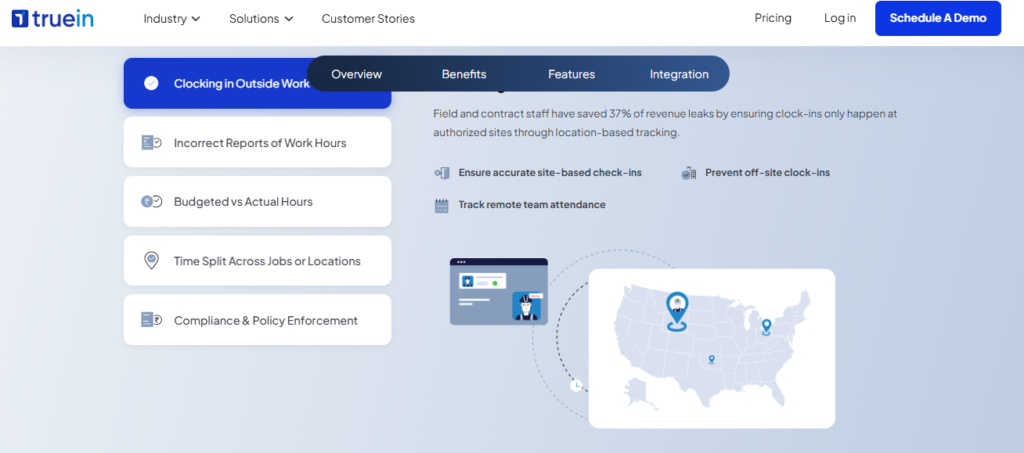
- Geofenced mobile attendance: ties a punch to an approved site boundary so field supervisors stop confirming presence over WhatsApp.
- Shift and policy configuration: applies site-level shift and overtime rules so plant HR is not recomputing hours by hand.
- Attendance reporting and exports: produces period-wise attendance output for payroll input, though the payroll calculation itself sits elsewhere.
- Multi-site consolidation: rolls site data into one view for head office, replacing per-location registers.
Ask for exact numbers on offline punch storage per device, resync conflict handling, and whether face matching runs on-device or needs a server call. In my experience, that one question separates a plant deployment that survives a power cut from one that does not.
🇮🇳 India-Specific Compliance and Localisation
- PF / ESI / TDS support: Partial (attendance output feeds payroll; statutory computation is not its core)
- Labour law compliance: Moderate (register formats should be confirmed state by state)
- Payroll localisation: No (payroll integration rather than native Indian payroll engine)
- Multi-state handling: Yes for attendance consolidation; verify state-specific register formats
👤 Who This Is Built For
- Site HR handling contract labour attendance where the contractor currently submits handwritten sheets
- Retail or services ops lead opening new locations faster than biometric hardware can be installed
- Plant HR dealing with worn fingerprints on shop-floor workers, where face capture fails less often
🚫 Who Should Skip This
- Payroll Managers wanting attendance, statutory payroll, and registers computed inside one system rather than integrated across two
- Enterprises with a large installed base of fingerprint readers they intend to keep using
💰 Pricing Structure
- Plan Type(s): Subscription tiers by employee count; confirm exact tier names on the vendor pricing page
- Starting Price: Not publicly disclosed, request a quote
- Tier-wise Breakdown: Not publicly disclosed, request a quote
- Incremental Cost Drivers: Per-site device setup, integration work, add-on modules
- Implementation Fee: Not publicly disclosed, request a quote
- Cost at 200 Employees: Not publicly disclosed, request a quote | Cost at 500 Employees: Not publicly disclosed, request a quote
🤝 Implementation and Support Reality
- Go-live timeline is not publicly published; ask for a reference customer of similar site count, and benchmark it against a typical HRMS implementation timeline
- Support channels should be confirmed in writing, including escalation path during payroll week
- Data migration model is vendor-assisted; confirm who owns historical punch import
- No independently published NPS or CSAT figure was available in our review set
Practitioners comparing this category tend to land on the same two deciding factors, not on feature lists. One evaluator who tested six biometric attendance tools ranked options by free-tier limits and multi-modal support, calling out Jibble as the most well-rounded free option and NCheck for face, fingerprint, and iris coverage. Offline sync and shared-device matching are what decide the pilot.
“Probably the most well-rounded free option I found.”
TimeTrackingSoftware Reddit Thread
HROne’s read is that this category gets compared on modality when it should be compared on what happens after the punch. In our deployments, the platforms that hold up are the ones where paid days, comp-off, and overtime land in payroll without a human reconciling two exports, which is why the Time Office and workforce management pairing is deployed together by most of HROne’s customer base.
1.3 Jibble: Free-Tier Face Recognition With No Cap on User
🏢 Overview
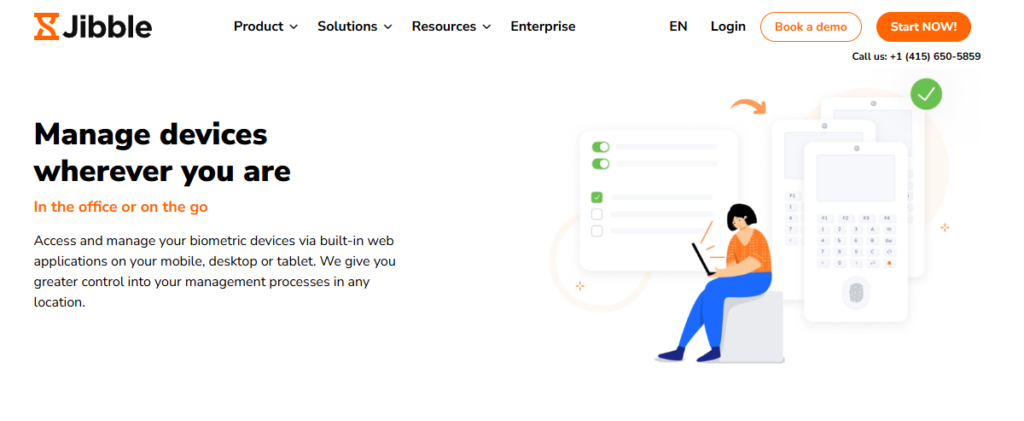
Jibble is a cloud time-tracking and attendance platform that runs face recognition on phones, tablets, and shared kiosks instead of dedicated fingerprint readers. Its free plan carries facial recognition and GPS with no user cap, which is unusual in this category. It is used mostly by small field and site teams that want to stop buying hardware for every location. Paid tiers add advanced reporting and admin controls.
⚙️ Core Services
- Face recognition punch: verifies identity on a shared device, removing the buddy-punching gap left by PIN-only apps.
- GPS and geofence capture: ties each punch to a location, so supervisors stop confirming field presence over calls.
- Kiosk mode: turns one tablet into a shared clock-in point, avoiding per-employee hardware spend.
- Automated timesheets: converts punches into payroll-ready hour totals, cutting manual timesheet entry.
- Overtime and break rules: applies configured thresholds so hour disputes are settled by data, not memory.
- Free tier with unlimited users: lets a 200-person site pilot without a purchase order.
🇮🇳 India-Specific Compliance and Localisation
- PF / ESI / TDS support: No (time tracking only, no Indian statutory payroll engine)
- Labour law compliance: Limited (verify state muster roll and overtime register formats separately)
- Payroll localisation: No (exports to payroll rather than computing Indian salary structures)
- Multi-state handling: Partial (attendance yes, state-wise statutory registers no)
👤 Who This Is Built For
- Site supervisor tracking a small crew with zero hardware budget this quarter
- Ops lead who needs GPS-verified punches from technicians across a city, a common requirement in HRMS for field and blue-collar employees
- HR generalist piloting biometric capture before asking finance for a full system
🚫 Who Should Skip This
- Payroll Managers needing PF, ESI, TDS, and state register output inside the same tool, which is covered in this PF, ESI, and TDS compliance guide
- Multi-entity Indian manufacturers running rotational shifts with statutory overtime ceilings
💰 Pricing Structure
- Plan Type(s): Free, Premium, and Ultimate
- Starting Price: Free plan with unlimited users; paid tiers priced per user per month
- Tier-wise Breakdown: Free (core tracking, face recognition, and GPS); Premium and Ultimate add advanced reporting and controls. Confirm current per-user rates on the vendor pricing page
- Incremental Cost Drivers: Per-user paid tiers, advanced reporting, and integrations
- Implementation Fee: Not publicly disclosed, request a quote
- Cost at 200 Employees: Free on the free plan; paid tiers scale per user | Cost at 500 Employees: Same structure, verify enterprise terms
🤝 Implementation and Support Reality
- Self-serve setup, since capture runs on existing phones and tablets
- Support channels are chat and email led; verify escalation during payroll week
- Data migration is self-serve; historical punch import is your responsibility
- No independently published NPS figure was available in our review set
💬 Reviews
“Bottom line: if you’re managing field teams and need GPS attendance, free unlimited users, and payroll-ready timesheets, Jibble is the clearest…”
TimeTrackingSoftware Reddit Thread
1.4 greytHR: Compliance-Led Attendance for Payroll-First SMB Teams
🏢 Overview
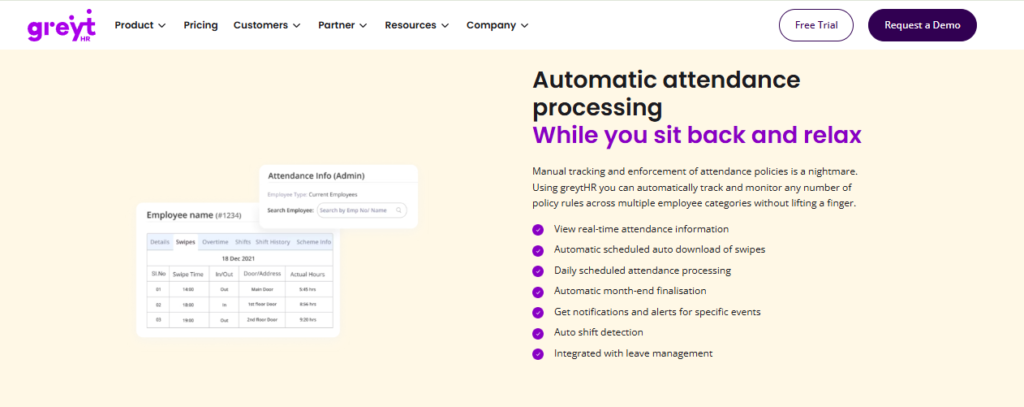
greytHR is an India-focused HR and payroll platform with published, calculator-based pricing, which is rare in this category. Its strength sits in statutory payroll and register output rather than deep shift engineering. Attendance and leave feed the payroll run, and biometric integration is available on paid tiers. It is used mostly by SMB payroll teams who bought for compliance first and attendance second.
⚙️ Core Services
- Payroll processing engine: computes statutory deductions and generates payslips, removing spreadsheet salary math.
- Leave management: supports unlimited leave types, so policy variations stop living in email.
- Attendance and biometric integration: pulls punch data into payroll inputs, reducing manual export-and-match cycles.
- Employee self-onboarding and exit: shifts document collection to the employee, cutting HR follow-up.
- Helpdesk module: routes payroll queries into tickets instead of the HR inbox.
- Statutory reports: produces compliance outputs for filings, reducing month-end report assembly.
🇮🇳 India-Specific Compliance and Localisation
- PF / ESI / TDS support: Yes (statutory computation and filing support)
- Labour law compliance: Strong (India-built, compliance-first positioning)
- Payroll localisation: Yes (Indian salary structures and statutory slabs)
- Multi-state handling: Yes on paid tiers; confirm entity limits per plan
👤 Who This Is Built For
- Payroll Manager in a 50 to 250 person firm who needs statutory accuracy above all else
- HR generalist wanting published pricing before starting an internal approval
- Finance-led buyer treating attendance as a payroll input, not a workforce system
🚫 Who Should Skip This
- Plant HR needing deep rotational shift, comp-off, and multi-legal-entity configuration, which is the core requirement in HR software for multi-entity companies
- CHROs consolidating recruitment, performance, and engagement into the same platform
💰 Pricing Structure
- Plan Type(s): Essential, Growth, and Premium
- Starting Price: Essential from ₹2,495 per month for up to 50 employees, plus ₹45 per additional employee
- Tier-wise Breakdown: Essential ₹2,495 per month for 50 employees, then ₹45 per extra employee; Growth ₹4,495 per month for 50 employees, then ₹85 per extra employee; Premium is quote-based
- Incremental Cost Drivers: Expense Management add-on at ₹35 per user per month, and per-employee slabs above 50
- Implementation Fee: Not publicly disclosed, request a quote
- Cost at 200 Employees: Essential works out to roughly ₹2,495 plus ₹45 for 150 extra employees per month, based on published slabs | Cost at 500 Employees: Quote-based at that scale; confirm with the vendor calculator
🤝 Implementation and Support Reality
- Self-serve to lightly assisted setup on lower tiers, per the published plan structure
- Support is largely ticket and email led; confirm phone escalation in your contract
- Data migration is self-serve on entry tiers, and vendor-assisted higher up
- No independently published NPS figure was available in our review set
1.5 Keka: Clean Attendance UX for White-Collar Office Teams
🏢 Overview
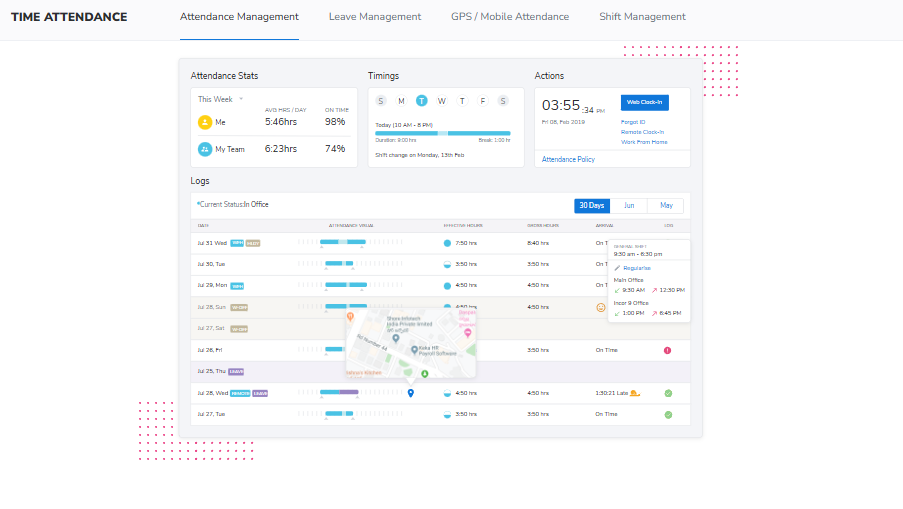
Keka is an India-built HR platform known for employee-facing polish and low training overhead. Attendance, leave, and payroll sit in one product, with strongest fit in office environments rather than shop floors. Independent operator reviews for Keka were not present in our review set, so satisfaction and support claims should be verified through your own reference calls. Support has been publicly reported by buyers as largely email-thread based during migration.
⚙️ Core Services
- Web and mobile punch: lets office staff clock in without a reader, cutting queue time at the gate.
- Leave and attendance policies: applies configured rules so HR stops adjudicating half days manually.
- Payroll processing: runs Indian statutory payroll from attendance inputs, reducing double entry.
- Employee self-service: exposes payslips and balances, cutting repetitive HR queries.
- Performance module: ties goals and reviews to the same employee record.
- Biometric device integration: ingests punches from supported readers; confirm your exact models in writing.
🇮🇳 India-Specific Compliance and Localisation
- PF / ESI / TDS support: Yes (statutory payroll computation included)
- Labour law compliance: Moderate to strong (India-built; verify state register formats)
- Payroll localisation: Yes (Indian CTC and deduction structures)
- Multi-state handling: Verify entity and state configuration limits at demo
👤 Who This Is Built For
- HR lead in an office-first company where adoption, not shift logic, is the risk
- HR Ops manager replacing a portal employees refuse to log into
- People team wanting attendance and performance management on one record
🚫 Who Should Skip This
- Plant HR running rotational shifts, contract labour, and statutory overtime ceilings across sites
- Buyers who need phone-first support with a named SPOC during payroll week
💰 Pricing Structure
- Plan Type(s): Tiered per-employee-per-month plans; confirm exact tier names on the vendor pricing page
- Starting Price: Not publicly disclosed in our verified sources, request a quote
- Tier-wise Breakdown: Not publicly disclosed, request a quote
- Incremental Cost Drivers: Module add-ons, and minimum employee commitments
- Implementation Fee: Not publicly disclosed, request a quote
- Cost at 200 Employees: Not publicly disclosed, request a quote | Cost at 500 Employees: Not publicly disclosed, request a quote
🤝 Implementation and Support Reality
- Go-live timeline is not publicly published; ask for a same-size reference customer
- Support reported by buyers as email-thread led; get escalation terms in writing
- Data migration is vendor-assisted; confirm who owns historical attendance import
- No independently published NPS figure was available in our review set
1.6 Zoho People: Attendance Inside an Existing Zoho Estate
🏢 Overview
Zoho People is the HR module of the wider Zoho suite, with native links to Zoho Recruit and Zoho Payroll. It handles employee records, attendance, and leave, and its main advantage is sitting next to tools a company already runs. Operator reviews in our set praise leave and attendance basics while flagging slow time logging, limited mobile access, and slow support response.
⚙️ Core Services
- Attendance and leave management: handles requests and approvals digitally, removing paper leave forms.
- Time log and timesheet: records worked hours for project and payroll input, though users report the entry flow as slow.
- Employee self-onboarding: lets candidates enter their own data, compressing joining formalities to a day.
- Manager-side approvals: pushes attendance approval to reporting managers, closing HR communication gaps.
- Zoho suite integration: connects to Zoho Recruit and Zoho Payroll, cutting rekeying across hiring and salary.
- Holiday and policy publishing: shares calendars centrally, reducing repeat queries.
🇮🇳 India-Specific Compliance and Localisation
- PF / ESI / TDS support: Partial (statutory handling sits largely in Zoho Payroll, not People)
- Labour law compliance: Moderate (global product; India depth varies by module)
- Payroll localisation: Partial (via Zoho Payroll rather than natively in People)
- Multi-state handling: Verify state-wise register and slab handling at demo
👤 Who This Is Built For
- HR lead in a company already standardised on Zoho CRM, Recruit, or Books
- Recruiter and HR pair wanting candidate data to flow into attendance without rekeying
- Ops team needing digital leave management more urgently than deep shift rules
🚫 Who Should Skip This
- Payroll Managers needing India-specific CTC revisions, FBP declarations, and multi-state statutory depth in one native engine
- Field-heavy teams that rely on the mobile app for daily attendance, given reported mobile limitations
💰 Pricing Structure
- Plan Type(s): Per-user-per-month tiers across the People product line
- Starting Price: Not publicly disclosed in our verified sources, request a quote
- Tier-wise Breakdown: Not publicly disclosed, request a quote. One reviewer reported finding the pricing structure confusing when moving from trial to purchase
- Incremental Cost Drivers: Separate licences for Zoho Payroll and Zoho Recruit, and per-module upgrades
- Implementation Fee: Not publicly disclosed, request a quote
- Cost at 200 Employees: Not publicly disclosed, request a quote | Cost at 500 Employees: Not publicly disclosed, request a quote
🤝 Implementation and Support Reality
- Setup reported as easy, supported by instructional videos
- Support is ticket led, and reviewers report long response times during errors
- Data migration is self-serve, with candidate self-entry easing onboarding
- No independently published NPS figure was available in our review set
💬 Reviews
“Extremely slow time logging. Earlier we could navigate to the next cell just by pressing Tab which was very easy, but now we have to click on every cell and then type and click submit.”
Pooja K., HR user Zoho People G2 Verified Review
“The biggest drawback for me has been the lack of customer support. Whenever I try to reach out, it often takes a long time to get a response. Additionally, the mobile application is quite limited.”
Dhana C., HR professional Zoho People G2 Verified Review
1.7 factoHR: Shift and Overtime Configuration for Manufacturing Floors
🏢 Overview
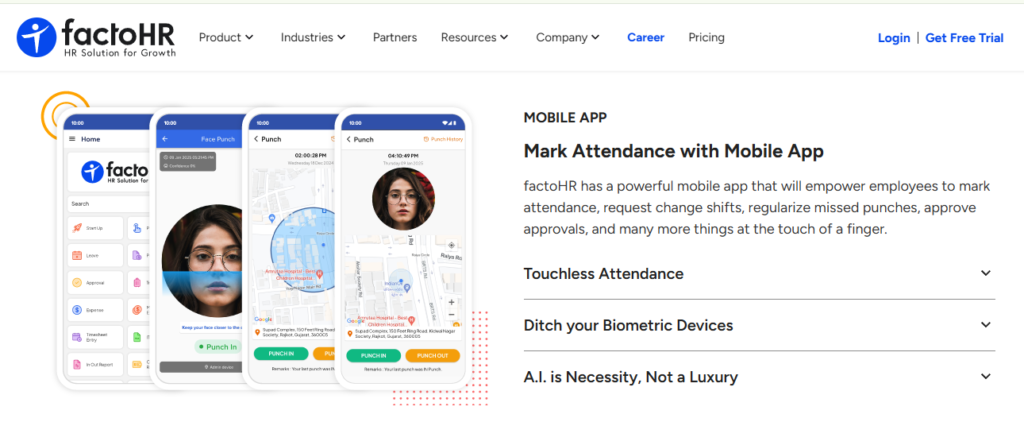
factoHR is an India-based HR and payroll platform positioned around manufacturing and shift-heavy workforces. Its attendance module focuses on rosters, overtime, and biometric device ingestion for plants. Independent operator reviews for factoHR were not present in our review set, so traction and reliability should be verified through direct reference checks with plants of similar size and shift complexity.
⚙️ Core Services
- Shift and roster engine: configures rotational and night shifts, removing manual roster spreadsheets.
- Overtime computation: applies daily or weekly overtime logic, which matters under Section 59(1).
- Biometric device integration: ingests punches from installed readers, reducing manual export handling.
- Payroll processing: computes Indian statutory deductions from attendance-derived paid days.
- Contract labour tracking: separates contractor headcount for principal-employer records.
- Statutory register output: generates attendance and wage register formats for inspection.
🇮🇳 India-Specific Compliance and Localisation
- PF / ESI / TDS support: Yes (India-built statutory payroll)
- Labour law compliance: Strong (manufacturing and factory register orientation)
- Payroll localisation: Yes (Indian wage structures and slabs)
- Multi-state handling: Yes; confirm per-state register formats in your pilot
👤 Who This Is Built For
- Plant HR recomputing overtime by hand every month across three shifts, a pattern documented in this review of HRMS for manufacturing companies
- Principal-employer compliance lead chasing contractor attendance sheets
- Payroll Manager whose biometric export never matches the leave register
🚫 Who Should Skip This
- Office-only teams wanting a lightweight punch app without shift configuration overhead
- Buyers prioritising employee engagement and performance depth over attendance rigour
💰 Pricing Structure
- Plan Type(s): Quote-based module bundles; confirm tier names on the vendor pricing page
- Starting Price: Not publicly disclosed, request a quote
- Tier-wise Breakdown: Not publicly disclosed, request a quote
- Incremental Cost Drivers: Module add-ons, per-entity charges, and device integration work
- Implementation Fee: Not publicly disclosed, request a quote
- Cost at 200 Employees: Not publicly disclosed, request a quote | Cost at 500 Employees: Not publicly disclosed, request a quote
🤝 Implementation and Support Reality
- Go-live timeline is not publicly published; ask for a multi-shift plant reference
- Support channels should be confirmed in writing, including plant-hours coverage
- Data migration is vendor-assisted; confirm historical punch and leave-balance import
- No independently published NPS figure was available in our review set
1.8 Kredily: Low-Cost Entry Point for Teams Leaving Registers
🏢 Overview
Kredily is an India-based HR platform known for a low-cost entry tier covering attendance, leave, and basic payroll. It suits teams moving off paper for the first time rather than plants with complex shift logic. Independent operator reviews for Kredily were not present in our review set, so depth of shift rules, offline behaviour, and support responsiveness should be tested in a paid pilot before standardising.
⚙️ Core Services
- Attendance capture: records punches through web, mobile, or integrated devices, replacing the register.
- Leave management: tracks balances and approvals, removing WhatsApp leave requests.
- Basic payroll: computes salary and statutory deductions for straightforward structures.
- Employee self-service: exposes payslips and balances, cutting HR follow-ups.
- Reports: produces period attendance summaries for payroll input.
- Low-cost entry tier: lets small teams digitise without a capital request.
🇮🇳 India-Specific Compliance and Localisation
- PF / ESI / TDS support: Yes (basic statutory computation)
- Labour law compliance: Moderate (verify register formats for your state)
- Payroll localisation: Yes (Indian deduction structures)
- Multi-state handling: Partial; verify multi-entity support at demo
👤 Who This Is Built For
- HR generalist in a 40 to 100 person firm still maintaining a paper muster roll, a scenario compared directly in HR software versus Excel
- Founder-led team needing statutory basics without a full HCM commitment
- Ops lead who needs attendance digitised this month on a small budget
🚫 Who Should Skip This
- Multi-plant manufacturers needing rotational shifts, comp-off, and multi-legal-entity payroll
- CHROs building one connected record across hiring, attendance, payroll, and performance
💰 Pricing Structure
- Plan Type(s): Free and paid tiers; confirm exact tier names on the vendor pricing page
- Starting Price: Not publicly disclosed in our verified sources, request a quote
- Tier-wise Breakdown: Not publicly disclosed, request a quote
- Incremental Cost Drivers: Paid module add-ons, and per-employee upgrades
- Implementation Fee: Not publicly disclosed, request a quote
- Cost at 200 Employees: Not publicly disclosed, request a quote | Cost at 500 Employees: Not publicly disclosed, request a quote
🤝 Implementation and Support Reality
- Setup is largely self-serve on entry tiers
- Support is ticket led; confirm response times during salary week
- Data migration is self-serve; plan for manual historical import
- No independently published NPS figure was available in our review set
1.9 SalaryBox: Attendance to Daily Wages for Single-Site Retail
🏢 Overview
SalaryBox is a mobile-first Indian attendance and staff-payment app aimed at very small businesses, shops, and single-site operations. Its value is speed, since a shop owner can mark attendance and compute wages on a phone. Independent operator reviews for SalaryBox were not present in our review set. Multi-site consolidation and statutory register depth should be verified before using it beyond one location.
⚙️ Core Services
- Mobile attendance marking: logs presence from a phone, replacing the counter notebook.
- Daily and hourly wage calculation: converts attendance into payable amounts for daily-wage staff.
- Advance and deduction tracking: records salary advances, reducing verbal disputes.
- Staff payment records: keeps a paid-history trail for each worker.
- Simple reporting: produces monthly attendance and payment summaries.
- Low setup overhead: needs no hardware and no IT involvement.
🇮🇳 India-Specific Compliance and Localisation
- PF / ESI / TDS support: Partial (basic wage handling; verify statutory filing coverage)
- Labour law compliance: Limited (register formats should be confirmed for your state)
- Payroll localisation: Partial (wage-focused rather than full CTC payroll)
- Multi-state handling: No; built around single-site simplicity
👤 Who This Is Built For
- Retail owner paying daily-wage staff and tracking advances on paper, a segment served more fully by dedicated retail HR platforms
- Single-location manager who needs attendance without buying a reader
- Small services business formalising staff payment records for the first time
🚫 Who Should Skip This
- HR Ops leads consolidating attendance across multiple sites and legal entities
- Payroll Managers needing PF, ESI, TDS, and state-wise register output at scale
💰 Pricing Structure
- Plan Type(s): Subscription plans for small businesses; confirm tier names on the vendor pricing page
- Starting Price: Not publicly disclosed in our verified sources, request a quote
- Tier-wise Breakdown: Not publicly disclosed, request a quote
- Incremental Cost Drivers: Feature add-ons, and staff-count upgrades
- Implementation Fee: Not publicly disclosed, request a quote
- Cost at 200 Employees: Not publicly disclosed, request a quote | Cost at 500 Employees: Not publicly disclosed, request a quote
🤝 Implementation and Support Reality
- Setup is self-serve inside the mobile app
- Support runs through in-app and email channels
- Data migration is manual; historical records need re-entry
- No independently published NPS figure was available in our review set
1.10 Matrix COSEC: Device-First Attendance With Access Control Built In
🏢 Overview
Matrix COSEC is an Indian access control and time-attendance product line where hardware and software ship together. Its published feature set covers multi-credential support, shift and schedule configuration, absenteeism policy, and centralised monitoring of devices across locations. Devices support Wi-Fi, PoE, Ethernet, BLE, USB, and 3G, 4G, or LTE connectivity. It fits IT-owned estates where attendance and door access share one system.
⚙️ Core Services
- Multi-credential support: accepts card, fingerprint, face, and PIN, giving you a fallback when biometrics fail.
- Shifts and schedules: configures shift patterns centrally, removing per-site roster sheets.
- Absenteeism policy engine: applies late-mark and absence rules automatically.
- Centralised device monitoring: manages readers across locations from one console, cutting site visits.
- Massive on-device storage with multi-connectivity: buffers events locally and pushes them over available links, which matters during outages.
- Third-party software integration: exports attendance to HRMS or payroll for salary processing, which is where integrations decide the outcome.
🇮🇳 India-Specific Compliance and Localisation
- PF / ESI / TDS support: No (attendance and access control, not payroll)
- Labour law compliance: Moderate (attendance data feeds registers held elsewhere)
- Payroll localisation: No (integrates with HRMS for salary processing)
- Multi-state handling: Yes for device and attendance consolidation across locations
👤 Who This Is Built For
- IT Director who wants door access and attendance on one controlled estate
- Plant engineering lead needing local event buffering during power and network cuts
- Security-led buyer where physical access matters as much as payroll input
🚫 Who Should Skip This
- Payroll Managers wanting statutory payroll computed in the same product, which is the core case for a full core HCM
- Lean HR teams without IT support to own on-premise servers and device firmware
💰 Pricing Structure
- Plan Type(s): Hardware plus software licence, sold through partners
- Starting Price: Not publicly disclosed, request a quote
- Tier-wise Breakdown: Not publicly disclosed, request a quote
- Incremental Cost Drivers: Per-device cost, spares, installation, licence expansion, and access control panels
- Implementation Fee: Yes, typically bundled into a partner-delivered project. Confirm the range in writing
- Cost at 200 Employees: Not publicly disclosed, request a quote | Cost at 500 Employees: Not publicly disclosed, request a quote
🤝 Implementation and Support Reality
- Delivery is largely partner-led, so your experience depends on the integrator, not the vendor
- Support runs through the channel partner; get the SLA and spares turnaround in the contract
- Data migration is partner-led; confirm who owns enrolment across sites
- No independently published NPS figure was available in our review set
⚠️ What Actually Decides This Shortlist
Practitioners who test this category do not choose on modality lists. The evaluator who tried six biometric attendance tools ranked them on free-tier limits and multi-modal coverage, naming Jibble as the most well-rounded free option and NCheck for face, fingerprint, and iris support. Offline sync and shared-device matching are what break in month two.
The second split is architectural. Device-first products like Matrix COSEC buffer events locally and hand attendance to an HRMS for salary processing. Payroll-first products compute the salary but depend on someone else’s reader. Very few do both well.
HROne’s read is that this decision gets made on modality when it is really decided by what happens after the punch. Across our deployments, the systems that survive are the ones where paid days, comp-off, and overtime reach payroll without a human reconciling two exports, which is why Time Office and time tracking are deployed together by most of HROne’s customer base.
Q2: Which Are the 10 Best Biometric Attendance Software Platforms in 2026, and How Were They Evaluated?
🔬 How These 10 Platforms Were Evaluated
Every shortlisted platform was scored on the same eight criteria, with a bias toward what breaks after go-live rather than what demos well. Published pricing was used where the vendor publishes it, and marked as undisclosed where it does not.
⏰ The Scoring Method
- Weighted heaviest: offline punch buffering, resync conflict handling, and multi-site consolidation.
- Weighted second: shift, comp-off, and overtime rule depth, since Section 59(1) overtime is computed daily or weekly, whichever favours the worker.
- Weighted third: whether paid days reach payroll natively or through a monthly export.
- Verified separately: published pricing, support channels, and statutory register output.
❌ What Disqualified a Tool
- No documented offline behaviour, since a plant with one power cut becomes a manual reconstruction exercise.
- No fallback capture method, because worn fingerprints and damaged readers are certainties, not risks.
- Attendance data that cannot produce muster roll or overtime registers in state formats, which is the core test for any statutory compliance software.
- Pricing that could not be verified from the vendor’s own page or a first-party source.
Ratings quoted in this guide are attributed to their platform and dated at capture. HROne’s figure, 4.8 out of 5 across 2,074 verified G2 reviews, was captured from its G2 profile in 2026 and should be re-verified each quarter.
⭐ Quick Verdict
| Use case | Pick | Why it wins here |
|---|---|---|
| Best overall for Indian mid-market | HROne | Biometric punch sync feeds paid days into India-compliant payroll in the same system |
| Best for multi-site factories | factoHR | Rotational shift and overtime configuration built for plants |
| Best for contract and field workforces | Truein | Face capture on shared devices, no per-site reader spend |
| Best free tier | Jibble | Face recognition and GPS with no user cap |
| Best for compliance-first SMBs | greytHR | Published per-employee pricing and statutory depth |
| Best for device-first estates | Matrix COSEC | Local event buffering across Wi-Fi, PoE, and 4G links |
⚠️ Where My Own Read Is Uncertain
HROne’s deployment data points toward offline sync being the single biggest predictor of a rollout surviving month three, though I might be over-weighting it because plant clients are over-represented in what we see. A pure office deployment may never test it.
The honest caveat is that no vendor loses this comparison on features. They lose it on the handoff between attendance and payroll, which is where I have watched most month-ends go wrong, and it is the reason a structured HRMS evaluation checklist matters more than a feature grid.
“The best and useful module is the timeoffice module where exactly calculation of actual paid days achieved and arrear calculation is also working fine, Relief is when biometric sync is perfectly working.”
Sachin K., HR user HROne G2 Verified Review
“No option to calculate employee attendance on daily hours basis. Most of times, HCM throws internet bandwidth error while uploading CTC sheet for employees.”
Sachin K., HR user HROne G2 Verified Review
HROne is deployed with Core HR, Workforce, Time Office, and Payroll together by roughly 98% of its customers, which is the practical reason attendance rarely arrives as an orphan export in these accounts. That bundle, not the reader brand, is what decides month-end, and it is why attendance management and payroll are sold as one deployment.
Q3: Fingerprint, Face, Iris or Multi-Modal, Which Capture Method Fits Your Workforce, and What Fallbacks Do You Need?
Face recognition suits hygiene-sensitive, high-throughput, and worn-fingerprint environments like manufacturing and healthcare. Fingerprint stays cheaper per endpoint and performs well indoors with stable lighting. Iris fits high-security or gloved settings. Every deployment, regardless of modality, needs at least one non-biometric fallback such as RFID, PIN, or a geofenced selfie punch, because capture will fail for some people on some days.
👐 Fingerprint: Cheapest Endpoint, Most Predictable Failure
Fingerprint readers cost the least per door and handle steady indoor traffic well. That is why most Indian plants already own a wall of them.
They fail on worn, wet, or chemically exposed fingers, which is common on shop floors. Throughput also drops when a shift of 300 workers queues at two readers.
⚠️ Where Fingerprint Breaks
- Manual labour and abrasive work wearing down ridge detail
- Wet hands in food processing, cleaning, and monsoon conditions
- Gloved workers who must remove protection to punch
😐 Face Recognition: Faster Queues, Lighting Dependency
Face capture is contactless, so it moves queues faster and avoids the hygiene objection. It also sidesteps the worn-fingerprint problem entirely.
The trade-off is environmental. Backlit gates, direct outdoor glare, and masks all degrade matching, and NIST has published dedicated evaluations of masked-face performance.
HROne pairs face and mobile capture with geofencing so field staff punch from an approved boundary rather than a fixed reader, and auto-approval rules cut manager adjudication. In our client base, that combination is what field sales teams actually adopt, and it mirrors what works in HRMS deployments for field and blue-collar teams.
👁️ Iris and Palm-Vein: Narrow but Real
Iris works through safety glasses and gloves, and it holds up where hands are unusable. Iris algorithms are now appearing in NIST’s FRTE verification reporting alongside face submissions.
The cost per endpoint is higher, so justify it by environment, not prestige. Pharma clean rooms, high-security stores, and heavy-glove operations are the honest use cases, which is why healthcare HR teams weigh this differently from offices.
🔀 Multi-Modal: Better Coverage, Heavier Enrolment
Multi-modal means enrolling two methods, such as face and fingerprint, and accepting either. It cuts daily failures sharply.
The hidden cost is enrolment time and template management for every joiner and every exit. Budget for that admin load before promising it to the board.
🔑 Non-Negotiable: A Non-Biometric Fallback
Every deployment needs one path that works when biometrics do not. This is not a weakness; it is basic operational design.
✅ Fallback Options Worth Configuring
- RFID or NFC card for gate-heavy sites
- PIN or QR punch on a shared kiosk
- Selfie punch with geofence for field and travelling staff
- Supervisor-attested manual entry, logged and reviewable
🌳 Modality Decision Guide
| Workforce environment | Primary modality | Fallback to configure |
|---|---|---|
| Shop floor, abrasive or wet work | Face | RFID card |
| Office, indoor, stable lighting | Fingerprint | PIN on kiosk |
| Field sales and service | Geofenced selfie punch | Supervisor-attested entry |
| Gloved or clean-room work | Iris or palm-vein | RFID card |
| High-value, high-risk access | Multi-modal | PIN plus supervisor log |
| Multi-site retail, no hardware budget | Face on shared tablet | QR punch |
⭐ The 50-Word Verdict
Pick modality by environment, not by vendor claim. Face wins where hands are unreliable or queues are long. Fingerprint wins indoors on tight budgets. Iris earns its cost only in gloved or high-security settings. Multi-modal buys resilience at the price of enrolment effort. Always configure one non-biometric fallback.
“The best part about HROne is its mobile application because it is Marking attendance with geofencing is extremely smooth and accurate.”
Priti D., HR user HROne G2 Verified Review
“Mobile application dont work properly while capturing live location. Geofencing radius not work properly.”
Manna S., HR user HROne G2 Verified Review
HROne supports dual or single punch policies per employee group, geofenced mobile capture, and offline attendance that syncs automatically once connectivity returns, all delivered through the mobile HR app. Reading both reviews above together is the honest picture: the capture works, and the geofence radius needs configuring properly during rollout.
Q4: How Do You Stress-Test Vendor Accuracy Claims, Liveness Detection and Real-World Failure Modes?
A “99.9% accurate” claim means nothing without a stated operating point. NIST reports false non-match rate at a fixed false match rate, for example FNMR measured at an FMR of 1 in 1,000,000. Ask vendors for the same pairing, the algorithm version, and ISO/IEC 30107-3 presentation attack detection evidence, then run a 10-minute spoof test in your own pilot.
📊 Reading Accuracy Honestly
Two numbers matter, and they move in opposite directions. False match rate (FMR) is how often the system accepts the wrong person. False non-match rate (FNMR) is how often it rejects the right person.
Tighten one and the other worsens. NIST’s FRTE 1:1 reporting publishes FNMR against a threshold set to achieve a stated FMR, across multiple datasets.
⚠️ Why Brand Is the Wrong Question
Accuracy varies by algorithm version and capture environment, not by logo. NIST tested algorithms against 400+ global submissions across 24 datasets, and results shift between report updates.
So ask which algorithm and version powers the matching engine, then look it up. HROne’s position in vendor conversations is that the reader is rarely the differentiator, and the rule engine downstream usually is, which is where workforce management depth decides the outcome.
🧪 Testing Liveness, Not Marketing
Presentation attack detection (PAD) means catching a photo, a screen replay, or a mask. ISO/IEC 30107-3 sets the principles and methods for testing and reporting PAD performance.
Do not accept a claim without test evidence. Then test it yourself, because your gate lighting is not a lab.
✅ The 10-Minute Pilot Spoof Test
- Print a colour photo of an enrolled employee and present it to every face endpoint.
- Play a phone-screen video of the same person and repeat.
- Try a punch from outside the geofence with location spoofing enabled.
- Log every acceptance. One acceptance is a finding, not a fluke.
🕵️ Fraud Beyond Buddy Punching
Buddy punching is the easy problem. The harder ones are mobile-side and database-side.
- GPS spoofing: ask whether the app detects mock-location and rooted or jailbroken devices.
- Device binding: one employee, one registered device, so a shared phone cannot punch for four people.
- Template theft: confirm templates are encrypted at rest and access to the template store is logged.
Raw biometric images should never be stored anywhere. Encrypted templates only, with a purge rule at exit, and that stance is worth writing into the contract alongside your HR software permissions design.
🔧 Failure Modes to Budget For
Every system has a failure rate. The only question is whether you planned for it or discovered it on payroll day.
- Worn, wet, or gloved hands failing fingerprint capture
- Masks and outdoor glare degrading face matching
- Power and network outages stopping sync silently
- Enrolment quality problems that repeat daily for years
HROne’s Time Office handles the outage case by buffering the punch with its timestamp on the mobile app and syncing automatically on reconnect, though reviewers also report sync services occasionally needing a manual restart. I would rather you know both halves before signing, and before you plan the HRMS implementation timeline.
📋 Exception Reality Check
Ask every vendor for a realistic monthly regularisation rate, then ask their reference customer separately. If the answer is zero, someone is guessing.
⏰ Questions to Put in Your RFP
- Which NIST-evaluated algorithm and version powers matching, and at what FNMR and FMR pairing?
- Can you share ISO/IEC 30107-3 PAD test evidence for the exact face endpoint quoted?
- How many offline punches does each device store, and how are conflicts resolved on reconnect?
- Does face matching run on-device or require a server call?
- Are raw biometric images stored anywhere, and is template access logged?
- Does the app detect mock-location and rooted devices?
- What is the average monthly regularisation rate at a customer of our size?
“Real time sync of biometric punch details of employees working at field locations.”
Manna S., HR user HROne G2 Verified Review
“Sometimes biometric punch dont sync properly we have to manually execute the services which is a time taking purpose.”
Sanjeev K., HR user HROne G2 Verified Review
HROne publishes its satisfaction position openly, ranked third out of roughly 1.17 lakh products on G2 with a 9.8 NPS on dedicated SPOC support, and the reviews above show both the sync working and failing. Ask every vendor on your shortlist to hand you their negative reviews too, then check them against independent HROne reviews.
Q5: How Should the Software Handle Offline Sites, Multi-Location Sync, Existing Readers and Payroll Integration?
Good biometric attendance software keeps working without internet. The device or app stores each punch locally with its timestamp, then syncs automatically when the connection returns. HROne’s Time Office captures offline attendance on the mobile app in low-connectivity areas and syncs it once the employee is back in network range. Ask every vendor for the exact local storage limit and the resync conflict rule.
📴 Offline Capability: What to Actually Verify
“Works offline” means three different things across vendors. Get specifics in writing before you sign.
⏰ The Four Offline Questions
- How many punches does each device or app store locally before overwriting?
- Does face matching run on-device, or does it need a server call?
- On reconnect, does the system keep the original punch timestamp or the sync timestamp?
- If the same punch arrives twice, which record wins?
HROne’s approach here is to record the punch with its timestamp and location while offline, then push it on reconnect, which is why field teams stop reconstructing the month from memory. In our deployments, that single behaviour predicts whether a plant rollout survives its first outage, and it is the core of HROne’s time tracking design.
🏢 Multi-Site and Shared-Kiosk Behaviour
A second site is not just more employees. It is a second shift calendar, a second holiday list, and a second enrolment queue.
⚠️ What Breaks Across Sites
- Enrolment does not propagate, so a transferred employee cannot punch at the new plant.
- Every site inherits head office shift rules, which never match the shop floor.
- Head-office consolidation happens through manual exports instead of one dashboard.
Matrix COSEC handles this on the device side with centralised monitoring and control of readers across locations. That solves visibility, though salary computation still sits in whatever HRMS you connect it to, which is the recurring theme in HR software for multi-entity companies.
🔌 Brownfield: Using the Readers You Already Own
Most Indian companies already own fingerprint readers. Replacing them all is usually unnecessary spend.
Ask for written, SDK-level confirmation for your exact reader make, model, and firmware version. Not “we support most devices”. A model list, signed, and checked against the vendor’s published integrations.
✅ Your Brownfield Ask
- Send the vendor your device inventory with firmware versions.
- Demand a written compatibility statement per model.
- Test one reader per model in the pilot, not one reader total.
💰 Attendance to Payroll: Where Money Leaks
Attendance software should produce paid days, not just punch logs. Paid days feed EPF and ESIC contributions and every statutory register.
Under the Code on Wages, 2019, every employer must maintain a register with details of persons employed, muster roll, and wages. If your attendance system cannot produce that, someone is still doing it by hand, which is the gap payroll software is meant to close.
| Integration surface | Native (one system) | Bolted-on (two systems) |
|---|---|---|
| Paid days | Computed and passed automatically | Monthly export and manual match |
| Comp-off and overtime | Rule engine applies both | Recomputed in a spreadsheet |
| Arrears on CTC revision | Recalculated with attendance | Missed until an employee complains |
| Audit trail | One record | Two records to reconcile |
HROne runs Time Office and Payroll as connected modules, and roughly 98% of its customers deploy them together with Core HR and Workforce. That bundle is why arrears and paid days rarely arrive as separate files in these accounts, and it is the practical route to improved payroll accuracy.
🔁 The One Reconciliation Step Nobody Skips
Before payroll cutover, take one full month of biometric output and compare it against the paid-days figure you actually used for statutory filings.
If the two differ, find out why before you switch. I have seen this single exercise catch sync gaps that a demo never would.
🚩 Integration Failure Signals During a Pilot
- Sync services needing manual restarts, which HROne reviewers have reported
- Timestamp drift between two sites creating impossible punch sequences
- Duplicate punches for the same employee within the same minute
- Geofence radius accepting punches from outside the approved boundary
“Real time transfer of biometric punch details for tracking attendance. Auto approval of geofencing mark attendance request.”
Sanjeev K., HR user HROne G2 Verified Review
“Mobile application dont work properly while capturing live location. Geofencing radius not work properly.”
Manna S., HR user HROne G2 Verified Review
HROne’s read is that the category oversells modality and undersells the resync rule, because the resync rule is what decides whether month-end is calm. My open question for the next two years is whether on-device matching becomes standard at Indian price points, and I am genuinely unsure.
Q6: What Are Your Legal, Privacy and Employee-Consent Obligations When Running Biometric Attendance in India?
⚖️ Is Biometric Attendance Legal for Private Employers in India?
Yes, private employers can run biometric attendance in India. Biometric information is classified as sensitive personal data under the SPDI Rules, 2011, framed under Section 43A of the IT Act, 2000, so you owe reasonable security practices, notice, and purpose limitation. Aadhaar-based authentication is a separate matter and should not be used for private-sector attendance.
📜 What the SPDI Rules Actually Require
The SPDI Rules, 2011, explicitly list biometric information as sensitive personal data or information. Section 43A makes a body corporate liable to pay compensation if negligent security handling causes wrongful loss.
✅ The Practical Obligations
- Collect only what the attendance purpose needs, nothing extra.
- Store encrypted templates, never raw biometric images.
- Log who can access the template store, and review that list quarterly.
- Set a retention period and purge templates at employee exit.
The Digital Personal Data Protection Act, 2023, layers notice, consent, purpose limitation, and grievance redressal on top of this, and HR teams are directly in scope. Section-level citations here should go through your legal counsel before you publish an internal policy, and a HR policy generator only speeds the drafting, not the review.
🚫 Why Aadhaar Authentication Is the Wrong Path
The Supreme Court struck down Section 57 of the Aadhaar Act, which had enabled private entities to use Aadhaar authentication to establish identity. The same 2018 judgment recognised a fundamental right to privacy.
Aadhaar regulations also bar a requesting entity from storing core biometric information captured at authentication. Use vendor-generated, non-Aadhaar templates for employee attendance.
📋 Statutory Registers You Still Owe
Digitising attendance does not remove the register obligation. It should make it easier.
- Muster roll, attendance, and wage registers under the Code on Wages, 2019
- Muster roll maintenance and overtime records under the Factories Act, 1948
- Overtime computed daily or weekly, whichever favours the worker, under Section 59(1)
- Paid days feeding EPFO and ESIC contribution filings, as set out in this PF, ESI, and TDS employer guide
HROne generates attendance-driven paid days that flow into statutory payroll computation in the same system, which is where the register and the filing meet. Two systems means two versions of the truth at inspection time, which is why labour law compliance software belongs on the same instance.
🗂️ Vendor DPDP Compliance Scorecard
Score every shortlisted vendor. Anything below full marks is a negotiation point, not a dealbreaker.
| Requirement | Ask for | Score |
|---|---|---|
| Data processing agreement | Signed DPA naming purpose and retention | ☐ |
| Template encryption | Encryption at rest, method stated | ☐ |
| No raw image storage | Written confirmation, in the contract | ☐ |
| Access logging | Audit log of template store access | ☐ |
| Breach notification | Timeline and named contact | ☐ |
| Deletion at exit | Automated purge rule, evidence of run | ☐ |
| Sub-processor list | Named, with locations | ☐ |
| Data localisation | Where servers sit | ☐ |
🤝 The Consent and Adoption Playbook
Consent is not a form. It is a conversation that decides whether your rollout is adopted or resented.
⭐ What to Tell Employees, Plainly
- What is captured: a mathematical template, not a photo of your fingerprint.
- Why: accurate attendance, correct overtime, and correct salary.
- Who sees it: named roles, not “HR” as a vague blob.
- How long: retained while employed, purged at exit.
- Your alternative: a documented non-biometric path for anyone who objects.
That last point is the one companies skip, and it is the one that prevents a grievance. Keep a card or PIN path available, logged and supervised.
“The best part about HROne is its mobile application because it is Marking attendance with geofencing is extremely smooth and accurate.”
Priti D., HR user HROne G2 Verified Review
“Sometimes biometric punch dont sync properly we have to manually execute the services which is a time taking purpose.”
Sanjeev K., HR user HROne G2 Verified Review
HROne serves compliance-heavy manufacturing, healthcare, and BFSI clients where multi-legal-entity configuration sits on one instance, including Asia Healthcare Holdings running 20 pan-India units. My honest position is that most biometric privacy risk in India is contractual, not technical, and I would like to be argued out of that.
Q7: What Will It Actually Cost, and How Do You Choose and Roll Out the Right System for Your Workforce?
💸 Is There Genuinely Free Biometric Attendance Software?
Yes, partly. Jibble’s free plan includes facial recognition and GPS with no cap on users, which is unusual in this category. Free tiers typically limit advanced reporting, shift rules, integrations, and support, and none of them compute Indian statutory payroll. Treat free as a pilot budget, not a three-year plan.
💰 Pricing Models, Explained Simply
- Per employee per month (PEPM): flat rate per head, easiest to forecast.
- Per device: cost scales with readers, not people, which suits multi-gate plants.
- On-premise licence: upfront licence plus hardware, sold through partners.
- Implementation fee: one-time, sometimes bundled, often negotiable.
greytHR publishes its numbers, at ₹2,495 per month for 50 employees on Essential plus ₹45 per additional employee, and ₹4,495 for 50 on Growth plus ₹85 per extra employee. HROne prices on flat PEPM with no lock-in and starts the subscription meter only after go-live, with the current structure set out on its pricing page.
📉 What Breaks at Scale on a Free Tier
- Shift and roster rules stay basic, so night shifts need manual handling.
- Reporting caps out before you can produce statutory registers.
- Support becomes community or email-only, which hurts during salary week.
- No India statutory payroll, so PF, ESI, and TDS still live elsewhere.
🧾 The Real 3-Year Cost of Ownership
Software licence is usually the smallest line. Here is what buyers forget.
| Cost line | Year 1 | Years 2 to 3 |
|---|---|---|
| Software subscription | Full year, or from go-live | Recurring, check escalation clause |
| Readers and installation | Per gate, plus cabling and power | Replacements |
| Device failure and spares | Budget 5 to 10% of fleet | Same, annually |
| Connectivity per site | SIM or broadband per location | Recurring |
| Admin time | Enrolment drive, policy setup | Joiner and exit enrolment |
| Exception handling | Highest here, drops after tuning | Steady monthly regularisation load |
| Integration and migration | One-time, sometimes billed | Change requests |
HROne’s inbuilt ROI Dashboard calculates lifetime hours saved against average HR salary, which is the only mechanism in this comparison that puts a rupee figure on the admin-time line. Whether that number convinces your CFO depends on how honestly you input the baseline, so run your own ROI calculator pass before the board meeting.
🏭 Choose by Workforce Archetype, Not Vendor Rank
| Your reality | Shortlist | Why |
|---|---|---|
| 100 to 5,000 employees, multi-entity, payroll pain | HROne | Punch sync tied to India-compliant payroll in one system |
| Multi-shift manufacturing, heavy overtime | factoHR, HROne | Rotational shift and overtime rule depth |
| Contract labour across many sites | Truein | Face capture on shared devices, no per-site readers |
| Small field crew, no budget | Jibble | Free tier, unlimited users, GPS |
| Compliance-first SMB under 250 | greytHR | Published pricing, statutory depth |
| Already on Zoho | Zoho People | Native links to Zoho Payroll and Recruit |
| IT owns access control too | Matrix COSEC | Local buffering, multi-connectivity devices |
| Single-site retail, daily wages | SalaryBox | Phone-based wage computation |
🏗️ Industry Fit Notes
Manufacturing needs shift depth and offline capture. Retail needs shared-device capture across many small sites. Construction needs geofencing and contractor separation.
Healthcare needs hygiene-friendly modalities and 24-hour rosters, a pattern detailed in this look at HRMS for healthcare companies. Logistics and field force need mobile punch with location, which is where geofence configuration decides adoption.
📝 12 Questions to Score Every Vendor
- Which NIST-evaluated algorithm and version powers matching?
- Can you show ISO/IEC 30107-3 PAD test evidence?
- How many punches store locally offline, and how do conflicts resolve?
- Does matching run on-device or server-side?
- Will you confirm SDK compatibility for our exact reader models in writing?
- Do paid days flow into payroll natively, or by export?
- Can the system produce our state’s muster roll and overtime registers?
- Are raw biometric images stored anywhere?
- Is template access logged, and are templates purged at exit?
- What is the average monthly regularisation rate at our size?
- When does billing start, at purchase or at go-live?
- What is the exit and data-export process?
⏰ The 90-Day Rollout Plan
- Days 1 to 10: pick one pilot site, ideally your hardest one.
- Days 11 to 25: run the enrolment drive, capture fallback credentials too.
- Days 26 to 55: parallel run, biometric system and old register together.
- Days 56 to 65: review the exception rate, tune grace and shift rules.
- Days 66 to 75: reconcile one full month of output against filed paid days.
- Days 76 to 85: cut payroll over, keep the register as backup only.
- Days 86 to 90: roll to site two, then re-audit every quarter.
“The best and useful module is the timeoffice module where exactly calculation of actual paid days achieved and arrear calculation is also working fine.”
Sachin K., HR user HROne G2 Verified Review
“It can sometimes feel a bit overwhelming for new users. Certain features take time to understand, and without enough guided support, the learning curve can feel quite steep.”
Nijanthan R., HR user HROne G2 Verified Review
HROne pairs flat PEPM pricing, no lock-in, and go-live-triggered billing with onboarding run by consultants who previously worked in HR, reflected in a 9.8 NPS and documented in the HROne implementation guide. What I am still sitting with is whether Indian buyers will start pricing exception-handling hours into RFPs, because that line, not the licence, is where the money actually goes. If you have run this reconciliation yourself, I would genuinely like to hear what your exception rate settled at.














 Secures Top Spot in
