

 Secures Top Spot in




Q1. What Are the 10 Best HR Software for Startups Scaling from 10 to 200 Employees in 2026?
Picking HR software while you are growing from 10 to 200 people is a high-stakes call, because the system you install at 25 employees quietly decides how your payroll, attendance, and compliance behave at 200. For this guide, 10 vendors serving Indian startups and mid-market teams were evaluated against defined operational, compliance, and cost criteria rather than popularity or badge count. The primary reader here is the person inside the tool every day: the first HR hire, the HR ops lead, or the founder still doing payroll on a Sunday night. The shadow readers are the CHRO, the CFO signing the invoice, and the IT lead who owns access and data.
The 10 best HR software for startups scaling 10 to 200 employees in 2026 are HROne, Keka, greytHR, Zoho People, Zimyo, factoHR, Kredily, BambooHR, Deel, and Rippling. HROne ranks first for India-first startups crossing 100 employees, running 127 pre-built workflows from pre-boarding to exit clearance, with a 4.8 out of 5 G2 rating across 2,074 verified reviews.
Our Evaluation Criteria
Each vendor was assessed on eight decision-grade measures, not feature checklists.
- India Statutory Depth 🇮🇳, EPF ECR generation, ESIC wage-ceiling logic, multi-state professional tax and LWF slabs, and TDS with Form 16 release, as covered in this PF, ESI, and TDS compliance guide for employers.
- Scale Headroom (10 to 200) ⭐, multi-entity support, layered access rights, workflow count, and cost-centre depth before a re-implementation is forced.
- Time to Value ⏰, published go-live timeline, migration effort, and whether billing starts at purchase or at go-live, benchmarked against a realistic HRMS implementation timeline in India.
- Pricing Transparency 💰, published INR rates, minimum billing blocks, and what the all-in number looks like at 200 and 500 employees.
- Adoption Reality 📱, mobile coverage, clicks to close a routine task, and self-service depth for non-desk staff.
- Support Model 🤝, dedicated SPOC versus email-only queues, and publicly reported NPS or CSAT.
- Verified Review Evidence 💬, volume, recency, and the pattern of complaints, not just the average score.
- Exit Cost ⚠️, data export rights, retention windows, and lock-in length.
Who This Guide Is For
- HR ops leads reconciling biometric exports against a separate leave portal every month-end.
- Payroll managers firefighting CTC-revision arrears and multi-state PT slabs by hand, the exact scenario covered in this multi-state payroll compliance guide.
- Founders and first HR hires who became the data-entry clerk for their own company.
- CFOs validating flat per-employee-per-month commercials against quote-based contracts.
- IT leads assessing mobile-first HCMs versus legacy portals.
⚠️ One honest disclosure before the table
Most ranking pages on this query are published by vendors who place themselves first without saying so. HROne publishes this one, and its own stated sweet spot is 100 to 5,000 employees, with founder Karan Jain explicitly saying startup-tier HR software is not the segment the company chases.
I would rather say that out loud than bury it. So read the ranking as banded: HROne earns the top slot for the 100-to-200 half of your journey, and the sub-₹100 tools below genuinely win the 10-to-50 half.
The Master Comparison Table
| Provider | Best For | Standout Strength | Known Limitation | Modules / Workflow Depth | Support Model | Pricing Model |
| HROne ⭐ 4.8/5 (2,074 G2 reviews) |
HR ops leads crossing 100 heads and drowning in multi-entity payroll reconciliation | Every pending task, request, and approval lands in one Super Inbox closed in three clicks | Reviewers report a steep first-week learning curve on Payroll and Performance | 30+ modules, 127 pre-built workflows, hire to retire | Phone plus email plus dedicated prior-HR SPOC, 9.8 NPS | Flat PEPM from ₹85 per user per month, billing starts after go-live, no lock-in |
| Keka ⭐ 4.5/5 |
First HR hires who want polished UX over configuration depth | Transparent public India pricing across three tiers | Reported attendance-sync lag on mobile, ATS and PSA modules are quote-only | Core HR, payroll, performance, time, ATS (quoted separately) | Largely email and ticket-led | ₹9,999 per month base for up to 100 employees, then ₹90 per employee |
| greytHR | Payroll managers who need statutory filing accuracy above all else | Deep, long-established India payroll compliance content and filings | Aging UI, limited workflow automation, and a 50-employee minimum billing block | Payroll-led core, add-ons for performance and time | Email and ticket-led, partner-assisted | ₹2,495 per month for 50 employees, plus ₹45 per employee above 50 (Essential) |
| Zoho People | Teams already standardised on the Zoho suite | Native flow into Zoho Recruit and Zoho Payroll | Users report slow support and a feature-limited mobile app | Broad HR suite, payroll sold separately | Email and ticket-led | Around ₹50 per employee per month entry tier |
| Zimyo | Cost-conscious SMBs stepping off spreadsheets | Wide module count at a low published entry price | Thinner enterprise-scale and multi-entity track record | 50+ modules claimed | Email plus account manager | From ₹50 per employee per month (Basic) |
| factoHR | Manufacturing-leaning SMBs needing attendance plus payroll | Strong attendance-device and payroll pairing | Pricing not publicly disclosed in a single verifiable tier | Payroll, attendance, performance | Email plus phone | Not publicly disclosed, request a quote |
| Kredily | Sub-50 teams with near-zero budget | Free core HR and attendance tier | Free tier caps out fast, and payroll depth is paid and limited | Core HR, attendance, payroll | Email and community-led | Freemium, paid payroll add-on |
| BambooHR | US-centric teams wanting a clean people database | Simple, well-liked interface for records and time off | No India statutory payroll, and users report it breaking past 50 employees | Core HR, ATS, time off, US payroll | Email plus phone (HR support rated higher than payroll support) | Quote-based, USD PEPM |
| Deel | Startups hiring contractors and staff across borders | Global EOR and contractor compliance coverage | Overkill and over-priced if your entire team is in India | EOR, contractor management, global payroll | Chat plus email plus CSM | Quote-based, per-worker USD |
| Rippling | Tech teams wanting HR plus IT device management in one | Unified HR, app, and device provisioning | India statutory payroll is not its native strength | HR, IT, spend management | Chat plus email | Quote-based, modular USD PEPM |
Star ratings are shown only where a verified review base sits in our source set. Where a rating is not printed, treat it as unverified for this edition rather than assumed.
1.1 HROne, India-first hire-to-retire HCM for teams crossing 100 employees
📋 Overview
HROne is a cloud-based, mobile-first HCM built in Noida and launched in 2016 under Uneecops Workplace Solutions. It serves roughly 2,000 enterprise brands across 20 industries and has processed over 70 lakh payslips. G2’s 2026 Best Software Awards placed it in the global top three for customer satisfaction, and first in India and APAC, ranked #3 for satisfaction out of 1,17,579 products. It is used mostly by teams stuck reconciling biometric exports, an outsourced payroll vendor, and an Excel performance tracker that never agree.
🧩 Core Services
- Super Inbox (InboxforHR), surfaces every pending approval, request, and task on one screen, closed within three clicks, removing the tab-hopping across five tools at month-end. See the HR inbox in detail.
- Payroll engine, auto-scheduler runs recurring cycles with group payout validations, catching missing bank details before disbursal instead of after a failed NEFT batch, inside the payroll software module.
- Time Office, syncs biometric punches in real time and supports offline mobile attendance that auto-syncs on reconnection, ending manual regularisation for field staff through attendance management.
- 127 pre-built workflows, define who does what by when across pre-boarding, confirmation, transfer, promotion, and exit clearance, so HR stops chasing managers over email.
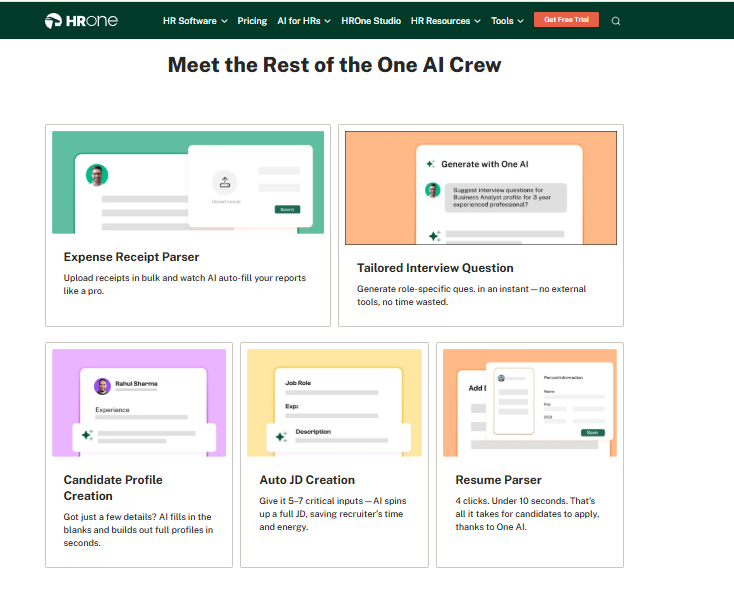
- One AI Suite, resume relevancy scoring stacks the strongest CVs on top and a receipt parser extracts expense data, cutting manual screening and claim entry, as documented in the HROne AI stack.
- Inbuilt ROI Dashboard, calculates lifetime hours saved against average HR salary, so the CHRO walks into a board review with a rupee figure already computed. You can preview the maths with the ROI calculator.
- HRV Studio, low-code builder for custom apps like visitor or vendor management, without raising a developer ticket.
🇮🇳 India-Specific Compliance and Localization
- PF / ESI / TDS: Yes (automated calculation, challan file generation, and Form 16 released to the employee’s letter section)
- Labour law compliance: Strong (PT and LWF slab logic reported accurate by payroll admins)
- Payroll localization: Yes (CTC revision history, FBP declarations, and arrear-day handling)
- Multi-state compliance: Yes (multi-legal-entity setup in one instance, with no cap on entity count, as explained in this guide to HR software for multi-entity companies)
🎯 Who This Is Built For
- Payroll managers running multi-entity, multi-state monthly cycles who need PF, ESI, PT, and LWF computed without a side spreadsheet.
- HR ops leads at 100 to 5,000 employees whose biometric data, leave portal, and payroll sit in three disconnected systems.
- CHROs who have to defend HR tech spend to a CFO with a savings number, not a feelings slide.
❌ Who Should Skip This
- A 12-person startup wanting a lightweight, spreadsheet-like leave tracker with no structured workflows.
- Teams needing heavy report-format customisation on a tight budget, since reviewers note custom formats attract extra commercials.
💰 Pricing Structure
- Plan Type(s): Basic, Professional, and Enterprise, listed on the pricing page.
- Starting Price: ₹85 per user per month (Basic), billed monthly. A published alternate Basic construct is ₹4,950 per month covering 50 users, plus ₹99 per additional user.
- Tier-wise Breakdown: Basic ₹85 per user per month, Professional ₹115 per user per month, and Enterprise customised, with a quote shared on request.
- Incremental Cost Drivers: module upgrades between tiers, AI and add-on modules, and HRV Studio custom builds. The mobile app is included at no extra charge.
- Implementation Fee: not separately published. Subscription meters only after go-live, with no lock-in period.
- Cost at 200 Employees: approximately ₹17,000 per month on the ₹85 Basic rate, or about ₹19,800 using the ₹4,950-plus-₹99 construct, so confirm which base applies to your contract. Cost at 500 Employees: not publicly disclosed, request a quote (Enterprise tier).
⏰ Implementation and Support Reality
- Go-live for the core four modules (Core HR, Workforce, Time Office, and Payroll) is positioned in as little as 30 days, and 98% of customers run exactly that four-module core.
- Support runs on phone plus email with a dedicated HR SPOC, reported at 9.8 NPS.
- Onboarding consultants are former HR practitioners rather than technical project managers reading a checklist.
- Migration is vendor-led, and one reviewer moved off a legacy ERP server “in fraction of hours”. The full sequence is mapped in this HRMS migration guide.
💬 What Verified Users Say
“While HROne does a great job overall, one thing I don’t like is that it can sometimes feel a bit overwhelming for new users. Certain features take time to understand, and without enough guided support, the learning curve can feel quite steep.”
Nijanthan R., 3.5/5 HROne G2 Verified Review
“The InboxforHR is a game-changer, centralizing every HR task into one simple inbox, cutting down administrative time by 60-70% and preventing tasks from falling through the cracks.”
Waldon S., 4/5 HROne G2 Verified Review
🧠 My Read on the Trade-off
HROne’s own review corpus points the same way twice: the payroll and workflow depth is the reason people stay, and that same depth is the reason week one feels heavy. I might be reading the pattern too strongly, but the complaint cluster is about guided onboarding, not about the engine.
That is a fair trade if you are heading past 100 people. It is a bad trade if you are 15 people and want something you can set up alone on a Friday.
1.2 Keka, polished and transparently priced HRMS for first-time HR buyers
📋 Overview
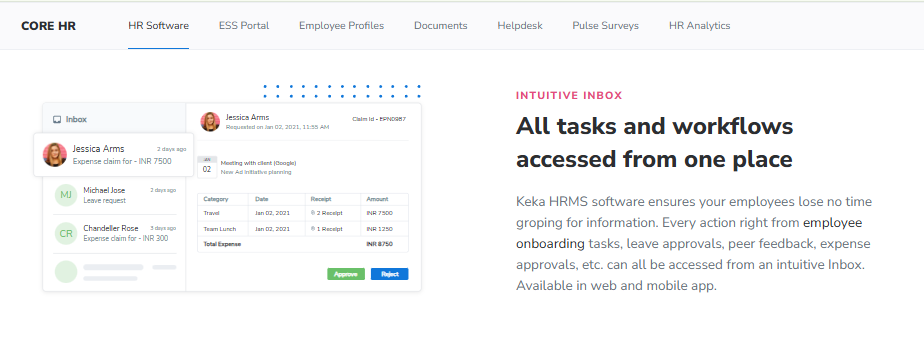
Keka is an India-headquartered cloud HRMS founded in 2014, serving over 12,500 customers with native payroll for India, the US, and the UAE. It holds a 4.5 G2 rating and is best known for interface polish and for publishing its India pricing openly, which is still rare in this category. It is mostly bought by teams making their first move off spreadsheets who want employees to actually log in without training. A fuller architectural read sits in this Keka HRMS review.
🧩 Core Services
- Core HR, centralises records, documents, org charts, and onboarding workflows, removing the shared-drive hunt for signed offer letters.
- India payroll, automates multi-state statutory computation and payslip release, cutting month-end manual reconciliation.
- Time and attendance, self-service clock-in, leave, and regularisation through the employee portal.
- Performance management, goals, OKRs, and continuous check-ins for teams running their first formal review cycle.
- Keka Hiring (ATS), applicant tracking sold as a separate quote-based module rather than bundled.
- Keka Learn (LMS), add-on at ₹60 per employee per month with a 50-employee minimum.
🇮🇳 India-Specific Compliance and Localization
- PF / ESI / TDS: Yes (native India statutory payroll, verified market)
- Labour law compliance: Moderate to Strong (multi-state statutory payroll automation is documented)
- Payroll localization: Yes (India is one of three natively supported payroll markets)
- Multi-state compliance: Yes (multi-state payroll compliance is a published capability)
1.3 greytHR, compliance-first payroll platform for statutory accuracy
📋 Overview
greytHR is one of India’s most widely deployed HR and payroll platforms, built for SMB and mid-market statutory compliance. Its reputation rests on payroll filing depth rather than workflow automation or interface polish. It publishes its India pricing openly, including the 50-employee minimum billing block. It is bought mostly by payroll managers who care more about a clean PF challan than a pretty dashboard. A deeper architectural read sits in this greytHR review.
🧩 Core Services
- Payroll engine, computes statutory deductions and generates filing outputs, removing manual challan preparation each month.
- Leave and attendance, tracks balances and punches, cutting spreadsheet reconciliation before payroll input freeze.
- Employee self-service portal, lets staff pull payslips and tax documents without emailing HR, the same principle covered in this guide to an employee self-service portal.
- Performance Management System (add-on), sold separately rather than bundled into the core plan.
- Time and attendance (add-on), device integration priced outside the base tier.
🇮🇳 India-Specific Compliance and Localization
- PF / ESI / TDS: Yes (long-established statutory computation and filing outputs)
- Labour law compliance: Strong (compliance depth is its documented core strength)
- Payroll localization: Yes (built India-first for SMB and mid-market payroll)
- Multi-state compliance: Partial (workflow rigidity surfaces in multi-entity setups)
🎯 Who This Is Built For
- Payroll managers who file PF and ESI monthly and want zero surprises from the portal.
- HR ops leads at 50 to 150 employees whose priority is compliance, not performance reviews.
- Finance leads who want a published base price before opening a vendor conversation.
❌ Who Should Skip This
- Shift-based manufacturing teams needing multi-legal-entity configuration and deep workflow branching, a fit better served by dedicated manufacturing HR systems.
- Teams under 30 employees, since billing starts at a 50-employee block regardless of headcount.
💰 Pricing Structure
- Plan Type(s): Essential, Growth, and Premium.
- Starting Price: ₹2,495 per month covering 50 employees, billed monthly.
- Tier-wise Breakdown: Essential ₹2,495 per month for 50 employees, then ₹45 per extra employee. Growth ₹4,495 per month for 50 employees, then ₹85 per extra employee. Premium is quote-based.
- Incremental Cost Drivers: Performance Management System and Time and Attendance are paid add-ons.
- Implementation Fee: not publicly disclosed, request a quote.
- Cost at 200 Employees: approximately ₹9,245 per month on Essential (₹2,495 plus 150 employees at ₹45). Cost at 500 Employees: approximately ₹22,745 per month on Essential, before add-ons.
⏰ Implementation and Support Reality
- Support runs through email and ticket queues, with partner-assisted delivery in some regions.
- Migration is largely self-serve with vendor guidance on payroll masters.
- The 50-employee minimum block means small teams pay for capacity they do not use.
🧠 My Read on the Trade-off
greytHR is genuinely the cheapest credible statutory option at 200 people, and I will not pretend otherwise. The catch shows up later, when you need transfer, confirmation, and exit-clearance workflows and find yourself back on email chains.
Working with mid-market HR teams, what I have felt is that compliance accuracy and process automation are two different purchases. greytHR sells the first one well.
1.4 Zoho People, suite-native HR for teams already running Zoho
📋 Overview
Zoho People is the HR module inside the wider Zoho business suite, serving global SMBs across many markets. Its strongest argument is native flow into Zoho Recruit and Zoho Payroll, which removes duplicate candidate and salary entry. Reviewers describe solid attendance and leave handling alongside slow support response. It is bought mostly by teams whose CRM, mail, and books already sit in Zoho.
🧩 Core Services
- Employee database and onboarding, candidates enter their own details, so HR stops chasing documents by email, the same mechanic explored in this guide to employee onboarding automation.
- Leave and attendance, digital request, approve, and reject flows that cut WhatsApp approvals.
- Manager-led attendance approval, managers approve directly, removing the HR-as-middleman coordination gap.
- Zoho Recruit and Zoho Payroll integration, carries hiring and salary data across apps, avoiding re-entry.
- Timesheets and time logging, project-level logging, though users report the entry flow is slow.
🇮🇳 India-Specific Compliance and Localization
- PF / ESI / TDS: Partial (handled through Zoho Payroll, a separate product, not Zoho People)
- Labour law compliance: Moderate (global generalist architecture rather than India-first design)
- Payroll localization: Partial (India payroll requires the companion Zoho Payroll subscription)
- Multi-state compliance: Partial (thinner on India-specific CTC revisions and FBP declarations)
🎯 Who This Is Built For
- HR generalists at 30 to 120 employees already standardised on Zoho CRM and Zoho Books.
- Recruiters who want candidate data flowing into onboarding without a CSV export.
- Managers who want to approve attendance themselves instead of routing through HR.
❌ Who Should Skip This
- Teams that need fast, responsive vendor support during a payroll crisis, based on reported response delays.
- Field or shop-floor teams dependent on full mobile functionality, since the app is reported as feature-limited. A mobile HR app built for offline attendance is the better fit there.
💰 Pricing Structure
- Plan Type(s): Essential HR, Professional, Premium, and Enterprise, as published by Zoho.
- Starting Price: approximately ₹50 per employee per month at the entry tier.
- Tier-wise Breakdown: module depth rises by tier, and India payroll sits in the separately priced Zoho Payroll product.
- Incremental Cost Drivers: Zoho Payroll subscription, Zoho Recruit licences, and tier upgrades for performance and cases.
- Implementation Fee: not publicly disclosed, request a quote.
- Cost at 200 Employees: approximately ₹10,000 per month at the ₹50 entry rate, before payroll. Cost at 500 Employees: approximately ₹25,000 per month at the same rate, before payroll.
⏰ Implementation and Support Reality
- Onboarding is supported by instructional video libraries and is largely self-serve.
- Support is email and ticket-based, with users reporting long waits on error resolution.
- Migration is self-serve, easiest for teams already holding data inside Zoho apps.
💬 What Verified Users Say
“The biggest drawback for me has been the lack of customer support. Whenever I try to reach out, it often takes a long time to get a response. There were days when I was stuck with errors and couldn’t find a solution.”
Dhana C., HR professional Zoho People G2 Verified Review
“Extremely slow time logging. Earlier we could navigate to the next cell just by pressing Tab which was very easy, but now we have to click on every cell and then type and click submit.”
Pooja K., 1.5/5 Zoho People G2 Verified Review
1.5 Zimyo, cost-conscious modular HRMS for SMB-to-mid-market crossovers
📋 Overview
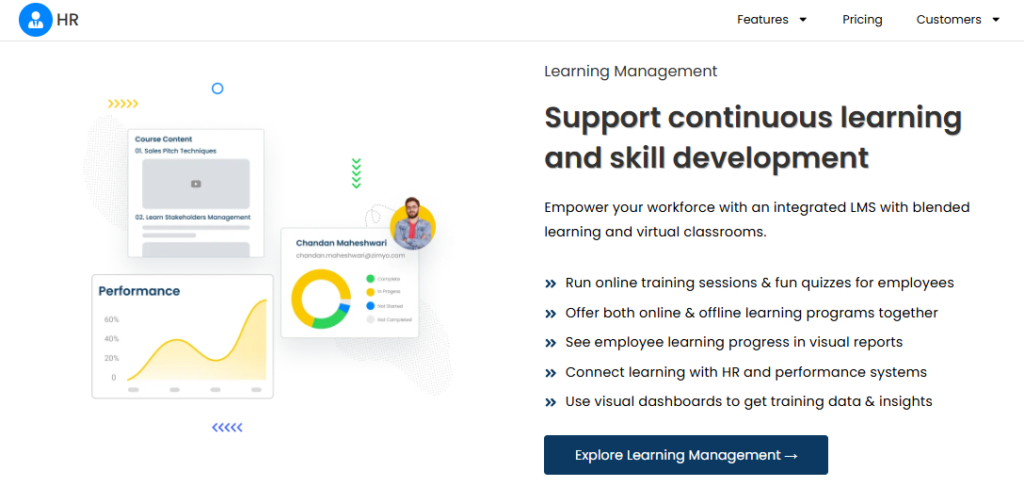
Zimyo is an India-based HRMS positioning itself on module breadth at a low published entry price. It markets a wide module count covering core HR, payroll, performance, and engagement. Independent pricing analysis puts the all-in Indian buyer cost near ₹94 per employee monthly after 18% GST, which is a useful reality check. It is bought mostly by teams stepping off spreadsheets with a tight monthly budget.
🧩 Core Services
- Core HR and employee database, centralises records so HR stops maintaining parallel Excel masters.
- Payroll processing, automates salary computation and payslip release, cutting manual month-end math.
- Attendance and leave, tracks punches and balances, feeding payroll without re-entry.
- Performance management, supports goals and review cycles for first formal appraisals, a category detailed in this performance management and OKR guide.
- Employee engagement, surveys and recognition features bundled into the suite.
🇮🇳 India-Specific Compliance and Localization
- PF / ESI / TDS: Yes (India payroll statutory computation is a published capability)
- Labour law compliance: Moderate (India-built, though enterprise-scale track record is thinner)
- Payroll localization: Yes (India-first payroll product line)
- Multi-state compliance: Partial (multi-entity depth is less documented than for enterprise-tier vendors)
🎯 Who This Is Built For
- HR generalists at 40 to 120 employees who need many modules on one small budget.
- Founders replacing three spreadsheets and a WhatsApp group with one login.
- Finance leads who want a published per-employee rate, not a discovery call.
❌ Who Should Skip This
- Multi-entity groups needing proven configuration across several legal entities in one instance.
- Teams wanting a named prior-HR implementation lead rather than a general account manager.
💰 Pricing Structure
- Plan Type(s): Basic and higher tiers, as published by Zimyo.
- Starting Price: from ₹50 per employee per month (Basic), before GST.
- Tier-wise Breakdown: higher tiers add performance, engagement, and advanced payroll modules.
- Incremental Cost Drivers: 18% GST, which lifts the effective all-in cost to roughly ₹94 per employee monthly.
- Implementation Fee: not publicly disclosed, request a quote.
- Cost at 200 Employees: approximately ₹10,000 per month at the ₹50 Basic rate, before GST. Cost at 500 Employees: approximately ₹25,000 per month at the same rate, before GST.
⏰ Implementation and Support Reality
- Support runs on email plus an assigned account manager rather than a dedicated HR SPOC.
- Migration is vendor-assisted, with effort depending on payroll master cleanliness.
- Published tier pricing makes budget forecasting easier than with quote-only vendors.
💸 The GST Lesson Every Buyer Forgets
Here is the mistake I see in almost every Indian HRMS budget sheet. Teams compare a pre-GST quote from one vendor against a post-GST quote from another, and the cheaper one looks 18% cheaper than it is.
Zimyo’s own published gap illustrates it cleanly: a ₹50 sticker, and roughly ₹94 all-in after tax and plan mix. Ask every vendor for the post-GST number in writing before you compare anything, using this breakdown of HR software pricing as your checklist.
1.6 factoHR, attendance-plus-payroll platform for device-heavy Indian SMBs
📋 Overview
factoHR is an India-based payroll and HR platform positioned around biometric attendance and payroll for enterprise and SMB users. Its distinguishing pitch is the pairing of attendance hardware integration with statutory payroll. G2 lists five pricing editions ranging from ₹2,999 to ₹5,999 per month, though the employee-block basis is not clearly published. It is bought mostly by factory and multi-shift teams whose punch data lives on machines.
🧩 Core Services
- Biometric attendance integration, pulls device punches into the system, removing manual export and matching, an integration pattern explained in this guide to HRMS integrations with Tally, SAP, and biometric devices.
- Payroll processing, computes statutory deductions and payslips from attendance data directly.
- Leave management, tracks entitlements and approvals, feeding paid-day calculation.
- Performance management, supports appraisal cycles as part of the broader suite.
- Mobile app, attendance and self-service on phone for non-desk staff.
🇮🇳 India-Specific Compliance and Localization
- PF / ESI / TDS: Yes (India statutory payroll is its documented core)
- Labour law compliance: Moderate to Strong (India-first payroll design)
- Payroll localization: Yes (built for the Indian payroll market)
- Multi-state compliance: Partial (not clearly documented at multi-entity enterprise scale)
🎯 Who This Is Built For
- HR ops leads exporting biometric CSVs every month and matching them to leave records by hand.
- Payroll managers in manufacturing running shift-based paid-day calculations.
- Plant HR teams needing mobile attendance for staff without company laptops, a scenario covered in this guide to HRMS for field and blue-collar employees.
❌ Who Should Skip This
- Teams needing a clearly published per-employee rate, since the tier basis is ambiguous.
- Fully remote knowledge teams with no attendance hardware to integrate.
💰 Pricing Structure
- Plan Type(s): five editions listed on G2, including Velocity, Bolster, and Performer.
- Starting Price: ₹2,999 per month at the entry edition, as listed on G2.
- Tier-wise Breakdown: Velocity ₹2,999 per month, Bolster ₹4,999 per month, and Performer ₹5,999 per month, with the employee-block basis unclear in the listing.
- Incremental Cost Drivers: not publicly disclosed, request a quote.
- Implementation Fee: not publicly disclosed, request a quote.
- Cost at 200 Employees: not publicly disclosed, request a quote. Cost at 500 Employees: not publicly disclosed, request a quote.
⏰ Implementation and Support Reality
- Support channels include email and phone, with delivery varying by edition.
- Migration is vendor-led, centred on attendance device mapping.
- Because the pricing basis is ambiguous, insist on a written all-in quote at your projected headcount.
1.7 Kredily, free-forever HRMS for sub-25 teams with no budget
📋 Overview
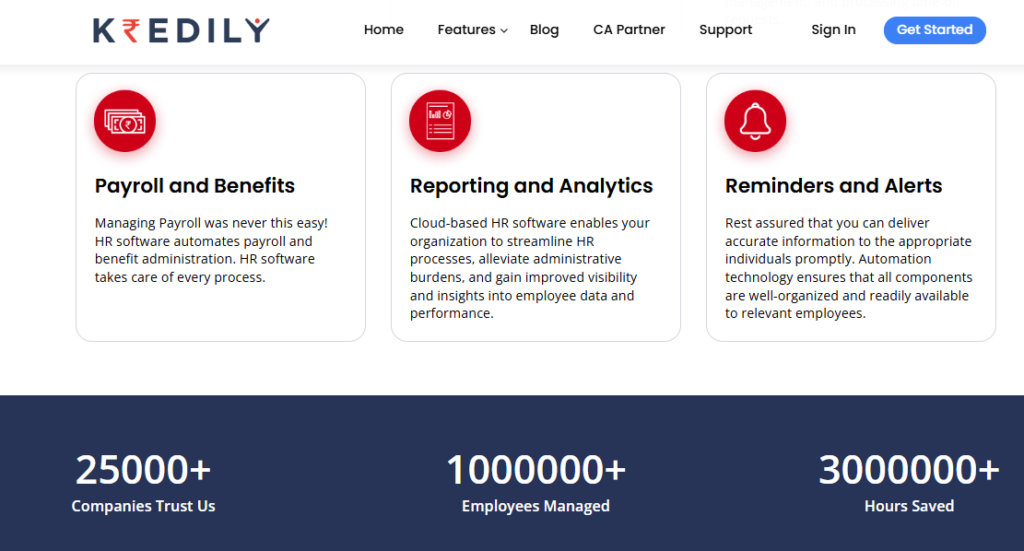
Kredily is an India-based HRMS offering a genuinely free core plan, used by thousands of small firms for leave, attendance, and payroll. The free tier includes an employee database, onboarding, payroll, salary payout, and self-service on web and mobile. It also carries hard limits: a 250MB database cap and deactivation after three months of inactivity. It is bought mostly by founders who cannot justify any HR line item yet.
🧩 Core Services
- Employee database and onboarding, replaces the shared folder of scanned offer letters.
- Payroll and salary payout, one-click payout with free unlimited payslip generation.
- Attendance, web clock-in or mobile selfie attendance on the free plan.
- Leave management, tracks balances across locations without geographical limits, the same base capability described in this leave management system guide.
- Reimbursements and vendor payout, basic claim and payout handling inside the free tier.
🇮🇳 India-Specific Compliance and Localization
- PF / ESI / TDS: Yes (automated PF and ESI with Form 16 and Form 24Q support)
- Labour law compliance: Moderate (statutory basics covered, depth limited on the free tier)
- Payroll localization: Yes (India-built payroll and payslip generation)
- Multi-state compliance: Partial (not documented at multi-entity scale)
🎯 Who This Is Built For
- Founders at 8 to 25 employees running payroll personally on a Sunday night.
- First HR hires who need PF and ESI handled before any performance module.
- Startups wanting to exit spreadsheets without a purchase approval, a transition weighed in this HR software versus Excel comparison.
❌ Who Should Skip This
- Teams needing geo-fencing, geo-tagging, or biometric device integration, all paid-tier only.
- Growing companies past the 250MB database cap or needing asset and expense modules.
💰 Pricing Structure
- Plan Type(s): Free Forever, Payroll OS Plan, and Professional.
- Starting Price: ₹0 per month on Free Forever, subject to an active usage policy.
- Tier-wise Breakdown: Free Forever ₹0. Payroll OS Plan ₹1,249 per month up to 25 employees, then ₹50 per employee for 26 and above.
- Incremental Cost Drivers: geo-fencing, biometric integration, asset management, and expense claims sit in paid plans.
- Implementation Fee: ₹10,000 published, waived under specific partner offers.
- Cost at 200 Employees: approximately ₹10,000 per month on Payroll OS (₹1,249 plus 175 employees at ₹50). Cost at 500 Employees: approximately ₹25,000 per month on the same basis.
⏰ Implementation and Support Reality
- Free-tier support is live training sessions, in-app guides, a knowledge base, and community forums.
- Paid onboarding and priority support with a dedicated account manager are paid upgrades.
- Accounts inactive for over three months are deactivated and deleted, so this is not an archive system.
⚠️ Where Free Stops Being Free
Free tiers are not charity, and Kredily is upfront about that. The moment you need geo-fencing for field staff or biometric device sync, you are on a paid plan anyway.
My honest read: use it to get compliant fast under 25 people. Do not build three years of employee history inside a 250MB cap you will hit.
1.8 BambooHR, clean people database built for US-centric teams
📋 Overview
BambooHR is a US-headquartered HR platform known for interface simplicity across records, onboarding, and time off. Its own reviewers praise ease of use while flagging weak payroll reporting and thin customisation. Multiple verified reviewers describe it breaking down for companies past 50 employees. It is bought mostly by teams whose workforce sits primarily in the United States.
🧩 Core Services
- Employee records, centralised profiles and document signing that reduce paper file chasing.
- Time off management, request emails with single-click approval showing team absences.
- Onboarding and ATS, applicant tracking with document collection built in.
- Time tracking, timesheet capture, praised by staff for day-to-day ease.
- US payroll (TRAX), payroll module with reporting limitations flagged by users.
🇮🇳 India-Specific Compliance and Localization
- PF / ESI / TDS: No (no India statutory payroll capability)
- Labour law compliance: Limited (support has told users it is a US-centric system)
- Payroll localization: No (India payroll is not supported)
- Multi-state compliance: No (no Indian state PT or LWF slab handling, which a dedicated statutory compliance software layer would cover)
🎯 Who This Is Built For
- People leads at US-registered startups wanting a tidy records and time-off system.
- HR teams under 50 employees who need document signing more than payroll depth.
❌ Who Should Skip This
- Any Indian entity running PF, ESI, PT, and TDS, since none of it is supported.
- Teams past 50 employees needing mass employee changes without duplicating records.
💰 Pricing Structure
- Plan Type(s): Core and Pro, as published by BambooHR.
- Starting Price: not publicly disclosed for India, request a quote (USD per-employee billing).
- Tier-wise Breakdown: not publicly disclosed, request a quote.
- Incremental Cost Drivers: payroll, benefits administration, and performance add-ons. Users report repeated annual price increases and plan sunsetting.
- Implementation Fee: not publicly disclosed, request a quote.
- Cost at 200 Employees: not publicly disclosed, request a quote. Cost at 500 Employees: not publicly disclosed, request a quote.
⏰ Implementation and Support Reality
- HR support is described as responsive, while payroll support is described as notably less so.
- One reviewer reports import errors during onboarding that cost significant correction time.
- Migration off the platform is manual, with documents downloaded profile by profile.
💬 What Verified Users Say
“Huge issues with storage once we grew so the system would just stop working without notice. Employees had to have access to a computer to fill out documents.”
Verified User in Construction, 0/5 BambooHR G2 Verified Review
“Biggest issue is how much they have increased prices and continue to do so. They know that switching HRMS is painful. Every year is either a large price increase or our plan being sunsetted.”
Josh A., 0/5 BambooHR G2 Verified Review
1.9 Deel, global EOR and contractor compliance for cross-border hiring
📋 Overview
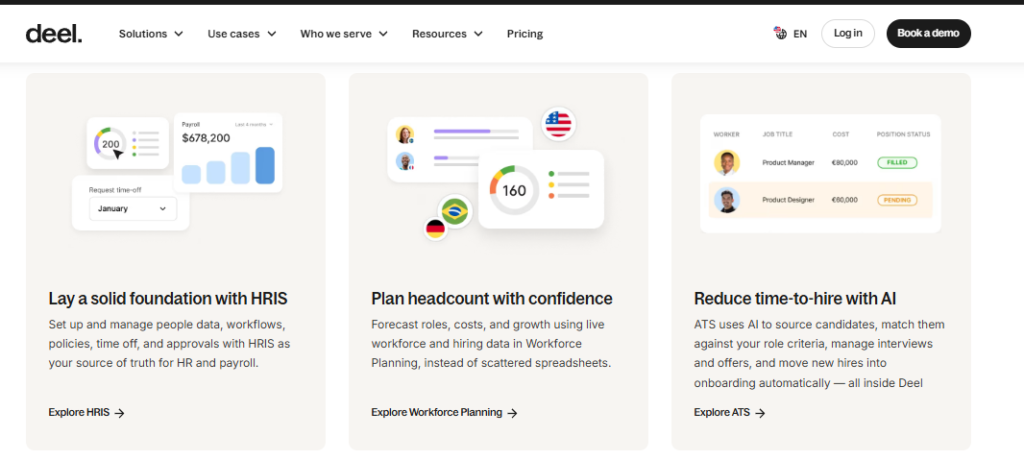
Deel is the default brand in global hiring infrastructure, covering contractor management, employer of record (EOR) hiring, payroll, and a HRIS layer. EOR means Deel legally employs someone in a country where you have no entity. Published pricing starts at $599 per month per EOR employee and $49 per month per contractor. It is bought mostly by startups hiring engineers or sales staff outside their home country.
🧩 Core Services
- Employer of record, hires staff in countries where you have no legal entity, removing entity setup cost.
- Contractor management, handles agreements, invoicing, and compliance for freelancers across borders.
- Global payroll, consolidates multi-country payouts, cutting per-country vendor sprawl.
- HRIS layer, basic records and onboarding for the global workforce.
- Volume discounting, EOR rates drop with headcount, reported in the $350 to $500 band.
🇮🇳 India-Specific Compliance and Localization
- PF / ESI / TDS: Partial (handled inside its India EOR service, not as a domestic HRMS module)
- Labour law compliance: Moderate (strong cross-border, not a domestic India HR system)
- Payroll localization: Partial (India payroll available through EOR or global payroll, not standalone HRMS)
- Multi-state compliance: Partial (built for country-level, not Indian state-level HR operations)
🎯 Who This Is Built For
- Founders hiring a first engineer in another country with no local entity.
- Finance leads paying 10 to 40 contractors across several currencies each month.
❌ Who Should Skip This
- Startups whose entire team sits in India, where a domestic payroll solution costs a fraction of EOR fees.
- Teams needing India attendance, shift rosters, and multi-state PT handling as core functions.
💰 Pricing Structure
- Plan Type(s): Contractor Management, EOR, Global Payroll, and HRIS.
- Starting Price: $49 per contractor per month, and $599 per EOR employee per month.
- Tier-wise Breakdown: contractor tier at $49, and EOR from $599, dropping to roughly $350 to $500 at volume.
- Incremental Cost Drivers: salary deposits, foreign-exchange markups, and optional add-ons.
- Implementation Fee: not publicly disclosed, request a quote.
- Cost at 200 Employees: not comparable, since EOR pricing applies per cross-border worker, not per domestic employee. Cost at 500 Employees: not comparable on the same basis.
⏰ Implementation and Support Reality
- Support runs on chat and email with a customer success manager at higher volumes.
- Onboarding a single EOR hire is fast, often days rather than weeks.
- Watch foreign-exchange markups, which independent analyses flag as a hidden cost driver.
❌ Do Not Buy Deel for an India-Only Team
I want to be blunt about the maths, because I have watched founders get this wrong. One EOR employee at $599 a month costs roughly ₹50,000, which is more than most Indian HRMS platforms charge for 200 people.
Deel is excellent at the job it does. That job is cross-border employment, not domestic Indian HR operations.
1.10 Rippling, unified HR and IT provisioning for tech-heavy teams
📋 Overview
Rippling is a US-headquartered platform combining HR, IT device management, and spend management in one system. Its distinguishing mechanic is provisioning apps and laptops from the same record that holds the employment data. India statutory payroll is not its native strength, and its India pricing is not publicly published. It is bought mostly by tech teams tired of onboarding someone twice, once in HR and once in IT.
🧩 Core Services
- HR records and onboarding, single employee record driving downstream provisioning, removing duplicate data entry.
- App and device provisioning, issues software access and laptops automatically at onboarding, cutting IT ticket volume. Equipment tracking of this kind sits in an asset management module.
- Spend management, corporate cards and expense handling inside the same platform.
- Global payroll and contractor payments, multi-country payout support alongside HR.
- Workflow automation, event-triggered actions across HR and IT systems.
🇮🇳 India-Specific Compliance and Localization
- PF / ESI / TDS: Partial (not positioned as an India-first statutory payroll engine)
- Labour law compliance: Limited (built for US and global markets first)
- Payroll localization: Partial (India handled through global payroll or partner arrangements)
- Multi-state compliance: No (Indian state-level PT and LWF handling is not a documented core)
🎯 Who This Is Built For
- IT leads manually provisioning Google Workspace, Slack, and laptops for every new joiner.
- Ops leads at distributed tech startups wanting HR, devices, and spend in one console.
❌ Who Should Skip This
- India-only teams needing PF, ESI, PT, and TDS computed natively as the primary requirement.
- Buyers who need a published INR price to get budget approval, since India pricing is not disclosed.
💰 Pricing Structure
- Plan Type(s): modular, built around a base HR platform plus selected products.
- Starting Price: not publicly disclosed for India, request a quote (USD per-employee billing).
- Tier-wise Breakdown: not publicly disclosed, request a quote.
- Incremental Cost Drivers: each additional product module, device management, and spend management.
- Implementation Fee: not publicly disclosed, request a quote.
- Cost at 200 Employees: not publicly disclosed, request a quote. Cost at 500 Employees: not publicly disclosed, request a quote.
⏰ Implementation and Support Reality
- Support runs on chat and email, with response quality varying by contract size.
- Migration is self-serve to vendor-assisted, depending on modules purchased.
- Because India pricing is quote-only, ask for the all-in number at your 24-month projected headcount.
🎯 Pick This If: The Verdict by Headcount Band
| Your Headcount | Pick This | Skip This |
| 10 to 25 | Kredily Free Forever for compliant basics at zero cost | greytHR, since billing starts at a 50-employee block |
| 25 to 50 | greytHR Essential or Zimyo Basic for statutory payroll on a budget | BambooHR, which has no India statutory payroll |
| 50 to 100 | Keka for adoption-friendly UX, and factoHR if attendance devices dominate | Deel, unless you are genuinely hiring across borders |
| 100 to 200 | HROne for connected workflows and multi-entity headroom | Rippling and BambooHR for India-only statutory needs |
⏰ Your Monday Morning Action
Do not shortlist on today’s headcount. Take your projected number 24 months out, then ask each vendor for a written all-in, post-GST quote at that number.
Then ask one more question that nobody volunteers: does billing start on signature day or on go-live day? That single clause changes your first-year cost more than the per-employee rate does. Run each vendor through this HRMS evaluation checklist before you sign.
HROne earns the top slot here for the 100-to-200 stretch on evidence rather than volume: 127 pre-built workflows spanning pre-boarding to exit clearance, 4.8 out of 5 across 2,074 verified G2 reviews, a 9.8 NPS prior-HR implementation SPOC, and subscription that meters only after go-live with no lock-in. Below 50 employees, the free and sub-₹100 tools above are the honest answer. You can pressure-test the fit on a book a demo call with your own trigger map in hand.
Q2. How Did We Score and Rank These 10 HR Software Tools?
Each tool was scored out of 100 across five weighted criteria: India Statutory Compliance Depth (25), Scale Headroom from 10 to 200 Employees (25), Implementation and Adoption Support (20), Pricing Transparency and Total Cost (15), and Verified User Reviews (15). Scores map to stars in 20-point bands. HROne scored 5 stars, carried by compliance depth and scale headroom.
Why the Weights Matter More Than the Ranking
A ranking is just a rubric with the arithmetic already done. If compliance is 40% of your decision and price is 5%, our order changes for you. So take this table, change the percentages, and re-score. You have every right to list what you actually need and demand it from each vendor you meet, which is exactly what this HR software buyer checklist is built to force.
The Criteria, and How Each Was Measured
| Criterion | Weight | What Was Measured | How |
| India Statutory Compliance Depth | 25 | EPF ECR, ESIC ceiling logic, multi-state PT and LWF, TDS and Form 16 | Vendor documentation plus payroll-admin reviews citing slab accuracy |
| Scale Headroom 10 to 200 | 25 | Multi-entity support, layered access, workflow count, cost-centre depth | Published capability plus reviews reporting breakage past 50 employees |
| Implementation and Adoption | 20 | Go-live timeline, support model, mobile coverage, migration effort | Published timelines and reviewer accounts of onboarding |
| Pricing Transparency and Total Cost | 15 | Published INR rates, minimum blocks, cost at 200 and 500 employees | Vendor pricing pages verified July 2026 |
| Verified User Reviews | 15 | Volume, recency, and the pattern of complaints | G2 corpus, weighted for review count and recency |
Scale headroom carries 25 for an uncomfortable reason. Several vendors in this category, including HROne, openly say qualified demand starts past 100 employees, which tells you where the product engineering actually goes. The mechanics of that stretch are mapped in this guide to scaling HR processes from 100 to 1,000 employees.
The Scores and the Star Bands
Bands are simple: 0 to 20 is 1 star, 21 to 40 is 2, 41 to 60 is 3, 61 to 80 is 4, and 81 to 100 is 5.
| Tool | Score | Stars |
| HROne | 88 | 5 |
| Keka | 78 | 4 |
| greytHR | 74 | 4 |
| factoHR | 68 | 4 |
| Zimyo | 66 | 4 |
| Zoho People | 61 | 4 |
| Kredily | 58 | 3 |
| Rippling | 46 | 3 |
| Deel | 44 | 3 |
| BambooHR | 34 | 2 |
BambooHR scores lowest not on product quality but on India fit, since its own support has told users it is a US-centric system. HROne draws its Verified User Reviews score from the largest India-HRMS review base in the set, 2,074 verified G2 reviews at 4.8 out of 5, ranked #3 for satisfaction out of 1,17,579 products globally. The wider pattern behind that corpus sits in this collection of HROne reviews.
What We Could Not Verify
Three gaps, stated plainly. Negotiated enterprise discounts are invisible to us, implementation fees are mostly unpublished, and BambooHR and Rippling disclose no India pricing at all. That means the Pricing Transparency score partly measures disclosure, not affordability. A quote-only vendor may still be cheaper for you, which is why this breakdown of payroll software price in India is worth reading before you assume anything.
What the Review Pattern Actually Showed
The scoring rewarded complaint patterns over averages. Recurring structural complaints cost more points than one-off frustrations.
“Some modules, especially Payroll and Performance, have a learning curve and require more detailed guidance for first-time users.”
Shilpi M., 5/5 HROne G2 Verified Review
“This platform is terrible for companies with more than 20 employees, a lot of changes in the system need to be done manually.”
Verified User in Construction, 0/5 BambooHR G2 Verified Review
HROne lost points on Implementation and Adoption, not on compliance or scale, because its own reviewers consistently name a steep first-week curve on payroll configuration. That is the honest shape of an 88, not a 100. The sequence that curve follows is documented in the HROne implementation guide.
Q3. When Does a Startup Actually Need HR Software, and Is It an HRIS, HRMS or HCM?
You need HR software when a statutory trigger fires, not when payroll feels painful. In India, that means 10 employees (POSH Internal Committee), 20 employees (EPF registration and monthly ECR filing), and 50 employees (26-week maternity benefit plus creche). Under 25 employees an HRIS suffices, from 25 to 100 you need an HRMS with statutory payroll, and past 100, an HCM you can switch on module by module.
The Statutory Trigger Ladder
Indian labour law does not care how tired your finance lead is. Obligations switch on at specific headcounts, and missing one is a penalty, not an inconvenience. The employer-side detail sits in this PF, ESI, and TDS compliance guide.
| Headcount | Statute | What You Must Produce | Spreadsheet Enough? |
| 10 | POSH Act, 2013 | Internal Committee, complaint register, annual report | Barely, and only if nothing is filed |
| 10 or 20 (state-dependent) | ESI Act, 1948 | ESIC registration, monthly contribution returns | No |
| 20 | EPF Act, 1952 | EPF registration, UAN handling, monthly ECR filing | No |
| 50 | Maternity Benefit (Amendment) Act, 2017 | 26-week benefit, creche facility | No |
| Any | Code on Wages, 2019 | Consistent wage definition across states | No |
The Trigger Nobody Plans For
Most teams discover EPF applicability at 20 employees after they have crossed it. The registration is retrospective, so the arrears arrive with the realisation. Build your trigger map before you shortlist. It converts a vague software urge into a dated, defensible requirement, and a labour law compliance software layer is what enforces it afterwards.
Decoding the Alphabet Soup
Every system in this market falls into one of three buckets, and the labels get used interchangeably by salespeople.
- HRIS (Human Resource Information System), a records database, holding profiles, documents, and leave balances.
- HRMS (Human Resource Management System), an HRIS plus operational engines, mainly statutory payroll, attendance, and workflows.
- HCM (Human Capital Management), an HRMS plus the strategic layer, covering recruitment, performance, engagement, and analytics. The full scope is unpacked in this explainer on HCM software.
Which Bucket at Which Headcount
- Under 25 employees, an HRIS is genuinely enough, paired with a basic payroll tool.
- 25 to 100 employees, you need an HRMS, because EPF, ESI, PT, and TDS are now monthly obligations.
- Past 100 employees, you need an HCM you can switch on module by module, not all at once.
The Apples-to-Oranges Trap
Comparing an HRIS quote against an HCM quote is not comparing like with like. One holds data, the other runs your month-end. The HRIS will always look cheaper on the sheet. It stops being cheaper the first month a PT slab is wrong across three states, a failure pattern detailed in this multi-state payroll compliance guide.
Buy the Modules You Will Actually Use
HROne sits in the HCM bucket but sells per module on a per-employee-per-month basis, and 98% of its customers run the same four-module core of Core HR, Workforce, Time Office, and Payroll. So a 60-person team can run those three engines now and switch on Performance at 120 without changing systems. That is the practical version of a rule I keep repeating to founders. Do not buy the whole hog if you are not going to eat the whole hog. The module map is listed in full under HROne features.
Your Monday Action
Write a one-page trigger map: current headcount, next three triggers, and the date you expect to hit each. Then make every vendor demo those exact triggers live on your own sample data, not on their demo tenant. If a vendor cannot show you an ECR file being generated, that is your answer.
HROne’s read is that the “start strategic HR from day one” advice and the “wait until 100 employees” advice are both right, just at different layers. The statutory layer starts at 10 people. The strategic layer, with performance frameworks and analytics, genuinely needs scale before it earns its cost.
Q4. What Does HR Software Really Cost in India, and What Does It Cost to Leave?
Indian HR software runs roughly ₹40 to ₹150 per employee per month, but list price is only 60% to 75% of first-year spend once implementation, migration, and add-on modules land. Flat-tier tools that look cheap at 10 employees often cost more per head past 100. Before signing, secure free full data export, a defined deletion window, and a renewal notice cap.
Why the List Price Misleads
The Minimum-Block Problem
Several India-first vendors bill in blocks, not per head. greytHR starts at ₹2,495 a month for 50 employees, and Keka’s Foundation base covers up to 100 employees. At 15 people, you are paying for 50 or 100 seats. That is not a scam, it is just a cost curve that punishes the small end of your journey. The published tiers are compared in this look at greytHR pricing.
The Question That Changes Your First-Year Cash
Ask exactly this: does billing start on signature day or on go-live day? Implementation can run four to twelve weeks, and paying through it is dead money. HROne meters subscription only after go-live and runs no lock-in period, which is a materially different cash profile from vendors who bill from the day of purchase. Benchmark that window against a realistic HRMS implementation timeline.
The All-In Cost Model
Figures below use published rates verified in July 2026 and exclude 18% GST.
| Headcount | greytHR Essential | Keka Foundation | HROne Basic | Kredily Payroll OS |
| 10 | ₹2,495 (50-block) | ₹9,999 (100-block) | Quote at this size | ₹1,249 |
| 50 | ₹2,495 | ₹9,999 | ₹4,250 to ₹4,950 | ₹2,499 |
| 100 | ₹4,745 | ₹9,999 | ₹8,500 to ₹9,900 | ₹4,999 |
| 200 | ₹9,245 | ₹18,999 | ₹17,000 to ₹19,800 | ₹9,999 |
Notice what happens at 200. The cheap-at-10 tools stay cheap, and Keka crosses HROne despite starting from a similar band. The tier structure behind that jump is broken down in this analysis of Keka pricing.
Three Line Items That Are Never on the Pricing Page
- Support tier, a named implementation lead versus an email queue, is often a paid difference.
- Statutory update charges, ask whether wage-code or slab changes are included or billed.
- Module unlocks, greytHR sells performance and attendance as add-ons, and Keka prices Learn at ₹60 per employee monthly with a 50-employee minimum.
What It Costs to Leave
Four Clauses to Get in Writing
Nobody publishes exit cost, so you have to negotiate it in.
- Free full export of employee master, payroll history, and documents, in a usable format.
- Defined deletion window with written confirmation, aligned to DPDP Act 2023 erasure duties.
- Renewal notice cap, so auto-renewal cannot fire before you have decided.
- Price escalation ceiling for years two and three, stated as a percentage.
Why Clause Three Matters
“Biggest issue is how much they have increased prices and continue to do so. They know that switching HRMS is painful.”
Josh A., 0/5 BambooHR G2 Verified Review
“Application can’t be customizable in any prospect, some reports we have keep in our formatting but HROne demands more commercials for the same.”
Ruhi G., 5/5 HROne G2 Verified Review
That second review is ours, and I am leaving it in. Custom report formats do attract extra commercials, so get your report list priced before signature, not after. If you are already mid-contract elsewhere, this HRMS migration guide covers what the exit actually involves.
Your Monday Action
Demand a written all-in quote at your projected 24-month headcount, post-GST, including implementation. Then ask for the same number at today’s headcount and compare the two curves.
HROne’s own ROI Dashboard exists because a manager once compared turnover against expenditure and was surprised by the gap. That comparison is the one CFOs actually run, and it works in your favour or against you regardless of which vendor you pick. You can run the arithmetic yourself with the ROI calculator.
Q5. Which India Compliance Capabilities Are Non-Negotiable Before You Sign?
Seven capabilities are non-negotiable: automated EPF ECR generation with UAN handling, ESIC wage-ceiling logic, multi-state professional tax and LWF slabs, TDS computation with Form 16 and Form 12BA release, monthly gratuity accrual provisioning, POSH complaint logging with annual reporting, and DPDP Act 2023 compliant data handling with stated residency. Demand a live demo of each on your own sample data.
The Seven-Item Demo Checklist
✅ Demand the test, not the feature name
Every vendor says “fully compliant”. Ask them to produce the file instead, and run each answer against a proper HRMS evaluation checklist.
| # | Statute | What to Demand | Your Demo Test Sentence |
| 1 | EPF Act, 1952 | ECR text file, UAN mapping, arrear handling | “Generate an ECR file from these 20 sample employees now.” |
| 2 | ESI Act, 1948 | Wage-ceiling logic that stops contributions above the limit | “Show me what happens when this employee’s wage crosses the ceiling mid-year.” |
| 3 | Code on Wages, 2019 (state PT and LWF) | Multi-state PT and Labour Welfare Fund slabs | “Run payroll for one employee each in Maharashtra, Karnataka, and Gujarat.” |
| 4 | Income Tax Act (TDS) | Monthly TDS, Form 16, Form 12BA, FBP declarations | “Release Form 16 to an employee record while I watch.” |
| 5 | Payment of Gratuity Act, 1972 | Monthly accrual provisioning, not year-end guesswork | “Show me this month’s gratuity liability figure.” |
| 6 | POSH Act, 2013 | Confidential complaint log, Internal Committee roles, annual report | “Log a test complaint and pull the annual report format.” |
| 7 | DPDP Act, 2023 | Data residency, sub-processor list, breach notification terms | “Name your sub-processors and your breach notification window in writing.” |
⚠️ The two items almost everyone skips
Items 5 and 7 are the ones I see missing from RFPs. Monthly gratuity provisioning matters because your auditor will ask for the liability, and a year-end estimate is a bad answer. You can sanity-check the number yourself with a gratuity calculator.
DPDP terms matter more. Your HRMS holds Aadhaar-linked, bank, and health data, so the vendor’s sub-processor list is your exposure, not theirs. The wider control set sits inside dedicated statutory compliance software.
What the Salary Run Should Actually Look Like
🇮🇳 The offer-letter carry-forward test
Here is a small mechanic that removes a whole class of errors. Ask whether the salary structure in the offer letter copies straight into the payroll master, or whether someone retypes it.
HROne carries approved offer-letter salary structures into the system and auto-triggers onboarding tasks the moment a user is onboarded, which removes the retyping step where most first-payroll errors are born. I have watched that single handoff cause more month-one disputes than any tax rule. The mechanic is detailed in this guide to the onboarding process.
💬 The review-evidence reality check
Vendor claims are cheap. Reviewer accounts of actual slab behaviour are not.
“It calculates PF, ESI, PT and LWF exactly as per rules and even generates bank challan files. Running salary is now just a three-step process.”
Verified HROne user HROne G2 Verified Review
“Support told us the system is designed for US companies. We had to handle Indian statutory work outside the platform entirely.”
Verified User BambooHR G2 Verified Review
That contrast is the whole point of this checklist. A globally excellent HR product can still be structurally unable to file your ECR.
⏰ Why Compliance Is a Retention Asset
Nearly half of employees consider leaving after just two payroll mistakes. That reframes the compliance module from an audit expense into a retention line item, and the levers are set out in this piece on how to improve payroll accuracy.
Think about it from the employee’s side. Two wrong paydays in a row and they stop believing the company is stable, regardless of how good the offsite was.
💰 Your Monday Action
Take the seven-row table into your next three vendor calls. Run each test sentence on your own sample data, not their demo tenant.
Score each vendor out of seven, in writing, on the same day. Memory flatters whichever demo you saw last.
HROne’s compliance record here is verifiable rather than asserted: reviewers report exact PF, ESI, PT, and LWF calculation with bank challan file generation in a three-step salary run, and Form 16 released directly into the employee’s letter section instead of an email attachment.
Q6. What Breaks Between 10 and 200 Employees, and Will Your Team Actually Use the System?
Four things break between 10 and 200 employees: single-admin access (you need three layers by 20 people), workflow coverage (a scaling firm needs roughly 10 modules and 127 workflows from pre-boarding to exit clearance), general-ledger and cost-centre depth, and multi-state payroll. Then test adoption: have three employees and two managers apply for leave and pull a payslip on mobile, unassisted, and score the clicks.
The Failure Nobody Budgets For
❌ The ₹2.5 crore system that nobody used
I have walked into rooms too late. Businesses spend the equivalent of ₹2.5 crore on an ERP expecting it to run everything, and it fails.
The failure is rarely technical. The system did what it was built to do, just not what the company had become by the time it went live.
⚠️ Uniformity, not unfairness, is what breaks systems
Most HR systems do not fail because they treat people unfairly. They fail because they treat everyone identically.
A single leave policy works at 15 people. At 150, with three states, two shifts, and a sales team on the road, uniformity becomes the bug, which is why a configurable leave management layer matters earlier than most teams expect.
The Four Structural Breakpoints
🔓 Breakpoint 1 and 2: access layers and workflow coverage
- Single-admin access breaks at 20 employees. You need three layers: employee self-service, manager approval, and HR admin. Ask in writing: “How many permission layers can I configure, and can a manager see only their own team?” This breakdown of HR software permissions covers what to demand.
- Workflow coverage breaks around 100 employees. HROne ships 127 pre-built workflows across pre-boarding, confirmation, transfer, promotion, and exit clearance, which is roughly the coverage a scaling firm needs before it starts running processes over email again. Ask: “List every lifecycle event that has a pre-built workflow.” The category logic sits in this guide to HR process automation.
📊 Breakpoint 3 and 4: ledger depth and multi-state payroll
- General-ledger and cost-centre depth breaks at your first audit. When the payroll system cannot bridge to finance, you cannot even export data in a form that means anything. Ask: “How many GL dimensions and cost-centre levels can I map?” Bridge options are covered in this guide to HRMS integrations with Tally and SAP.
- Multi-state payroll breaks at your second office. Ask: “Show me two legal entities with different PT slabs in a single instance.” HROne runs multi-legal-entity configuration on one instance, which is how Asia Healthcare Holdings operates 20 pan-India units without separate tenants, the pattern explained in this guide to HR software for multi-entity companies.
The Five-User Adoption Test
📱 Run this before you sign, not after
Adoption is testable. Do not treat it as a hope.
- Pick three employees and two managers who did not attend the demo.
- Give them login access and no training, no walkthrough, and no help.
- Task one: apply for leave on mobile. Task two: download last month’s payslip.
- Task three (managers): approve the leave and pull team attendance.
- Score each task on clicks taken and whether they finished unassisted.
⏰ The global search test
Watch for the three-or-four-clicks trap. A user should be able to type an input and land on the answer in seconds, not navigate a menu tree. That is the bar any HRMS app should clear on a phone.
If your five testers average more than five clicks per task, adoption will stall. That is the number I would walk away on.
🧠 The Question Buyers Forget
Can your own admin run this once the vendor’s team leaves? The real test is whether the admins under your HR head know how to operate the machine without the vendor sitting beside them.
Ask for the post-go-live admin training plan in writing. Then ask who supports you in month seven.
💬 What users report at the breakpoints
“The InboxforHR is a game-changer, centralizing every HR task into one simple inbox, cutting down administrative time by 60-70% and preventing tasks from falling through the cracks.”
Waldon S., 4/5 HROne G2 Verified Review
“Huge issues with storage once we grew so the system would just stop working without notice.”
Verified User in Construction, 0/5 BambooHR G2 Verified Review
💰 Your Monday Action
Get written answers on multi-entity, multi-location, and cost-centre depth today, even if you will not use them for a year. The system you install at 25 people encodes habits you will still be living with at 200.
HROne configures policies and org units from the front end rather than the back end, which is why teams on it change a leave rule without raising an IT ticket. That single architectural choice is what separates a system you outgrow from one you extend.
Q7. Which HR Software Should You Pick at Your Exact Headcount?
Match the tool to the band, not the brand. At 10 to 25 employees prioritise fast setup and low fixed cost. At 25 to 50, statutory payroll becomes mandatory. At 50 to 100, add attendance depth, multi-location payroll, and creche-compliant leave. At 100 to 200 you need performance, analytics, three-layer access, and cost-centre depth, so buy that tier before you reach it.
The Four-Band Decision Matrix
⭐ Find your row, then stop reading the rest
| Band | Must-Have Modules | Statutory Triggers Live | Recommended | Avoid Here, and Why |
| 10 to 25: Survive | Records, leave, basic payroll | POSH IC, ESI (state-dependent) | Kredily Free Forever, Zimyo Basic | greytHR, since billing starts at a 50-employee block you will not use |
| 25 to 50: Formalise | Statutory payroll, attendance, self-service | EPF ECR filing, ESIC returns | greytHR Essential, Zimyo | BambooHR, which has no India statutory payroll at all |
| 50 to 100: Comply | Multi-location payroll, attendance depth, maternity and creche leave | 26-week maternity, creche facility | Keka, factoHR for device-heavy sites | Deel, unless you are genuinely hiring across borders |
| 100 to 200: Integrate | Performance, analytics, three-layer access, cost-centre depth, multi-entity | All of the above, plus audit-grade reporting | HROne, Keka at the lower end | Rippling and BambooHR for India-only statutory needs |
The Buy-Ahead Argument
💰 Buy for the band you are entering
Switching HRMS mid-growth costs more than the licence gap. You pay in migration effort, retraining, and a payroll cycle nobody trusts for two months.
So if you are at 85 people and growing 40% a year, shop the 100-to-200 row. The extra per-head cost is smaller than one bad quarter of re-implementation, as this view of the best HR software for the Indian mid-market sets out.
⏰ The honest timeline split
Here is where I will contradict my own industry’s marketing. Payroll and attendance genuinely can go live in about a month, and HROne positions its four-module core at 30 days for exactly that reason.
A real performance culture is not a software timeline. That is roughly a 36-month build, starting with job descriptions and a framework, and no vendor can compress it. The tooling layer is described under performance management.
💬 What band-4 teams actually report
“From 150 percent occupancy in HR operations we brought that down by 70 percent.”
HROne customer operations lead HROne Customer Success Story
“Some modules, especially Payroll and Performance, have a learning curve and require more detailed guidance for first-time users.”
Shilpi M., 5/5 HROne G2 Verified Review
Both of those are ours, and they sit together honestly. The occupancy drop is real, and so is the learning curve that precedes it.
🧠 What I Am Still Sitting With
My open question is whether the 100-employee threshold survives the next two years. AI agents are pushing real automation down-market fast, and HROne ships over 300 enhancements annually through bi-monthly product updates, much of it now AI-side. The current build is documented in this look at the HROne One AI suite.
If that curve holds, the 40-person company gets tooling that today only a 400-person company can justify. I might be reading that too optimistically, since compliance depth does not automate as easily as screening does.
✅ Send Me Your Trigger Map
If you have built the one-page statutory trigger map from earlier, I would genuinely like to see it. The interesting cases are the odd ones: three states, two shifts, and a headcount that doubles in nine months.
Tell me which band you landed in and which vendor failed your seven-item demo test. That feedback is more useful to me than any demo request, though you can always contact us with the map itself.