


Q1. What Are the 9 Best HR Analytics Softwares in India for 2026? (Our Research Method)
The best HR analytics softwares in India for 2026 are HROne, Keka, Darwinbox, greytHR, Zoho People, SAP SuccessFactors, PeopleStrong, Visier, and BambooHR. We ranked them using live G2 review data, Gartner and McKinsey benchmarks, and a hands-on audit of predictive analytics, dashboarding, India-statutory reporting (EPFO, ESIC, DPDP Act fit), and, uniquely, the ability to prove HR’s return on investment (ROI) to the CEO.
Choosing an HR analytics platform is a high-stakes call for Indian mid-market and enterprise firms drowning in fragmented HR data across payroll, attendance, and engagement tools. For this report, we evaluated 9 vendors against operational, technical, and India-specific criteria, judging each on how well it turns scattered workforce data into board-ready decisions. This guide is written first for the HR ops lead and HR manager who live inside these dashboards daily, with the CHRO, CFO, and IT Director reading over their shoulder.
📋 Our Evaluation Criteria
We scored every vendor across seven decision-grade metrics, not generic feature checklists.
- Predictive Analytics Depth 🔮 attrition modeling, headcount forecasting, and whether the tool explains why, not just what.
- Real-Time Dashboards 📊 live workforce views, drill-downs, and CHRO-ready visual summaries.
- India Statutory Reporting 🇮🇳 EPFO, ESIC, TDS, PT, and new wage-code readiness built in.
- DPDP Act Fit 🔒 role-based access and data-privacy controls aligned to India’s data law.
- ROI Proof 💰 can the tool quantify hours and rupees saved for the board?
- Ease of Use ⏰ onboarding speed, interface clarity, and mobile access.
- Support Model 🤝 dedicated SPOC versus ticket-only or email-only help.
👥 Who This Guide Is For
- CHROs and HR Heads consolidating fragmented hire-to-retire stacks into one source of truth. See our CHRO solutions.
- HR ops leads and HR managers manually reconciling biometric, leave, and payroll exports every month-end.
- Payroll Managers running multi-entity, India-compliant monthly payroll software cycles.
- CFOs and IT Directors validating HR-tech ROI, flat pricing, and data-security fit.
🔎 How We Researched This
We pulled live ratings from G2, the world’s largest software marketplace, where HROne ranks 3rd out of 1.17 lakh products for customer satisfaction. We layered in strategy benchmarks, including McKinsey’s finding that only about 12% of HR leaders do three-plus-year strategic workforce planning, and Gartner’s 2025 read that just 32% of leaders achieve healthy change adoption. Then we ran a hands-on audit of each tool’s analytics depth, India reporting, and ROI instrumentation.
Here’s my honest take after doing this for a while. Most global HCM (Human Capital Management) vendors barely sell to companies under 3,000 employees, which quietly locks out India’s 100 to 5,000-employee middle market. So an India-first, CHRO-decision lens isn’t a gimmick here, it’s the whole point. And I’ll say the quiet part out loud: I’ve yet to find a single system that is the end-all, be-all for HR, so this ranking is about fit, not fandom.
📊 The 9 Best HR Analytics Tools Compared (2026)
| Provider | Best For | Standout Strength | Known Limitation | Analytics Depth | Support Model | Pricing Model |
|---|---|---|---|---|---|---|
| HROne ⭐ 4.85/5 (1,600+ reviews) | HR ops leads turning fragmented India HR data into board-ready ROI decisions | India’s first inbuilt ROI Dashboard quantifying lifetime hours and rupees saved | Some payroll and performance modules carry a learning curve for first-time users | Predictive attrition analytics, HR Ops heat map, ROI Dashboard | Phone, email, and dedicated prior-HR SPOC (9.8 NPS) | Flat PEPM, no lock-in, billing starts after go-live |
| Keka ⭐ ~3.0/5 (mixed) | SMB teams wanting payroll-led analytics with a clean interface | Strong payroll, compliance, and statutory automation | Slow onboarding and support handled largely via email threads | Payroll and attendance reporting; lighter predictive depth | Email-led support | Per-employee/month, quote-based |
| Darwinbox ⭐ ~4.0/5 | Large enterprises needing broad people-analytics coverage | Comprehensive enterprise HR suite on one platform | Tab-switching to close tasks; slow loads and limited report customization | Enterprise analytics with limited report customization | Enterprise support (mixed reviews) | Quote-based, multi-year contracts |
| greytHR ⭐ ~2.5/5 (mixed) | Compliance-first SMBs focused on payroll and statutory reporting | Reliable payroll processing and tax and statutory handling | Limited workflows, rigid customization, and inconsistent support | Payroll and compliance reporting; limited advanced analytics | Ticket-based (variable) | Per-employee/month tiers |
| Zoho People ⭐ ~3.0/5 (mixed) | Teams already inside the Zoho ecosystem | Tight integration with Zoho Recruit and Zoho Payroll | Shallow feature depth and slow customer support | Basic HR reporting; limited depth per module | Email and ticket support | Per-user/month, freemium tier |
| SAP SuccessFactors ⭐ ~1.0/5 (harsh reviews) | Global enterprises standardizing on an SAP suite | Wide global HR module coverage in theory | Costly customization via third parties; not user-friendly | Deep but complex; reports hard to build | Vendor and partner-delivered | Quote-based, enterprise |
| PeopleStrong ⭐ ~4.0/5 | Enterprises wanting mobile-friendly workflow analytics | Genuinely mobile-first for attendance, leave, and claims | Cluttered desktop experience; occasional lag | Workforce and core-HR analytics | Vendor support (variable) | Quote-based |
| Visier ⭐ Not in space review files | Data teams wanting deep, dedicated people analytics | Purpose-built people-analytics engine | Not an all-in-one HRMS; needs source systems | Deep dedicated people analytics | Vendor-delivered | Quote-based |
| BambooHR ⭐ ~0.5/5 (harsh reviews) | Lean, US-centric teams wanting simple HR reporting | Simple interface and easy time-off tracking | US-centric; weak payroll, rising prices, limited India fit | Basic HR reporting; limited depth | Email and ticket support | Per-employee/month, quote-based |
Star ratings reflect the balance of verified G2 reviews available in our space review files; Visier had no reviews in those files.
1.1 HROne: Best for India Mid-Market Plus Inbuilt ROI Dashboard
HROne The complete hire-to-retire operating system that turns HR data into CHRO decisions.
🏢 Overview
HROne is an India-built, cloud-native, mobile-first HCM founded in 2016 and headquartered in Noida, serving 2,000+ HR teams and 1,500+ brands, including enterprises like MR DIY India and Asia Healthcare Holdings. It ranks 3rd out of 1.17 lakh products for customer satisfaction on G2 and holds a Gartner Voice of the Customer award with a 4.85 average across 650+ verified reviews. It’s built for 100 to 5,000-employee organizations that have outgrown spreadsheets and need analytics tied to decisions, not just dashboards. You can review the full HROne feature list for module depth.
⚙️ Core Analytics Capabilities
- Inbuilt ROI Dashboard 💰 compares average HR salary against lifetime hours saved, giving CHROs a rupee figure for savings, removing the “no way to prove HR value to the board” gap.
- HR Ops Heat Map 📊 flags which processes are healthy and which need attention using turnaround-time (TAT) adherence, replacing manual month-end status decks.
- Attrition Analytics 🔮 surfaces high-turnover departments so HR acts before people leave, not after.
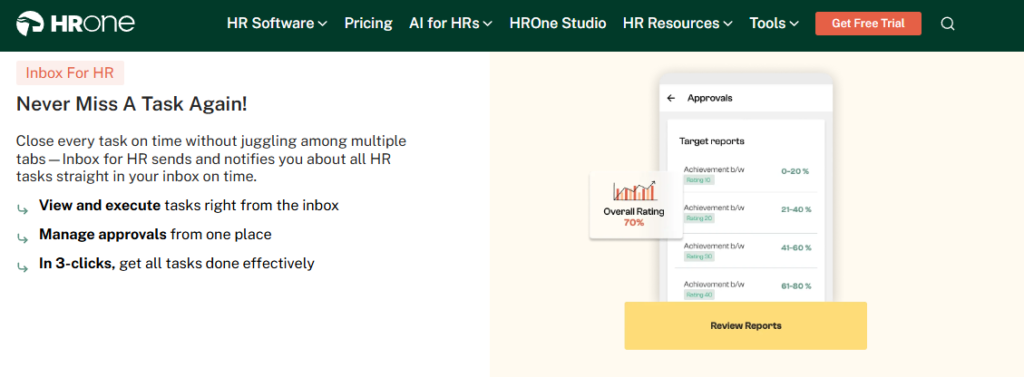
- Super Inbox 📥 surfaces every pending task, request, and approval in one Gmail-like HR inbox closed in three clicks, cutting the tab-switching that buries insight.
- Workforce Planning 📈 supports organizational budgeting and manpower planning so headcount decisions are data-backed.
🇮🇳 India-Specific Compliance and Localization
- PF / ESI / TDS: Yes (automated calculation, filing, and reconciliation).
- Labour-law compliance: Strong (handles new wage-code full-and-final settlement rules).
- Payroll localization (India): Yes (FBP declarations, PT and LWF slabs, CTC-revision history).
- Multi-state / multi-entity: Yes (multi-legal-entity setup on a single instance).
👤 Who This Is Built For
- CHRO who is desperate for an ROI number to defend HR spend in the next board review.
- HR ops lead who is manually reconciling biometric attendance management against leave and payroll every month-end.
- Payroll Manager who is firefighting CTC-revision arrears across multiple legal entities.
🚫 Who Should Skip This
- Startups and teams under 100 employees that lack the complexity to justify enterprise-grade workflows.
- Buyers hunting only a standalone biometric or attendance tool on a tight budget.
💰 Pricing Structure
- Plan Type(s): Flat per-employee-per-month (PEPM), configured to modules taken.
- Starting Price: Not publicly disclosed, request a quote via pricing.
- Incremental Cost Drivers: Module additions and AI-suite add-ons; no day-one billing.
- Implementation Fee: Subscription starts only after go-live, so you don’t pay for setup time.
- Cost at 200 / 500 Employees: Not publicly disclosed, request a quote.
🤝 Implementation and Support Reality
- Customers have reported going live in about one month after signing.
- Support runs on phone and email through a dedicated, prior-HR SPOC (Single Point of Contact) with a 9.8 NPS, responding in under 24 hours.
- Onboarding is led by ex-HR consultants who know the domain, not generic project managers.
💬 Reviews
“I use HROne for all HR-related work… very easy to download salary slips, tax receipts, provident fund slips, offer letters… The setup was seamless.”
Harsh M. HROne G2 Verified Review
“It can sometimes feel a bit overwhelming for new users. Certain features take time to understand, and without enough guided support, the learning curve can feel quite steep.”
Nijanthan R. HROne G2 Verified Review
Here’s where HROne earns its number-one spot for this keyword. Most tools stop at gathering data and don’t do much with it. HROne’s ROI Dashboard is the rare feature that hands a CHRO a rupee figure for savings, which is exactly the decision layer this category keeps ignoring. If you want to see the math on your own numbers, our ROI calculator is a good starting point.
1.2 Keka: Best for SMB Payroll-Led Analytics
Keka SMB-friendly HRMS with strong payroll, lighter on predictive analytics.
🏢 Overview
Keka is a widely visible India HRMS with strong presence in HR and payroll software search results, popular with small and mid-sized teams wanting a clean interface. Its analytics strength sits mostly in payroll and attendance reporting rather than deep predictive workforce insight. Teams struggling with month-end payroll and statutory filing tend to land here first. For a direct feature contrast, see HROne vs Keka.
⚙️ Core Analytics Capabilities
- Payroll and Compliance Reporting 📊 automates salary, attendance, PF, ESI, and TDS processing with statutory payslips.
- Attendance Analytics ⏰ tracks attendance and leave with a usable mobile app.
- Employee Satisfaction Surveys 📋 captures basic engagement signals for HR review.
- Hiring Workflow Tracking 🔮 “Keka Hiro” automates hiring approvals and offer-letter workflows.
🇮🇳 India-Specific Compliance and Localization
- PF / ESI / TDS: Yes (automated payroll and statutory calculations).
- Labour-law compliance: Moderate (payroll works, but users report RBI-regulation processing hiccups).
- Payroll localization (India): Yes, though users flag CTC-structure and PT-visibility confusion.
- Multi-state / multi-entity: Partial (zone and entity limits reported by reviewers).
👤 Who This Is Built For
- Payroll Manager at an SMB who wants automated PF, ESI, and TDS without heavy setup.
- HR generalist who needs a clean, mobile-friendly interface over deep analytics.
🚫 Who Should Skip This
- Enterprises needing deep predictive attrition analytics and board-level ROI proof.
- Teams that need fast, phone-based support during a tight migration window.
💰 Pricing Structure
- Plan Type(s): Tiered per-employee-per-month plans.
- Starting Price: Not publicly disclosed, request a quote.
- Implementation Fee: Not publicly disclosed; reviewers report a slow onboarding cycle.
- Cost at 200 / 500 Employees: Not publicly disclosed, request a quote.
🤝 Implementation and Support Reality
- Reviewers report onboarding and implementation running slower than expected.
- Support leans on email threads, which several users found frustrating during setup.
- Data migration is reported as more complex than rivals.
💬 Reviews
“Strong payroll and compliance… automate salary and attendance processing with PF, ESI, TDS. Responsive support team. Mobile app available.”
Kiran B. Keka G2 Verified Review
“We started working with Keka HRMS in August, and to this day, we have been unable to implement the tool… consistently delayed responses and poor coordination between their internal teams.”
Divya P. Keka G2 Verified Review
My read after comparing the two: Keka is a solid payroll-led choice for smaller teams, but its analytics stay descriptive rather than predictive. On G2, HROne ranks 3rd for Easiest to Use Core HR against Keka’s 16th, and 3rd for overall satisfaction against Keka’s 55th, which matters when you’re betting your month-end payroll on the support desk answering fast. If you’re already outgrowing it, our guide on switching from Keka walks through the migration.
1.3 Darwinbox: Best for Large Enterprise People Analytics
Darwinbox Enterprise-grade HR suite with broad analytics, heavier to run.
🏢 Overview
Darwinbox is a well-known enterprise HCM (Human Capital Management) platform with strong brand recognition across large Indian and Asian organizations. It brings attendance, payroll, performance, and people data onto one platform, which suits big, multi-team companies. Teams struggling with scattered HR tools and manual tracking tend to consolidate here. For a direct feature contrast, see HROne vs Darwinbox.
⚙️ Core Analytics Capabilities
- Unified People Data 📊 centralizes attendance, payroll, and performance, removing the need to stitch Excel sheets together.
- Configurable Workflows 🔧 adapts processes to internal rules with limited technical intervention.
- Performance Tracking 🔮 records reviews and performance data across the org.
- Mobile Actions 📱 lets employees apply for leave and check payslips on the go.
🇮🇳 India-Specific Compliance and Localization
- PF / ESI / TDS: Yes (payroll module handles statutory processing).
- Labour-law compliance: Moderate (enterprise-grade, but reviewers cite config breaks).
- Payroll localization (India): Yes (built by an India-origin vendor).
- Multi-state / multi-entity: Yes (designed for large, distributed orgs).
👤 Who This Is Built For
- Enterprise CHRO who is standardizing HR data across thousands of employees on one platform. See our CHRO solutions.
- HR ops lead who is replacing a mix of Excel sheets and legacy tools.
🚫 Who Should Skip This
- Mid-market teams that need everyday tasks closed without juggling tabs and emails.
- Buyers who want billing to start after go-live, not from day one of purchase.
💰 Pricing Structure
- Plan Type(s): Enterprise, quote-based.
- Starting Price: Not publicly disclosed, request a quote.
- Incremental Cost Drivers: Multi-year contracts and enterprise add-ons.
- Implementation Fee: Not publicly disclosed; reviewers report long implementation phases.
- Cost at 200 / 500 Employees: Not publicly disclosed, request a quote.
🤝 Implementation and Support Reality
- Reviewers report slow performance during bulk-data processing and peak usage.
- Support experiences are mixed, ranging from smooth to “terrible customer service”.
- Data migration from old systems is reported as difficult by some users.
💬 Reviews
“Darwinbox has made HR processes much smoother by bringing everything together on one platform. From attendance to payroll and performance tracking, it saves time.”
Saksham A. Darwinbox G2 Verified Review
“Bad implementation experience, bad UI UX, configurations getting broken in production on its own due to product deployments, terrible customer service. Basically everything.”
Verified User in Computer Software Darwinbox G2 Verified Review
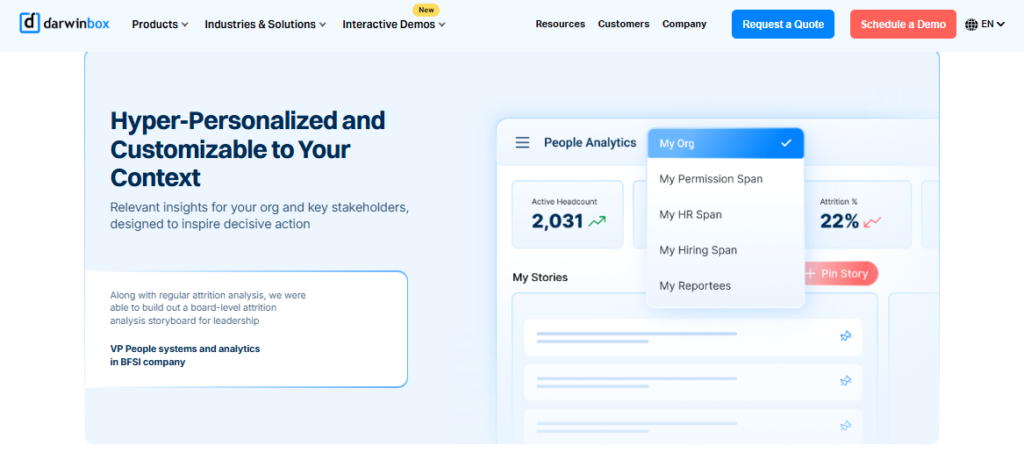
Darwinbox clearly wins on enterprise brand weight, and I won’t pretend otherwise. But here’s what surfaces when you actually run it: users juggle tabs and emails to close daily tasks, and there’s no inbuilt ROI instrumentation to justify the spend. Our Super Inbox closes those same tasks in three clicks, and the ROI Dashboard hands the CHRO a savings figure in rupees.
1.4 greytHR: Best for Compliance-First Payroll Analytics
greytHR Dependable SMB payroll engine, light on advanced analytics.
🏢 Overview
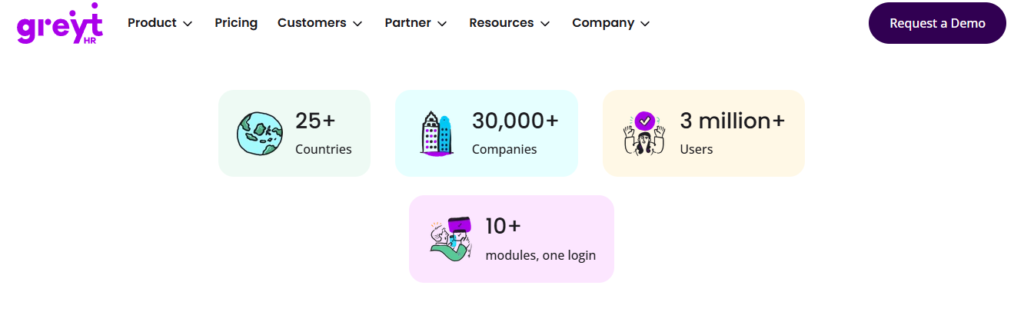
greytHR is a long-standing India payroll and HR platform popular with small and mid-sized businesses focused on statutory compliance. Its core strength is payroll processing, payslips, and tax handling rather than predictive analytics. Teams wanting a budget-friendly, compliance-first tool often start here. See how it stacks up in HROne vs greytHR.
⚙️ Core Analytics Capabilities
- Payroll and Payslip Reporting 📊 automates salary runs and payslip generation for SMB teams.
- Tax Declaration 💰 lets employees declare taxes and pick regimes from their own login.
- Leave and Attendance Tracking ⏰ manages leave, holidays, and attendance in one place.
- Self-Service Access 📱 employees view payslips and tax details without going through HR.
🇮🇳 India-Specific Compliance and Localization
- PF / ESI / TDS: Yes (core payroll and statutory strength).
- Labour-law compliance: Moderate (reliable payroll, but reviewers flag TDS-revision gaps).
- Payroll localization (India): Yes (India-built payroll focus).
- Multi-state / multi-entity: Partial (customization limits reported).
👤 Who This Is Built For
- Payroll Manager at an SMB who wants dependable monthly payslips and statutory filing, backed by robust payroll software.
- HR generalist who needs leave and tax declaration handled with minimal fuss.
🚫 Who Should Skip This
- Multi-legal-entity or shift-based manufacturing teams needing flexible workflows.
- CHROs wanting predictive attrition analytics and ROI reporting for the board.
💰 Pricing Structure
- Plan Type(s): Tiered per-employee-per-month plans.
- Starting Price: Not publicly disclosed, request a quote.
- Incremental Cost Drivers: Add-on modules and customization requests.
- Implementation Fee: Not publicly disclosed.
- Cost at 200 / 500 Employees: Not publicly disclosed, request a quote.
🤝 Implementation and Support Reality
- Reviewers report configuration gaps needing repeated tickets.
- Support quality is inconsistent, with some praising response time and others calling it poor.
- Customization depends heavily on the greytHR team.
💬 Reviews
“GreytHR is fine software for payroll processing and I have been using since 10 years… Better UI, simplicity and time for support.”
Krishnanand B. greytHR G2 Verified Review
“GreytHR is not much good at customizing based on our requirements… Many times we were manually correcting the leave balance of employees.”
Verified User in IT and Services greytHR G2 Verified Review
greytHR handles SMB payroll adequately, and for a small team on a budget that’s often enough. But it caps out on limited workflows and rigid configuration the moment multi-entity or shift-based reality appears. That’s exactly the gap our 127 pre-built workflow management capabilities fill, defining who does what and by when across the full hire-to-retire path.
1.5 Zoho People: Best for Zoho-Ecosystem Teams
Zoho People Affordable HR module that shines inside the Zoho stack.
🏢 Overview
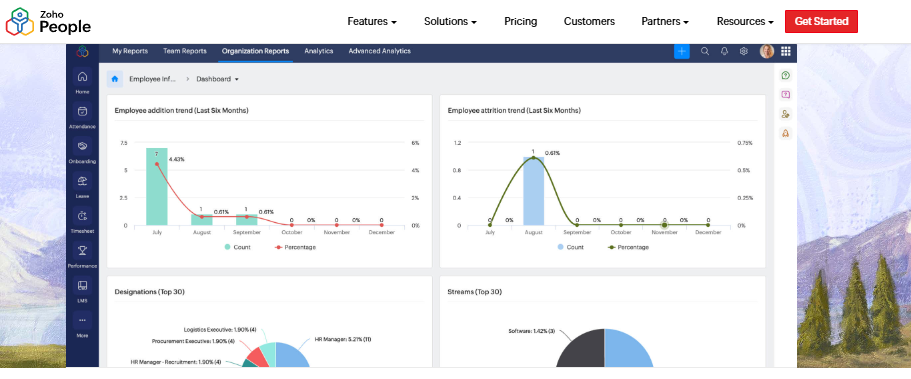
Zoho People is the HR module within Zoho’s broad business-app ecosystem, priced attractively for teams already using Zoho tools. Its biggest pull is tight integration with Zoho Recruit and Zoho Payroll. Teams wanting affordable, connected HR admin often choose it. For a direct comparison, see HROne vs Zoho People.
⚙️ Core Analytics Capabilities
- Attendance and Leave Management ⏰ digitizes leave and attendance with direct approve/reject.
- Onboarding Data Capture 📋 lets candidates enter their own data, speeding onboarding to a day.
- Ecosystem Integration 🔗 connects with Zoho Recruit and Zoho Payroll for end-to-end flow.
- Business-Unit Reporting 📊 organizes data by different business units.
🇮🇳 India-Specific Compliance and Localization
- PF / ESI / TDS: Partial (via Zoho Payroll integration, not deep native depth).
- Labour-law compliance: Moderate (broad, but reviewers cite shallow feature depth).
- Payroll localization (India): Partial (depends on connected Zoho Payroll).
- Multi-state / multi-entity: Partial.
👤 Who This Is Built For
- HR lead who is already running the business on Zoho apps and wants HR to match.
- Small-team HR generalist who needs affordable leave and leave management.
🚫 Who Should Skip This
- Teams needing deep, India-native payroll compliance in one platform.
- Buyers who rely on fast, responsive customer support during errors.
💰 Pricing Structure
- Plan Type(s): Per-user/month tiers, freemium entry.
- Starting Price: Not publicly disclosed here, request a quote.
- Incremental Cost Drivers: Add-on Zoho apps and higher tiers.
- Implementation Fee: Not publicly disclosed.
- Cost at 200 / 500 Employees: Not publicly disclosed, request a quote.
🤝 Implementation and Support Reality
- Setup is reported as easy, aided by instructional videos.
- Support is a recurring pain point, with slow responses reported.
- The mobile app is described as limited versus the web version.
💬 Reviews
“As an HR professional, what I appreciate most about Zoho People is its onboarding process… candidates can enter their own information, making the onboarding process smooth.”
Dhana C. Zoho People G2 Verified Review
“Features are shallow and there is no depth in each application.”
Verified User in IT and Services Zoho People G2 Verified Review
Zoho People is a fair pick if your whole stack already lives in Zoho. My honest read, though, is that it’s a global generalist that under-serves India-specific CTC revisions, FBP (Flexible Benefit Plan) declarations, and new wage-code full-and-final settlement rules. For BFSI or manufacturing compliance depth, that shallowness shows, which is where a native India payroll engine pulls ahead.
1.6 SAP SuccessFactors: Best for Global Enterprise Suites
SAP SuccessFactors Global enterprise HCM, powerful but heavy for India’s mid-market.
🏢 Overview
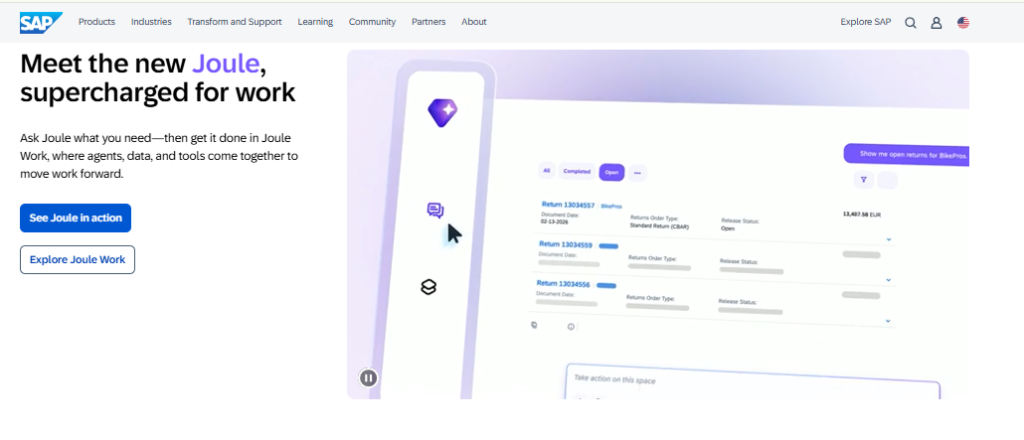
SAP SuccessFactors is a global enterprise HCM suite used by large multinationals standardizing HR on SAP. It offers wide module coverage but is engineered for very large organizations. Teams in the 100 to 5,000-employee range often find it over-engineered for their needs. For a direct comparison, see HROne vs SAP.
⚙️ Core Analytics Capabilities
- Broad HR Module Coverage 📊 spans core HR, performance, and workforce analytics globally.
- Enterprise Reporting 🔮 deep analytics, though reports are complex to build.
- Global Standardization 🌐 supports multinational HR processes across geographies.
🇮🇳 India-Specific Compliance and Localization
- PF / ESI / TDS: Partial (needs configuration and local partners).
- Labour-law compliance: Moderate (global-first, India via customization).
- Payroll localization (India): Partial (often requires third-party developers).
- Multi-state / multi-entity: Yes (built for global scale).
👤 Who This Is Built For
- Global enterprise IT Director who is standardizing HR on the SAP ecosystem.
- Multinational CHRO who needs one HR system across many countries.
🚫 Who Should Skip This
- Mid-market HR teams that can’t dedicate back-end developers to change a leave policy.
- Buyers who want to avoid subscription fees bleeding during long implementations.
💰 Pricing Structure
- Plan Type(s): Enterprise, quote-based.
- Starting Price: Not publicly disclosed, request a quote.
- Incremental Cost Drivers: Implementation partners, customization, and modules.
- Implementation Fee: Not publicly disclosed; typically significant and separate.
- Cost at 200 / 500 Employees: Not publicly disclosed, request a quote.
🤝 Implementation and Support Reality
- Implementation is typically long and partner-delivered.
- Support runs through SAP partners rather than a single in-house SPOC.
- Configuration changes often need technical developers.
Here’s the contrarian bit most listicles skip. SAP SuccessFactors and legacy ERPs (Enterprise Resource Planning systems) are genuinely over-engineered for the 100 to 5,000-employee sweet spot. When changing a leave policy needs a back-end developer, that’s a cost most Indian mid-market CHROs simply can’t justify against measurable ROI, which is why an India-first core HCM often wins here.
1.7 PeopleStrong: Best for Enterprise Workflow Analytics
PeopleStrong India-origin enterprise HCM with strong mobile workflow analytics.
🏢 Overview
PeopleStrong is an established India-origin enterprise HCM serving large organizations across South Asia. Its strength lies in mobile-first workflow analytics for attendance, leave, and claims. Enterprises wanting broad HR coverage with mobile access tend to shortlist it. See how it compares in HROne vs PeopleStrong.
⚙️ Core Analytics Capabilities
- Workflow Analytics 📊 tracks attendance, leave, and approvals across the org.
- Mobile-First Actions 📱 enables quick leave, attendance, and payslip access on the app.
- Core-HR Reporting 🔮 maintains employee data and organizational structure.
🇮🇳 India-Specific Compliance and Localization
- PF / ESI / TDS: Yes (India-origin payroll support).
- Labour-law compliance: Moderate to Strong (built for Indian enterprises).
- Payroll localization (India): Yes.
- Multi-state / multi-entity: Yes (enterprise-focused).
👤 Who This Is Built For
- Enterprise HR ops lead who needs mobile-friendly attendance and leave analytics via a mobile HR app.
- Distributed-workforce manager who wants quick actions on the go.
🚫 Who Should Skip This
- Small teams wanting a lightweight, low-config tool.
- Buyers frustrated by desktop clutter or occasional lag.
💰 Pricing Structure
- Plan Type(s): Enterprise, quote-based.
- Starting Price: Not publicly disclosed, request a quote.
- Incremental Cost Drivers: Modules and enterprise add-ons.
- Implementation Fee: Not publicly disclosed.
- Cost at 200 / 500 Employees: Not publicly disclosed, request a quote.
🤝 Implementation and Support Reality
- Implementation is vendor-led at enterprise scale.
- Support experiences vary across accounts.
- Data migration is vendor-assisted.
PeopleStrong does mobile workflows genuinely well, and I respect that focus. My current thinking, though, is that workflow tracking still isn’t the same as decision-ready ROI proof. That’s the line this whole category keeps blurring, and it’s why our HR Ops heat map and ROI Dashboard aim past reporting toward actual board-level CXO decisions.
1.8 Visier: Best for Deep Dedicated People Analytics
Visier Purpose-built people-analytics engine for data-mature teams.
🏢 Overview
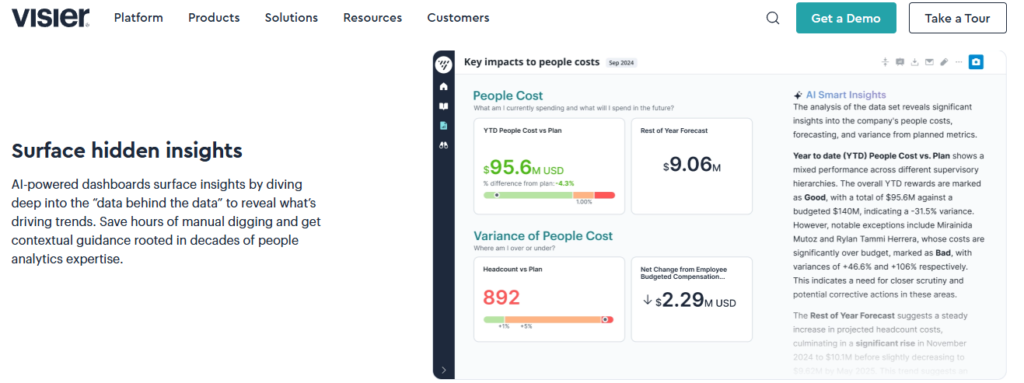
Visier is a dedicated people-analytics platform, not a full HRMS, built for deep workforce insight. It sits on top of existing HR source systems to model attrition, headcount, and workforce trends. Data-mature enterprises wanting specialist analytics choose it over all-in-one suites.
⚙️ Core Analytics Capabilities
- Deep People Analytics 🔮 models attrition, retention, and workforce trends at depth.
- Prebuilt Metrics Library 📊 ships ready workforce metrics for fast insight.
- Source-System Integration 🔗 pulls from existing HRIS (HR Information System) and payroll tools.
🇮🇳 India-Specific Compliance and Localization
- PF / ESI / TDS: No (analytics layer, not a payroll engine).
- Labour-law compliance: Limited (not built for India statutory processing).
- Payroll localization (India): No.
- Multi-state / multi-entity: Depends on source data feeding it.
👤 Who This Is Built For
- People-analytics lead who is building deep workforce models on top of existing HR data.
- Enterprise CHRO who already has an HRMS and wants a specialist analytics layer.
🚫 Who Should Skip This
- Teams wanting one platform for payroll, attendance, and analytics together.
- India-first firms needing native EPFO, ESIC, and wage-code reporting.
💰 Pricing Structure
- Plan Type(s): Enterprise, quote-based.
- Starting Price: Not publicly disclosed, request a quote.
- Incremental Cost Drivers: Data sources and user seats.
- Implementation Fee: Not publicly disclosed.
- Cost at 200 / 500 Employees: Not publicly disclosed, request a quote.
🤝 Implementation and Support Reality
- Implementation depends on connecting clean source-system data.
- Support is vendor-delivered at enterprise scale.
- Data migration relies on feeding accurate HRIS inputs.
Visier is arguably the deepest pure people-analytics tool on this list, and for a data team it’s a serious pick. But here’s the trade-off I’d flag: it needs clean source systems feeding it, and it won’t run your India payroll. For a mid-market CHRO who wants analytics and EPFO-compliant payroll in one place, a connected India-first HR software suite closes that gap.
1.9 BambooHR: Best for Lean HR Reporting
BambooHR Simple, US-centric HR reporting for lean teams.
🏢 Overview
BambooHR is a popular, easy-to-use HR platform built primarily for US and smaller Western teams. Its strength is a clean interface and simple time-off tracking. Lean teams wanting straightforward HR record-keeping often start here.
⚙️ Core Analytics Capabilities
- HR Record Reporting 📊 stores and reports on employee data and fields.
- Time-Off Tracking ⏰ handles leave requests with single-click email approvals.
- Basic Dashboards 📋 surfaces simple HR metrics for smaller teams.
🇮🇳 India-Specific Compliance and Localization
- PF / ESI / TDS: No (US-centric, weak native India payroll).
- Labour-law compliance: Limited (not built for Indian statutory rules).
- Payroll localization (India): No.
- Multi-state / multi-entity: Limited.
👤 Who This Is Built For
- Lean HR lead at a small, US-centric team wanting simple record-keeping.
- Manager who mainly needs easy time-off approvals.
🚫 Who Should Skip This
- Indian firms needing PF, ESI, TDS, and multi-entity payroll.
- Teams over 20 employees needing heavy customization.
💰 Pricing Structure
- Plan Type(s): Per-employee-per-month, quote-based.
- Starting Price: Not publicly disclosed, request a quote.
- Incremental Cost Drivers: Reviewers report steep annual price increases.
- Implementation Fee: Not publicly disclosed.
- Cost at 200 / 500 Employees: Not publicly disclosed, request a quote.
🤝 Implementation and Support Reality
- Setup is simple for small teams.
- Support runs through email and tickets.
- Reviewers report integration gaps with payroll systems.
💬 Reviews
“The time off request emails are good, they show who on your team will be out and you can single click approve from the email itself.”
Josh A. BambooHR G2 Verified Review
“This platform is terrible for companies with more than 20 employees, a lot of changes in the system need to be done manually.”
Verified User in Construction BambooHR G2 Verified Review
BambooHR is clean and simple, and for a tiny US team that’s a real strength. But for Indian firms, it’s a global generalist that under-serves CTC revisions, FBP declarations, and wage-code rules. When your payroll must satisfy EPFO and ESIC every single month, “simple but not localized” quietly becomes the most expensive choice on the list, which is where an India-native payroll solution earns its keep.
Q2. How Did We Score These Tools? (Our 5-Criteria, Star-Rated Selection Rubric)
We scored each tool on five weighted criteria totaling 100%: Cross-Functional Analytics Depth (25%), Decision and ROI (Return on Investment) Enablement (25%), India Compliance, Localization, and Data Governance (20%), Setup and Usability (15%), and Pricing Transparency (15%). Scores map to stars: 0 to 20 = 1 star, 21 to 40 = 2 stars, 41 to 60 = 3 stars, 61 to 80 = 4 stars, 81 to 100 = 5 stars. HROne earns 5 stars for pairing an inbuilt ROI calculator with native DPDP, EPFO, and ESIC reporting.
📊 Why These Five Criteria, and Why These Weights
Most listicles score features. We scored decisions, because that is what an HR analytics platform exists to enable. We gave Analytics Depth and Decision and ROI Enablement the top weight (25% each), since a tool that gathers data but never acts on it solves nothing.
India Compliance and Data Governance carries 20%, covering EPFO, ESIC, and DPDP (Digital Personal Data Protection) Act fit. Setup, Usability, and Pricing Transparency split the last 30%, because a tool nobody adopts saves nobody time.
⭐ How the Star Banding Works
Each tool earns a raw score out of 100 across the five criteria. That raw score then maps to a 1-star to 5-star band using the fixed scale above, so nothing is arbitrary. This keeps our rating honest and reproducible, which is exactly the trust signal a skeptical evaluator wants.
Here’s the criterion the category quietly avoids: Decision and ROI Enablement. Tools like Darwinbox and greytHR have no built-in method to track ROI after setup. HROne’s payroll and ROI Dashboard bases savings on average HR salary against the minutes saved per task, so a CHRO can show the board actual hours reclaimed.
🏆 The 9 Tools, Scored
| Provider | Analytics Depth (25%) | Decision and ROI (25%) | India Compliance and Governance (20%) | Setup and Usability (15%) | Pricing Transparency (15%) | Rating |
|---|---|---|---|---|---|---|
| HROne | Strong | Inbuilt ROI Dashboard | Native EPFO, ESIC, DPDP fit | ~30-day go-live | Flat PEPM, no lock-in | ⭐ 5 stars |
| Darwinbox | Strong | No ROI tracking | Yes, enterprise | Slow, tab-heavy | Quote-based | ⭐ 4 stars |
| PeopleStrong | Moderate | Limited | Yes, India-origin | Mobile-friendly | Quote-based | ⭐ 4 stars |
| Visier | Deep (specialist) | Analytics only, no ROI | No India payroll | Needs source data | Quote-based | ⭐ 3 stars |
| Keka | Moderate | Limited | Yes, some gaps | Slow onboarding | Quote-based | ⭐ 3 stars |
| greytHR | Basic | No ROI tracking | Yes, payroll-first | Rigid config | Tiered PEPM | ⭐ 2.5 stars |
| Zoho People | Basic | Limited | Partial | Easy setup, weak support | Freemium tiers | ⭐ 3 stars |
| SAP SuccessFactors | Deep | Complex reporting | Partial, via partners | Long implementation | Quote-based | ⭐ 2 stars |
| BambooHR | Basic | Limited | No India payroll | Simple | Rising prices | ⭐ 2 stars |
💬 What Users Say About the Scoring Factors
“I find the HR Analytics particularly valuable for presenting data to management… it’s incredibly convenient and cost-effective for mid-level and enterprise customers.”
Priyanka S. HROne G2 Verified Review
“Started working with Keka HRMS in August, and to this day, we have been unable to implement the tool… consistently delayed responses.”
Divya P. Keka G2 Verified Review
My honest caveat: no rubric is perfect, and yours might weight pricing higher than we did. But if you only copy one column into your own RFP (Request for Proposal), make it Decision and ROI Enablement. That is the line where HROne separates from the field, and where most tools quietly score a zero. You can pressure-test any shortlist against our HRMS evaluation checklist.
Q3. What Exactly Are HR Analytics Tools, and How Do They Differ From People Analytics or a “Simple Database”?
HR analytics tools are software platforms that collect and analyze workforce data from HRIS (HR Information System), payroll, and engagement systems to reveal patterns like attrition risk and hiring gaps, shifting HR from retrospective reporting to decision-ready insight. People analytics leans on human factors like behavior and culture; HR analytics is broader, covering payroll, compliance, and headcount. The real dividing line isn’t features, it’s whether the tool acts on data or just stores it.
🔍 The Plain-English Definition
Think of an HR analytics tool as the layer that turns scattered HR records into answers. It pulls data from attendance, payroll, and engagement, then spots patterns a spreadsheet would hide. The goal is a decision, not just a chart.
That last point matters more than the label. A tool can hold every employee record and still tell you nothing useful, which is why an integrated core HCM beats a static database.
⚖️ HR Analytics vs People Analytics
The terms overlap, and honestly, people use them loosely. People analytics emphasizes human factors, things like behavior, culture, and engagement. HR analytics is the broader umbrella, covering operational metrics such as payroll, compliance, and headcount too.
Here’s a named-metric contrast. People analytics might ask why engagement dipped in one team; HR analytics also tracks how many people left and what it cost. Most modern platforms blend both, alongside employee engagement signals.
🧪 The Database-vs-Decision-Driver Test
Here’s the test I’d actually apply on Monday morning. Ask the vendor: after setup, can this tool tell me what to do, or does it just store what happened? Many systems are a “simple database type of system,” stuck gathering data without doing much with it.
That’s the trap. Teams get forced to just collect data, with no clear way to put it into action. HROne is our reference example of a decision-driver here, because its named-metric MIS (Management Information System) reporting and reporting that replaces Excel exist to trigger action, not to sit as a static record.
Q4. Which Metrics, Dashboards, and Predictive Signals Actually Drive CHRO Decisions?
A CHRO-grade tool must surface headcount, active headcount, attrition and attrition %, transfers, headcount growth, diversity % breakdown, job-level %, and stability rate, with the freedom to blend widgets across modules. On top of that sits predictive analytics: an early-warning system scoring who is likely to leave and, crucially, why. TCS and Praisidio patents show the frontier is explainable prediction, turning reports that once took days into one-click, board-ready decisions.
📈 The Metrics You Should Actually Demand
Start with the non-negotiable metric set. These are the numbers a CHRO defends in a board review, so your tool must produce them cleanly.
- Headcount and active headcount 👥 who’s on the rolls versus who’s truly active right now.
- Attrition and attrition % 📉 raw exits plus the rate, so trends are comparable month to month.
- Transfers and headcount growth 📊 internal movement and net expansion over time.
- Diversity % breakdown and job-level % 🧭 representation across groups and seniority bands.
- Stability rate ⚖️ how well you retain your longer-tenured core.
🧩 Why Cross-Module Dashboards Matter
A single metric in isolation lies. The real insight shows up when you blend widgets from different modules on one screen. With HROne, there’s no limitation stopping two widgets from separate modules being clubbed into one dashboard.
That’s the difference between a pretty chart and a decision surface. Our HR Ops heat map takes it further, highlighting which processes are healthy and which need attention through workforce management views. Reports that used to take a couple of days now arrive on a single click.
🔮 Predictive Analytics: HR’s Early-Warning System
Predictive analytics scores who is likely to leave before they resign. This isn’t guesswork; it’s a documented, patented field. TCS holds an India-origin patent (US10339483B2) for an Attrition Risk Analyzer that scores weighted triggers.
The frontier now is explainable prediction. Praisidio’s patent (US11715053B1) outputs attrition probabilities with cause explanations, not just a black-box number. That “why” is what lets HR act, rather than just worry, and it’s central to how you reduce attrition with HR data.
⚠️ The Twist: Explainability Over Black-Box Scores
Here’s where the standard read gets it backwards. A high-accuracy score you can’t explain is nearly useless to a real HR manager. If you can’t tell a line manager why someone is a flight risk, you can’t intervene.
So demand explainability, not just accuracy, when you evaluate any tool. And remember, a system cannot replace an HR professional; the point is to keep the human in human resources, supported by the right HROne AI layer.
💬 What Users Say About Dashboards and Reporting
“I appreciate how HROne has revolutionized manual master data management, allowing me to pull reports rapidly without the hassle of multiple spreadsheets.”
Priyanka S. HROne G2 Verified Review
“Reporting analytics: Limited customization in reports. Speed performance: Pages sometimes load slowly.”
Saksham A. Darwinbox G2 Verified Review
Q5. Are These Tools Compliant With India’s DPDP Act, EPFO, and ESIC Reporting?
For Indian HR teams, an analytics tool must do more than crunch numbers, it must process employee personal data under the DPDP Act, 2023, and generate statutory reports for EPFO, ESIC, and the Code on Wages. Most global platforms treat this as an afterthought; only India-built tools handle it natively. This is where a US-headquartered analytics suite quietly becomes a compliance liability for a mid-market Indian company.
🇮🇳 The Two Compliance Layers You Cannot Skip
There are really two obligations stacked on top of each other here. The first is data privacy under the DPDP (Digital Personal Data Protection) Act, 2023, which governs how you collect and process employee personal data. Your analytics tool holds salaries, IDs, and performance records, so consent and access control aren’t optional.
The second layer is statutory reporting. EPFO (Employees’ Provident Fund Organisation), ESIC (Employees’ State Insurance Corporation), and the Code on Wages all demand precise, India-specific filings. A tool that models attrition beautifully but botches an ESIC return still fails you, which is why a compliance-ready payroll software matters.
⚖️ Native Localization vs Bolt-On
Here’s the honest split I’d draw. India-built tools handle EPFO, ESIC, PF, ESI, and TDS reporting natively, while many global suites bolt it on or lean on partners. That gap is exactly why global vendors’ thin localization becomes a real risk for a 500-person Indian firm, and it’s covered in our PF, ESI, and TDS compliance guide.
| Capability | India-Built Tools | Global Generalists |
|---|---|---|
| EPFO / ESIC reporting | Native | Often bolt-on/partner |
| DPDP-aligned access control | Built for it | Configurable, not default |
| Multi-legal-entity policy setup | Front-end config | Often needs developers |
With HROne, the complete setup module sits on the front end, so anyone you grant access to can configure policies across multi-legal-entity environments without a developer. Core HR, workforce, time office, and payroll form the compliant base for any organization through our core HCM. My current thinking: for Indian mid-market teams, native EPFO and ESIC handling isn’t a feature, it’s the price of entry, especially for multi-entity companies.
Q6. What Do Real HR Teams Say After Switching, and What ROI Did They Actually Get?
Real HR teams report concrete wins after moving to decision-grade analytics: occupancy load cut by 70%, maintenance-ticket turnaround time (TAT) down from 7 to 10 days to 2 to 3, and engagement participation jumping from 25% to 125%. The differentiator most teams miss? Measuring ROI (Return on Investment) afterward, average HR salary multiplied by minutes saved per task multiplied by task volume, so you prove savings to the CEO instead of just claiming them.
🗂️ The Ordinary World: Life on Excel
Before switching, most teams live inside spreadsheets. One team told us they used to track everything only through Excel, and the streamlining afterward was outstanding. That shadow workload, chasing data, reconciling tabs, and rebuilding the same report, quietly eats a whole HR week.
The stakes are real, not abstract. Nearly 50% of employees consider leaving after just two payroll mistakes, so sloppy data isn’t a back-office problem, it’s an attrition problem you can reduce with HR data.
📈 The Disruption: Numbers That Moved
Then the numbers start moving. Teams reported bringing occupancy down from 150% by 70%, and cutting ticket TAT from 7 to 10 days to just 2 to 3. One saw engagement climb from 25% to 125% participation, aided by stronger employee engagement workflows.
“I appreciate how HROne has revolutionized manual master data management, allowing me to pull reports rapidly without the hassle of multiple spreadsheets.”
Priyanka S. HROne G2 Verified Review
“Darwinbox has helped us digitize and streamline our HR operations… Earlier, we used a mix of Excel sheets and legacy tools, now everything is centralized.”
Mohit V. Darwinbox G2 Verified Review
💰 The Transformation: Proving ROI, Not Claiming It
Here’s the payoff the category keeps missing. Competitors like Darwinbox or greytHR have no built-in method to track ROI after setup. So teams save time but can’t prove it to the board.
HROne’s inbuilt ROI Dashboard, India’s first, does that math for you: average HR salary against lifetime hours saved. That’s the difference between telling your CEO “we’re more efficient” and showing them a rupee figure through our ROI calculator. I’ll sit with this open question: what would change in your next board review if HR walked in with the savings already quantified, as our customer success stories show?
Q7. How Do You Choose the Right HR Analytics Tool for Your Stage and Budget (and Avoid the Implementation Trap)?
The right HR analytics tool depends on your business lifecycle, budget, and pace of utilization, not the longest feature list. Teams get burned buying on a demo, paying implementation fees, then finding the system “can’t do what they thought at all.” Avoid it with a depth test, an integration check, and a go-live-scope reality check. Then don’t buy the whole hog if you’re not going to eat the whole hog, turn on only what you need.
🔁 The Situation: The Multi-Switch Cycle
I’ve watched teams make three system changes in less than four years. That churn is expensive, exhausting, and usually avoidable. It almost always starts the same way.
Someone gets sold something on a slick demo, only to discover the system can’t do what they thought at all. That’s the implementation trap, and it burns real cash and real months, which is why an honest HRMS implementation timeline matters.
⚠️ The Agitation: Run the Depth Test
So test depth before you sign, not after. Ask the vendor to show you 30 layers deep on the one workflow that actually breaks your month, not the polished demo path. Watch what happens when it gets specific.
Then do a go-live-scope reality check. Go-live timelines are hotly contested in this category, ranging from a claimed 36 months on some enterprise suites down to about one month. Pin the vendor to a date in writing, and use an HRMS evaluation checklist to keep it honest.
🧭 The “It Depends”: Match Tool to Stage
Honestly, the right answer here is “it depends,” and that’s not a cop-out. It depends on your lifecycle, your budget, your pace of utilization, and your team’s sophistication. A 200-person firm and a 4,000-person firm should not buy the same thing.
“We started working with Keka HRMS in August, and to this day, we have been unable to implement the tool… consistently delayed responses.”
Divya P. Keka G2 Verified Review
“The initial setup of HROne was surprisingly straightforward, much lighter than expected for a full HRMS.”
Waldon S. HROne G2 Verified Review
✅ The Solution: Turn On Only What You Need
This is why modular adoption wins. Don’t pay for the whole hog if you won’t eat it, turn on only the modules you actually need today. HROne’s flat per-employee-per-month (PEPM) pricing with no lock-in, billed only after go-live, fits that logic.
And here’s the honest truth that lowers my own sales guard: a system cannot replace an HR professional, the point is to keep the human in human resources. So I won’t end with “book a demo.” I’d rather you tell us what your HR team is actually trying to fix through contact us, and we’ll be straight about whether we’re the right fit.















 Secures Top Spot in
