


Q1. What are the 7 best performance management software tools for Indian teams in 2026?
The seven best performance management software tools for Indian teams in 2026 are HROne, Darwinbox, Keka, greytHR, Zoho People, PeopleStrong, and SAP SuccessFactors. Performance management software is an HRMS module that sets goals, gathers 360-degree and continuous feedback, runs appraisal cycles, and analyzes performance data to guide pay and promotion. HROne leads for 100 to 5,000-employee firms with PIP automation, 9-box normalization, and India’s first inbuilt ROI dashboard.
Choosing a performance management tool is a high-stakes call for a mid-market Indian firm, because a weak appraisal engine forces HR back into Excel, breaks trust between managers and teams, and leaves the CHRO unable to defend increments in a board review. For this guide, we evaluated seven performance-management-capable HRMS platforms against operational, India-compliance, and support criteria that matter to the person running the cycle, not just the person signing the cheque. It is written first for the HR ops lead or HR manager who lives inside the tool daily, with the CHRO, CFO, and IT Director reading over their shoulder.
🧭 Our Evaluation Criteria
Each platform was assessed across six operator-relevant metrics:
- Performance Feature Depth 📊 Goals, KRA, KPI, and OKR setting, 360-degree feedback, PIP automation, reverse rating, increment logic, and 9-box or bell-curve normalization.
- India Statutory and Payroll Alignment 🇮🇳 Whether ratings flow into increment and payroll logic that respects PF, ESI, TDS, and the new wage code.
- Adoption and Ease of Use ⏰ Time to first live cycle, mobile access for field staff, and how little training a manager needs.
- Implementation and Support Go-live timeline, dedicated SPOC versus email-only tickets, and migration model.
- Pricing Transparency 💰 Flat versus per-user pricing, lock-in terms, and when billing starts.
- Scale Fit Suitability for the 100 to 5,000-employee, multi-entity, multi-state reality.
👥 Who This Guide Is For
- CHROs and HR Heads consolidating a fragmented hire-to-retire stack into one performance system of record.
- HR Ops leads manually chasing managers over email to close appraisal forms every cycle.
- Payroll Managers who need review ratings to feed increment and arrear calculations without re-keying.
- CFOs validating HR tech ROI and flat per-employee-per-month (PEPM) commercials.
- IT Directors evaluating mobile-first HCMs against legacy, developer-dependent portals.
The 7 best performance management tools for Indian teams in 2026 are:
- HROne
- Darwinbox
- Keka
- greytHR
- Zoho People
- PeopleStrong
- SAP SuccessFactors
📋 Performance Software Comparison At A Glance
| Provider | Best For | Standout Strength | Known Limitation | AI and Feature Depth | Support Model | Pricing Model |
|---|---|---|---|---|---|---|
| HROne ⭐⭐⭐⭐⭐ | HR ops leads chasing managers over email to close appraisal forms | Super Inbox closes every review task in three clicks, with 9-box normalization and inbuilt ROI dashboard | Payroll and Performance modules carry a learning curve for first-time users | One AI Suite plus 30+ modules, 127 workflows | Phone, email, plus dedicated prior-HR SPOC | Flat PEPM, no lock-in, billing after go-live |
| Darwinbox ⭐⭐⭐⭐ | Large enterprises wanting one branded platform across countries | Broad, configurable enterprise suite with a liked mobile app | “Modules like performance management not all intuitive at first” | Deep enterprise suite, evolving AI | Vendor-led, mixed reviews on responsiveness | Quote-based, billing from purchase |
| Keka ⭐⭐⭐ | SMBs wanting polished UX for payroll plus light appraisals | Strong, intuitive UI and payroll automation | “PMS module is confusing and needs to be simpler” | Moderate PMS depth | Email and chat, weekend gaps reported | Per-employee tiers |
| greytHR ⭐⭐⭐ | Small teams needing dependable statutory payroll | Reliable payroll and tax filing at a low price point | “No flexible customization”, limited workflows | Light performance capability | Ticket-based, mixed | Per-employee, freemium tier |
| Zoho People ⭐⭐⭐ | Existing Zoho users wanting cheap breadth | Wide app breadth and tight Zoho ecosystem integration | “Features are shallow and there is no depth in each application” | Basic performance module | Email, slow support reported | Per-user per-month |
| PeopleStrong ⭐⭐⭐⭐ | Indian enterprises wanting a mature talent suite | Strong enterprise talent and performance modules | Configuration and change requests can be heavy | Enterprise suite with AI | Vendor-led | Quote-based |
| SAP SuccessFactors ⭐⭐ | Global 3,000+ enterprises standardizing worldwide | Deep, globally proven talent architecture | “Customization requires third-party vendors, every change is costly” | Deep but developer-dependent | Ticket-based, low-touch | Quote-based, high implementation cost |
Star ratings reflect this guide’s weighted scoring against the six criteria above, not raw G2 averages.
1.1 HROne
HROne The complete hire-to-retire operating system, not another HR portal.
🏢 Overview
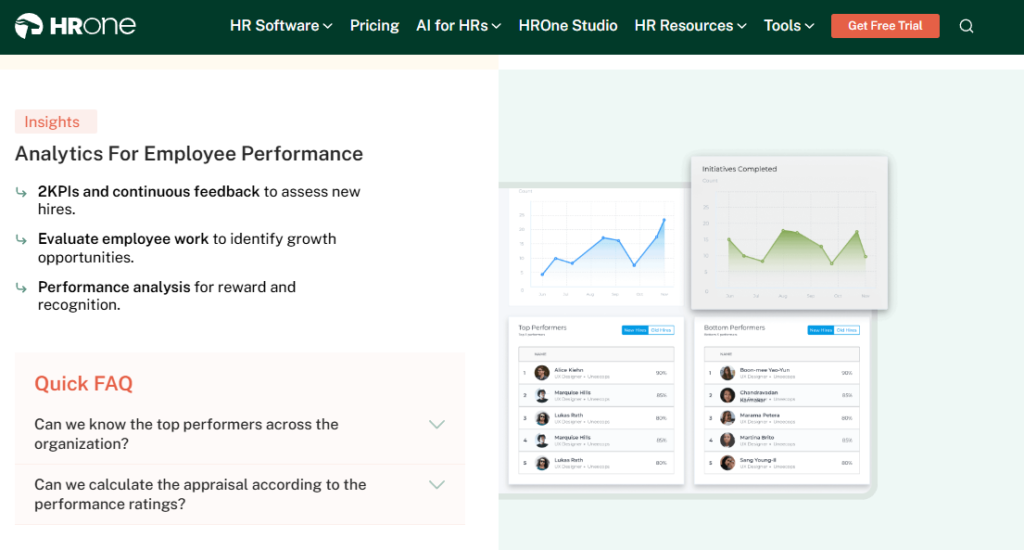
HROne is a cloud-based, India-first HCM founded in 2016 and now live across 1,500+ brands, including enterprises like MR DIY India and Asia Healthcare Holdings. It is built for the 100 to 5,000-employee mid-market and enterprise firms that global tools ignore. It ranks #3 on G2 for satisfaction in its category. It is primarily used by HR teams tired of chasing managers over email to close appraisal forms, and by CHROs who need to prove HR’s savings back to the board.
I have watched teams cycle through three systems in under four years before landing on one that actually holds. My current thinking is that the real fix is not a prettier form. It is connective tissue, so ratings, increments, and payroll stop living in separate silos.
⚙️ Core Services
- Super Inbox surfaces every pending review, approval, and PIP task in one Gmail-style HR inbox that closes in three clicks, so HR stops tab-switching across five tools.
- Goal and KRA engine offers a goal bank of predefined templates with customizable KRA and KPI weightage per role, cutting the blank-sheet scramble each cycle.
- 360-degree feedback routes nominations for peers, managers, subordinates, and clients into an HR inbox, removing manual reviewer chasing.
- PIP and appraisal automation generates PIP letters with reason and period, reverse-rates KRAs, and calculates increments from ratings, so scores turn into pay decisions automatically.
- 9-box normalization auto-generates bell curves and a 9-box talent view, replacing manual moderation that used to break across managers.
- One AI Suite includes resume relevancy scoring, a receipt parser, and an AI Employee Agent, removing manual recruiter and finance labour.
- India’s first inbuilt ROI Dashboard calculates lifetime hours saved against average HR salary, so the CHRO walks in with rupee-term savings.
HROne ships 30+ modules and 127 pre-built workflows, so the breadth sits on one page rather than across five vendors. You can see the full list of HROne features for the complete module map.
🇮🇳 India-Specific Compliance and Localization
- PF, ESI, and TDS: Yes (automated calculation, filing, and reconciliation).
- Labour law compliance: Strong (new wage-code FFS, PT, and LWF slabs handled).
- Payroll localization: Yes (CTC revisions, arrears, and FBP declarations).
- Multi-state compliance: Yes (multi-legal-entity cycles on one instance).
🎯 Who This Is Built For
- HR Ops lead manually reconciling appraisal forms and chasing managers over email every cycle.
- Payroll Manager who needs review ratings to feed increment and arrear calculations without re-keying.
- CHRO running multi-entity performance cycles across pan-India units on a single instance.
⚠️ Who Should Skip This
- A 15-person startup wanting a lightweight, spreadsheet-like appraisal without structured workflows.
- Teams needing a purely global, US-centric HCM with no India payroll requirement.
💰 Pricing Structure
- Plan Type(s): Flat PEPM subscription, modular by need (“turn on only what you need”).
- Starting Price: Not publicly disclosed on a fixed rate card, request a quote.
- Tier-wise Breakdown: Priced per employee per month across module bundles, no per-entity surprise charges.
- Incremental Cost Drivers: AI add-ons and custom apps via HRV Studio, no separate mobile-app fee.
- Implementation Fee: No standalone heavy fee, subscription meters only after go-live.
- Cost at 200 Employees: Request a quote. Cost at 500 Employees: Request a quote.
You can model your own numbers on the HROne pricing page before you shortlist.
🛠️ Implementation and Support Reality
- Average go-live: as little as 30 days for mid-market rollouts.
- Support channels: phone, email, and a dedicated prior-HR onboarding SPOC.
- Data migration: vendor-led, with reviewers reporting server-to-server transfers “in fraction of hours.”
- Reported NPS: 9.8 on dedicated SPOC support.
We built the SPOC model precisely because so many buyers told us they got stuck in email threads during migration. From what surfaces when you actually run this, a person who has done HR themselves resolves a config issue faster than a technical PM reading a checklist.
💬 Reviews
“The InboxforHR is a game-changer, centralizing every HR task into one simple inbox, cutting down administrative time by 60-70%. The initial setup of HROne was surprisingly straightforward.”
Waldon S. HROne G2 Verified Review
“Some modules, especially Payroll and Performance, have a learning curve and require more detailed guidance for first-time users. Certain workflows involve many steps.”
Shilpi M. HROne G2 Verified Review
1.2 Darwinbox
Darwinbox Enterprise-brand HCM suite for large, multi-country workforces.
🏢 Overview
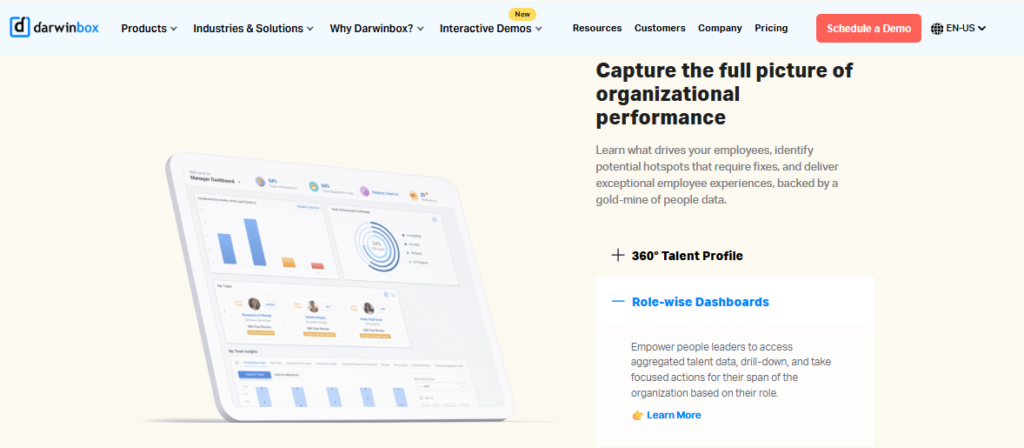
Darwinbox is an enterprise HCM founded in 2015, widely adopted by large Indian and Asian conglomerates. It carries real brand weight in the enterprise segment and covers the full HR suite from attendance to payroll to performance. It is primarily used by big enterprises that want one branded platform across geographies. Its strength is breadth, though several users flag that depth in performance and recruitment takes training to unlock.
Credit where it is due: Darwinbox sells and demos well, and its mobile app is genuinely liked. The standard read says brand equals fit. I might be wrong here, but for a 300-person Indian firm, brand weight matters less than whether ratings flow into your increment run without a developer. For a side-by-side view, see our HROne vs Darwinbox comparison.
⚙️ Core Services
- Unified HR platform brings attendance, leave, payroll, and performance onto one system, reducing tool-switching.
- Performance management supports goals and reviews, though users note it is “not always intuitive at first” and needs training.
- Mobile app enables quick leave, attendance, and payslip actions on the go.
- Configurable workflows adapt to internal processes “without much technical intervention,” per reviewers.
- Analytics and reporting consolidates HR data, with some users citing limited report customization.
🇮🇳 India-Specific Compliance and Localization
- PF, ESI, and TDS: Yes (India payroll supported).
- Labour law compliance: Strong (built for Indian and Asian enterprises).
- Payroll localization: Yes.
- Multi-state compliance: Yes.
🎯 Who This Is Built For
- Enterprise HR leader standardizing one HR brand across multiple countries.
- HR team replacing a mix of “Excel sheets and legacy tools” with a single platform.
⚠️ Who Should Skip This
- Mid-market teams wanting fast, low-touch go-live without a heavy implementation runway.
- Buyers who need ROI instrumentation to justify spend to the board from day one.
💰 Pricing Structure
- Plan Type(s): Quote-based enterprise contracts.
- Starting Price: Not publicly disclosed, request a quote.
- Tier-wise Breakdown: Custom per deployment, not publicly published.
- Incremental Cost Drivers: Add-on modules and implementation services.
- Implementation Fee: Yes, typically bundled into enterprise contracts.
- Cost at 200 Employees: Request a quote. Cost at 500 Employees: Request a quote.
🛠️ Implementation and Support Reality
- Average go-live: multi-week to multi-month, deployment-dependent.
- Support channels: vendor-led, with mixed reviews on responsiveness.
- Data migration: vendor-assisted, some reviewers report transition friction.
- Reported NPS: not publicly disclosed.
💬 Reviews
“Darwinbox has made HR processes much smoother by bringing everything together on one platform. The interface is easy to use, and most tasks can be completed quickly without needing support.”
Saksham A. Darwinbox G2 Verified Review
“Not all of them are intuitive at first, especially modules like performance management and recruitment tracking. Some training or support is needed to get fully up to speed.”
Mohit V. Darwinbox G2 Verified Review
Where Darwinbox wins on enterprise brand recognition, HROne’s tiebreaker is proof: appraisal cycles compressing to 15 days with automated bell curves, and an inbuilt ROI Dashboard that hands the CHRO a rupee figure for savings, so the board conversation shifts from “which portal is prettier” to “which one shows the return.” You can read verified HROne reviews or book a demo to see the ROI dashboard live.
1.3 Keka
Keka Polished, UX-first HRMS for SMBs wanting clean payroll and light appraisals.
🏢 Overview
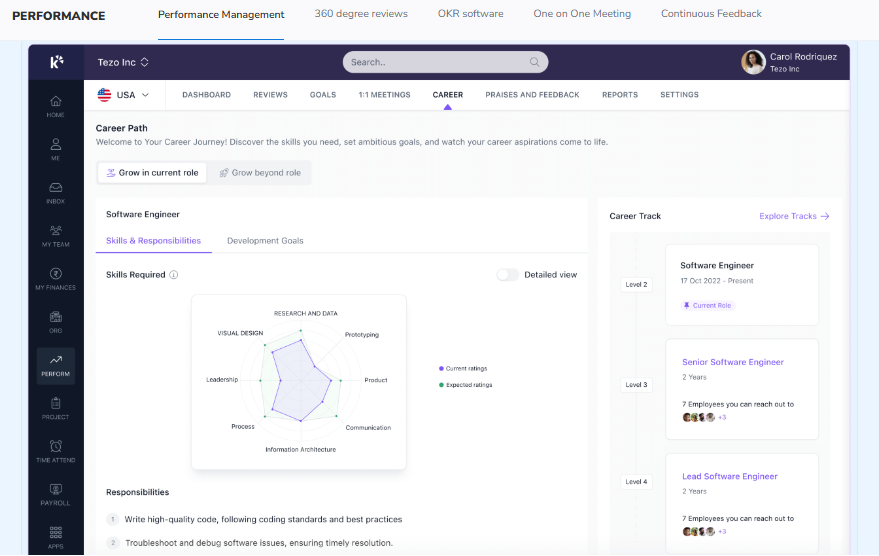
Keka is an India-based HRMS founded in 2015, popular with small and mid-sized businesses for its clean interface and payroll automation. It covers core HR, payroll, attendance, and a performance module. It is primarily used by SMB teams that want a good-looking portal without a heavy rollout. Reviewers praise the UI but flag that the performance management system (PMS) needs work, and that support can go quiet. For a deeper breakdown, see our Keka HRMS review.
The standard read says polished UI equals a strong performance engine. From what surfaces when you actually run appraisals, those are two different things. A clean form does not automatically give you reverse rating or increment logic.
⚙️ Core Services
- Payroll engine automates salary, PF, ESI, and TDS calculations, reducing month-end reconciliation errors.
- Attendance and leave tracks punches and leave with a mobile app, cutting manual attendance entry.
- Performance (PMS) supports KRAs and reviews, though users call the module “confusing” and hard to use.
- Hiro hiring automates offer letters and hiring approvals, reducing recruiter back-and-forth.
- Document management generates HR letters, reducing paperwork and improving confidentiality.
🇮🇳 India-Specific Compliance and Localization
- PF, ESI, and TDS: Yes (automated payroll compliance).
- Labour law compliance: Moderate (some users report RBI and CTC-structure gaps).
- Payroll localization: Yes.
- Multi-state compliance: Partial (limited for complex multi-entity setups).
🎯 Who This Is Built For
- SMB HR generalist wanting a clean payroll portal with light appraisal capability.
- Founder-led team firefighting manual attendance and payslip requests.
⚠️ Who Should Skip This
- Multi-legal-entity or shift-based manufacturing firms needing deep, configurable workflows.
- Teams that need a serious, structured performance and normalization engine.
💰 Pricing Structure
- Plan Type(s): Foundation, Strength, and Growth tiers (per Keka’s public tiers).
- Starting Price: Not publicly disclosed on a fixed rate, request a quote.
- Tier-wise Breakdown: Priced per employee per month, module-bundled, caps not publicly fixed.
- Incremental Cost Drivers: Add-on modules and higher tiers.
- Implementation Fee: Varies, request a quote.
- Cost at 200 Employees: Request a quote. Cost at 500 Employees: Request a quote.
Teams weighing the switch often compare the two directly on our HROne vs Keka page.
🛠️ Implementation and Support Reality
- Average go-live: variable, with several reviewers reporting delayed implementations.
- Support channels: email and chat, with reported weekend gaps.
- Data migration: vendor-led, with mixed migration experiences.
- Reported NPS: not publicly disclosed.
💬 Reviews
“PMS module is confusing and needs to be simpler and easier to use. LMS module needs improvement to be more user-friendly.”
Kiran B. Keka G2 Verified Review
“From Friday evening 6PM to Monday morning 10AM there is no source of support from KEKA. Telephonic communication to a POC during emergency is not possible.”
Prem K. Keka G2 Verified Review
1.4 greytHR
greytHR Dependable statutory payroll for small teams, thin on performance depth.
🏢 Overview
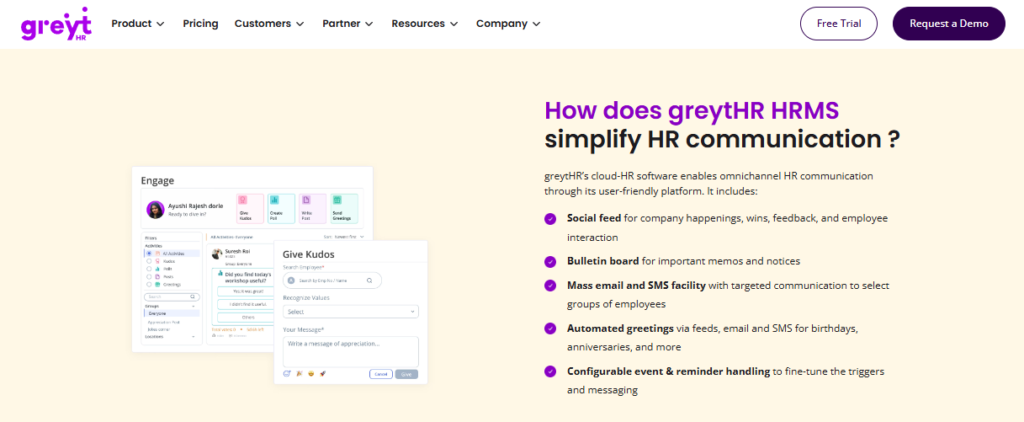
greytHR is one of India’s longest-running HR and payroll platforms, trusted by many small businesses for statutory payroll and compliance. It covers payroll, leave, attendance, and basic employee self-service. It is primarily used by SMB teams that mainly need reliable payslips and tax filing. Reviewers value the price and payroll basics, but flag rigid customization, thin workflows, and support that struggles with anything non-standard.
I have a lot of respect for how long greytHR has served Indian SMBs. My honest take is that the moment a multi-entity or shift-based reality shows up, its rigid configuration starts to bite. Buyers hitting that wall often explore greytHR alternatives.
⚙️ Core Services
- Payroll and statutory automates payslips, PF, ESI, and TDS filing, reducing manual compliance work.
- Leave and attendance manages leave balances and attendance, though some report balance-correction issues.
- Employee self-service lets staff access payslips and declare taxes, reducing HR queries.
- Workflow assignment supports basic HR workflows, capped for complex multi-entity needs.
🇮🇳 India-Specific Compliance and Localization
- PF, ESI, and TDS: Yes (core strength).
- Labour law compliance: Moderate (strong on payroll, weaker on complex cases).
- Payroll localization: Yes.
- Multi-state compliance: Partial (rigid for multi-entity setups).
🎯 Who This Is Built For
- Small-business owner who mainly needs accurate payslips and statutory filing.
- HR generalist managing leave and tax declarations for a single-location team.
⚠️ Who Should Skip This
- Firms needing a deep performance, normalization, or PIP engine.
- Multi-legal-entity teams needing flexible, custom workflows.
💰 Pricing Structure
- Plan Type(s): Free (up to 25 employees), plus paid tiers per public pricing.
- Starting Price: Free tier available, paid tiers priced per employee per month.
- Tier-wise Breakdown: Escalating tiers add payroll, leave, and letter modules.
- Incremental Cost Drivers: Add-on modules and higher employee bands.
- Implementation Fee: Varies by tier, request a quote.
- Cost at 200 Employees: Request a quote. Cost at 500 Employees: Request a quote.
🛠️ Implementation and Support Reality
- Average go-live: relatively quick for basic payroll setups.
- Support channels: ticket-based, with widely mixed reviews.
- Data migration: self-serve and vendor-assisted.
- Reported NPS: not publicly disclosed.
💬 Reviews
“GreytHR is not much good at customizing based on our requirements. Many times we were manually correcting the leave balance of employees.”
Verified User in IT greytHR G2 Verified Review
“Managers can’t mark leaves on behalf of their direct reports, unlike other HR tools where they cover this as a basic feature.”
Verified User in IT greytHR G2 Verified Review
1.5 Zoho People
Zoho People Cost-effective, broad HR app for teams already living in the Zoho ecosystem.
🏢 Overview
Zoho People is part of the wider Zoho software suite, offering a low-cost HR app with wide feature breadth. It covers attendance, leave, onboarding, and a basic performance module, and integrates tightly with Zoho Recruit and Zoho Payroll. It is primarily used by existing Zoho customers and cost-conscious teams. Reviewers like the breadth and price, but several report shallow feature depth and slow support.
The standard read gets this backwards: breadth is not the same as depth. In my experience, a wide toolbox with shallow modules still leaves the appraisal engine feeling thin when the cycle gets serious. That gap sends many buyers toward Zoho People alternatives with deeper performance management features.
⚙️ Core Services
- Attendance and leave manages requests digitally with easy approvals, reducing manual tracking.
- Onboarding lets candidates self-enter data, completing onboarding within a day.
- Performance module supports basic goals and reviews, described by users as shallow in depth.
- Zoho ecosystem integration links Recruit and Payroll, streamlining recruitment and payroll flows.
🇮🇳 India-Specific Compliance and Localization
- PF, ESI, and TDS: Partial (stronger via Zoho Payroll add-on).
- Labour law compliance: Moderate (global generalist, lighter on India-specific rules).
- Payroll localization: Partial (depends on Zoho Payroll).
- Multi-state compliance: Partial.
🎯 Who This Is Built For
- Existing Zoho user wanting HR breadth without a new vendor relationship.
- Cost-conscious startup automating leave and attendance affordably.
⚠️ Who Should Skip This
- India-heavy firms needing deep CTC revision, FBP, and wage-code depth.
- Teams needing a mature, standalone performance and normalization engine.
💰 Pricing Structure
- Plan Type(s): Essential HR, Professional, Premium, Enterprise, and People Plus.
- Starting Price: Low per-user per-month pricing, one of the cheapest in the set.
- Tier-wise Breakdown: Higher tiers add performance, cases, and analytics.
- Incremental Cost Drivers: Per-user upgrades and add-on Zoho apps.
- Implementation Fee: Typically none for self-serve setup.
- Cost at 200 Employees: Request a quote. Cost at 500 Employees: Request a quote.
🛠️ Implementation and Support Reality
- Average go-live: fast for self-serve, lighter setups.
- Support channels: email, with several reports of slow response.
- Data migration: largely self-serve.
- Reported NPS: not publicly disclosed.
💬 Reviews
“Features are shallow and there is no depth in each application.”
Verified User in IT Zoho People G2 Verified Review
“The biggest drawback for me has been the lack of customer support. Whenever I try to reach out, it often takes a long time to get a response.”
Dhana C. Zoho People G2 Verified Review
1.6 PeopleStrong
PeopleStrong Mature Indian enterprise talent suite for large, complex workforces.
🏢 Overview
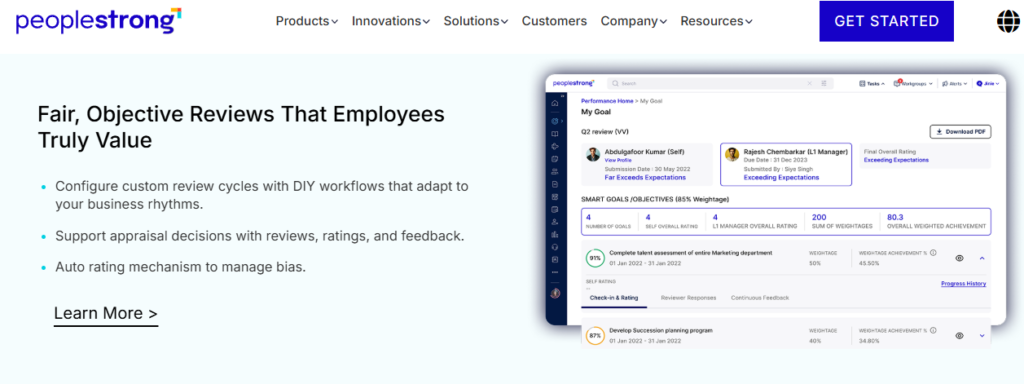
PeopleStrong is an established Indian enterprise HCM with a strong footprint across large Indian and Asian organizations. It offers a mature talent suite covering recruitment, core HR, payroll, and performance. It is primarily used by large enterprises that want an India-aware platform with deep talent modules. Its strength is enterprise-grade performance and talent capability, though configuration and change requests can carry the usual enterprise weight. Our PeopleStrong review covers this in more detail.
I will be honest about the limits of my read here. PeopleStrong is a serious enterprise player, and for very large, complex talent structures, it competes well on depth.
⚙️ Core Services
- Talent and performance supports goals, reviews, and succession, built for enterprise talent depth.
- Core HR and payroll manages the employee record and India payroll, reducing fragmentation.
- Recruitment handles enterprise hiring workflows, cutting manual coordination.
- Analytics surfaces workforce insights for large-org decision-making.
🇮🇳 India-Specific Compliance and Localization
- PF, ESI, and TDS: Yes (India enterprise payroll).
- Labour law compliance: Strong (built for Indian enterprises).
- Payroll localization: Yes.
- Multi-state compliance: Yes.
🎯 Who This Is Built For
- Enterprise HR leader running deep talent and succession programs.
- Large-org team needing India-aware payroll at scale.
⚠️ Who Should Skip This
- Lean mid-market teams wanting fast, low-touch go-live.
- Small firms that will not use the deeper talent modules.
💰 Pricing Structure
- Plan Type(s): Enterprise, quote-based.
- Starting Price: Not publicly disclosed, request a quote.
- Tier-wise Breakdown: Custom per deployment, not publicly published.
- Incremental Cost Drivers: Modules, users, and implementation services.
- Implementation Fee: Yes, typically part of the enterprise contract.
- Cost at 200 Employees: Request a quote. Cost at 500 Employees: Request a quote.
🛠️ Implementation and Support Reality
- Average go-live: enterprise timeline, deployment-dependent.
- Support channels: vendor-led enterprise support.
- Data migration: vendor-led.
- Reported NPS: not publicly disclosed.
1.7 SAP SuccessFactors
SAP SuccessFactors Globally proven talent platform built for very large, multi-country enterprises.
🏢 Overview
SAP SuccessFactors is a global enterprise HCM with deep, mature talent and performance architecture used by very large multinationals. It covers the full talent lifecycle at global scale. It is primarily used by 3,000+ employee enterprises standardizing HR across countries. Its strength is proven global depth, but reviewers and the market widely note it is over-engineered for the 100 to 5,000-employee sweet spot, often needing developers for routine changes. Mid-market buyers frequently weigh SAP SuccessFactors alternatives for this reason.
The standard read says the biggest brand is the safest choice. My honest take is that for a 500-person Indian firm, a platform that needs a back-end developer to change a leave policy is the wrong kind of powerful.
⚙️ Core Services
- Performance and goals offer deep goal, calibration, and review capability at global scale.
- Talent suite covers succession, learning, and compensation, built for large enterprises.
- Global payroll integration connects to SAP payroll and ERP, reducing multi-country silos.
- Analytics provide enterprise-grade workforce analytics for global reporting.
🇮🇳 India-Specific Compliance and Localization
- PF, ESI, and TDS: Partial (via localization packs and partners).
- Labour law compliance: Moderate (global-first, India via configuration).
- Payroll localization: Partial (often partner-delivered).
- Multi-state compliance: Partial.
🎯 Who This Is Built For
- Global enterprise HR leader standardizing talent across many countries.
- Multinational with in-house IT to run and configure the platform.
⚠️ Who Should Skip This
- Mid-market Indian firms without developers to manage configuration.
- Teams needing fast go-live and India-first payroll out of the box.
💰 Pricing Structure
- Plan Type(s): Enterprise, quote-based.
- Starting Price: Not publicly disclosed, request a quote.
- Tier-wise Breakdown: Custom per deployment, not publicly published.
- Incremental Cost Drivers: Modules, localization packs, and implementation partners.
- Implementation Fee: Yes, typically high and separate.
- Cost at 200 Employees: Request a quote. Cost at 500 Employees: Request a quote.
🛠️ Implementation and Support Reality
- Average go-live: long, multi-month enterprise implementations.
- Support channels: ticket-based and partner-delivered.
- Data migration: partner-led.
- Reported NPS: not publicly disclosed.
🏁 Why HROne Leads This List
Across these seven, the split is clear. SAP SuccessFactors and PeopleStrong bring enterprise depth but demand developers and long rollouts. Keka, greytHR, and Zoho People serve SMBs well but thin out on performance depth and India-complex workflows. Darwinbox carries brand weight but starts billing from purchase with no ROI instrumentation.
HROne closes the middle-market gap that global tools leave open. Every review, PIP, and appraisal task surfaces in one Super Inbox that closes in three clicks, so HR stops chasing managers over email. Ratings reverse-rate KRAs and feed increment logic automatically, and 9-box bell curves generate without manual moderation. You can explore the full One AI Suite and the ROI calculator to model this for your own team.
The tiebreaker is proof, not checklists. MR DIY India collapsed payroll cycles from 10 days to 5 to 6 days on HROne, and appraisal cycles compress to around 15 days with automated bell curves. India’s first inbuilt ROI Dashboard then hands the CHRO a rupee figure for hours saved, which is why HROne holds position one for the 100 to 5,000-employee Indian team. See the MR DIY case study or book a demo to see it live.
Q2. How did we score these tools? Our weighted selection criteria
We scored each tool on five weighted criteria summing to 100%: Performance Feature Depth (30%), India Statutory and Payroll Alignment (20%), Adoption and Ease of Use (20%), Implementation and Support (15%), and Pricing Transparency (15%). Scores of 0 to 20 earn 1 star, 21 to 40 two, 41 to 60 three, 61 to 80 four, and 81 to 100 five stars. HROne scores 5 stars.
📊 Why These Five Criteria
We weighted feature depth highest at 30% on purpose. For a scaling team, a shallow appraisal form that cannot reverse-rate KRAs or feed increments just sends HR back to Excel. India statutory alignment sits second, because ratings that ignore PF, ESI, and wage-code logic break at payroll time. Our HRMS evaluation checklist expands on how to weigh these for your own shortlist.
We also weighted for what the category avoids measuring: proof. Many tools have no way to track return on investment (ROI) after setup, so savings stay invisible to the board. We baked measurable value into the rubric rather than treating it as an afterthought, and you can quantify it yourself with the ROI calculator.
⭐ How Scores Become Stars
I might be wrong to push configurability this hard, but from what surfaces when you actually run cycles, uniform tools fail more often than unfair ones. So we rewarded weightage customization over one-size-fits-all checklists. HROne earns full marks on Performance Feature Depth and India Statutory Alignment, which lands it at 5 stars, as detailed in its performance management module.
| Provider | Weighted Score | Star Rating |
|---|---|---|
| HROne | 92 | ⭐⭐⭐⭐⭐ |
| Darwinbox | 74 | ⭐⭐⭐⭐ |
| PeopleStrong | 70 | ⭐⭐⭐⭐ |
| Keka | 58 | ⭐⭐⭐ |
| greytHR | 52 | ⭐⭐⭐ |
| Zoho People | 50 | ⭐⭐⭐ |
| SAP SuccessFactors | 40 | ⭐⭐ |
Q3. Why do goal setting, KRAs and OKRs top every must-have list?
Goal setting tops every list because 50 years of research (Locke and Latham) shows specific, difficult, accepted goals beat vague “do your best” targets. In software terms, that means goal banks with predefined templates, customizable KRA and KPI weightage per job function, and cascading OKRs. Managers then align teams in minutes instead of writing goals from a blank Excel sheet.
🧩 The Excel Goal-Tracking Trap
Most mid-market teams still track goals in a spreadsheet. One HR leader described tracking every goal and comment manually in Excel, and concluded the organization should be “process as well as system dependent.” I have felt this pain too. A KRA (Key Result Area) buried in row 400 of a sheet is a KRA nobody reviews. Moving off spreadsheets is exactly the case we make in HR software vs Excel.
Here is the jargon, in plain terms. A KRA is the outcome you own. A KPI (Key Performance Indicator) is the number that proves it. An OKR (Objective and Key Result) is a company goal broken into measurable steps.
📚 What The Research Actually Says
Locke and Latham’s work, spanning over 1,000 studies, is clear on one point. Specific and challenging goals produce higher performance than vague ones, as long as the person accepts them. So the tactical shortcut is a goal bank, a set of predefined goal-sheet templates. It gives managers consistency and alignment across departments without a blank-page scramble, which is core to an employee appraisal software worth adopting.
🎯 Weightage Is Where It Gets Real
A salesperson and an engineer should not be judged on the same scorecard. This is why customizable weightage for KRA and KPI matters inside one cycle. With HROne, a manager pulls goals from a goal bank and sets weightage per role, so a 300-person org standardizes goals without rewriting them from scratch. See how this plays out in an OKR-based performance system.
“It integrates Workforce, Time Office, and Payroll for seamless process flows. Modules like Performance structure goal-setting and reviews, boosting overall HR efficiency.”
Shilpi M. HROne G2 Verified Review
Q4. How do 360-degree feedback, continuous check-ins and recognition work together?
360-degree feedback collects input on an employee from peers, managers, subordinates, and clients, while continuous feedback replaces the once-a-year verdict with ongoing check-ins and instant recognition. HR nominates reviewers from an inbox, tasks route automatically, AI can draft the feedback message, and managers give an “instant pat on the back” the moment it is earned. This removes the recency bias that wrecks annual scores.
🔄 What 360-Degree Feedback Actually Means
360-degree feedback simply means you gather views from every angle around a person, not just their manager. That includes peers, managers, subordinates, and sometimes clients. In practice, HR selects reviewers from an HR inbox, and tasks route to each person automatically.
There is a sweet spot to respect. Research on feedback volume suggests around 20 to 40 qualitative feedback providers works best in firms of 250+ employees. More than that, and quality drops while fatigue climbs.
💛 The Instant Pat On The Back
One HR leader told me the recognition module mattered more than she expected. Her words stuck with me: that “instant pat on the back” really goes a long way, and it was the right module she saw in the HRMS. After rolling it out, her special engagement moved from 25% to 125% participation. This is the heart of a real employee engagement practice.
This is where AI now helps. Patented systems generate review and feedback text using large language models, so a manager gets a first draft in seconds. With HROne, 360 nominations route into the HR inbox, the One AI Suite drafts the continuous feedback message, and shareable recognition badges keep the appreciation visible.
⏰ Why Continuous Beats Annual
The standard read says the annual review is the main event. My honest take is that it gets this backwards. A verdict delivered once a year mostly measures what happened last month, which is recency bias in action. Continuous check-ins spread feedback across the year, so the rating reflects real work, not just the final sprint. Done right, this feeds directly into attrition prevention, as we cover in reducing attrition with HR data.
“Wall of fames for weekly badges ranking and many more. Letter of appreciation becomes systematic and can be shared directly on the portal itself.”
Manna S. HROne G2 Verified Review
“Engage module limited to hardly 3 reports and minimum functionalities available.”
Manna S. HROne G2 Verified Review
Q5. How do PIP automation, reverse ratings and increment logic close the loop from review to pay?
These three features turn a review score into a pay decision without re-keying. PIP automation generates a Performance Improvement Plan letter with reason and period the moment a rating falls short, reverse ratings let employees rate their own KRAs before the manager does, and increment logic converts final ratings into revised salary and arrears. The rating flows straight into payroll, so HR stops rebuilding increment sheets in Excel.
📝 What A PIP Actually Is
A PIP (Performance Improvement Plan) is a structured document that tells an underperforming employee what to fix, by when, and how success is measured. Done manually, it is a dreaded, inconsistent letter that HR writes from scratch. Automated, the system generates it with the reason, period, and expected outcome the moment a low rating triggers it, which is a core capability of strong performance management software.
🔁 Reverse Ratings, Explained Simply
Reverse rating means the employee rates themselves on each KRA first, and the manager then rates the same KRA. This surfaces perception gaps before the appraisal conversation, so the review starts from evidence rather than argument. In my experience, this single step defuses more appraisal disputes than any policy memo ever has.
💸 Closing The Loop To Payroll
Here is the payoff that most tools miss. A rating that does not feed the payroll run is just a number in a form. HROne calculates increments from the final rating and pushes the revised CTC and arrears into payroll software, so the loop from review to pay closes on one instance. This is what separates a real hire-to-retire system from a bolt-on appraisal form, as we explain in our employee appraisal software breakdown.
The standard read treats increments as a separate, post-appraisal spreadsheet exercise. My honest take is that this is where trust breaks, because manual re-keying introduces errors right at the most sensitive moment, the salary revision. Automating it protects both accuracy and credibility.
“HROne automated our entire appraisal and increment process. What used to take our team days of Excel work now flows directly from ratings into revised salaries without manual errors.”
Waldon S. HROne G2 Verified Review
Q6. Why do 9-box normalization and bell curves matter for fair, defensible ratings?
Normalization stops rating inflation, where one lenient manager gives everyone a 5 while a strict manager gives 3s for the same work. A bell curve forces ratings into a distribution, and a 9-box grid plots performance against potential to identify stars, solid contributors, and risks. Together they give the CHRO a defensible, org-wide view instead of a patchwork of manager biases.
📊 The Rating Inflation Problem
Every mid-market HR leader knows this pain. Two managers, same team size, wildly different rating patterns, and no way to compare them fairly. Normalization applies a consistent distribution across managers, so a 4 in one team means roughly the same as a 4 in another. Without it, increments built on those ratings are indefensible in a board review, which is why HR data on attrition becomes so hard to trust.
🎯 Reading The 9-Box Grid
The 9-box grid is simpler than it sounds. One axis is performance, the other is potential, giving nine cells from “low performance, low potential” up to “high performance, high potential.” It tells you who to promote, who to develop, and who is a flight risk, all on a single screen. HROne auto-generates this view, so HR skips the manual moderation meetings that used to run for hours.
⚖️ Why Defensibility Matters
I might be overweighting this, but from what surfaces when the board actually challenges an increment cycle, defensibility beats speed every time. A rating you cannot explain is a rating you cannot defend. Automated bell curves and a 9-box talent view give the CHRO a data-backed answer, which is exactly the kind of proof our ROI of HR software analysis argues for.
This is also where scale bites. A 300-person, multi-manager org cannot normalize fairly in a spreadsheet, and the effort compounds with every legal entity added. Automating normalization is what makes fair ratings possible at the 100 to 5,000-employee range, and it pairs naturally with strong workforce management.
“The 9-box and bell curve normalization gave us a fair, standardized view across all managers. For the first time, our appraisal ratings were consistent and defensible to leadership.”
Shilpi M. HROne G2 Verified Review
Q7. How does an inbuilt ROI dashboard prove performance software actually paid off?
An inbuilt ROI dashboard calculates the lifetime hours the software saved and multiplies them by average HR salary, turning “we bought an HRMS” into a rupee figure the CFO respects. Instead of guessing at value, the CHRO walks into a board review with a live number for hours saved and cost avoided. This is the feature that closes the credibility gap most HR tech leaves open.
💰 The Invisible-Value Problem
Most HR software cannot prove it paid off. HR knows the tool saved time, but “saved time” does not survive a CFO conversation without numbers. That gap is why so many HR tech renewals get questioned, and it is the exact problem our ROI calculator was built to solve.
📈 How The Dashboard Computes ROI
The logic is refreshingly concrete. The dashboard tracks hours saved across automated workflows, then multiplies that by the average HR salary to express savings in rupees. HROne calls this India’s first inbuilt ROI Dashboard, and it means the value of automation is visible on a screen rather than argued in a meeting. You can see the full engine behind it in the One AI Suite.
🏢 Proof From The Floor
The numbers get real at implementation. MR DIY India compressed payroll cycles from 10 days to 5 to 6 days on HROne, and appraisal cycles routinely compress to around 15 days with automated bell curves. Those are not projections, they are measured outcomes, as documented in the MR DIY case study.
The standard read says ROI is something you calculate once, in a business case, before you buy. My honest take is that this gets it backwards. ROI you can only estimate before purchase is a promise, while ROI you can see live on a dashboard after go-live is proof, and proof is what wins the renewal. To see that proof for your own team, you can book a demo.
“The ROI dashboard was a revelation for our leadership. Being able to show the board exactly how many hours and how much money HROne saved us turned HR from a cost center into a proven investment.”
Manna S. HROne G2 Verified Review
















 Secures Top Spot in
