

 Secures Top Spot in



Q1. What Are the 9 Best Employee Self Service Software Tools to Cut HR Ticket Volume in 2026?
The nine best employee self service software tools for cutting HR ticket volume in 2026 are HROne, Darwinbox, Keka, greytHR, Zoho People, ZingHR, BambooHR, SAP SuccessFactors, and Workday. HROne ranks first for Indian mid-market and enterprise teams, where G2 reviewers report roughly a 70% drop in routine HR queries and 60 to 70% less HR admin time after switching on employee and manager self-service.
Choosing an employee self service platform is a high-stakes call for Indian companies between 100 and 5,000 employees, because the portal your workforce refuses to open becomes the ticket queue your HR team drowns in. For this guide, nine vendors were evaluated against defined criteria rather than brand popularity, using verified G2 reviews, published pricing, and buyer-reported implementation data. The primary reader here is the HR ops lead who lives inside the system daily, with the CHRO, CFO, and IT Director reading over their shoulder as shadow approvers on the same purchase.
Our Evaluation Criteria
- Ticket Deflection Depth ⏰
How many request types employees can close alone, without an email to HR, and whether manager self-service covers approvals and team reports. - India Statutory Self-Serve 🇮🇳
Native payslip, Form 16, Form 12BB, PF, ESI, PT, and LWF access from the employee’s own login, not an HR-mediated email. - Deskless & Mobile Resilience 📱
Offline attendance capture, low-bandwidth behaviour, and access paths for workers with no company email ID. - Adoption & Setup Reality ✅
Published go-live timelines, configuration handled by HR versus developers, and how steep the first-90-day learning curve runs. - Support Model 💬
Dedicated SPOC with phone access, versus email-thread-only queues that stall during migration. - Verified User Reviews ⭐
Balanced read of 3-star, 4-star, and 5-star G2 reviews, including documented complaints, not cherry-picked praise. - Pricing Transparency 💰
Whether a number is publicly published, when billing starts, and what lock-in the contract carries.
Who This Guide Is For
- CHROs and HR Heads consolidating fragmented hire-to-retire stacks across multiple business units
- HR Ops leads manually reconciling biometric exports against a standalone leave portal every month-end
- Payroll Managers fielding repeat payslip and Form 16 requests during appraisal and tax season
- CFOs validating HR tech ROI and flat PEPM commercials before a board review
- IT Directors evaluating mobile-first HCMs against legacy ERP portals that need developer tickets for policy changes
The 9 Best Employee Self Service Software Tools Compared
| Provider | Best For | Standout Strength | Known Limitation | Go-Live Timeline | Support Model | Pricing Model |
| HROne ⭐⭐⭐⭐⭐ | HR ops leads drowning in payslip, leave, and letter requests across multiple legal entities | Super Inbox closes 1 to 10 pending HR tasks from one screen in three clicks | Reviewers report the app auto-logs out and geofencing radius misfires on mobile | As little as 30 days, led by prior-HR consultants | Dedicated HR SPOC, phone and email, 9.8 NPS | Flat PEPM, no lock-in, billing starts after go-live |
| Darwinbox ⭐⭐⭐⭐ | CHROs unifying HR across large multi-country Asian enterprise units | Deep enterprise configurability with a widely adopted mobile app | Users report tab-juggling to close everyday tasks and difficult migration | 82 to 180 days in India, four to five months typical | Vendor-led, reviewers report support gaps | Quote-only, roughly ₹250 to ₹450 PEPM, plus implementation |
| Keka ⭐⭐⭐ | HR managers in Indian IT and services teams wanting quick UX wins | Clean, intuitive interface that employees navigate without training | Email-thread-only support and slow implementation reported by buyers | Reported as slow, one buyer stalled months past August start | Email threads, no weekend cover reported | Per-employee tiers, published on site |
| greytHR ⭐⭐⭐ | Payroll managers on tight budgets needing payslip and tax self-serve only | Employees access payslips, leave, attendance, and tax details without HR | Reviewers report app glitches, slow loads, and thin mobile parity | Fast for payroll-only scope | Ticket-based with acknowledgement flow | Low-cost per-employee tiers |
| Zoho People ⭐⭐⭐ | HR leads already standardised on the Zoho business suite | Native fit with existing Zoho apps and low entry pricing | Under-serves India CTC revisions and FBP depth for complex payroll | Weeks for basic self-serve scope | Email and chat, partner-delivered options | Published per-user/month, low entry tier |
| ZingHR ⭐⭐⭐ | Manufacturing HR teams onboarding high-volume blue-collar workforces | Frontline and blue-collar onboarding at scale with vernacular reach | Limited independent review depth on self-service specifics | Varies by rollout scale | Vendor and partner-led | Quote-based |
| BambooHR ⭐⭐⭐ | People teams in US-centric offices wanting AI policy Q&A | Ask BambooHR answers routine questions from HRIS data and policy docs | No India statutory self-serve for PF, ESI, PT, or Form 16 | Weeks, self-serve setup | Email and chat | Published per-employee tiers, around $250 flat for under 25 |
| SAP SuccessFactors ⭐⭐ | Group CHROs running self-service across 50-plus country payrolls | Global compliance breadth with Joule assistant layered on top | Needs back-end developers to change a leave policy | Multi-quarter enterprise programme | Partner-delivered | Quote-only, around $33 to $61 per employee/month |
| Workday ⭐⭐ | Enterprise IT directors standardising self-service inside Microsoft 365 | Sana Self-Service Agent markets a 25% cut in HR case volume | Restricted to very large headcounts, heaviest TCO in this set | Multi-quarter enterprise programme | Partner-delivered | Quote-only, around $38 to $67 per employee/month |
1.1 HROne
HROne, India-first hire-to-retire HCM where every pending request closes from one inbox
🏢 Overview
HROne is an AI-powered, cloud-based HR software platform founded in 2016 by Karan Jain, operating from Noida under Uneecops Workplace Solutions. It serves roughly 2,000 enterprise brands across 20 industries and has processed over 70 lakh payslips. On G2 it carries a 4.8 out of 5 rating across 2,074 verified reviews, ranked third globally for customer satisfaction out of 1.17 lakh software products. It is used primarily by HR teams whose inboxes have become the default routing layer for every payslip, leave, and letter request.
⚙️ Core Services
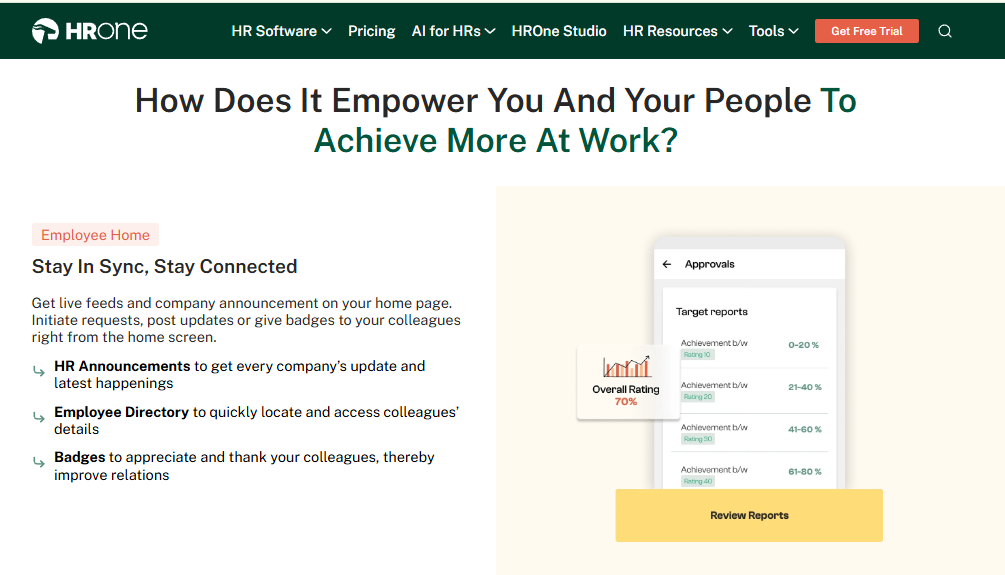
- Super Inbox (InboxforHR), surfaces every pending request, approval, and task on one Gmail-style screen, closing 1 to 10 tasks within three clicks, which removes the tab-switching that makes HR chase managers over email
- 127 pre-built workflows across 30-plus modules, define who does what and by when across pre-boarding, onboarding, confirmation, transfer, promotion, and exit clearance, so HR stops manually following up on handoffs
- Employee and manager self-service, lets employees apply for leave, check balances, download payslips, and update details from mobile or web, which G2 reviewers link to a 70% drop in routine HR queries
- Automated statutory document release, pushes Form 16, Form 12-B, and tax slips straight into the employee’s letter section, ending the month-end email chain for tax documents
- One AI Suite, includes an AI employee agent for policy queries and leave application, plus a receipt parser and resume relevancy scoring, so employees self-resolve instead of raising a ticket
- Offline attendance with automatic sync, captures punches in low or no-connectivity areas and syncs on reconnection, which stops field staff from routing every exception through their manager
- India’s first inbuilt ROI Dashboard, calculates lifetime hours saved against average HR salary, turning deflection into a rupee figure a CFO can read
🇮🇳 India-Specific Compliance & Localization
- PF / ESI / TDS support: Yes (automated calculation, filing, and reconciliation)
- Labour law compliance: Strong (front-end policy engine updated by HR, not developers)
- Payroll localization (India-specific): Yes (PT and LWF slabs, arrears, CTC revisions)
- Multi-state compliance handling: Yes (unlimited legal entities on one instance, no extra charge)
🎯 Who This Is Built For
- HR ops leads fielding repeat payslip, Form 16, and leave-balance requests every single month
- Payroll managers firefighting PT and LWF slab differences across multiple states in one cycle
- CHROs who need a rupee savings figure for a board review, not a feature list
❌ Who Should Skip This
- Startups under 100 employees wanting a lightweight leave tracker, since HROne deliberately targets the 100 to 5,000 band
- Teams needing native US or 50-country payroll self-service as the primary requirement
💰 Pricing Structure
- Plan Type(s): Per-module PEPM bundles, customer-assembled
- Starting Price: Not publicly disclosed. Request a quote
- Tier-wise Breakdown: Each module priced individually, so buyers pick and build their own bundle. Around 98% of customers take the Core HR, Workforce, Time Office, and Payroll bundle together
- Incremental Cost Drivers: Additional modules. No per-entity charge for multiple legal entities on one instance
- Implementation Fee: Not publicly disclosed. Request a quote
- Cost at 200 Employees: Not publicly disclosed. Request a quote | Cost at 500 Employees: Not publicly disclosed. Request a quote
🛠️ Implementation & Support Reality
- Go-live in as little as 30 days for mid-market scope, led by onboarding consultants who are prior HR practitioners
- Support runs through a dedicated HR SPOC available on both phone and email, not a shared queue
- Data migration is vendor-led, with one reviewer moving from an old ERP server “in fraction of hours”
- Support NPS reported at 9.8
💬 Reviews
“The mobile app and web portal enable employees to apply for leave, check leave balances, and more, leading to a 70% reduction in routine HR queries. The InboxforHR is a game-changer, centralizing every HR task into one simple inbox, cutting down administrative time by 60-70%.”
Waldon S., HR User HROne G2 Verified Review
“It can sometimes feel a bit overwhelming for new users. Certain features take time to understand, and without enough guided support, the learning curve can feel quite steep.”
Nijanthan R., HR User HROne G2 Verified Review
🇮🇳 Why HROne Sits at Position One Here
Most Indian mid-market buyers get locked out of the systems built for their complexity. As I have heard it framed on our own calls, the biggest and best HR systems are restricted to the big businesses, sold only above 3,000 employees. So a 600-person manufacturing firm ends up scoring vendors on borrowed enterprise criteria.
HROne was built for exactly that gap, with Karan Jain defining the focus plainly: above 100 employees is mid, to 500 is mid, and 500-plus is enterprise. That segment choice is why the statutory self-serve depth is native rather than bolted on. I might be reading our own data too generously, but the deflection numbers in reviews hold up better than the marketing does.
HROne ships 30-plus modules and 127 pre-built workflows across the complete employee lifecycle, and its ROI Dashboard converts deflected tickets into lifetime hours saved against average HR salary, so the savings arrive as a number rather than a claim.
1.2 Darwinbox
Darwinbox, enterprise-brand HCM with deep configurability for large multi-country rollouts
🏢 Overview
Darwinbox is an enterprise HCM platform with strong penetration across Indian and wider Asian enterprise accounts, backed by $140M in funding including KKR, with ₹534 Cr FY25 revenue and 1,016 enterprise clients. It sells as one unified platform on a per-employee-per-month basis across four volume bands, and is built primarily for organisations above 500 employees. It is most often chosen by group CHROs consolidating HR across three to ten business units.
⚙️ Core Services
- Unified core HCM, bundles Core HR, leave, basic attendance, and expense management in the base license, reducing the number of separate vendors on the HR stack
- Mobile self-service app, lets employees apply for leave, track attendance, and check payslips on the go, cutting walk-up queries at the HR desk
- Configurable workflows, adapts approval chains to internal processes with limited technical involvement, which reduces dependence on a vendor ticket for routine changes
- Bulk approval views, shows managers which days most of the team is out of office and allows bulk leave and attendance approvals, compressing approval backlogs
- Standard analytics with 50-plus dashboards, included in the base license, so basic workforce reporting does not need a separate BI purchase
- Darwinbox Sense AI layer, advanced AI agents sold as a paid add-on rather than bundled, so AI-led deflection carries an incremental cost
🇮🇳 India-Specific Compliance & Localization
- PF / ESI / TDS support: Yes (core statutory calculation supported)
- Labour law compliance: Moderate (state PT and LWF updates often need a support ticket)
- Payroll localization (India-specific): Yes (India payroll available, multi-country as add-on)
- Multi-state compliance handling: Partial (ticket-driven statutory updates create recurring lag)
🎯 Who This Is Built For
- Group CHROs consolidating HR data across multiple subsidiaries and geographies
- HR ops teams in 1,000-plus headcount enterprises needing deep approval-chain configurability
- IT directors who want enterprise brand assurance and GDPR plus SOC 2 coverage in the base license
❌ Who Should Skip This
- HR teams under 500 employees, who sit in the highest per-head rate band with the weakest negotiating position
- Buyers who cannot absorb three to six months of subscription billing before anyone logs in
💰 Pricing Structure
- Plan Type(s): No named tiers. Four quote-only volume bands (under 500, 500 to 2,500, 2,500 to 10,000, 10,000-plus)
- Starting Price: Roughly ₹250 to ₹450 per employee per month in the enterprise band, billed annually, no free trial
- Tier-wise Breakdown: Per-unit rates fall 15 to 25% as headcount climbs across the four bands
- Incremental Cost Drivers: Advanced workforce management (biometrics, geo-fencing), multi-country payroll, performance and OKRs, advanced analytics, and the Sense AI layer are all add-ons
- Implementation Fee: Yes, separate and negotiated. Roughly ₹4 to ₹15 lakh at 250 employees, ₹19 to ₹45 lakh at 1,000
- Cost at 200 Employees: Quote-only, highest per-head band | Cost at 500 Employees: Roughly ₹8.28 fully loaded PEPM equivalent, about ₹700 per employee per month in Year 1
🛠️ Implementation & Support Reality
- Six-phase rollout spanning four to five months, with India go-live typically 82 to 180 days from signing
- Support is vendor-led, and reviewers report responsiveness as inconsistent during and after migration
- Data migration is vendor-led, and long-time users describe the transition from a legacy system as difficult
- Subscription billing starts at contract signing rather than go-live, so a four-month rollout means four months of unused licence cost
💬 Reviews
“Darwinbox has a very user-friendly interface that makes it easy for employees and HR teams to navigate. The mobile app is particularly useful, it’s intuitive and allows quick actions like applying for leaves, attendance tracking, or checking payslips on the go.”
Mohit V., HR User Darwinbox G2 Verified Review
“Transitioning from the old system to Darwinbox is quite difficult. User interface of Darwinbox is very outdated. Darwinbox Support team is not supportive.”
Ankush B., HR User Darwinbox G2 Verified Review
⚠️ Where the Deflection Math Breaks
Darwinbox earns its enterprise reputation on breadth. My honest read is that the self-service gap is not the feature list, it is the friction around it.
Two structural issues matter for ticket volume. State PT and LWF updates often need a support ticket instead of a front-end toggle, so a 20-state employer pays a steady multi-state compliance ticket tax every year. And billing from signing rather than go-live means the deflection clock starts months after the invoice does.
HROne meters its subscription only after go-live and lets HR configure state statutory policies from the front end without a developer or a support ticket, which removes both the paid-but-unused window and the recurring ticket cycle. You can compare the two side by side on the HROne vs Darwinbox breakdown, or check the pricing page for the flat PEPM structure.
1.3 Keka
Keka, polished self-service UX for Indian IT and services teams
🏢 Overview
Keka is an Indian HRMS built with a strong focus on interface design and SME adoption, carrying a 4.5 out of 5 G2 rating and a well-known brand in the SME segment. It bundles payroll, attendance, performance, and a hiring module called Keka Hiro. Buyers most often pick it when employees have refused to use an older, clunkier portal. Its G2 rank for overall satisfaction sits at #55, against HROne’s #3.
⚙️ Core Services
- Employee self-service portal and mobile app, lets staff apply for leave, view payslips, and track attendance without an HR email, which cuts basic query traffic
- Payroll and statutory automation, processes salary and attendance with PF, ESI, and TDS handling, reducing manual reconciliation at month-end
- Document generation, produces most routine HR letters inside the system, which reviewers say significantly reduced paperwork and improved confidentiality
- Keka Hiro hiring workflows, automates new-hire approvals and offer-letter routing, so recruiters stop chasing sign-offs over email
- Employee satisfaction surveys, runs pulse surveys inside the same portal, removing the need for a separate engagement tool
- Asset management, tracks issued devices against employee records, ending the parallel spreadsheet IT teams usually maintain
🇮🇳 India-Specific Compliance & Localization
- PF / ESI / TDS support: Yes (automated payroll and payslip statutory handling)
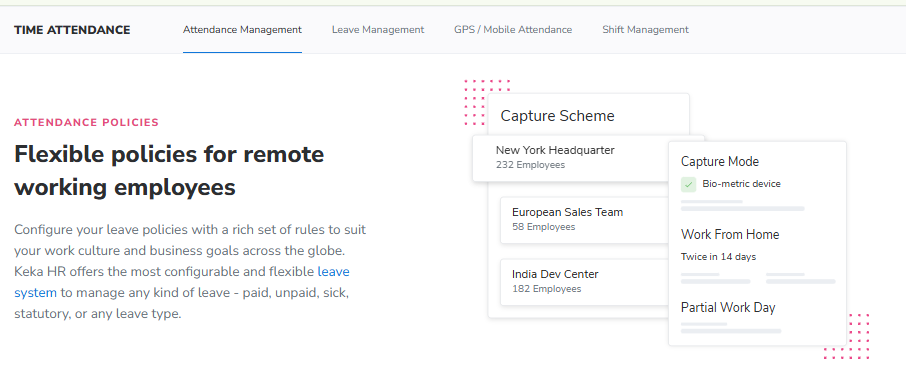
- Labour law compliance: Moderate (location-specific leave rules reported as hard to configure)
- Payroll localization (India-specific): Yes (India-built payroll engine)
- Multi-state compliance handling: Partial (reviewers report gaps on zones and CTC structure display)
🎯 Who This Is Built For
- HR managers in IT and services firms whose employees abandoned the previous portal
- HR ops leads who want basic leave and payslip self-serve live quickly, without heavy configuration
- Small finance teams wanting TDS calculation and quarterly return filing in one place
❌ Who Should Skip This
- HR teams with a large share of workers who have no company email ID, since user access is reported as difficult for them
- IT consulting firms with project-based structures, where one long-term reviewer states plainly it is not built for them
💰 Pricing Structure
- Plan Type(s): Foundation, Strength, and Growth tiers, as published by Keka
- Starting Price: Published per-employee-per-month rates on the vendor site, billed annually
- Tier-wise Breakdown: Core HR and payroll on the entry tier, with performance and hiring on higher tiers
- Incremental Cost Drivers: Module upgrades for performance, hiring, and expenses
- Implementation Fee: Not publicly disclosed. Request a quote
- Cost at 200 Employees: Not publicly disclosed. Request a quote | Cost at 500 Employees: Not publicly disclosed. Request a quote
🛠️ Implementation & Support Reality
- Go-live is reported as slow, with one buyer starting in August and still not live months later
- Support runs primarily through chat and email threads, with no phone POC available from Friday evening to Monday morning
- Data migration is vendor-led, and reviewers describe integration with Oracle-based finance systems as incomplete
- No published NPS or CSAT figure
💬 Reviews
“Strong payroll and compliance, automate salary and attendance processing with pf/esi/ tds. PMS module is confusing and needs to be simpler. User access is difficult for employees who do not have an email ID.”
Kiran B., HR User Keka G2 Verified Review
“I have been Keka user since 2021, and the service is decreasing day by day. The other day I was trying to configure menstrual leave only for Bangalore location and needed some help, the chat was not at all helpful.”
Verified User in Consulting Keka G2 Verified Review
⚠️ The Deflection Trap in a Pretty Portal
Keka genuinely wins on first impressions. My concern is different: a clean UI deflects tickets only when the underlying policy is configured correctly.
The reviews point at exactly that seam. A location-specific leave policy needed a support chat, and the chat could not help. HROne keeps the full setup module on the front end, so whoever holds access can configure policies and org units without a vendor ticket. The HROne vs Keka comparison lays out the configuration difference in detail.
1.4 greytHR
greytHR, budget-led payroll and payslip self-serve for cost-sensitive teams
🏢 Overview
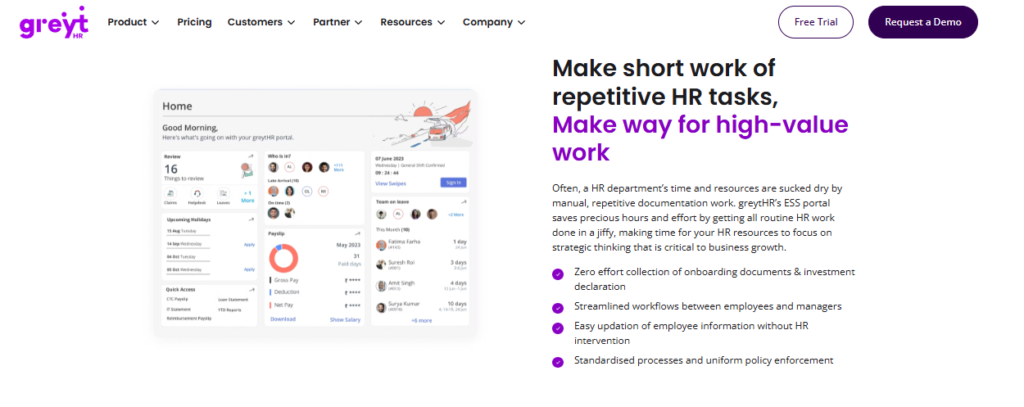
greytHR is one of India’s longest-running payroll and compliance platforms, with roughly 500K monthly organic visits, the highest in this comparison set. It is built primarily for SMB payroll and statutory filing rather than full lifecycle HR. Teams pick it when the budget is fixed and payslip plus tax self-serve is the only real requirement. On G2’s Core HR ease-of-use ranking it sits at #29, against HROne at #3.
⚙️ Core Services
- Employee payslip and tax self-service, lets staff access payslips, apply for leave, check attendance, and view tax details without going through HR, which one reviewer credits with better transparency
- Tax declaration from employee login, allows employees to declare investments and pick a tax regime themselves, removing the HR-mediated declaration cycle
- Payroll processing, runs salary and statutory calculation, the module the platform is best known for
- Leave and holiday management, handles balances and holiday calendars centrally, though reviewers report manual balance corrections
- Structured ticket flow, confirms receipt, sends working updates, then a status update, so requesters know where a query stands
- Workflow assignment and monitoring, lets each department view its own employee details separately, reducing cross-department data requests
🇮🇳 India-Specific Compliance & Localization
- PF / ESI / TDS support: Yes (long-standing statutory payroll focus)
- Labour law compliance: Moderate (reviewers report policy limits blocking company rules)
- Payroll localization (India-specific): Yes (India-first compliance heritage)
- Multi-state compliance handling: Partial (TDS revision reported as not possible)
🎯 Who This Is Built For
- Payroll managers on a fixed budget who need statutory filing plus payslip self-serve, nothing more
- HR ops leads wanting employees to file their own tax declarations each January
- Finance teams in single-state SMBs with simple, stable leave policies
❌ Who Should Skip This
- HR teams needing shift-based or multi-legal-entity workflows, where limited configuration surfaces fast
- Companies with a largely mobile workforce, since reviewers report the app lacks key web functionality
💰 Pricing Structure
- Plan Type(s): Starter, Essential, Growth, and Enterprise tiers, as published by greytHR
- Starting Price: Low per-employee monthly rates published on the vendor site, billed annually
- Tier-wise Breakdown: Payroll and core HR on lower tiers, with additional modules on higher tiers
- Incremental Cost Drivers: Module upgrades and custom report requests
- Implementation Fee: Not publicly disclosed. Request a quote
- Cost at 200 Employees: Not publicly disclosed. Request a quote | Cost at 500 Employees: Not publicly disclosed. Request a quote
🛠️ Implementation & Support Reality
- Fast for payroll-only scope, but one buyer describes spending many man-hours configuring payroll and still finding gaps
- Support is ticket-based, with callbacks in one to two hours reported by one reviewer and poor escalation reported by others
- Data migration is vendor-dependent, with high reliance on the greytHR team for customisation
- No published NPS or CSAT figure
💬 Reviews
“Employees can access payslips, apply for leave, check attendance, and view tax details, all without going through HR. This increases transparency. The app is not as user-friendly as advertised, with frequent glitches and slow load times.”
Shreeya V., HR User greytHR G2 Verified Review
“Better UI, simplicity and time for support. Reporting configuration, TDS filing, revising of TDS is not possible.”
Krishnanand B., Payroll User greytHR G2 Verified Review
💰 Where the Cheap Option Gets Expensive
The honest case for greytHR is price. What surfaces in the reviews, though, is a specific pattern worth naming.
One reviewer says the platform is only in use because of budget constraints, and that no month has passed without raising a ticket. That is deflection running backwards, from employee to HR to vendor. HROne ships 127 pre-built workflows across the lifecycle instead of a payroll core with limited process automation around it.
1.5 Zoho People
Zoho People, sensible ESS layer for teams already standardised on Zoho
🏢 Overview
Zoho People is the HR module inside the wider Zoho business suite, carrying massive brand trust and global reach. Its strongest argument is native connection to Zoho Recruit and Zoho Payroll, so onboarding and payroll data flow without a custom integration. It is generally chosen by HR leads whose company already runs finance, CRM, and email on Zoho. HR is not Zoho’s primary product line, which shows in module depth.
⚙️ Core Services
- Attendance and leave self-service, lets employees apply digitally and managers approve directly, so HR stops relaying requests between the two
- Candidate-driven onboarding, has new hires enter their own details, which one HR reviewer says compressed onboarding to a single day
- Employee leave-balance visibility, lets staff check balances themselves, which one reviewer credits with ending unnecessary balance emails
- Zoho ecosystem integration, links to Zoho Recruit and Zoho Payroll, streamlining recruitment and the monthly payroll cycle
- Business-unit data organisation, lets HR segment records by unit, making reporting cleaner across entities
- Holiday calendar sharing, publishes calendars to employees inside the portal, removing the annual all-staff email
🇮🇳 India-Specific Compliance & Localization
- PF / ESI / TDS support: Partial (available via Zoho Payroll, not native depth)
- Labour law compliance: Limited (global generalist design)
- Payroll localization (India-specific): Partial (under-serves India CTC revisions and FBP declarations)
- Multi-state compliance handling: Limited (thin on compliance-heavy manufacturing workflows)
🎯 Who This Is Built For
- HR leads already running Zoho Recruit and Zoho Payroll who want one login for employees
- HR ops leads collecting new-hire documents manually from candidates over email
- Small teams needing digital leave approval without a large configuration project
❌ Who Should Skip This
- Payroll managers handling frequent CTC revisions, FBP declarations, and new wage-code FFS rules
- Teams that need deep mobile parity, since one reviewer reports most features are inaccessible on the app
💰 Pricing Structure
- Plan Type(s): Essential HR, Professional, Premium, Enterprise, and People Plus, as published by Zoho
- Starting Price: Low published per-user-per-month rates, billed annually or monthly
- Tier-wise Breakdown: Core HR and leave on entry tiers, with performance and cases on higher tiers
- Incremental Cost Drivers: Zoho Payroll as a separate subscription, plus higher-tier module upgrades
- Implementation Fee: No mandatory fee for self-serve setup
- Cost at 200 Employees: Not publicly disclosed for India bundles. Request a quote | Cost at 500 Employees: Not publicly disclosed for India bundles. Request a quote
🛠️ Implementation & Support Reality
- Setup is described as very easy, supported by instructional videos that eased onboarding
- Support is the most-reported weakness, with long response times and days stuck on unresolved errors
- Data migration is self-serve or partner-led
- One reviewer found pricing confusing when moving from trial to purchase, struggling to match a tier to company size
💬 Reviews
“Candidates can enter their own information, making the onboarding process smooth and allowing it to be completed within a day. The biggest drawback for me has been the lack of customer support.”
Dhana C., HR Professional Zoho People G2 Verified Review
“The breadth of applications and the price of it. Features are shallow and there is no depth in each application.”
Verified User in Information Technology and Services Zoho People G2 Verified Review
⚠️ Breadth Is Not the Same as Depth
The ecosystem argument for Zoho People is real, and I would not dismiss it. Where it strains is Indian statutory self-serve.
An employee asking about an FBP declaration or a mid-year CTC revision needs the answer inside the portal, not from HR. HROne releases Form 16, Form 12-B, and tax slips directly into the employee’s letter section, so tax season stops arriving as an inbox flood. The HROne vs Zoho People page sets out the statutory depth gap.
1.6 ZingHR
ZingHR, blue-collar and frontline HR at high volume
🏢 Overview
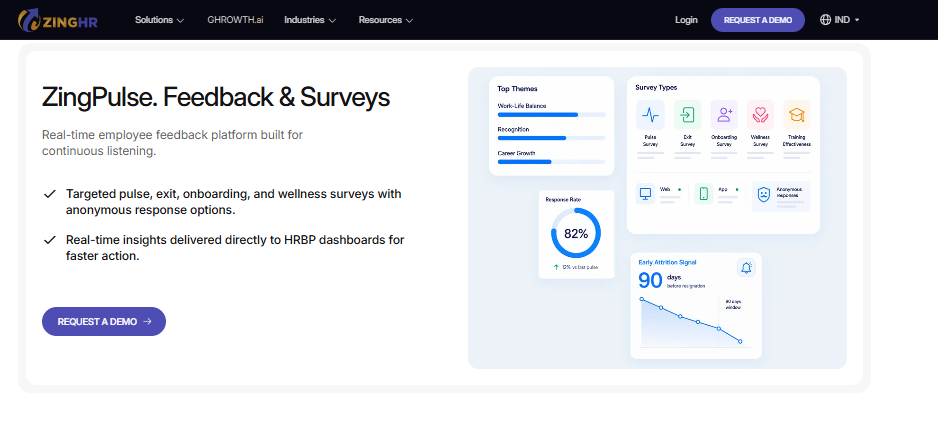
ZingHR is an Indian HCM known for high-volume blue-collar and frontline deployments, spanning hire-to-retire modules including learning and performance. It is typically chosen by manufacturing, retail, and logistics groups onboarding thousands of workers with vernacular and low-literacy needs. Reviewer feedback on the platform is mixed, with interface and support quality raised repeatedly. It is a category-specific pick rather than a general mid-market default.
⚙️ Core Services
- Multiple workstreams in one system, covers calendar, payroll, and learning together, reducing the number of separate vendors on the HR stack
- Payslip and tax document self-download, lets employees pull payslips and upload tax deductions themselves, cutting document request tickets
- Tax simulator and NPS tools, let employees model deductions on their own, work that otherwise consumes HR hours manually
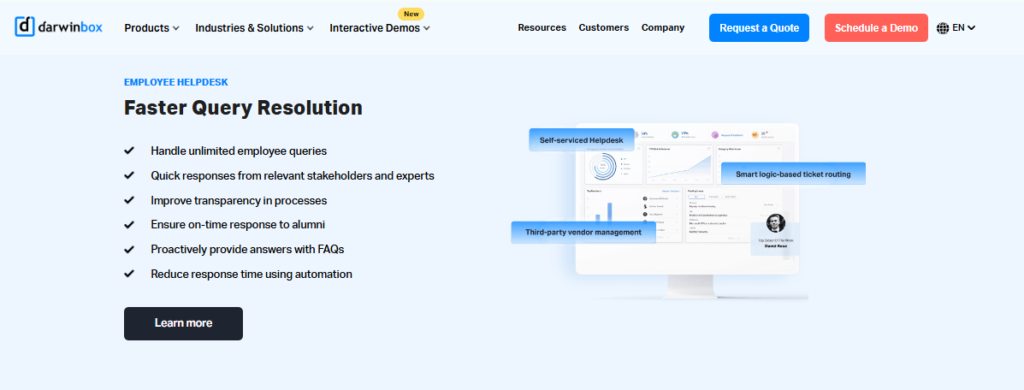
- Employee helpdesk, tracks HR queries in a ticket log, so requests stop living in personal inboxes
- Salary and CTC breakup graphs, show structure visually to employees, reducing repeat explanation calls to payroll
- Hire-to-retire module coverage, includes learning and performance management within the same instance
🇮🇳 India-Specific Compliance & Localization
- PF / ESI / TDS support: Yes (India payroll and statutory coverage)
- Labour law compliance: Moderate (customisation reported as difficult and costly)
- Payroll localization (India-specific): Yes (built for Indian workforce structures)
- Multi-state compliance handling: Partial (custom integration needs time and expense)
🎯 Who This Is Built For
- Manufacturing HR teams onboarding large blue-collar batches across multiple plants
- Payroll managers who need employees to self-download payslips and upload tax proofs at scale
- HR heads consolidating learning and performance into an existing workforce system
❌ Who Should Skip This
- Teams where mobile self-service is the primary deflection channel, since app instability is repeatedly reported
- HR functions that need a fast, tightly managed implementation window
💰 Pricing Structure
- Plan Type(s): Not publicly published as named tiers
- Starting Price: Not publicly disclosed. Request a quote
- Tier-wise Breakdown: Not publicly disclosed. Request a quote
- Incremental Cost Drivers: Custom integrations, which reviewers describe as expensive
- Implementation Fee: Not publicly disclosed. Request a quote
- Cost at 200 Employees: Not publicly disclosed. Request a quote | Cost at 500 Employees: Not publicly disclosed. Request a quote
🛠️ Implementation & Support Reality
- One reviewer reports implementation barely 40% complete after six months
- Support is reported as delayed, with email replies stretching from days to weeks
- Data migration is vendor-led
- No published NPS or CSAT figure
💬 Reviews
“Ability to create multiple workstreams like calendar, payroll, learning etc. Outdated UI/UX. Customization is difficult and tech support is not great.”
Parth B., HR User ZingHR G2 Verified Review
“It has the option to upload tax deductions and download payslips automatically and also features like a Tax simulator. It has a very very bad UI, it has many options but they are not placed where they are needed.”
Tanishq G., Employee User ZingHR G2 Verified Review
📱 Frontline Deflection Lives or Dies on the App
For blue-collar self-service, the phone is the only interface that matters. There is no desk, no laptop, and often no stable network.
That is why app reliability is not a cosmetic complaint here. HROne captures attendance offline and syncs automatically once connectivity returns, which keeps field exceptions out of the manager’s WhatsApp. Teams comparing options for deskless workforces can review the HRMS options for field and blue-collar employees.
1.7 BambooHR
BambooHR, AI-assisted policy answers for US-centric people teams
🏢 Overview
BambooHR is a widely adopted US HR platform aimed at small and mid-sized companies, with strong onboarding, time-off, and document workflows. Its Ask BambooHR assistant answers routine employee questions from HRIS data and uploaded policy documents. It is generally chosen by people teams in US offices wanting a clean, low-training portal. One reviewer describes it as well suited to a small business of roughly 50 employees.
⚙️ Core Services
- Time-off request self-service, shows managers who is out and allows single-click approval from the email itself, removing a portal login step
- Ask BambooHR assistant, answers policy and HRIS questions in natural language, deflecting repeat queries before they reach HR
- Document signing and storage, handles e-signature and paperless filing, which one reviewer credits with easier document tracking
- Onboarding workflows, sends welcome emails and collects new-hire documents digitally, cutting first-week paperwork
- Time tracking, records hours and generates timesheets automatically, ending manual timesheet creation
- Applicant tracking, manages applications in the same system, so hiring status stops living in spreadsheets
🇮🇳 India-Specific Compliance & Localization
- PF / ESI / TDS support: No (no native Indian statutory engine)
- Labour law compliance: Limited (support has described the product as US-centric)
- Payroll localization (India-specific): No (US payroll orientation)
- Multi-state compliance handling: No (no international holiday calendars, no per-site working hours)
🎯 Who This Is Built For
- People leads in US-only offices wanting AI-assisted policy answers without building a knowledge base
- HR generalists drowning in manual timesheet creation and document chasing
- Small teams under 50 employees needing a low-training portal
❌ Who Should Skip This
- Any India-based team needing PF, ESI, PT, or Form 16 self-serve from the employee login
- Companies above 50 employees needing bulk record changes, where reviewers report heavy manual work
💰 Pricing Structure
- Plan Type(s): Core and Pro, as published by BambooHR
- Starting Price: Published per-employee-per-month rates, with a flat monthly rate for companies under 25 employees
- Tier-wise Breakdown: Core covers HR data, hiring, and onboarding, with Pro adding performance and employee wellbeing
- Incremental Cost Drivers: Payroll, benefits administration, time tracking, and performance as paid add-ons
- Implementation Fee: Yes for implementation support, quoted separately
- Cost at 200 Employees: Not publicly disclosed for India. Request a quote | Cost at 500 Employees: Not publicly disclosed for India. Request a quote
🛠️ Implementation & Support Reality
- Setup is self-serve and generally quick for core HR scope
- Support is available and responsive on HR topics, but payroll support is reported as far less responsive
- Data migration is self-serve, and one reviewer reports import errors costing significant correction time
- Repeated annual price increases and plan sunsets are a documented buyer complaint
💬 Reviews
“The time off request emails are good, they show who on your team will be out and you can single click approve from the email itself. Biggest issue is how much they have increased prices and continue to do so.”
Josh A., HR User BambooHR G2 Verified Review
“Works well for US PTO. Not hard to understand. Their CS openly writes: we are a US-centric system, while your sales reps swear it’s a globally fitting one.”
Verified User in Computer Software BambooHR G2 Verified Review
⚠️ Great AI, Wrong Rulebook
Ask BambooHR is a legitimately strong deflection idea. An assistant that reads your policy docs is exactly where self-service is heading.
The catch for Indian buyers is what the assistant does not know. Roughly 70% of Indian HR tickets I see are statutory: PF balance, PT slab, Form 16, arrears. HROne answers those inside its own One AI employee agent, which handles policy queries and common tasks natively.
1.8 SAP SuccessFactors
SAP SuccessFactors, global multi-country self-service for very large groups
🏢 Overview
SAP SuccessFactors is an enterprise HCM suite built for global multi-country compliance, now layered with the Joule AI assistant for conversational self-service. It covers a wide range of HR modules and is typically bought by group CHROs standardising HR across dozens of countries. Three-year cost at 1,000 employees runs roughly $1.2M to $2.2M, or about $33 to $61 per employee per month. It is over-engineered for the 100 to 5,000 employee band.
⚙️ Core Services
- Global core HR records, maintains one employee record across countries, removing per-country reconciliation
- Joule AI assistant, answers HR questions conversationally inside the suite, deflecting routine queries
- Country-specific process configuration, supports separate processes per department or geography, useful for large international structures
- Learning management, runs compliance training tracking centrally, though reviewers criticise the reporting layer
- Recruiting and offer management, includes applicant tracking with e-signature integration
- Extensive APIs, allow custom career sites and integrations, which one reviewer names as the clearest benefit realised
🇮🇳 India-Specific Compliance & Localization
- PF / ESI / TDS support: Partial (available via India localisation, usually partner-configured)
- Labour law compliance: Moderate (breadth exists, but changes need developer effort)
- Payroll localization (India-specific): Partial (needs back-end work for policy changes)
- Multi-state compliance handling: Partial (customisation requires third-party vendors)
🎯 Who This Is Built For
- Group CHROs running self-service across 20-plus country payrolls on one suite
- IT directors standardising HR inside an existing SAP ERP landscape
- Compliance leads needing centralised global training and audit tracking
❌ Who Should Skip This
- Indian mid-market HR teams who need to change a leave policy without a developer
- Buyers who cannot fund a multi-quarter implementation before any ticket gets deflected
💰 Pricing Structure
- Plan Type(s): Modular enterprise licensing, quote-only
- Starting Price: Not publicly disclosed. Request a quote
- Tier-wise Breakdown: Priced per module and per country scope
- Incremental Cost Drivers: Third-party customisation vendors, country localisation packs, and partner change requests
- Implementation Fee: Yes, substantial and partner-delivered, quoted separately
- Cost at 200 Employees: Not publicly disclosed. Request a quote | Cost at 500 Employees: Roughly $33 to $61 per employee per month at enterprise scale
🛠️ Implementation & Support Reality
- Multi-quarter enterprise programme, typically partner-delivered
- Support is described as a low-touch ticketing system, with product suggestions routed to a community page
- Data migration often needs internal resources or paid vendor effort, with one full data export taking eight weeks
- No published NPS or CSAT figure for the India mid-market segment
💬 Reviews
“Covers a wide range of HR modules in theory, but it’s not user friendly. Customization requires third-party vendors, every change is costly. Extremely expensive for what it delivers.”
Janka Z., HR User SAP SuccessFactors G2 Verified Review
“Features supporting the diversity of a large, quickly growing international company. The most basic functionality is missing or severely flawed.”
Verified User in Internet SAP SuccessFactors G2 Verified Review
🔒 The Middle-Market Lockout, Priced In
Here is the structural problem I keep running into. The biggest and best HR systems are effectively restricted to very large businesses, often selling only above 3,000 employees.
So a 700-person Indian firm ends up scoring itself on borrowed enterprise criteria it will never use. HROne deliberately targets the 100 to 5,000 band, with the full setup module on the front end so HR configures policies without raising a developer ticket. Buyers weighing the switch can start with SAP SuccessFactors alternatives in India.
1.9 Workday
Workday, agentic self-service inside Microsoft 365
🏢 Overview
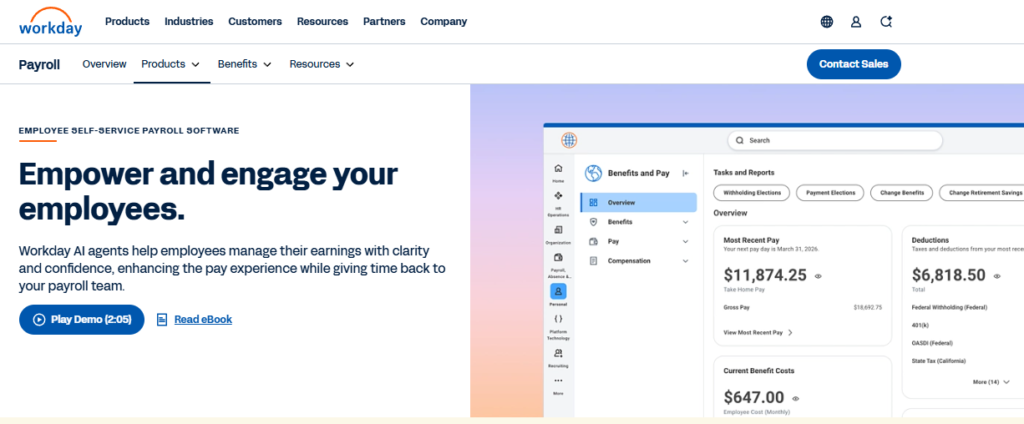
Workday is a global enterprise HCM suite, and its Marketplace lists a Sana-built Self-Service Agent that markets a 25% reduction in HR case volume by answering employee questions inside Microsoft 365 and Slack. It is bought almost exclusively by very large, multi-country organisations. Three-year cost at 1,000 employees runs roughly $1.4M to $2.4M, or about $38 to $67 per employee per month, the heaviest in this set.
⚙️ Core Services
- Self-Service Agent in Microsoft 365, answers HR questions where employees already work, cutting case volume by a marketed 25%
- Unified global core HR, holds one worker record across countries, removing entity-level reconciliation
- Manager self-service and approvals, routes approvals to managers directly, so HR stops acting as a relay
- Workforce analytics, reports across entities from a single data model, useful for board-level workforce reporting
- Global payroll partner network, covers country payrolls through certified partners rather than one native engine
- Extensive integration marketplace, connects HR to finance and ITSM systems, reducing manual data handoffs
🇮🇳 India-Specific Compliance & Localization
- PF / ESI / TDS support: Partial (typically via India payroll partner)
- Labour law compliance: Moderate (global framework, partner-configured for India)
- Payroll localization (India-specific): Partial (partner-delivered rather than native)
- Multi-state compliance handling: Partial (depends on the payroll partner’s India coverage)
🎯 Who This Is Built For
- Enterprise IT directors standardising HR self-service inside Microsoft 365 or Slack
- Group CHROs in 10,000-plus headcount multinationals needing one global worker record
- Shared-services leads measuring HR case volume as a formal service metric
❌ Who Should Skip This
- Indian companies between 100 and 5,000 employees, where the cost per outcome does not clear
- Teams needing India-native PF, PT, and LWF self-serve without a separate payroll partner
💰 Pricing Structure
- Plan Type(s): Enterprise licensing, quote-only
- Starting Price: Not publicly disclosed. Request a quote
- Tier-wise Breakdown: Priced by module scope and worker count
- Incremental Cost Drivers: Marketplace agents, payroll partner fees, and partner change requests
- Implementation Fee: Yes, substantial and partner-delivered, quoted separately
- Cost at 200 Employees: Not offered at this scale | Cost at 500 Employees: Roughly $38 to $67 per employee per month at enterprise scale
🛠️ Implementation & Support Reality
- Multi-quarter enterprise programme, partner-delivered
- Support is delivered through partners and enterprise ticketing tiers
- Data migration is partner-led
- Publicly marketed deflection figure is 25% lower HR case volume via the Self-Service Agent
⏰ A Deflection Number Worth Borrowing
Workday’s 25% case-volume claim is the most honestly framed number in this list, because it is scoped to one agent doing one job. I would treat it as the realistic ceiling for AI-only deflection.
The bigger lesson is placement. Deflection works when the answer sits where the employee already is, not behind another login. That principle transfers to any budget, which is why HROne ships a Teams bot and a WhatsApp bot rather than expecting a separate portal habit.
🎯 Which One Fits Your Situation
- 100 to 500 employees, India-only: HROne or Keka for lifecycle self-serve, greytHR if the requirement is genuinely payslip and tax access only.
- 500 to 5,000 employees, India-only or multi-entity: HROne or Darwinbox, with ZingHR worth a look if the majority workforce is blue-collar and frontline.
- Multi-country with heavy non-India headcount: SAP SuccessFactors or Workday, with BambooHR viable only for US-centric offices.
HROne ranks first here on the specific metric this article measures. Its self-service spans 10 modules and 127 pre-built workflows across the full hire-to-retire cycle, and G2 reviewers report a 70% cut in routine HR queries alongside 60 to 70% less admin time through InboxforHR. That evidence is user-reported, not vendor-modelled, and you can book a demo to test the deflection claim against your own ticket data.
Q2. How Did We Score These 9 Employee Self Service Platforms?
We scored each platform on five weighted criteria: Ticket Deflection Depth (30%), India Statutory Self-Serve (20%), Deskless and Mobile Resilience (20%), Adoption and Setup Reality (15%), and Verified User Reviews (15%). Scores of 0 to 20 earn one star, 21 to 40 earn two stars, and so on to five. HROne scores 5 stars, while Workday and SAP SuccessFactors lose points on mid-market fit and India-specific self-serve depth.
Why Deflection Carries 30% and Feature Count Carries Zero
A portal nobody opens deflects nothing. So feature counts earn no points in this rubric at all.
Most self-service tools house data but never measure the value they create. HROne’s inbuilt ROI Dashboard is the counter-case, calculating lifetime hours saved against average HR salary, which makes deflection auditable rather than asserted.
⚠️ The Honest Ceiling on Any Score
A system cannot replace an HR professional. It can only take tactical work off the plate and drive accuracy and consistency.
I weighted the rubric with that limit in mind. My view is that a vendor who cannot produce a saved-hours number has not earned a deflection claim.
The Rubric, Line by Line
| Criterion | Weight | What earns points | What loses points |
| Ticket Deflection Depth | 30% | Employees close leave, payslip, letter, and profile requests alone; managers approve and pull team reports | Read-only portals; requests that still route to an HR inbox |
| India Statutory Self-Serve | 20% | Native Form 16, Form 12BB, PF, ESI, PT, and LWF access from employee login | Statutory changes needing a support ticket instead of a front-end toggle |
| Deskless & Mobile Resilience | 20% | Offline attendance capture, low-bandwidth behaviour, access without a company email ID | App glitches, slow loads, or missing web-parity features |
| Adoption & Setup Reality | 15% | Published go-live windows, HR-configurable policies, low training need | Developer dependency for a leave policy change |
| Verified User Reviews | 15% | High volume of recent verified reviews, balanced across ratings | Thin review base; repeated unresolved support complaints |
Star Bands and What We Could Not Verify
- 5 stars: HROne (30-plus modules, 127 pre-built workflows, and India’s first inbuilt ROI Dashboard, which is why measurability drove the top band)
- 4 stars: Darwinbox
- 3 stars: Keka, greytHR, Zoho People, ZingHR, BambooHR
- 2 stars: SAP SuccessFactors, Workday
Every percentage a vendor publishes about its own deflection is labelled vendor-reported in this article. Analyst figures we could not source directly were excluded rather than paraphrased.
✅ The Review Weight Cuts Both Ways
Verified reviews carry 15% because they surface the complaints a demo hides. That applies to the top-ranked tool too.
“It can sometimes feel a bit overwhelming for new users. Certain features take time to understand, and without enough guided support, the learning curve can feel quite steep.”
Nijanthan R., HR User HROne G2 Verified Review
“It is because of our budget constraint that we are using it. Not one month has passed where we have not raised ticket. Employee experience has gone for a toss.”
Maheshkumar J., HR User greytHR G2 Verified Review
HROne publishes the measurement method rather than just the outcome. Its ROI Dashboard compares minutes taken per task before and after, then values the difference against average HR salary. I still treat that as a ballpark, not an audit certificate, and I would ask any vendor to show the same working. Buyers building a scorecard of their own can start from the HRMS evaluation checklist for India.
Q3. What Is Employee Self Service Software, and How Is It Different From an HR Helpdesk or ITSM Tool?
Employee self service software lets employees complete routine HR transactions themselves, like downloading payslips and Form 16, applying for leave, regularising attendance, updating bank and address details, and pulling their own letters. Manager self-service adds approvals and team reports. An HR helpdesk only routes and tracks the questions that still need a human, and ITSM does the same for IT. Deploy ESS first, then a helpdesk for the residual.
A Database Stores Data. An ESS Engine Lets People Transact On It
Here is the distinction that gets lost. An HRIS (Human Resource Information System) collects and stores employee data for analysis.
Many buyers purchase that, then expect ticket deflection. HROne’s Super Inbox is the opposite design, surfacing every pending request and approval on one screen so a task closes within three clicks.
📋 The Feature Floor for Real Deflection
If a platform is missing any of these, tickets will keep arriving:
- Payslip and full salary history download
- Leave application plus live balance visibility
- Attendance regularisation by the employee
- Document repository including Form 16 and Form 12BB
- Profile and bank detail updates with approval routing
- Manager approvals and self-serve team reports
- AI assistant for policy and how-to questions
- Mobile access that works on low bandwidth
- Role-based permissions with an audit trail
- Integrations to payroll and ITSM systems
The Three Layers, Honestly Separated
| Layer | What it does | What it cannot do | When you need it |
| ESS / MSS | Lets employees and managers complete transactions themselves | Handle judgement calls, grievances, or exceptions | First. It removes the highest-volume, rule-based requests |
| HR Helpdesk | Categorises, routes, and tracks queries needing a human | Prevent the query from being raised at all | Second, for the residual after ESS |
| ITSM | Same routing logic for IT assets, access, and incidents | Touch payroll, leave, or statutory data | When IT ticket volume is a separate problem |
⚠️ Why the Confusion Exists
Ranking roundups routinely mix ITSM products into ESS lists, so buyers compare a routing tool against a transaction engine. The two do not share a scorecard.
The other tell is support design. A structured flow beats a black-box email thread, which one greytHR reviewer credits even while criticising the app.
“I like the ticket-raising flow, where I am informed that the ticket has been received by the team, followed by working updates and finally the status update. The app is not as user-friendly as advertised, with frequent glitches and slow load times.”
Shreeya V., HR User greytHR G2 Verified Review
“The Helpdesk module enables employees to raise queries or issues in a structured manner. Some modules, especially Payroll and Performance, have a learning curve.”
Shilpi M., HR User HROne G2 Verified Review
🎯 What To Do With This on Monday
Audit your current tool against the ten-item floor above. Mark each item as employee-completable, HR-mediated, or absent.
Whatever lands in the second column is your real ticket source. That list, not a feature comparison, is your requirement document.
HROne runs both layers in one instance. Transactions close through the Super Inbox, and the residual flows into a Helpdesk module with categorised tickets, an automated escalation matrix, and chat with the ticket owner, backed by a dedicated HR SPOC model at 9.8 NPS. Teams new to the category can also read the primer on the employee self service portal in Indian HR software.
Q4. Which HR Tickets Actually Disappear, and Where Do AI Agents Move the Needle?
Payslip and Form 16 requests, leave balance queries, attendance regularisation, bank and address changes, and letter requests disappear first, because they are high-volume, rule-based, and need no judgement. AI agents extend deflection to policy Q&A. Workday markets a 25% reduction in HR case volume for its Sana Self-Service Agent, now available inside Microsoft 365 Copilot, while Ask BambooHR answers routine questions from HRIS data and policy documents.
Step 1: Pull 90 Days of Ticket Data Before You Shortlist Anything
Do this before you book a single demo. Export every HR request from the last 90 days and tag it by category.
Without that baseline, no vendor’s deflection claim can be tested against your reality. HROne measures the same way in reverse, comparing minutes per task before and after to compute hours saved, and the same logic drives the ROI of HR software in India.
📊 The Ticket Taxonomy That Actually Clears
| Ticket type | Typical monthly volume per 500 employees | ESS workflow that kills it | Residual that still needs a human |
| Payslip and salary history requests | 60 to 120 | Self-download from portal or app | Disputed calculations |
| Form 16 and tax proof queries | Spikes to 200-plus in Q4 | Auto-release into employee letter section | Regime-choice advice |
| Leave balance questions | 80 to 150 | Live balance visible in employee login | Policy exceptions and encashment |
| Attendance regularisation | 100 to 250 | Employee-raised request, manager approval | Biometric or device failures |
| Bank and address changes | 20 to 40 | Profile update with approval routing | Verification of documents |
| Letter requests (address, employment) | 30 to 60 | Template-driven auto-generation | Custom-worded letters |
| Manager team data requests | 40 to 80 | Scheduled reports pushed to manager inbox | Ad-hoc analysis |
| Expense and reimbursement status | 50 to 90 | Status visible in employee view | Policy-breach claims |
| PF and ESI slip requests | 30 to 70 | Self-download of statutory slips | Transfer and withdrawal cases |
| Policy and how-to questions | 100-plus | AI assistant answering from policy docs | Grievances and sensitive cases |
Step 2: Follow the Kill Order
Do leave first, then payslip, then documents. Acceptance research on ESS portals finds adoption sticks hardest exactly where the system simplifies leave processing, salary access, and performance information.
That study also names the failure modes: system errors, connectivity problems, and low digital skill. HROne’s offline attendance capture with automatic sync on reconnection is a direct answer to the connectivity half of that finding.
🤖 Step 3: Layer AI Agents Onto the Residual, Not the Basics
The 2026 agent lineup includes Workday’s Sana Self-Service Agent, SAP Joule, ServiceNow Now Assist, Dayforce Co-Pilot, UKG Bryte, and Ask BambooHR. Workday’s agent handles balance checks, payslip views, and leave requests inside Copilot, and reports a 20% productivity gain alongside the 25% case-volume drop.
Ask this in writing before you buy: what is the containment rate, meaning the share of queries resolved without a human? HROne’s One AI employee agent handles policy queries and common tasks natively, which is the same job scoped to Indian statutory reality.
⚠️ Step 4: Treat Every Percentage as Vendor-Reported
Common vendor figures include a 60 to 70% ticket drop in 60 days, 35 to 45% of transactional hours reclaimed, and roughly 60% AI deflection. All of those are vendor-reported, not independently audited.
The one finding I trust most is unglamorous. An 80% drop needs self-service, workflows, permissions, and training working together, not a portal switched on alone.
“HROne has solved the manual requesting of documents as I can download them easily from the portal without asking HR. It’s very easy to download salary slips, tax receipts, provident fund slips, offer letters, and resignation letters.”
Harsh M., Employee User HROne G2 Verified Review
“Sometimes i also used its OneAI system to apply leaves, That is what i have seen first time in a HR application system. Its quite difficult to understand the interface at initial levels.”
AYUSH G., Employee User HROne G2 Verified Review
“Employees can now check their own leave balances, so I no longer receive unnecessary emails about this. The biggest drawback for me has been the lack of customer support.”
Dhana C., HR Professional Zoho People G2 Verified Review
⏰ The Before-State Worth Measuring
The number I keep coming back to is occupancy. HR ops teams running at 150% occupancy, brought down by roughly 70%, freed about 30% of team time for non-transactional work.
I might be reading our own deployment data too generously there. But the mechanism is not mysterious: managers who get scheduled team reports stop bugging HR for data, which is the core promise of HR process automation.
HROne closes the loop that most self-service projects leave open. Employees self-download payslips, tax receipts, PF slips, and letters, One AI handles leave by prompt, and the ROI Dashboard converts the deflected volume into lifetime hours saved against average HR salary. You can book a demo to run your own 90-day ticket export against it.
Q5. Why Do Self-Service Portals Go Quiet After Go-Live, and What Does a 90-Day Fix Look Like?
Portals go quiet because adoption is decided by compatibility, visibility, and internal support, not interface polish. One HRIS study integrating diffusion of innovation with acceptance theory finds compatibility and observability driving actual usage, while a separate UTAUT study of HRIS acceptance found effort expectancy, meaning perceived ease of use, was not the deciding factor. Fix it in 90 days: baseline tickets, launch leave and payslip only, close the legacy channel, then publish adoption numbers.
Most Teams Think Their Portal Failed on UX. They Are Wrong
The post-mortem always blames the interface. Buy a prettier portal, the thinking goes, and employees will use it.
The research points elsewhere. Compatibility, meaning how well the system fits how work already happens, is what predicts real usage, not how the screen looks.
📚 What the Acceptance Research Actually Says
Three findings matter for a rollout plan:
- Compatibility and observability drive usage. Fit-to-existing-process and visible use by others predict adoption more reliably than design polish.
- Effort expectancy is often insignificant. Social influence, meaning peers and managers visibly using the system, carries more weight.
- Facilitating conditions and task-technology fit both matter. A study of 153 HR employees in SMEs found both positively affect intention to adopt an HRIS.
HROne keeps its policy engine on the front end, so HR reconfigures workflows and org structures without raising an IT ticket. That is the practical form of fit-to-process, and it is the same principle behind its implementation approach.
⚠️ What I Got Wrong
For years, I treated a launch email as change management. Send the announcement, run one training, mark the project closed.
Resistance is reversible, and month-one rejection is not a verdict. But it only reverses if someone works the adoption curve deliberately.
The 90-Day Deflection Rollout
| Window | Workflows switched on | Who is accountable | Success metric |
| Days 0 to 14 | Nothing. Baseline 90 days of tickets by category | HR ops lead | A tagged ticket table, not a guess |
| Days 15 to 30 | Leave application and live balance only | HR ops lead plus 3 pilot managers | 60% of leave requests raised in-system |
| Days 31 to 45 | Payslip and salary history self-download | Payroll manager | Payslip email requests down 50% |
| Days 46 to 60 | Documents, letters, Form 16 access | Payroll plus HR ops | Letter requests down 40% |
| Days 61 to 75 | Legacy channel closed for these five workflows | HR head | Zero exceptions granted |
| Days 76 to 90 | Manager self-serve reports and AI policy Q&A | HR head plus IT | Manager data requests to HR down 50% |
🎯 The Observability Lever Nobody Pulls
Embed the portal where people already are, inside Teams, Slack, or WhatsApp. A separate login is a separate habit, and habits are expensive, which is why a WhatsApp bot often outperforms a new portal URL.
Then publish the number internally every month. “72% of leave is now self-served” makes usage visible, which is exactly the observability the research says drives ease-of-use perception.
⏰ The Honest Timeline Split
Transactions can go live in a month. Framework and culture work usually runs on a 36-month scope, and pretending otherwise is how projects lose credibility, as the realistic HRMS implementation timeline for India shows.
HROne’s exit criterion for a deployment is what I call the Ferrari test: can your own admins operate the system without us in the room. Until that is true, you have a vendor dependency, not an adoption win.
HROne treats configurability as the adoption lever rather than the interface. Its front-end policy engine lets HR change leave rules, approval chains, and OU structures without back-end technical support. Most HR systems did not fail because they were unfair. They failed because they were too uniform.
Q6. Will It Hold Up in India: Statutory Duties, Deskless Teams, and the Requests You Should Never Automate?
An India-ready ESS portal must issue compliant wage slips under the Code on Wages, 2019, deep-link EPFO UAN and ESIC member services, release Form 16 and collect Form 12BB declarations, hold electronic records validly under the IT Act, 2000, log consent and access under the DPDP Act, 2023, and encode 26-week maternity entitlement. POSH complaints and grievances must route outside the ticket queue entirely.
Why Global Roundups Miss This Entirely
US-centric ESS listicles mention India as a single line item, usually “Indian payroll compliance.” That label hides six separate statutory obligations.
HROne releases Form 16 and Form 12-B directly into the employee’s letter section, which removes the annual tax-document email flood. That is one obligation of six, not the whole set, and the rest is covered by dedicated statutory compliance software.
📋 The Statutory Self-Service Map
| Obligation | What the employee must self-serve | What breaks if they cannot | Verify before signing |
| Code on Wages, 2019 | Compliant wage slip each cycle | Manual slip issue, audit exposure | Slip format matches state rules |
| EPF & MP Act, 1952 | PF slip access, UAN deep-link to EPFO | 30 to 70 PF tickets monthly per 500 staff | UAN passbook link works live |
| ESI Act, 1948 | ESIC member portal access and IP number | Employees walk to HR for hospital claims | ESIC deep-link, not a static PDF |
| Income Tax rules | Form 16 download, Form 12BB declaration | Q4 ticket spike above 200 | Both forms generated in-system |
| IT Act, 2000 | Electronic records and e-sign validity | Digital approvals fail an audit | Audit trail is exportable |
| DPDP Act, 2023 | Consent log, access log, purpose limitation | Personal data visible beyond need | Role-based layers configurable |
| Maternity Benefit Act, 1961 (amended 2017) | 26-week entitlement visible in balance | Manual leave tracking, disputes | Entitlement encoded, not manual |
Deskless Reality: What to Pilot Before You Sign
Three requirements decide whether frontline staff ever use the portal:
- Offline capture with auto-sync. HROne records attendance offline in low-connectivity areas and syncs automatically on reconnection, the core of its attendance management module.
- WhatsApp or Teams bot access. Employees should open password-protected payslips from a phone without a portal login.
- Manager-on-behalf-of rights. Workers without email IDs need a manager who can act for them, with permissions logged.
⚠️ The Counter-Evidence, Honestly
Reviewers do flag mobile gaps, and I would pilot before signing rather than trust a demo.
“There are certain challenges with mobile attendance and geofencing accuracy, the live location tracking sometimes shows deviations.”
Verified User, HR User HROne G2 Verified Review
“User access is difficult for employees who do not have an email ID.”
Kiran B., HR User Keka G2 Verified Review
The email-ID blocker is a hard stop in manufacturing. Half your workforce cannot be onboarded to a system that assumes a corporate mailbox, which is why manufacturing HR teams pilot access paths first.
❌ The Never-Automate List
Do not route these through a self-service queue:
- POSH complaints under the POSH Act, 2013
- Grievances against a manager
- Mental health disclosures
- Performance disputes and PIP appeals
- Exit negotiations and settlement disputes
The mechanism that makes confidential routing possible is layered access. Grant rights in three layers, so employees maintain their own data without HR seeing what it should not.
💰 Budget the Configuration Time
A proper custom security setup takes upwards of eight hours, with someone who knows the tool sitting beside someone who knows the requirement. Nobody budgets that day, which is why simplified HR software permissions matter more than they look.
HROne reviewers describe PF, ESI, PT, and LWF slab calculation as a former pain area now running to Indian tax compliance. My honest read is that the statutory engine is the easier half. Access design is the half teams skip.
HROne builds for the Indian statutory floor rather than bolting India onto a global template. Form 16 and Form 12-B land in the employee letter section, statutory slabs calculate natively, and attendance survives poor connectivity. We still want the human in human resources, which is why some requests should never reach a queue.
Q7. What Should You Pay, and Which Architecture Fits Your Stack and Headcount?
Published ESS pricing starts near $10 per employee per month, with flat plans around $250 for 25 or fewer employees, and Indian directory tiers from roughly $28 per month. Most enterprise ESS is quote-only. Calculate payback as monthly tickets multiplied by minutes per ticket and loaded HR cost, set against the annual licence. HROne prices flat with no lock-in and starts the subscription only at go-live.
Published Versus Quote-Only, and the Billing Trap
Mid-market Indian tools publish PEPM rates. Workday and SAP SuccessFactors are quote-only, running roughly $33 to $67 per employee per month at 1,000 employees over three years.
The clause that costs the most money is the start date. HROne meters the subscription from go-live, not from purchase, which matters when implementation slips by a quarter, and the full breakdown sits on the pricing page.
💰 Payback Model for 500 Employees
Assumptions stated openly: loaded HR cost of ₹700 per hour, 12 minutes average handling time per ticket, and a ₹15 lakh annual licence at flat PEPM.
| Monthly ticket volume | Hours consumed monthly | Annual cost of manual handling | Payback against ₹15L licence |
| 400 tickets | 80 hours | ₹6.7 lakh | Does not pay back on tickets alone |
| 800 tickets | 160 hours | ₹13.4 lakh | Roughly break-even at 100% deflection |
| 1,200 tickets | 240 hours | ₹20.2 lakh | Pays back at 75% deflection |
If your volume sits at the top row, the business case has to come from payroll accuracy and compliance risk, not deflection. I would rather say that plainly than inflate the model, and you can test your own numbers on the ROI calculator.
⚠️ Contract Clauses That Decide Real Cost
- Lock-in length. Multi-year terms remove your leverage at renewal.
- Implementation fees. Ask whether they are bundled or separate, in writing.
- Module bundling. Turn on only what you need, though most buyers end up wanting end-to-end.
- Annual escalation. This is where the published price stops being the price.
“Biggest issue is how much they have increased prices and continue to do so. Every year is either a large price increase or our plan being sunsetted with the only option being to switch to a more expensive plan.”
Josh A., HR User BambooHR G2 Verified Review
“Extremely expensive for what it delivers. Customization requires third-party vendors, every change is costly.”
Janka Z., HR User SAP SuccessFactors G2 Verified Review
Architecture Clustering and Integration Debt
| Cluster | Who sits here | Integration debt it implies |
| Full HCM suite | HROne, Darwinbox, SAP SuccessFactors, Workday | Lowest. HROne ships 10 modules and 127 workflows in one instance |
| Workforce-management-led | ZingHR | Attendance strong, needs bolt-ons for lifecycle HR |
| Payroll-led | greytHR, Keka | Payroll solid, workflow gaps land on HR |
| Cross-functional generalist | Zoho People, BambooHR | Needs a separate India payroll engine |
🎯 Scenario Router
- 100 to 500 employees on spreadsheets: HROne or Keka. Start with leave and payslip only.
- 500 to 2,000 with an existing payroll vendor: HROne, since flat PEPM with no lock-in de-risks the switch.
- 2,000 to 5,000 multi-entity: HROne or Darwinbox, tested on multi-legal-entity config.
- ITSM-first shop: keep the ITSM tool, add ESS beneath it, and integrate rather than replace, using available integrations.
💸 The Real Cost Baseline
I have walked into rooms too late, after a business spent $300,000 on an ERP expecting it to solve everything, and it failed. Another team told me they had made three system changes in under four years.
Measured against that, the switching cost is the hidden line item. HROne underwrites it with flat pricing, no lock-in period, and billing that begins at go-live, and teams planning a move can follow the HRMS migration guide for India.
The question I am still sitting with: does AI deflection actually raise the ceiling above the 70% mark, or does it just move the residual around? I would genuinely like to hear what your own ticket data says.