


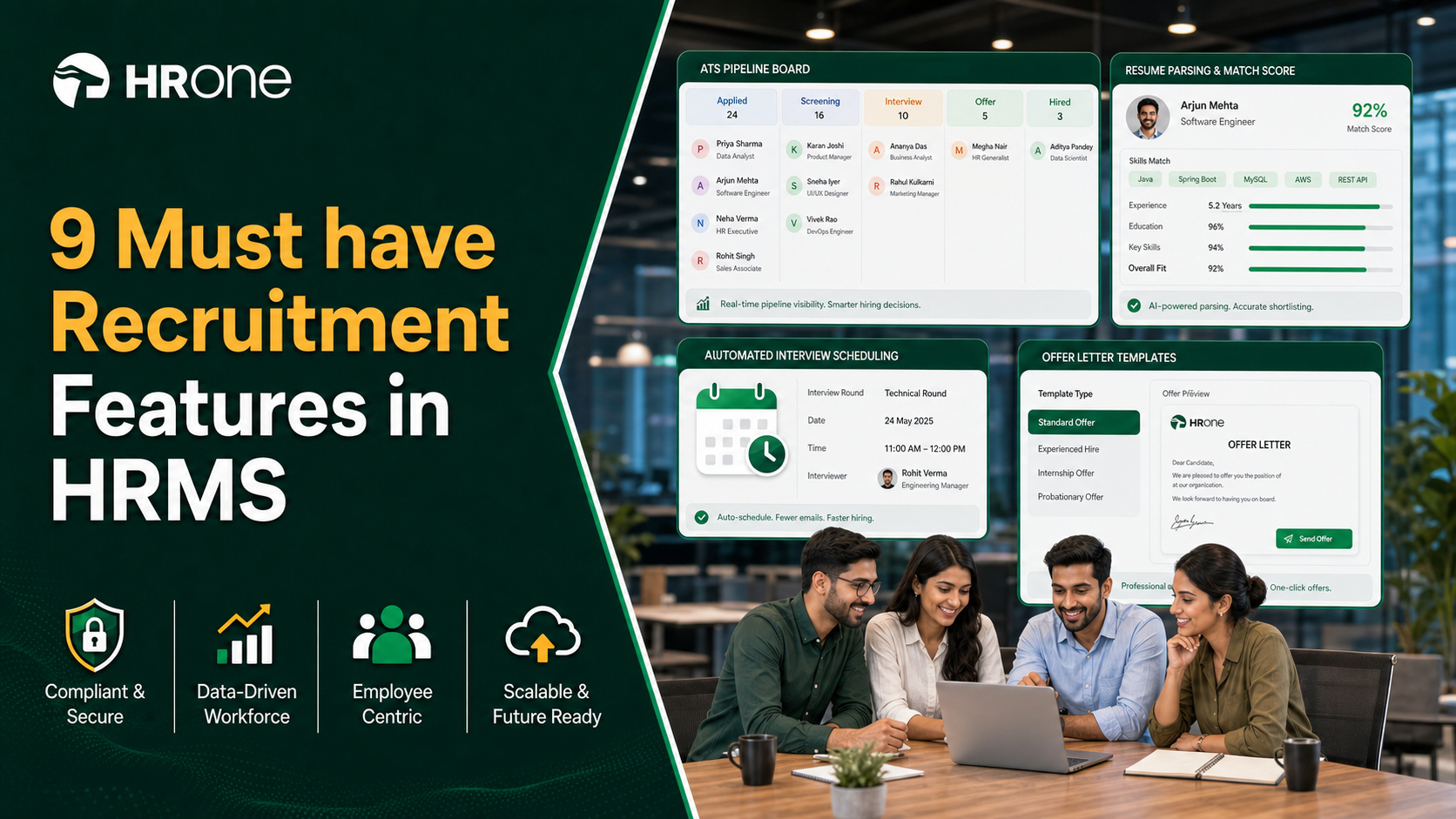
Q1: What are the 9 best recruitment software (HRMS with recruitment) for mid-sized Indian organizations in 2026, and how were they scored?
The nine best recruitment-capable HRMS for mid-sized Indian firms in 2026 are HROne (5★), Keka, Darwinbox, greytHR, Zoho People, PeopleStrong, ZingHR, BambooHR, and SAP SuccessFactors. We scored each on Recruitment depth and AI (25%), India compliance and payroll (20%), Scalability and automation (20%), Implementation and support (20%), and Pricing transparency (15%). HROne leads by treating recruitment as page one of the hire-to-retire lifecycle, not a standalone tool.
Choosing recruitment software is a high-stakes call for a scaling Indian firm, because a slow, person-dependent hiring desk loses candidates to faster rivals and buries HR in manual tracking. For this guide, we evaluated nine HRMS platforms that ship a recruitment or ATS (applicant tracking system, the tool that manages applications) module against defined operator criteria. It is written for the recruiter and HR ops lead who live inside the tool daily, with the CHRO, CFO, and IT Director reading over their shoulder.
📋 Our Evaluation Criteria
We scored each vendor on decision-grade, operator-relevant metrics, not glossy feature counts. Each of the five criteria carries a weight, and the five add up to 100.
- Recruitment depth and AI (25%) ⭐ Resume parsing, AI relevancy scoring, knockout screening, and how far the ATS reaches into onboarding.
- India compliance and payroll (20%) 🇮🇳 PF, ESI, TDS handling, multi-state and multi-entity support, and how cleanly hiring feeds compliant onboarding.
- Scalability and automation (20%) ⚙️ Pre-built workflows, multi-entity config, and behaviour at 500 to 5,000 employees.
- Implementation and support (20%) 🤝 Go-live speed, support model, and migration reality.
- Pricing transparency (15%) 💰 Clarity of published pricing, lock-in terms, and when billing starts.
⭐ How the star ratings work
We converted each vendor’s weighted score into stars. Tools scoring 81 to 100 earn 5 stars, 61 to 80 earn 4 stars, 41 to 60 earn 3 stars, 21 to 40 earn 2 stars, and 0 to 20 earn 1 star.
The 9 best recruitment-capable HRMS for mid-sized India (2026)
| Provider (★) | Best For | Standout Strength | Known Limitation | AI / Recruitment Depth | Support Model | Pricing Model |
|---|---|---|---|---|---|---|
| HROne ⭐⭐⭐⭐⭐ | HR ops leads moving from a person-dependent desk to a system-dependent hiring engine | Recruitment sits inside a full hire-to-retire suite with AI relevancy scoring and 127 pre-built workflows | Some modules carry a learning curve for first-time users | AI relevancy stacking (up to 97%), knockout screening, JD and interview generators | Phone + email + dedicated HR SPOC (9.8 NPS) | Flat PEPM, no lock-in, billing starts after go-live |
| Keka ⭐⭐⭐ | SMB-to-mid teams wanting polished UX on core payroll | Intuitive interface and strong statutory payroll automation | Delayed, poorly coordinated implementation and weekend support gaps | Keka Hiro ATS with offer-letter workflows | Email + chat; escalation gaps reported | Per-employee/month, quote-based tiers |
| Darwinbox ⭐⭐⭐⭐ | Large enterprises wanting one branded platform across geographies | Broad module suite with a customizable, mobile-friendly interface | Tab and email juggling, slow bulk processing, billing from day one | Full ATS with recruitment tracking (needs training) | Vendor-led; support quality inconsistent | Quote-based, multi-year contracts |
| greytHR ⭐⭐⭐ | Small Indian firms needing dependable payslips and leave | Simple, stable payroll and leave for straightforward setups | Limited workflows, rigid customization, thin support | Basic recruitment; limited AI | Ticket + email; escalation matrix weak | Per-employee/month, published tiers |
| Zoho People ⭐⭐⭐ | Existing Zoho-stack teams wanting cheap breadth | Deep integration with Zoho Recruit and Zoho Payroll | Shallow feature depth and slow support responses | Via Zoho Recruit add-on, not native depth | Email; support delays reported | Per-user/month, freemium tier |
| PeopleStrong ⭐⭐⭐⭐ | Indian enterprises wanting an India-built talent suite | Strong India enterprise footprint and talent-tech depth | Heavier setup; better fit above the mid-market | Native ATS with AI matching | Vendor + partner-led | Quote-based |
| ZingHR ⭐⭐ | Enterprises wanting hire-to-retire breadth on a budget | Wide module range including learning and performance | Dated UI, slow servers, weak support and long implementation | Recruitment module with tax and payroll tools | Email; delayed responses reported | Quote-based |
| BambooHR ⭐⭐⭐ | Small global teams wanting simple core HR | Clean UX and easy time-off and document workflows | US-centric, weak India payroll, rising prices, no multi-state compliance | Basic recruiting and onboarding | Email + chat | Per-employee/month, quote-based |
| SAP SuccessFactors ⭐⭐ | Global corporations already standardized on SAP | Enterprise-grade breadth and international process depth | Costly customization via third parties, steep learning curve, dated UX | Full recruiting suite (reporting is hard to configure) | Ticket-based; low-touch | Quote-based, enterprise contracts |
A quick honesty note on the scoring. The reviews below are a deliberate mix of 5-star praise and 1- and 2-star complaints, because a table that only shows applause is useless when your money is real and sitting in this decision. Where a vendor leads on brand or simplicity, I have said so, then shown where the operating model creaks for a 100 to 5,000 employee Indian firm.
My honest read, after building HR teams and watching where they break, is that recruitment inside an HRMS beats a bolted-on ATS for scaling firms. When hiring lives in the same system as onboarding and payroll, the accepted offer flows straight into one employee record, so nobody re-keys a name three times. As Karan Jain puts it, we do not sell just recruitment, because the customer gets the right ROI only when hiring is page one of a connected lifecycle, not a separate island. I might overweight this for very small teams, but for the mid-market it is the difference between a system and a stack of five tools that cannot talk to each other.
1.1 HROne (5★)
HROne, the complete hire-to-retire operating system where recruitment is page one, not a bolt-on.
Overview
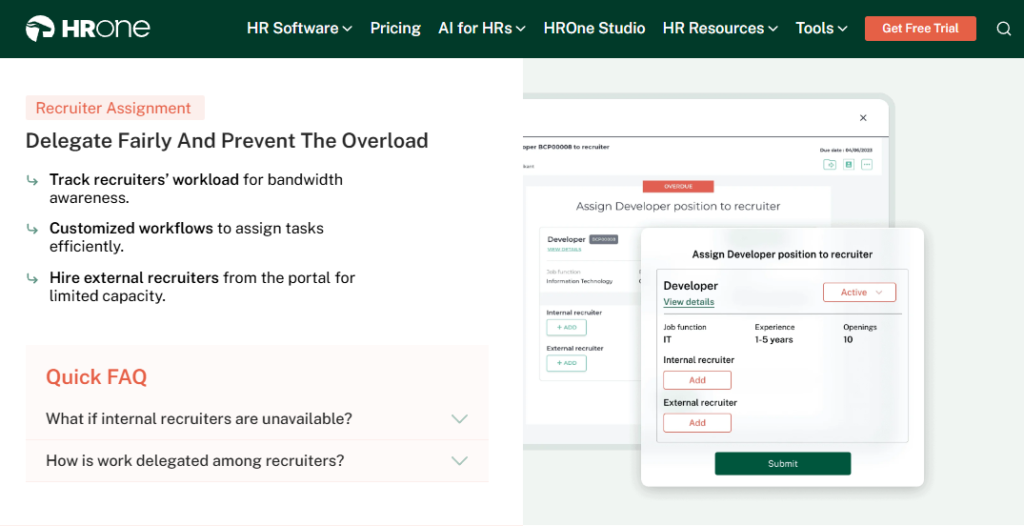
HROne is a cloud-based, mobile-first HCM (Human Capital Management, software covering the full employee lifecycle) built in India and launched in 2016. It serves mid-market and enterprise firms of roughly 100 to 5,000 employees, with 1,500+ brands live including MR DIY India and Asia Healthcare Holdings. On G2, HROne ranks 3rd out of 1.17 lakh software products for customer satisfaction and 3rd for easiest-to-use Core HR. It is primarily used by HR teams tired of reconciling five disconnected tools by hand.
Core Services
- One AI Suite, stacks the most relevant CVs on top with a visible relevancy score (for example 97%, 94%, 88%) and the reasons why, so recruiters stop reading every resume manually.
- 127 pre-built workflows, defines who does what and by when across onboarding, confirmation, transfer, promotion, and exit, removing the manual chasing of managers over email.
- Recruitment-to-onboarding handoff, copies the accepted offer into the salary structure automatically, killing duplicate data entry between hiring and payroll.
- Knockout pre-screening, filters candidates against non-negotiable criteria before a human opens a CV, shrinking the shortlist pile.
- Super Inbox, surfaces every pending task in one Gmail-style screen closed within three clicks, replacing tab-switching across 5+ tools.
- India’s first inbuilt ROI Dashboard, calculates lifetime hours saved against average HR salary, so the CHRO walks into a board review with rupee savings already quantified.
- HROne ships 30+ modules and 127 workflows, so the breadth spans Core HR, Recruitment, Workforce, Payroll, Performance, Engagement, and more on one instance.
🇮🇳 India-Specific Compliance and Localization
- PF / ESI / TDS: Yes (automated calculation, filing, and reconciliation)
- Labour law compliance: Strong (built for Indian statutory reality)
- Payroll localization: Yes (CTC revisions, FBP declarations, group payout validations)
- Multi-state compliance: Yes (multi-legal-entity setup on a single instance)
👥 Who This Is Built For
- Recruiters firefighting a 10-day manual screen while candidates accept faster offers elsewhere.
- HR ops leads stitching a disconnected ATS to payroll software and re-keying every new hire’s data.
- CHROs who need to prove hours and rupees saved to a skeptical board.
🚫 Who Should Skip This
- Sub-100-employee startups wanting a lightweight, spreadsheet-style tool without structured workflows.
- Teams needing only a standalone ATS with no interest in a full HR suite.
Pricing Structure
- Plan Type(s): Flat per-employee-per-month (PEPM), modular bundles.
- Starting Price: Not publicly disclosed as a fixed figure. Request a quote; billing is PEPM.
- Tier-wise Breakdown: Bundled by module set; 98% of customers run the four core modules (Core HR, Workforce, Time Office, Payroll) together.
- Incremental Cost Drivers: Additional modules and AI add-ons; no per-entity penalty for multi-legal-entity setups.
- Implementation Fee: Not separately metered; subscription starts only after go-live.
- Cost at 200 Employees: Not publicly disclosed, request a quote. Cost at 500 Employees: Not publicly disclosed, request a quote.
Implementation and Support Reality
- Go-live in as little as 30 days, led by prior-HR onboarding consultants who know the domain.
- Support via phone, email, and a dedicated HR SPOC (single point of contact), not an anonymous ticket queue.
- Data migration is vendor-led; one reviewer moved off an old ERP “in fraction of hours.”
- Support model maintains a 9.8 NPS.
Reviews
“I love HROne for its cost efficiency and holistic approach, which is why I prefer it over other vendors like Workday… the recruitment module has automated onboarding, greatly boosting efficiency.”
Priyanka S., HR HROne G2 Verified Review
“Certain features take time to understand, and without enough guided support, the learning curve can feel quite steep.”
Nijanthan R. (3.5/5) HROne G2 Verified Review
A note on where HROne fits this section: the reason HROne tops a recruitment features list is that its recruitment desk does not end at the offer letter. The One AI Suite scores CVs, the offer auto-populates the salary structure, and 127 workflows carry the hire into onboarding, so a scaling team gets one connected record instead of a hiring silo. That is the practical meaning of “page one of the lifecycle.”
1.2 Keka (⭐⭐⭐)
Keka, polished-UX HRMS for SMB-to-mid teams that value core payroll over deep recruitment.
Overview
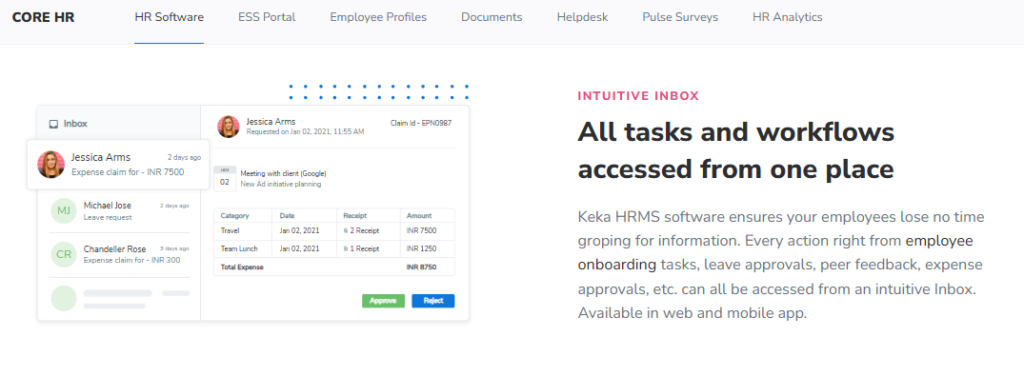
Keka is an India-based HRMS known for an intuitive interface and strong statutory payroll, serving SMB and mid-market firms. Its recruitment layer, Keka Hiro, handles hiring approvals and offer-letter workflows. On G2, reviewers consistently praise the UI while flagging implementation and support gaps, and Keka sits well below HROne on overall satisfaction. It is primarily used by teams that want a clean portal for attendance and payroll, and are willing to trade some depth for surface polish. Buyers weighing this often compare the HROne vs Keka operating model.
Core Services
- Payroll engine, automates PF, ESI, and TDS with statutory compliance, reducing month-end reconciliation errors.
- Keka Hiro (ATS), tracks resource management and automates hiring approvals and offer-letter workflows.
- Attendance and leave, standard tracking with a mobile app for daily punches.
- Document generation, generates most HR documents in-system to cut paperwork.
- Employee surveys, runs satisfaction surveys and basic KRA/KPI setup.
🇮🇳 India-Specific Compliance and Localization
- PF / ESI / TDS: Yes (automated salary and statutory processing)
- Labour law compliance: Moderate (solid core payroll, some gaps reported)
- Payroll localization: Yes, but reviewers flag incentive and CTC-display quirks
- Multi-state compliance: Partial (issues reported around zones and RBI regulation edge cases)
👥 Who This Is Built For
- Payroll managers who want clean statutory automation with a friendly interface.
- Small-to-mid HR teams prioritizing UX polish over deep configuration.
🚫 Who Should Skip This
- IT consulting or heavily customized firms; one long-time user noted “Keka is not built to service IT consulting firms.”
- Teams that need weekend support or fast, structured implementation.
Pricing Structure
- Plan Type(s): Tiered per-employee/month plans (Foundation, Strength, Growth as published by Keka).
- Starting Price: Not publicly disclosed as a fixed figure, request a quote.
- Tier-wise Breakdown: Module bundles rise with tier; recruitment and PMS in higher tiers.
- Incremental Cost Drivers: Add-on modules and higher tiers for advanced hiring and performance.
- Implementation Fee: Reported separately; several users cite slow, drawn-out setup.
- Cost at 200 Employees: Not publicly disclosed, request a quote. Cost at 500 Employees: Not publicly disclosed, request a quote.
Implementation and Support Reality
- Reviewers report multi-month implementations stalling; one firm could not go live months after signing.
- Support is email and chat, with no phone POC during weekends per one operator.
- Escalation is a recurring pain: issues “never escalated and taken seriously.”
- Payroll and compliance automation is the most praised area when live.
Reviews
“Strong payroll and compliance… automate salary and attendance processing with PF/ESI/TDS. Responsive support team. PMS module is confusing and needs to be simpler.”
Kiran B. (3/5) Keka G2 Verified Review
“We started working with Keka HRMS in August, and to this day, we have been unable to implement the tool… consistently delayed responses and poor coordination between their internal teams.”
Divya P. (0/5) Keka G2 Verified Review
Where this leaves the buyer: Keka is a genuinely pleasant portal for core payroll, and I will not pretend otherwise. The gap for a scaling firm shows up at implementation and support, where email threads and slow escalation leave teams stuck during the exact migration weeks when they need a named human. That contrast, a prior-HR SPOC versus an email queue, is where the recruitment-inside-a-connected-system argument gets practical, and it is a core reason teams evaluate Keka alternatives in India.
1.3 Darwinbox (⭐⭐⭐⭐)
Darwinbox, enterprise-brand HRMS for large firms wanting one platform across geographies.
Overview
Darwinbox is a well-known enterprise HCM used by large organizations across Asia. Reviewers praise its broad module suite and mobile app, while flagging slower performance and inconsistent support. It carries genuine enterprise brand weight, so it often lands on shortlists above the mid-market. On G2, users describe it as a one-stop platform that centralizes scattered HR processes. It is primarily used by teams replacing a patchwork of Excel sheets and legacy tools with a single system. Buyers often weigh the HROne vs Darwinbox operating model before deciding.
Core Services
- Recruitment tracking (ATS), manages hiring and onboarding, though reviewers note it needs training to use fully.
- Unified HR platform, brings attendance, payroll, and performance onto one screen, reducing tool-switching.
- Customizable workflows, adapts to internal processes with limited technical help.
- Mobile app, handles leave, attendance, and payslips on the go.
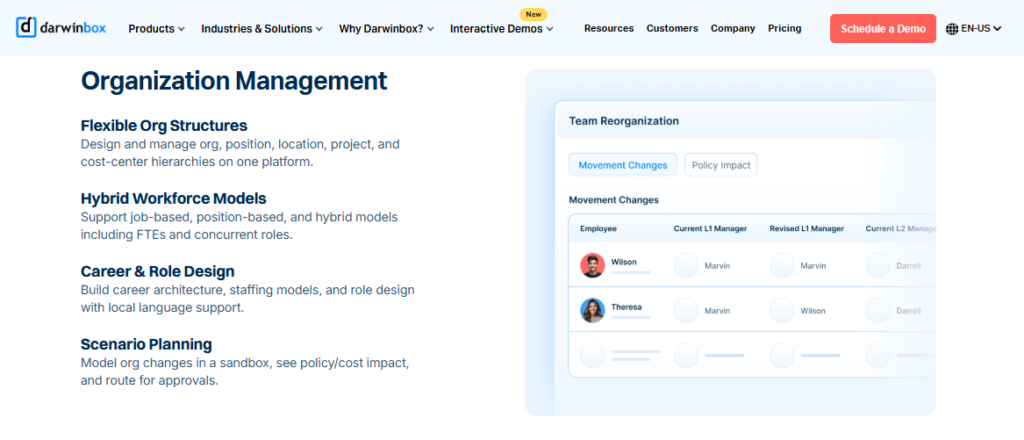
- Org structure and directory, maps reporting lines so employees see their place in the company.
🇮🇳 India-Specific Compliance and Localization
- PF / ESI / TDS: Yes (India-built, statutory payroll supported)
- Labour law compliance: Strong (enterprise-grade Indian coverage)
- Payroll localization: Yes
- Multi-state compliance: Yes (multi-geography enterprise config)
👥 Who This Is Built For
- Enterprise HR leaders replacing scattered Excel and legacy tools with one platform.
- Managers who want bulk leave and attendance approvals in a single view.
🚫 Who Should Skip This
- Cost-sensitive mid-market teams wary of day-one billing and multi-year lock-ins.
- Teams needing snappy performance during bulk-data crunches, which reviewers flag as slow.
Pricing Structure
- Plan Type(s): Quote-based enterprise plans.
- Starting Price: Not publicly disclosed, request a quote.
- Tier-wise Breakdown: Bundled by module scope and headcount, negotiated per contract.
- Incremental Cost Drivers: Add-on modules and implementation services; billing reported from day one of purchase.
- Implementation Fee: Yes, typically bundled into enterprise contracts; implementation can drag.
- Cost at 200 Employees: Not publicly disclosed, request a quote. Cost at 500 Employees: Not publicly disclosed, request a quote.
Implementation and Support Reality
- Enterprise implementations can run long; one reviewer called migration “quite difficult.”
- Support is vendor-led, with quality described as inconsistent by several users.
- Data migration is vendor-managed.
- Multi-year contracts are common, with limited ROI instrumentation to justify spend.
Reviews
“Darwinbox has made HR processes much smoother by bringing everything together on one platform… Pages sometimes load slowly, and reporting has limited customization.”
Saksham A. (4/5) Darwinbox G2 Verified Review
“Bad implementation experience, bad UI/UX, configurations getting broken in production on its own… terrible customer service. Basically everything.”
Verified User in Computer Software (0/5) Darwinbox G2 Verified Review
Where this leaves the buyer: Darwinbox earns its enterprise reputation on breadth, and I will not take that away from it. The gap for a 100 to 5,000 employee firm is the operating model: day-one billing while implementation drags, and no built-in way to prove ROI to the board. That is exactly the blind spot India’s first inbuilt ROI calculator was built to close.
1.4 greytHR (⭐⭐⭐)
greytHR, dependable SMB payroll and leave tool for straightforward Indian setups.
Overview
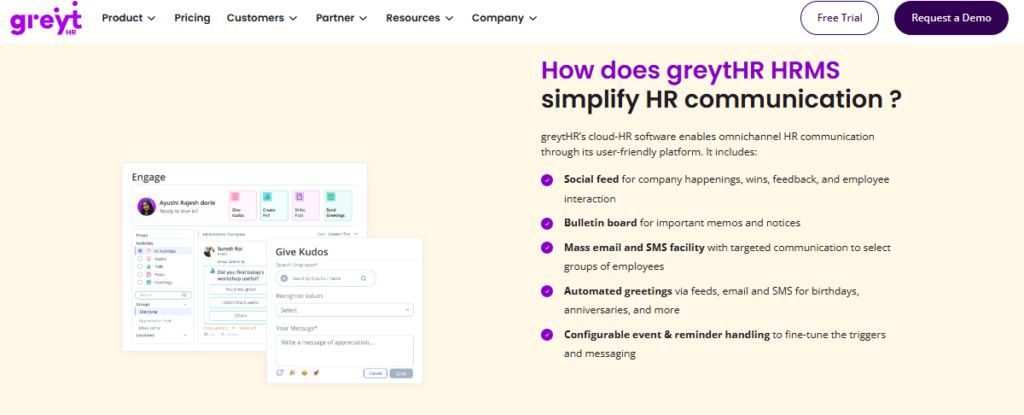
greytHR is a long-standing Indian HR and payroll platform popular with small firms. Reviewers value its simple payslip and leave management, while consistently flagging limited customization and thin support. It suits companies with uncomplicated policies rather than multi-entity or shift-heavy operations. On G2, users describe it as a single point for basic HR activities. It is primarily used by teams that need reliable statutory payroll without heavy workflow demands, though many outgrow it and evaluate greytHR alternatives in India.
Core Services
- Payroll and payslips, processes salary and statutory payslips, cutting manual payroll math.
- Leave and attendance, manages leave balances and holidays in one portal.
- Employee self-service, lets staff pull payslips and tax details without pinging HR.
- Tax declarations, supports employee tax regime selection at login.
- Basic onboarding, automates initiation and document collection for new joiners.
🇮🇳 India-Specific Compliance and Localization
- PF / ESI / TDS: Yes (core statutory payroll), though TDS revision is limited
- Labour law compliance: Moderate (fine for simple setups)
- Payroll localization: Yes, with reported CTC-visibility gaps
- Multi-state compliance: Limited (rigid configuration for complex realities)
👥 Who This Is Built For
- Small-firm HR generalists needing dependable payslips and leave tracking.
- Teams with simple, single-entity policies and low customization needs.
🚫 Who Should Skip This
- Multi-legal-entity or shift-based manufacturing firms hitting workflow ceilings.
- Teams that need managers to act on behalf of direct reports, which reviewers say is missing.
Pricing Structure
- Plan Type(s): Published per-employee/month tiers.
- Starting Price: Not publicly disclosed as a fixed figure here, check greytHR’s pricing page.
- Tier-wise Breakdown: Module scope rises with tier; core payroll in lower tiers.
- Incremental Cost Drivers: Add-on modules and higher tiers for advanced features.
- Implementation Fee: Reported; several users cite configuration struggles at setup.
- Cost at 200 Employees: Not publicly disclosed, request a quote. Cost at 500 Employees: Not publicly disclosed, request a quote.
Implementation and Support Reality
- Implementation reported as configuration-heavy, with manual leave-balance corrections.
- Support is ticket and email, with reviewers citing under-trained teams and no escalation matrix.
- Data migration is self-serve or vendor-assisted.
- Customization is rigid, forcing manual workarounds.
Reviews
“Extremely poor customer support… Managers can’t mark leaves on behalf of their direct reports, unlike other HR tools where they cover this as a basic feature.”
Verified User in IT and Services (2/5) greytHR G2 Verified Review
“GreytHR is fine software for payroll processing and I have been using since 10 years… Reporting configuration, TDS filing, revising of TDS is not possible.”
Krishnanand B. (3/5) greytHR G2 Verified Review
Where this leaves the buyer: greytHR is a fair pick for a small firm with simple payroll, and plenty of teams run it for years. The wall appears the moment a multi-entity or shift-based reality arrives, where limited workflows and rigid config force manual fixes. That is the “solves one problem, leaves the other nine on your plate” gap that 127 connected HR process automation workflows are designed to remove.
1.5 Zoho People (⭐⭐⭐)
Zoho People, cheap, broad HR tool for teams already living inside the Zoho stack.
Overview
Zoho People is the HR module within Zoho’s large app ecosystem, valued for breadth and low price. Its recruitment strength comes from integration with Zoho Recruit and Zoho Payroll rather than native depth. Reviewers praise easy attendance and leave management, while flagging shallow features and slow support. It fits teams already committed to Zoho apps. It is primarily used by cost-conscious firms wanting HR bundled with other Zoho tools.
Core Services
- Attendance and leave, digitizes requests with direct approve or reject, cutting HR coordination.
- Onboarding, lets candidates self-enter data, completing onboarding within a day.
- Zoho ecosystem integration, connects Zoho Recruit and Zoho Payroll for hiring-to-pay flow.
- Business-unit organization, sorts employee data by unit for easier management.
- Self-service leave balances, lets employees check balances, cutting repetitive emails.
🇮🇳 India-Specific Compliance and Localization
- PF / ESI / TDS: Partial (via Zoho Payroll integration, not deep native depth)
- Labour law compliance: Moderate (global generalist, lighter on India specifics)
- Payroll localization: Partial (CTC revisions and FBP under-served)
- Multi-state compliance: Limited
👥 Who This Is Built For
- HR teams already standardized on Zoho apps wanting one connected stack.
- Cost-conscious firms prioritizing breadth and price over feature depth.
🚫 Who Should Skip This
- Compliance-heavy manufacturing or BFSI firms needing deep India-specific payroll.
- Teams needing fast, reliable support, which reviewers repeatedly flag as slow.
Pricing Structure
- Plan Type(s): Per-user/month plans plus a freemium tier.
- Starting Price: Published per-user/month on Zoho’s pricing page; reviewers found tier fit confusing.
- Tier-wise Breakdown: Feature depth rises with tier; recruitment via separate Zoho Recruit.
- Incremental Cost Drivers: Add-on Zoho apps (Recruit, Payroll) billed separately.
- Implementation Fee: Largely self-serve; setup eased by instructional videos.
- Cost at 200 Employees: Not publicly disclosed, request a quote. Cost at 500 Employees: Not publicly disclosed, request a quote.
Implementation and Support Reality
- Setup is self-serve with instructional videos; onboarding can finish quickly.
- Support is email-led, with reviewers citing long response times and SLA misses.
- Data migration is self-serve.
- Mobile app is limited, missing many web features per reviewers.
Reviews
“What I appreciate most about Zoho People is its onboarding… The biggest drawback for me has been the lack of customer support. Whenever I try to reach out, it often takes a long time.”
Dhana C. (4/5) Zoho People G2 Verified Review
“Features are shallow and there is no depth in each application.”
Verified User in IT and Services (2.5/5) Zoho People G2 Verified Review
Where this leaves the buyer: Zoho People is a sensible default if you already run Zoho, and the price is hard to argue with. The trade-off is depth: India-specific CTC revisions, FBP declarations, and compliance-heavy workflows get under-served by a global generalist. For a scaling Indian mid-market firm, that shallow depth is where month-end reconciliation pain quietly returns, which is why teams built for Indian statute lean on dedicated statutory compliance software.
1.6 PeopleStrong (⭐⭐⭐⭐)
PeopleStrong, India-built enterprise talent suite for larger organizations.
Overview
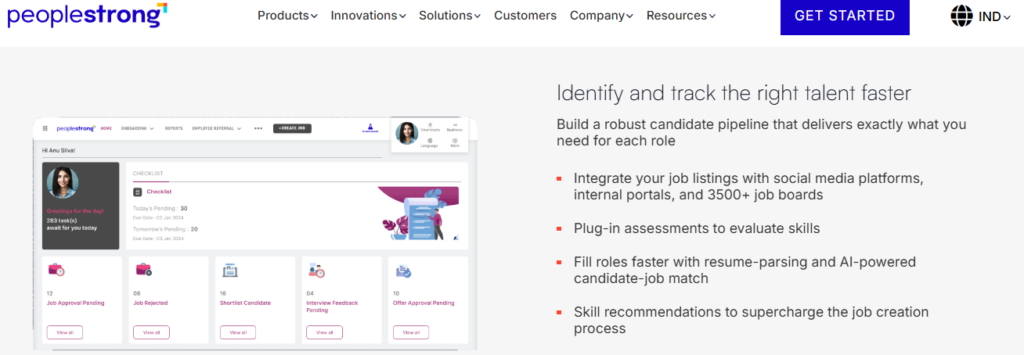
PeopleStrong is an Indian enterprise HCM with a strong domestic footprint and deep talent-tech features. It carries a native ATS with AI-assisted matching and is often shortlisted by large Indian enterprises. Its setup tends to be heavier, fitting organizations at the upper end of the mid-market and above. It is primarily used by enterprise HR teams wanting an India-built alternative to global suites, with talent acquisition as a core strength rather than an afterthought. Buyers frequently line it up in an HROne vs PeopleStrong comparison.
Core Services
- Native ATS with AI matching, screens and ranks candidates, reducing manual shortlisting.
- Talent management suite, covers performance and learning alongside recruitment.
- Core HR and payroll, handles the Indian employee lifecycle on one platform.
- Mobile access, supports self-service and approvals on the go.
- Analytics, surfaces workforce metrics for enterprise decision-making.
🇮🇳 India-Specific Compliance and Localization
- PF / ESI / TDS: Yes (India-built statutory support)
- Labour law compliance: Strong (enterprise Indian coverage)
- Payroll localization: Yes
- Multi-state compliance: Yes
👥 Who This Is Built For
- Enterprise HR leaders wanting an India-built talent suite with deep recruitment.
- Large firms consolidating talent acquisition, performance, and learning in one place.
🚫 Who Should Skip This
- Lean mid-market teams wanting a light, fast setup rather than an enterprise rollout.
- Firms wanting a simple recruitment add-on without a full talent-tech commitment.
Pricing Structure
- Plan Type(s): Quote-based enterprise plans.
- Starting Price: Not publicly disclosed, request a quote.
- Tier-wise Breakdown: Negotiated by module scope and headcount.
- Incremental Cost Drivers: Add-on modules and enterprise services.
- Implementation Fee: Typically bundled into enterprise contracts.
- Cost at 200 Employees: Not publicly disclosed, request a quote. Cost at 500 Employees: Not publicly disclosed, request a quote.
Implementation and Support Reality
- Enterprise-grade implementations tend to run longer than lean mid-market rollouts.
- Support is vendor and partner-led.
- Data migration is vendor-managed.
- Best fit sits at the upper end of, or just above, the mid-market band.
Where this leaves the buyer: PeopleStrong is a credible India-built enterprise choice, and its recruitment depth is real. The question for a 100 to 5,000 employee firm is fit and effort: an enterprise rollout can be heavier than the mid-market needs. HROne targets that exact band with a 30-day go-live and billing that starts only after you are live, which is worth weighing against the typical HRMS implementation timeline.
1.7 ZingHR (⭐⭐)
ZingHR, budget hire-to-retire breadth for enterprises willing to trade polish for range.
Overview
ZingHR is an Indian HCM offering wide module coverage across the employee lifecycle at competitive pricing. Reviewers value the breadth, including recruitment, learning, and performance, while flagging a dated interface, slow servers, and support delays. It appeals to enterprises wanting many modules on one contract. It is primarily used by cost-driven HR teams that prioritize module range over interface polish and fast support. Teams frustrated by that trade-off often scan ZingHR alternatives.
Core Services
- Recruitment module, manages hiring alongside payroll and tax tools.
- Payroll and compliance, handles statutory processing across the lifecycle.
- Learning and performance, bundles L&D and appraisals into the suite.
- Mobile access, supports employee self-service.
- Broad module range, covers hire-to-retire on a single contract.
🇮🇳 India-Specific Compliance and Localization
- PF / ESI / TDS: Yes (India-built statutory support)
- Labour law compliance: Moderate
- Payroll localization: Yes
- Multi-state compliance: Partial
👥 Who This Is Built For
- Cost-driven enterprise HR teams wanting broad module coverage on one contract.
- Firms that value range over interface polish.
🚫 Who Should Skip This
- Teams that need a modern, fast interface and snappy performance.
- Firms relying on quick, responsive support during migration.
Pricing Structure
- Plan Type(s): Quote-based plans.
- Starting Price: Not publicly disclosed, request a quote.
- Tier-wise Breakdown: Negotiated by module scope and headcount.
- Incremental Cost Drivers: Add-on modules and enterprise services.
- Implementation Fee: Reported; implementation can run long.
- Cost at 200 Employees: Not publicly disclosed, request a quote. Cost at 500 Employees: Not publicly disclosed, request a quote.
Implementation and Support Reality
- Implementation reported as lengthy by some users.
- Support is email-led, with reviewers citing delayed responses.
- Data migration is vendor-led.
- Interface and server speed are recurring complaints.
Where this leaves the buyer: ZingHR gives you range for the money, and for some budget-first enterprises that is enough. The catch is the day-to-day experience: dated UI, slow servers, and support lag turn breadth into friction. Breadth only compounds when every module is fast and connected, which is the whole point of the HR inbox closing tasks in three clicks.
1.8 BambooHR (⭐⭐⭐)
BambooHR, clean, simple core HR for small global teams, light on India payroll.
Overview
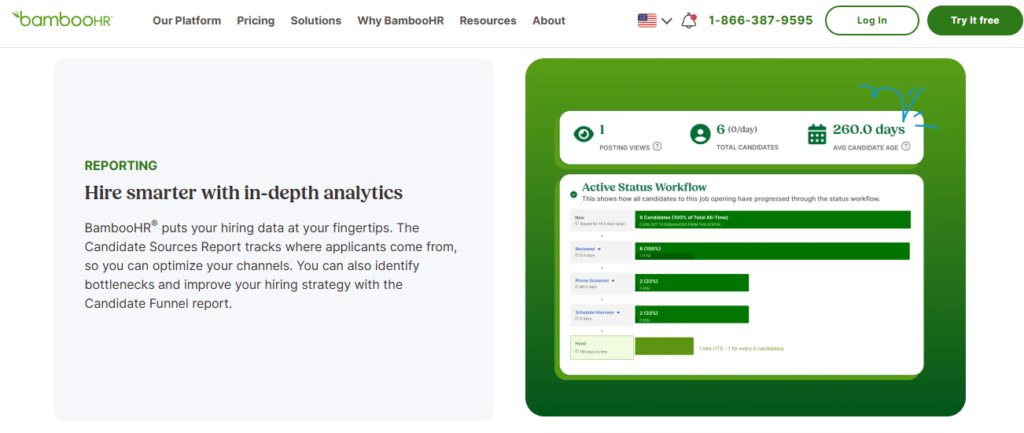
BambooHR is a widely used global HR platform known for a clean interface and easy core HR. It handles time-off and documents well but is US-centric, with weak India-specific payroll. Reviewers flag rising prices and search performance issues at scale. It suits small international teams rather than compliance-heavy Indian mid-market firms. It is primarily used by small companies wanting simple people management without deep statutory payroll.
Core Services
- Time-off management, approves leave from email in one click, cutting admin.
- Employee records, stores people data with custom fields.
- Basic recruiting and onboarding, manages hiring and new-joiner flows.
- Reporting, surfaces standard HR metrics.
- Mobile access, supports self-service on the go.
🇮🇳 India-Specific Compliance and Localization
- PF / ESI / TDS: No (US-centric, weak India payroll)
- Labour law compliance: Limited (not built for Indian statutory reality)
- Payroll localization: No
- Multi-state compliance: No
👥 Who This Is Built For
- Small global teams wanting clean core HR and easy time-off.
- Companies whose payroll runs outside India or through a separate system.
🚫 Who Should Skip This
- Indian firms needing PF, ESI, TDS, and multi-state statutory payroll.
- Larger teams sensitive to steep annual price increases.
Pricing Structure
- Plan Type(s): Per-employee/month plans, quote-based.
- Starting Price: Published per-employee/month on BambooHR’s site; billing annual.
- Tier-wise Breakdown: Core and advanced plans; payroll add-on is US-focused.
- Incremental Cost Drivers: Add-on modules; reviewers cite repeated annual price hikes.
- Implementation Fee: Varies by plan.
- Cost at 200 Employees: Not publicly disclosed, request a quote. Cost at 500 Employees: Not publicly disclosed, request a quote.
Implementation and Support Reality
- Setup is relatively quick for small teams.
- Support is email and chat.
- Data migration is self-serve or vendor-assisted.
- Reviewers report search slowing as data volume grows.
Reviews
“Biggest issue is how much they have increased prices and continue to do so. They know that switching HRMS is painful.”
Josh A. (0/5) BambooHR G2 Verified Review
“When searching for names it takes forever… the more info we are adding into BHR the more it becomes slower.”
Verified User in Construction (1/5) BambooHR G2 Verified Review
Where this leaves the buyer: BambooHR is genuinely pleasant for small global teams, and its time-off flow is a nice touch. For an Indian mid-market firm, the deal-breaker is compliance: no native PF, ESI, TDS, or multi-state handling. Recruitment features matter little if the hire cannot flow into India-compliant payroll software, which is why we treat that boundary as non-negotiable.
1.9 SAP SuccessFactors (⭐⭐)
SAP SuccessFactors, enterprise-grade global suite for corporations already standardized on SAP.
Overview
SAP SuccessFactors is a global enterprise HCM built for large, multinational corporations. It offers deep recruiting and international process breadth, but is often over-engineered for the 100 to 5,000 employee band. Reviewers cite costly third-party customization, a steep learning curve, and dated UX. It fits organizations already committed to SAP. It is primarily used by global enterprises needing standardized processes across many countries rather than agile mid-market teams. Indian buyers frequently research SAP SuccessFactors alternatives in India.
Core Services
- Recruiting suite, full ATS with global hiring workflows.
- Core HR and payroll, supports multi-country processes.
- Performance and learning, enterprise talent modules.
- Analytics, deep reporting, though configuration is hard per reviewers.
- SAP ecosystem fit, integrates with existing SAP landscapes.
🇮🇳 India-Specific Compliance and Localization
- PF / ESI / TDS: Yes (via localization, often needing developer setup)
- Labour law compliance: Strong, but configuration-heavy
- Payroll localization: Yes
- Multi-state compliance: Yes
👥 Who This Is Built For
- Global corporations standardizing HR across many countries.
- Enterprises already invested in the SAP ecosystem.
🚫 Who Should Skip This
- Mid-market teams wanting to change a leave policy without a back-end developer.
- Firms needing fast implementation and a modern, low-friction interface.
Pricing Structure
- Plan Type(s): Quote-based enterprise contracts.
- Starting Price: Not publicly disclosed, request a quote.
- Tier-wise Breakdown: Negotiated by module and headcount.
- Incremental Cost Drivers: Third-party customization, implementation partners, add-on modules.
- Implementation Fee: Yes, often substantial and partner-delivered.
- Cost at 200 Employees: Not publicly disclosed, request a quote. Cost at 500 Employees: Not publicly disclosed, request a quote.
Implementation and Support Reality
- Implementations are long and typically partner-delivered.
- Support is ticket-based and low-touch.
- Data migration is partner-led.
- Changing routine settings can require developer involvement.
Where this leaves the buyer: SuccessFactors is a serious global suite, and for a true multinational it earns its place. For a 100 to 5,000 employee Indian firm, it is over-engineered: needing a developer to change a leave policy and bleeding fees during long implementation. That gap between enterprise heft and mid-market agility is precisely the band HROne is tuned for, with flat PEPM pricing and no lock-in.
Q2: Why do scaling mid-sized Indian firms outgrow manual and ATS-only recruitment?
Mid-sized Indian firms outgrow manual and ATS-only recruitment when hiring volume makes person-dependence a liability. A 10-day manual screen loses top candidates, data sits inconsistent across spreadsheets, and HR burns 150% of its time chasing updates instead of closing roles. The fix is a system-dependent engine where recruitment feeds one connected employee record, not a disconnected ATS (applicant tracking system, the tool that manages applications).
⏰ The 10-day screen that costs you the hire
Here is the pain, plainly. When one person owns the recruitment desk and works off Word and Excel, a screen can drag for ten days. By then, your best candidate has accepted a faster offer elsewhere.
That is the risk of a person-dependent desk. If that person takes leave, the pipeline stalls, and nobody else knows where a candidate stands.
⚠️ When your own data stops being trustworthy
Now let me agitate it, because it gets worse than slow. The real anxiety I hear from HR leaders is that they stop trusting their own numbers.
One HR head described it as “inconsistent data, missing information,” where “every initiative had to be manually tracked.” When the data is shaky, the analytics built on it are shaky too, and a CHRO cannot walk into a board review confident of a single figure. Modern HR analytics tools only help when the underlying record is clean.
✅ Why a single employee record beats a bolt-on ATS
Here is the distinction that matters. A standalone ATS handles applications, then hands off to a payroll tool that cannot read it, so someone re-keys the same name three times.
A system-dependent engine keeps recruitment inside the HRMS (the software covering the full employee lifecycle). The accepted offer becomes one connected employee record, and no data gets retyped between “softwares could not talk to each other.” That is the core promise of a proper employee management system.
🧭 What the nine features fix, stage by stage
The rest of this article maps nine must-have features to that shift, grouped by hiring stage. You will see attract-and-screen features first, then engage-and-evaluate, then offer-and-onboard automation.
This is the migration from person-dependent to system-dependent. As Karan Jain puts it, a system cannot replace an HR professional, but it can optimize the humans by taking tactical work off their plate.
At HROne, we watched one team move “from 150 percent occupancy” down “by 70 percent,” freeing real hours for actual hiring work through connected recruitment software. That HR head told us she now sleeps at night because “my data is correct,” which is the quiet payoff of a connected system over a stack of tools.
“It has helped cut down on manual tracking and reduced errors compared to when we were using spreadsheets.”
Rahul C., HR HROne G2 Verified Review
“Certain features take time to understand, and without enough guided support, the learning curve can feel quite steep.”
Nijanthan R. (3.5/5) HROne G2 Verified Review
Q3: How do AI resume relevancy scoring and knockout screening attract and shortlist candidates faster?
AI resume relevancy scoring parses and ranks every incoming CV by fit. It stacks the most relevant on top with a visible score (for example 97%, 94%, 88%) and the reasons why, while knockout pre-screening questions auto-filter candidates who miss non-negotiables. Paired with a centralized talent pool and branded career portal, they collapse a multi-day manual shortlist into minutes, so recruiters focus only on qualified people.
🧠 What relevancy scoring and knockout screening actually mean
Let me define these plainly, because the jargon hides simple ideas. Resume parsing means the system reads a CV and pulls out skills, roles, and dates automatically.
Relevancy scoring then ranks each parsed CV against the job. Knockout questions are pass-or-fail filters, like “Do you have a valid work permit?”, that screen people out before a human ever looks.
⭐ The 97% stack, shown on screen
Here is what it looks like in practice. The system stacks the highest-relevant CV on top with a score, so you might see 97%, then 94%, then 88%, then 84%.
Crucially, it shows the reasons for each score. So you are not trusting a black box; you see why a candidate ranked where they did. This is the heart of modern AI recruiting software.
🔬 Why the ranking is more than keyword matching
This is grounded in real engineering, not marketing. Oracle’s granted patent US11727327B2 describes multistage candidate ranking that scores CVs against an “objective document” using distance metrics and feature vectors.
That is a two-stage approach: a fast first pass, then a deeper machine-learning ranking on the shortlist. It is a meaningful step up from the “basic filters” you get in lighter global tools like Zoho People or BambooHR.
🧲 Sourcing: the talent pool and career portal
Speed at screening only helps if the top of the funnel is full. A centralized talent pool keeps every past and present candidate searchable in one place, so you stop losing good people in old inboxes.
A branded career portal and employee referrals feed that pool directly. You can also clone an existing job opening instead of starting from scratch, keeping postings consistent and fast within one recruitment management system.
🛠️ What to do on Monday morning
Start by writing your knockout questions before you post the role. List the three non-negotiables, and let the system filter against them first.
At HROne, the One AI Suite delivers exactly this: the relevancy stack with visible scores, configurable knockout screening, and a JD generator that drafts a job description from your job title. It means a recruiter reads qualified CVs first, not all of them.
“Searching for information is as simple as using Google.”
Vignesh J. HROne G2 Verified Review
“Features are shallow and there is no depth in each application.”
Verified User in IT and Services (2.5/5) Zoho People G2 Verified Review
Q4: How do scheduling automation, triggered communications and interview scorecards keep candidates engaged and evaluations consistent?
Automated interview scheduling and triggered communications remove the back-and-forth that makes candidates go cold, sending calendar invites, reminders, and status updates the moment a stage changes. Interview scorecards standardize how every panelist rates a candidate, replacing gut-feel with comparable, defensible evaluations. Together, scaling teams keep candidates warm and make consistent decisions across high hiring volume.
📨 Why silence loses candidates
Here is the concept simply. A candidate who hears nothing for a week assumes they lost, and starts saying yes to someone else.
Scheduling automation and triggered communications fix that gap. Triggered means the system sends a message on its own when a stage changes, with no recruiter reminder needed.
⏰ The trigger in action
Picture a candidate moving from “screened” to “interview.” The moment you change that stage, the system fires a calendar invite, a reminder the day before, and a status note to the panel.
Nobody drafts those emails by hand. The felt result is fewer no-shows and a higher offer-acceptance rate, because the candidate always knows where they stand. This kind of HR process automation is what keeps a pipeline warm.
📋 Scorecards that make evaluations comparable
Now the evaluation side. An interview scorecard is a fixed rating sheet every panelist fills, so five interviewers judge the same skills on the same scale.
Without it, one manager rates “communication” generously and another harshly, and you cannot compare notes. With it, the decision is defensible and consistent, which matters most when hiring volume is high, and it feeds cleanly into downstream performance management.
🛠️ Build the cadence once
On Monday, do two small things. Draft one scorecard template per role family, and set your communication triggers for each pipeline stage.
At HROne, interview screening automates candidate screening and interview-round scheduling, and 127 pre-built workflows “define who will do what tasks and by when.” That is how HR stops chasing panels over email, and how managers “perform activities and actions on behalf of their teammates” without bottlenecking the recruiter, all surfaced in one HR inbox.
“Releasing letters is systematic and sorted now, which used to be manual earlier.”
Ajay K. HROne G2 Verified Review
“PMS module is confusing and needs to be simpler and easier to use.”
Kiran B. (3/5) Keka G2 Verified Review
Q5: How does recruitment-to-onboarding automation eliminate duplicate data entry and shrink time-to-productivity?
Recruitment-to-onboarding automation copies the accepted offer straight into the employee record and salary structure, so no one re-keys a candidate’s details between hiring and payroll. Pre-boarding document collection, digital form filling, and workflow-driven task assignment mean a new hire is productive on day one, not week two. For scaling Indian firms, this closes the gap where a disconnected ATS forces triple data entry.
🔗 The handoff that usually breaks
Here is where most hiring stacks fail. The offer gets accepted in the ATS, then someone opens payroll and types the same name, PAN, and salary again.
That duplicate entry is where errors creep in and day-one readiness slips. A connected system copies the accepted offer into the salary structure automatically, so the record is built once and trusted everywhere, exactly what an integrated onboarding process should deliver.
📄 Pre-boarding that starts before day one
Now picture the better version. Between offer acceptance and joining, the candidate self-enters data and uploads documents through a portal.
By the time they walk in, their record is complete and their first-day tasks are already assigned. That is the difference between a new hire waiting for a laptop and one already working, and it is what good onboarding software automates end to end.
⚙️ Workflows that assign the work for you
The engine underneath is workflow automation. Pre-built workflows define who does what and by when, so IT provisioning, document verification, and induction are triggered without a manager chasing each step.
This is where employee onboarding automation shrinks time-to-productivity. The felt result is a new hire contributing in days, not weeks, and an HR team freed from manual follow-ups.
🛠️ Set it up once, reuse it forever
On Monday, build one onboarding workflow template per role type. Map the tasks, owners, and deadlines a single time, then reuse it for every hire.
At HROne, the recruitment-to-onboarding handoff auto-populates the salary structure from the offer, and 127 pre-built workflows carry the hire through induction, all visible in one HR inbox. One reviewer moved off a legacy system with data migrated “in fraction of hours,” which is the same connected logic applied to setup.
“The onboarding process was smooth, and the platform is easy to navigate even for non-technical users.”
Priyanka S., HR HROne G2 Verified Review
“What I appreciate most about Zoho People is its onboarding. The biggest drawback for me has been the lack of customer support.”
Dhana C. (4/5) Zoho People G2 Verified Review
Q6: Why do India-specific compliance and payroll integration make or break recruitment software for mid-sized firms?
India-specific compliance and payroll integration decide whether a hire flows cleanly into a compliant salary or triggers a month-end scramble. PF, ESI, and TDS handling, multi-state rules, and multi-legal-entity support must connect directly to recruitment, so the accepted offer becomes a statutory-correct payout without re-entry. For mid-sized firms, recruitment features are worthless if the hire cannot land in India-compliant payroll.
🇮🇳 Why global tools stumble on Indian statute
Here is the plain reality. Indian payroll is not just salary math; it is PF, ESI, TDS, professional tax, and state-specific rules that shift by location.
A US-centric tool like BambooHR simply does not handle this natively, which is why compliance-heavy firms need dedicated statutory compliance software built for Indian reality. That is a hard boundary, not a preference.
🏢 The multi-entity and multi-state trap
Now agitate it for a scaling firm. The moment you operate across two states or run more than one legal entity, rigid tools force manual workarounds.
greytHR reviewers flag limited customization for exactly this, and Keka users report multi-state edge cases. Proper multi-state payroll compliance means one instance handling every entity, not spreadsheets bridging the gaps.
🔗 Where recruitment meets compliant payroll
Here is the connection that matters. The recruitment module captures the offer, and integrated payroll software turns it into a statutory-correct payout automatically.
No re-keying, no reconciliation panic at month-end. This is the whole argument for recruitment living inside a full HRMS rather than a bolt-on ATS handing off to a disconnected payroll tool.
🛠️ Verify compliance before you buy
On Monday, ask every vendor three questions. Does it auto-calculate PF, ESI, and TDS, does it support multiple legal entities on one instance, and does the recruitment offer flow into payroll without re-entry?
At HROne, PF, ESI, and TDS calculation, filing, and reconciliation are automated, multi-legal-entity setup runs on a single instance, and CTC revisions and FBP declarations are handled natively. If you are weighing options, a structured PF, ESI, and TDS compliance guide makes the gaps between vendors obvious.
“The payroll automation has saved us significant time, and statutory compliance is handled without the manual effort we used to spend.”
Rahul C., HR HROne G2 Verified Review
“GreytHR is fine software for payroll processing. Reporting configuration, TDS filing, revising of TDS is not possible.”
Krishnanand B. (3/5) greytHR G2 Verified Review
Q7: How do ROI dashboards and analytics prove recruitment software value to the CHRO and CFO?
ROI dashboards convert hours saved into rupee value, so a CHRO walks into a board review with quantified savings, not anecdotes. Recruitment analytics track time-to-hire, source effectiveness, and pipeline health, turning a hiring desk into measurable performance. For the CFO, this is the difference between a cost center and a defensible investment with a clear payback.
📊 Why anecdotes lose the budget conversation
Here is the pain for an HR leader. You know the new system saved time, but “it feels faster” does not survive a CFO’s questioning.
Without hard numbers, the recruitment tool looks like a cost, not an investment. The fix is instrumentation that measures savings, which is why an ROI calculator belongs in the buying conversation from day one.
💰 Turning hours saved into rupees
Picture the dashboard doing the math for you. It multiplies lifetime hours saved against average HR salary, and produces a rupee figure.
That single number reframes the whole conversation with the board. It is how one team quantified dropping “from 150 percent occupancy” by “70 percent,” turning a workload story into a financial one that a CFO respects.
📈 The recruitment metrics that matter
Beyond savings, analytics show hiring health. Track time-to-hire, source effectiveness, offer-acceptance rate, and pipeline velocity, so you know which channels and stages need work.
This is where clean data pays off, because trustworthy HR analytics tools only work on a single connected record, not five spreadsheets that disagree. A CHRO who trusts the numbers makes faster, defensible decisions.
🛠️ Instrument the value from day one
On Monday, define the three metrics your board actually cares about, and confirm your system captures them automatically. Do not wait until renewal to start measuring.
At HROne, India’s first inbuilt ROI Dashboard calculates lifetime hours saved against average HR salary, so the value is quantified before the board review, and the payback on recruitment software is visible on screen. That is how HR earns a seat in the budget conversation instead of defending one.
“It has helped cut down on manual tracking and reduced errors compared to when we were using spreadsheets.”
Vignesh J. HROne G2 Verified Review
“Bad implementation experience, bad UI/UX. Basically everything.”
Verified User in Computer Software (0/5) Darwinbox G2 Verified Review















 Secures Top Spot in
