


Q1.1: What Are the 10 Best PeopleStrong Alternatives in India for 2026?
The 10 best PeopleStrong alternatives in India for 2026 are HROne, Darwinbox, Keka, greytHR, Zoho People, ZingHR, factoHR, Pocket HRMS, SAP SuccessFactors, and Kredily. The right pick depends on headcount, statutory compliance depth, implementation speed, ease of use, AI capability, and total cost of ownership. Not feature-count. HROne leads for mid-market Indian enterprises on compliance, usability, and go-live speed.
Choosing an HRMS is a high-stakes call for any Indian company running 100 to 5,000 people. The person living inside the tool every day is your HR ops lead or payroll manager, not the procurement head who signs the cheque. Yet the CHRO, CFO, and IT Director all read over their shoulder. This guide evaluated 10 vendors against defined, operator-relevant criteria, so you can shortlist confidently for an RFP (request for proposal, the formal document you send vendors) without wading through the “alphabet soup” of HRIS, HCM, and HRMS labels that mostly describe the same thing.
🎯 Our Evaluation Criteria
Each vendor was scored across six decision-grade metrics, weighted to total 100%:
- Statutory Compliance Depth (25%) 📊 Multi-state PF, ESI, TDS, professional tax automation, and readiness for the Code on Wages, including its two-working-day full-and-final settlement (FFS, the final dues you clear when someone exits).
- Implementation Speed & TCO (25%) ⏰ Realistic go-live timeline, billing-start terms, lock-in, and total cost of ownership (TCO, the true multi-year spend, not just the sticker price).
- Ease of Use (20%) ✅ How many clicks it takes to close a task, mobile usability, and adoption without heavy training.
- AI & Automation Capability (15%) ⭐ Real task-executing AI (applying leave, parsing resumes) versus a cosmetic chatbot, plus workflow count.
- Verified User Reviews (15%) 💬 Balanced G2 and Gartner sentiment, weighted by volume of verified reviews.
The star scale maps to the total score: 81 to 100 earns ⭐⭐⭐⭐⭐, 61 to 80 earns ⭐⭐⭐⭐, 41 to 60 earns ⭐⭐⭐, 21 to 40 earns ⭐⭐, and 0 to 20 earns ⭐.
👥 Who This Guide Is For
- CHROs and HR Heads consolidating a fragmented hire-to-retire stack into one system.
- Payroll Managers running multi-entity, India-compliant monthly payroll cycles.
- CFOs validating HR-tech ROI and flat per-employee-per-month (PEPM) commercials.
- IT Directors and operational HR teams weighing a mobile-first HCM against a legacy portal.
📋 The 10 Alternatives at a Glance
📋 10 Best PeopleStrong Alternatives in India 2026 at a Glance
| Provider | Best For | Standout Strength | Known Limitation | Go-Live / AI Depth | Support Model | Pricing Model |
|---|---|---|---|---|---|---|
| HROne ⭐⭐⭐⭐⭐ | HR ops leads drowning in multi-entity payroll and task chasing | Super Inbox closes ~110 tasks in three clicks; 127 pre-built workflows | Payroll and Performance modules carry a learning curve for first-time users | ~30-day go-live; One AI employee agent | Phone, email, dedicated prior-HR SPOC | Flat PEPM, billing after go-live, no lock-in |
| Darwinbox ⭐⭐⭐⭐ | Large enterprises wanting a global-grade unified suite | One connected platform for attendance, payroll, and performance | Slow page loads and inconsistent integrations reported | Moderate go-live; strong AI roadmap | Email-led; account-managed | Quote-based, day-one billing, multi-year terms |
| Keka ⭐⭐⭐ | SMBs wanting polished UX and simple payroll | Intuitive interface and strong payroll automation | Slow implementation and weekend support gaps reported | Moderate go-live; basic AI | Email/ticket, limited weekend cover | Per-employee/month tiers |
| greytHR ⭐⭐⭐ | SMBs prioritizing payroll compliance on a budget | Established payroll and statutory filing engine | Rigid customization and thin support reported | Fast for basics; limited AI | Ticket-led | Per-employee/month, freemium tier |
| Zoho People ⭐⭐⭐ | Existing Zoho-suite users needing HR basics | Deep integration with Zoho Recruit and Payroll | Shallow feature depth and slow support reported | Fast; moderate AI | Email/ticket | Per-user/month, low entry price |
| ZingHR ⭐⭐ | Enterprises wanting hire-to-retire breadth | Broad module coverage across the lifecycle | Dated UI, slow servers, support delays reported | Slow implementation; limited AI | Email-led | Quote-based |
| factoHR ⭐⭐⭐ | Mid-market teams wanting mobile-first payroll | Strong mobile app and payroll automation | Smaller ecosystem and integration breadth | Fast; growing AI | Email, account-managed | Per-employee/month |
| Pocket HRMS ⭐⭐ | Small businesses wanting lightweight payroll | Simple, affordable SaaS payroll | Limited depth for complex enterprise needs | Fast; basic AI | Email/ticket | Per-employee/month |
| SAP SuccessFactors ⭐⭐ | Global conglomerates standardizing on SAP | Enterprise-grade global module suite | Costly customization, freezes, weak usability reported | Long implementation; limited native AI | Partner-delivered | Quote-based, high TCO |
| Kredily ⭐⭐ | Cost-sensitive startups wanting free payroll | Free-tier payroll and attendance | Shallow depth beyond core HR | Fast; minimal AI | Email/ticket | Freemium, paid add-ons |
Read the table by your own reality. If you are a payroll manager reconciling biometric exports against a leave portal every month-end, weight the Compliance and Support columns hardest. If you are a CFO, the Pricing Model column is where hidden cost hides. Now let’s go deep on each tool, starting with the two that anchor the mid-market and enterprise ends of this list.
1. HROne ⭐⭐⭐⭐⭐
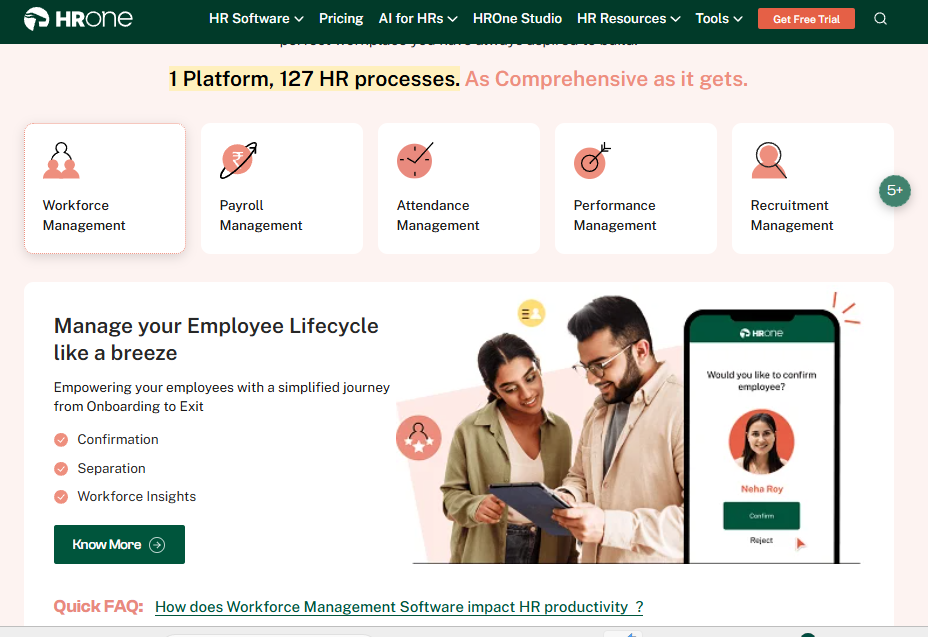
HROne, the full hire-to-retire operating system for mid-market India.
Overview
HROne is a cloud-based, mobile-first HCM (human capital management platform) founded in 2016 and built for Indian enterprises running 100 to 5,000 employees. It serves 1,500+ brands, including MR DIY India and Asia Healthcare Holdings. On G2, it holds a 4.85 rating across roughly 2,074 verified reviews and ranks among the top few globally for customer satisfaction. It is primarily used by HR ops teams tired of chasing managers across five disconnected tools to close a single task.
Core Services
- Super Inbox (InboxforHR) surfaces every pending task, request, and approval in one Gmail-style screen, so HR closes work in three clicks instead of juggling tabs.
- 127 pre-built workflows define who does what and by when across onboarding, confirmation, transfer, promotion, and exit, so nobody chases managers over email.
- Payroll engine automates PF, ESI, and TDS with group payout validations, cutting month-end reconciliation errors and salary delays.
- One AI Suite scores resume relevancy and parses receipts automatically, removing manual screening and expense data entry.
- India’s first inbuilt ROI Dashboard calculates lifetime hours saved against average HR salary, so a CHRO walks into a board review with rupee-term savings ready.
- HRV Studio is a low-code builder for custom apps (visitor or vendor management) without raising an IT ticket.
🇮🇳 India-Specific Compliance & Localization
- PF / ESI / TDS support: Yes (automated calculation, filing, and challan generation)
- Labour law compliance: Strong (LWF, PT slabs, statutory letters built in)
- Payroll localization: Yes (state-wise slabs and multi-legal-entity handling)
- Multi-state compliance handling: Yes (single instance across pan-India units)
👤 Who This Is Built For
- Payroll Manager firefighting CTC-revision arrears and biometric reconciliation every month-end.
- HR ops lead manually tracking onboarding and exit tasks across email threads.
- CHRO needing hard ROI numbers to defend HR spend at a board review.
⚠️ Who Should Skip This
- Tiny teams under 50 employees wanting a lightweight, spreadsheet-style tool without structured workflows.
- Companies with no significant India presence, since the deepest value sits in India-specific compliance.
💰 Pricing Structure
- Plan Type(s): Modular PEPM bundles (customers pick core HR, workforce, time office, and payroll; roughly 98% use these four together).
- Starting Price: Not publicly disclosed. Request a quote (flat PEPM, billed monthly).
- Tier-wise Breakdown: Priced per module selected; buyers build their own 4, 6, or 8-module bundle.
- Incremental Cost Drivers: Additional modules and AI add-ons; no separate charge for managing multiple entities in one instance.
- Implementation Fee: Not publicly disclosed. Request a quote.
- Cost at 200 Employees: Not publicly disclosed. Cost at 500 Employees: Not publicly disclosed.
⏰ Implementation & Support Reality
- Average go-live: as little as 30 days for mid-market firms, with subscription metering only after go-live.
- Support channels: phone, email, and a dedicated prior-HR SPOC (single point of contact who has actually run HR).
- Data migration: vendor-led by onboarding consultants with HR domain experience.
- Reported NPS: 9.8 on dedicated SPOC support.
I will be honest about the trade-off here, because honesty is the whole point of this list. HROne’s depth means the Payroll and Performance modules take a little time to master. Reviewers say so plainly.
“It doesn’t simply automate processes like payroll, attendance, and compliance, it makes them easier to handle. The interface feels intuitive, the support is responsive. One thing I don’t like is that it can sometimes feel a bit overwhelming for new users. The learning curve can feel quite steep.”
— Nijanthan R., HR Professional HROne G2 – Verified Review
“The InboxforHR is a game-changer, centralizing every HR task into one simple inbox, cutting down administrative time by 60 to 70% and preventing tasks from falling through the cracks. The initial setup was surprisingly straightforward, much lighter than expected for a full HRMS.”
— Waldon S., HR User HROne G2 – Verified Review
When we built the Super Inbox, the thinking was simple. Every HR person already lives in Gmail or Outlook, so why should closing an HR task feel harder than clearing an email? That is the difference between a tool that just gathers data and one that actually moves work forward.
2. Darwinbox ⭐⭐⭐⭐
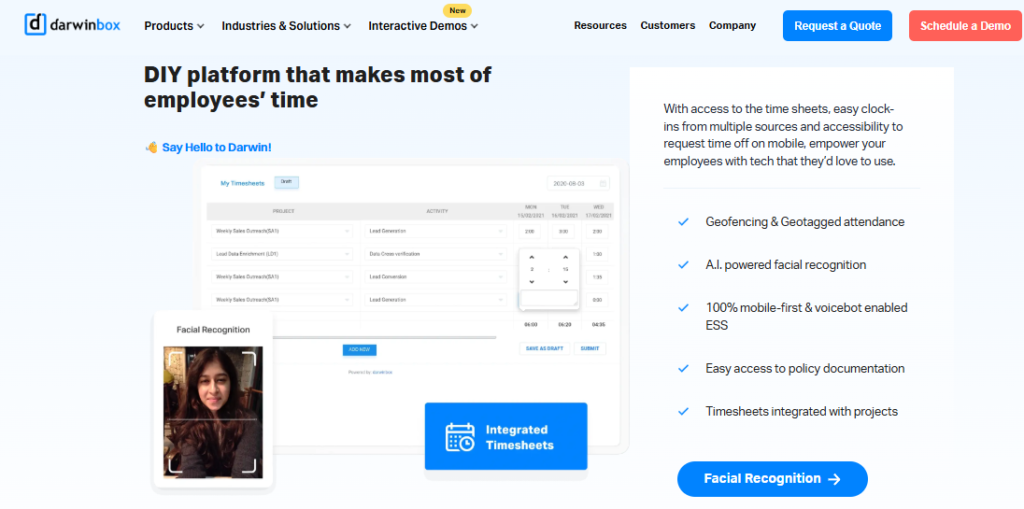
Darwinbox, enterprise-grade unified HCM with global brand weight.
Overview
Darwinbox is a cloud HCM founded in 2015, backed by heavy funding, and built for large enterprises across Asia. It carries strong brand recognition and serves over 1,000 enterprise clients, with a unicorn-level valuation. On G2, reviewers praise its single-platform breadth and mobile app, while flagging speed and support gaps. It is primarily used by large organizations that want one system for attendance, payroll, and performance instead of a patchwork of legacy tools.
Core Services
- Unified HR platform brings attendance, leave, payroll, and performance into one place, reducing manual tracking across tools.
- Customizable workflows adapt to internal processes without heavy technical intervention.
- Mobile app handles leave, attendance, and payslip access on the go.
- Payroll module processes salary and statutory deductions for enterprise-scale headcounts.
- Performance and recruitment modules cover the wider lifecycle, though reviewers note these need training to master.
🇮🇳 India-Specific Compliance & Localization
- PF / ESI / TDS support: Yes (India payroll supported at enterprise scale)
- Labour law compliance: Strong (built for large Indian and Asian employers)
- Payroll localization: Yes (India-specific statutory handling)
- Multi-state compliance handling: Yes (multi-entity enterprise configurations)
👤 Who This Is Built For
- Enterprise HR leader consolidating 3 to 10 business units onto one global-grade platform.
- CHRO at a listed company needing brand-name enterprise HCM for board credibility.
⚠️ Who Should Skip This
- Mid-market teams under 500 employees who will find the cost and complexity heavy for their needs.
- Buyers who want billing to start only after go-live, since Darwinbox typically bills from day one.
💰 Pricing Structure
- Plan Type(s): Enterprise plans, quote-based.
- Starting Price: Not publicly disclosed. Request a quote.
- Tier-wise Breakdown: Not publicly published; negotiated per deployment.
- Incremental Cost Drivers: Add-on modules, multi-year commitments, implementation services.
- Implementation Fee: Not publicly disclosed. Typically bundled into enterprise contracts.
- Cost at 200 Employees: Not publicly disclosed. Cost at 500 Employees: Not publicly disclosed.
⏰ Implementation & Support Reality
- Average go-live: moderate, and implementation can run long for complex enterprise rollouts.
- Support channels: mostly email and account-managed, with reviewers reporting inconsistency.
- Data migration: vendor-led, though some users report a difficult transition from legacy systems.
- Reported NPS: not publicly disclosed.
Darwinbox genuinely leads on enterprise brand weight and breadth, and its fans are loyal. But the same reviews that praise it also point at the friction that shows up at scale.
“Darwinbox has made HR processes much smoother by bringing everything together on one platform. Pages sometimes load slowly. Reporting has limited customization, and sync with other systems can be inconsistent.”
— Saksham A., HR User Darwinbox G2 – Verified Review
“Bad implementation experience, bad UI UX, configurations getting broken in production on their own due to product deployments, terrible customer service. The solution was supposed to act as a full-fledged HRMS for us. We are ending up doing most of the products manually.”
— Verified User in Computer Software Darwinbox G2 – Verified Review
Here is the contrast that matters for a 500-person Indian firm. Darwinbox gives you a powerful suite, but you often pay from day one while implementation drags, with no built-in way to prove the savings back to your board. HROne meters billing only after go-live and ships an ROI Dashboard, so the spend and the payback sit on the same screen. Both are strong tools. The right one depends on whether you want a bigger suite or faster, provable time-to-value. See the full HROne vs Darwinbox breakdown, or explore core HCM and book a demo to test it against your own workflows.
3. Keka ⭐⭐⭐
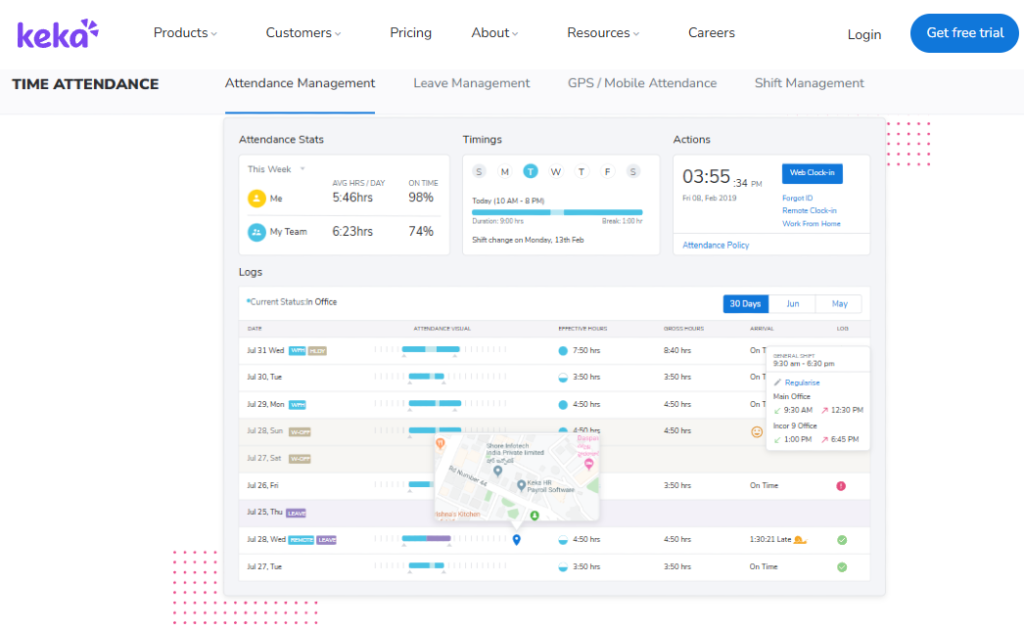
Keka, polished SMB HRMS with strong payroll and clean UX.
Overview
Keka is a cloud HRMS founded in 2015 in Hyderabad, built mainly for Indian SMBs and growing tech firms. It is known for an intuitive interface and solid payroll automation. On G2, reviewers consistently praise the UI, while flagging slow implementation and weekend support gaps. It is primarily used by small and mid-size teams that want a good-looking, easy-to-navigate tool for payroll, attendance, and basic performance tracking.
Core Services
- Payroll engine automates PF, ESI, and TDS with statutory compliance, cutting manual salary calculation at month-end.
- Attendance and leave tracking syncs with the mobile app, reducing manual attendance entry.
- Keka Hiro handles hiring approvals and offer-letter workflows, trimming recruiter admin.
- Document management auto-generates HR letters, reducing paperwork and protecting confidentiality.
- Performance module (PMS) supports goal and review cycles, though reviewers find it confusing to configure.
🇮🇳 India-Specific Compliance & Localization
- PF / ESI / TDS support: Yes (automated payroll compliance)
- Labour law compliance: Moderate (some payroll edge cases flagged by users)
- Payroll localization: Yes (India-specific statutory handling)
- Multi-state compliance handling: Partial (limits reported on zones and complex setups)
👤 Who This Is Built For
- HR generalist at a growing tech SMB who wants a clean, low-training interface.
- Payroll manager at a single-entity firm needing straightforward PF, ESI, and TDS runs.
⚠️ Who Should Skip This
- IT consulting firms with complex, custom needs, as one long-time user says it “is not built to service IT consulting firms.”
- Teams needing weekend or emergency phone support during payroll crunches.
💰 Pricing Structure
- Plan Type(s): Foundation, Strength, and Growth tiers (per Keka’s published structure).
- Starting Price: Not publicly disclosed here. Request a quote (per-employee/month billing).
- Tier-wise Breakdown: Not publicly confirmed in the source files.
- Incremental Cost Drivers: Add-on modules and higher tiers for performance and hiring.
- Implementation Fee: Not publicly disclosed. Request a quote.
- Cost at 200 Employees: Not publicly disclosed. Cost at 500 Employees: Not publicly disclosed.
⏰ Implementation & Support Reality
- Average go-live: variable, with several reviewers reporting long or stalled implementations.
- Support channels: chat and email; reviewers note no weekend phone support.
- Data migration: vendor-led, though some users report a rough migration (“UFE”).
- Reported NPS: not publicly disclosed.
Keka’s UI genuinely wins fans, and I want to be fair about that. But the recurring theme in verified reviews is implementation and support friction, not the product design.
“We started working with Keka HRMS in August, and to this day, we have been unable to implement the tool due to their consistently delayed responses and poor coordination between their internal teams.”
— Divya P. Keka G2 – Verified Review
“From Friday evening 6PM to Monday morning 10AM there is no source of support from KEKA. Telephonic communication to a POC during emergency is not possible.”
— Prem K. Keka G2 – Verified Review
Here is the operator lesson. Payroll does not respect office hours, and month-end often lands on a weekend. This is exactly why we staff HROne with a dedicated prior-HR SPOC (single point of contact who has run HR before), so you are not stuck waiting until Monday when a challan is due. See how the two stack up on the HROne vs Keka comparison.
4. greytHR ⭐⭐⭐
greytHR, long-standing SMB payroll and compliance workhorse.
Overview
greytHR is one of India’s oldest HR and payroll platforms, serving thousands of SMBs. Its strength is core payroll and statutory filing at a budget price. On G2, reviewers value the affordability and payslip self-service, while criticizing rigid customization, an aging UI, and thin support. It is primarily used by cost-conscious small businesses that mainly need reliable payroll, leave, and holiday management rather than a full hire-to-retire suite.
Core Services
- Payroll processing handles salary, payslips, and statutory deductions, automating monthly runs for SMBs.
- Leave and attendance management centralizes basic time tracking.
- Employee self-service lets staff pull payslips and tax details without pinging HR.
- Tax declaration module supports regime selection, easing employee tax filing.
🇮🇳 India-Specific Compliance & Localization
- PF / ESI / TDS support: Yes (core payroll compliance), though users flag TDS-revision limits
- Labour law compliance: Moderate (policy customization gaps reported)
- Payroll localization: Yes (India-focused by design)
- Multi-state compliance handling: Partial (rigidity reported on complex policies)
👤 Who This Is Built For
- Finance-led SMB owner who mainly wants dependable monthly payroll on a tight budget.
- HR admin at a small firm needing self-service payslips and leave tracking.
⚠️ Who Should Skip This
- Mid-market firms needing deep workflow customization or a modern mobile experience.
- Teams that need responsive, escalation-backed support during payroll issues.
💰 Pricing Structure
- Plan Type(s): Free (up to a small employee cap), Essential, Growth, and higher tiers per greytHR’s published model.
- Starting Price: Not publicly confirmed in source files. Request a quote (per-employee/month).
- Tier-wise Breakdown: Freemium entry plus paid tiers by module and headcount.
- Incremental Cost Drivers: Higher tiers, add-on modules.
- Implementation Fee: Not publicly disclosed. Request a quote.
- Cost at 200 Employees: Not publicly disclosed. Cost at 500 Employees: Not publicly disclosed.
⏰ Implementation & Support Reality
- Average go-live: fast for basic payroll; slower when policies need customization.
- Support channels: ticket-led, with some users reporting a 1-to-2-hour callback and others reporting long delays.
- Data migration: vendor-assisted, though customization gaps are reported.
- Reported NPS: not publicly disclosed.
greytHR earns its place for affordability and payroll longevity. But the verified reviews show where a budget tool strains once your policies get real.
“GreytHR is not much good at customizing based on our requirements. From implementation onwards, there were issues with leave balance. Many times we were manually correcting the leave balance of employees.”
— Verified User in IT and Services greytHR G2 – Verified Review
“The system acts as per its own whims and gives error reports. We have to spend time manually to find errors. Not one month has passed where we have not raised a ticket.”
— Maheshkumar J. greytHR G2 – Verified Review
Manually correcting leave balances every month is the exact “digital filing cabinet” trap that pushes people to look for alternatives. When we built HROne’s leave management, the rule was simple. If the system cannot enforce a policy consistently, it should not claim to automate it. The HROne vs greytHR page digs into the specifics.
5. Zoho People ⭐⭐⭐
Zoho People, affordable HR module inside the wider Zoho suite.
Overview
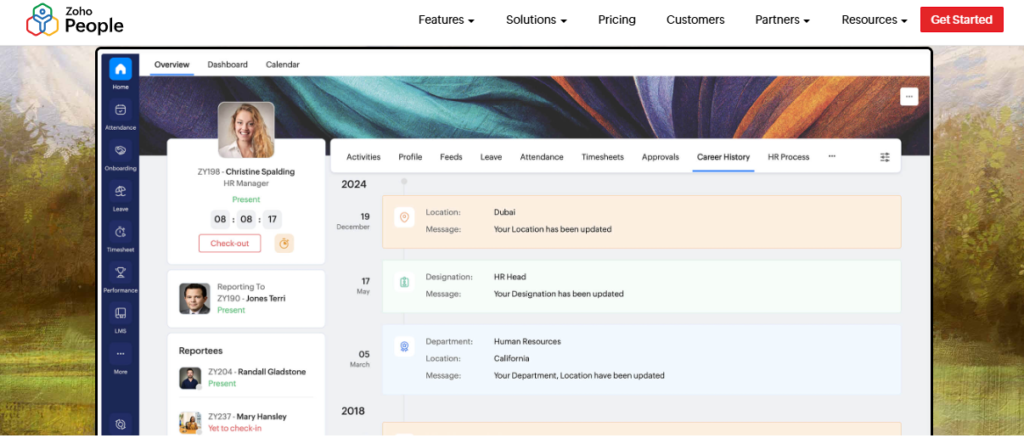
Zoho People is the HR module within Zoho’s large business-software suite, popular with startups and Zoho-native firms. Its edge is tight integration with Zoho Recruit and Zoho Payroll at a low price. On G2, reviewers like the breadth and value, while flagging shallow feature depth, slow support, and a limited mobile app. It is primarily used by teams already inside the Zoho ecosystem who need attendance, leave, and basic HR without a heavy standalone tool.
Core Services
- Attendance and leave management digitizes approvals, cutting email back-and-forth.
- Self-onboarding lets candidates enter their own data, compressing onboarding to a day.
- Zoho integrations connect Recruit and Payroll, streamlining hire-to-pay for Zoho users.
- Timesheets track hours, though reviewers report slow, click-heavy entry.
🇮🇳 India-Specific Compliance & Localization
- PF / ESI / TDS support: Partial (deeper compliance sits in separate Zoho Payroll)
- Labour law compliance: Moderate (generalist, not India-manufacturing tuned)
- Payroll localization: Partial (via Zoho Payroll add-on)
- Multi-state compliance handling: Partial (limited for complex Indian setups)
👤 Who This Is Built For
- Startup founder already running the Zoho suite who wants HR basics cheaply.
- HR admin needing self-service onboarding and simple leave tracking.
⚠️ Who Should Skip This
- Compliance-heavy manufacturing or BFSI firms needing deep India payroll and multi-state slabs.
- Teams that depend on a strong mobile app and fast support.
💰 Pricing Structure
- Plan Type(s): Essential HR, Professional, Premium, and Enterprise tiers per Zoho’s published model.
- Starting Price: Low per-user/month entry point (exact figure not confirmed in source files).
- Tier-wise Breakdown: Rises by module depth and headcount.
- Incremental Cost Drivers: Zoho Payroll and other Zoho apps as separate subscriptions.
- Implementation Fee: Not publicly disclosed. Request a quote.
- Cost at 200 Employees: Not publicly disclosed. Cost at 500 Employees: Not publicly disclosed.
⏰ Implementation & Support Reality
- Average go-live: fast for basics, easier if you already use Zoho.
- Support channels: email and ticket; reviewers report slow responses.
- Data migration: self-serve or light vendor help.
- Reported NPS: not publicly disclosed.
Zoho People is a sensible pick if you already live inside Zoho. The honest limits, straight from users, are depth and support.
“Features are shallow and there is no depth in each application.”
— Verified User in IT and Services Zoho People G2 – Verified Review
“The biggest drawback for me has been the lack of customer support. There were days when I was stuck with errors and couldn’t find a solution. The mobile application is quite limited.”
— Dhana C., HR Professional Zoho People G2 – Verified Review
For a 100-to-5,000 person Indian firm, “shallow depth” is the deal-breaker. CTC revisions, FBP declarations (flexible benefit plans employees pick to save tax), and multi-state slabs are not edge cases here. They are Tuesday. That depth is exactly what HROne builds into core payroll instead of splitting it across separate apps, as the HROne vs Zoho People comparison shows.
6. ZingHR ⭐⭐
ZingHR, broad hire-to-retire suite held back by UI and support.
Overview
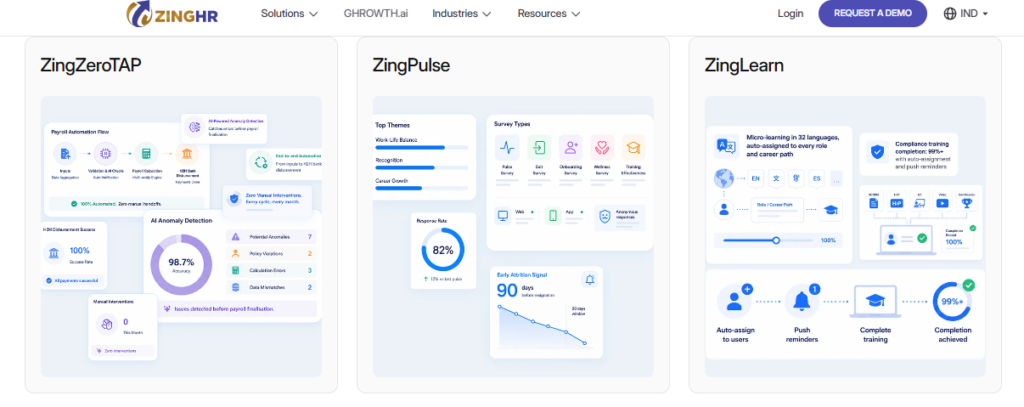
ZingHR is a Mumbai-based HCM founded in 2014, pitching a full hire-to-retire suite across Indian and Asian enterprises. On paper, it covers core HR, payroll, performance, and learning. On G2, reviewers acknowledge the breadth but repeatedly cite a dated interface, slow servers, painful implementation, and weak support. It is primarily used by enterprises wanting wide module coverage, though many users report struggling with day-to-day usability and response times.
Core Services
- Core HR and payroll manage workforce data and salary processing across the lifecycle.
- Attendance and leave handle time tracking, though the mobile app draws complaints.
- Performance and learning modules cover appraisals and training.
- Tax simulator and payslips auto-generate documents, saving manual tax work.
🇮🇳 India-Specific Compliance & Localization
- PF / ESI / TDS support: Yes (India payroll supported)
- Labour law compliance: Moderate (breadth exists, reliability questioned by users)
- Payroll localization: Yes (India-focused)
- Multi-state compliance handling: Partial (customization is slow and costly, per reviews)
👤 Who This Is Built For
- Enterprise HR team wanting one vendor across many modules under one contract.
- Firms replacing a costlier tool and prioritizing breadth over polish.
⚠️ Who Should Skip This
- Teams where daily employee experience and mobile reliability are non-negotiable.
- Buyers needing fast, dependable support during payroll-critical windows.
💰 Pricing Structure
- Plan Type(s): Enterprise plans, quote-based.
- Starting Price: Not publicly disclosed. Request a quote.
- Tier-wise Breakdown: Not publicly published.
- Incremental Cost Drivers: Custom integrations, which users say are “expensive.”
- Implementation Fee: Not publicly disclosed. Typically bundled.
- Cost at 200 Employees: Not publicly disclosed. Cost at 500 Employees: Not publicly disclosed.
⏰ Implementation & Support Reality
- Average go-live: slow; one reviewer reported only 40% completion in six months.
- Support channels: email-led, with reviewers reporting multi-day delays.
- Data migration: vendor-led, though ownership gaps are reported.
- Reported NPS: not publicly disclosed.
ZingHR has genuine module breadth, so I will not knock its ambition. The verified reviews, though, keep landing on usability and support.
“System implementation experience was horrible. In 6 months the implementation was barely completed to 40%. Support is never on time. Replies to emails get delayed by days if not weeks.”
— Sanmeet S. ZingHR G2 – Verified Review
“The app simply doesn’t work. I cannot do anything on my mobile, be it apply for leaves or submit a reimbursement. The UI absolutely sucks, and is from the middle ages.”
— Piyush G. ZingHR G2 – Verified Review
Broad modules mean nothing if employees cannot apply for leave on their phone. This is why HROne was built with a mobile HR app first, with the same three-click experience on the app as on the web. A suite you dread opening is not really a suite, which is the core of the HROne vs ZingHR story.
7. factoHR ⭐⭐⭐
factoHR, mobile-first payroll and HR for growing mid-market teams.
Overview
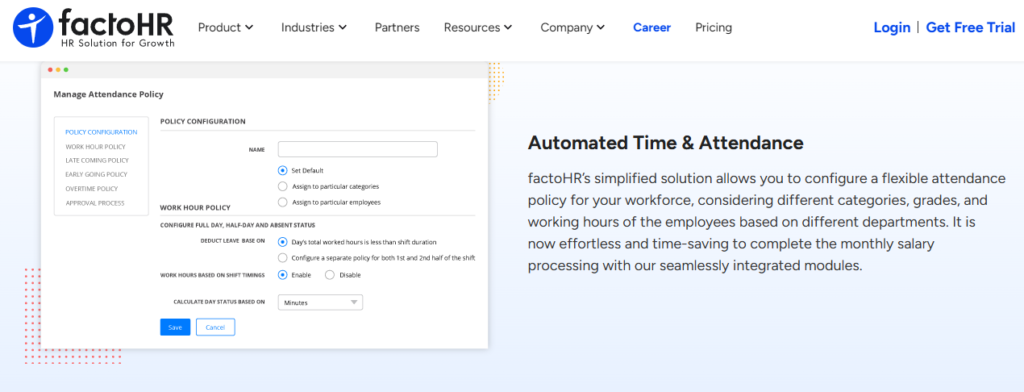
factoHR is a Gujarat-based HR and payroll platform founded in 2016, serving a growing base of Indian mid-market firms. Its strength is a strong mobile app paired with solid payroll automation. It positions itself for manufacturing, services, and distributed workforces. It is primarily used by teams that want mobile-first attendance and payroll without the cost or complexity of a large enterprise suite, though its ecosystem is smaller than the category leaders.
Core Services
- Payroll engine automates PF, ESI, and TDS, reducing month-end manual reconciliation.
- Mobile attendance with geofencing captures field-staff punches, cutting manual timesheets.
- Leave and expense management centralizes approvals.
- Performance module supports goal and appraisal cycles for growing teams.
🇮🇳 India-Specific Compliance & Localization
- PF / ESI / TDS support: Yes (automated payroll compliance)
- Labour law compliance: Moderate to strong (India-built payroll focus)
- Payroll localization: Yes (India-specific)
- Multi-state compliance handling: Partial (improving, smaller footprint than leaders)
👤 Who This Is Built For
- Payroll manager at a mid-market firm wanting reliable mobile attendance for field staff.
- HR lead at a manufacturing or services company needing affordable India payroll.
⚠️ Who Should Skip This
- Large enterprises needing a deep third-party integration ecosystem.
- Teams wanting the widest module breadth under one roof.
💰 Pricing Structure
- Plan Type(s): Tiered plans per factoHR’s published model.
- Starting Price: Not publicly confirmed in source files. Request a quote (per-employee/month).
- Tier-wise Breakdown: Not publicly confirmed here.
- Incremental Cost Drivers: Add-on modules.
- Implementation Fee: Not publicly disclosed. Request a quote.
- Cost at 200 Employees: Not publicly disclosed. Cost at 500 Employees: Not publicly disclosed.
⏰ Implementation & Support Reality
- Average go-live: reasonably fast for core payroll and attendance.
- Support channels: email and account-managed.
- Data migration: vendor-led.
- Reported NPS: not publicly disclosed.
factoHR is a fair pick for mobile-first payroll on a mid-market budget. Where the difference shows against HROne is connective tissue. A strong app plus payroll is two pieces. HROne links those to onboarding, performance, expense, and an ROI Dashboard, so nothing gets reconciled by hand between systems at month-end. The HROne vs FactoHR comparison lays this out in detail.
8. Pocket HRMS ⭐⭐
Pocket HRMS, lightweight, affordable payroll for small businesses.
Overview
Pocket HRMS is a cloud payroll and HR tool aimed at small Indian businesses. Its appeal is simplicity and low cost, with SaaS payroll and attendance in one place. It suits teams that want the basics running quickly without heavy configuration. It is primarily used by small firms that need payslips, statutory deductions, and leave tracking, rather than mid-market or enterprise buyers who need deep workflows and multi-entity handling.
Core Services
- Payroll processing automates salary and statutory deductions, easing monthly runs.
- Attendance and leave tracking centralizes basic time management.
- Employee self-service delivers payslips and documents without HR requests.
- smHRt AI assistant helps with basic HR queries.
🇮🇳 India-Specific Compliance & Localization
- PF / ESI / TDS support: Yes (core payroll compliance)
- Labour law compliance: Moderate (small-business focus)
- Payroll localization: Yes (India-specific)
- Multi-state compliance handling: Limited (built for simpler setups)
👤 Who This Is Built For
- Small-business owner needing quick, affordable payroll and payslips.
- HR admin at a lean team wanting the basics without heavy setup.
⚠️ Who Should Skip This
- Mid-market and enterprise firms needing deep workflows and multi-entity payroll.
- Teams needing advanced performance, engagement, or ROI instrumentation.
💰 Pricing Structure
- Plan Type(s): Tiered SaaS plans per Pocket HRMS’s published model.
- Starting Price: Not publicly confirmed in source files. Request a quote (per-employee/month).
- Tier-wise Breakdown: Not publicly confirmed here.
- Incremental Cost Drivers: Add-on modules.
- Implementation Fee: Not publicly disclosed. Request a quote.
- Cost at 200 Employees: Not publicly disclosed. Cost at 500 Employees: Not publicly disclosed.
⏰ Implementation & Support Reality
- Average go-live: fast for small teams with simple needs.
- Support channels: email and ticket.
- Data migration: self-serve or light vendor help.
- Reported NPS: not publicly disclosed.
Pocket HRMS does exactly what a small business needs, and there is no shame in a simple tool. The honest gap is scale. Once you cross a few hundred employees across locations, “lightweight” turns into “not enough,” which is the exact crossover point where HROne’s workforce management depth starts to earn its keep. The HROne vs Pocket HRMS page maps that transition.
9. SAP SuccessFactors ⭐⭐
SAP SuccessFactors, global enterprise HCM for large SAP-standardized firms.
Overview
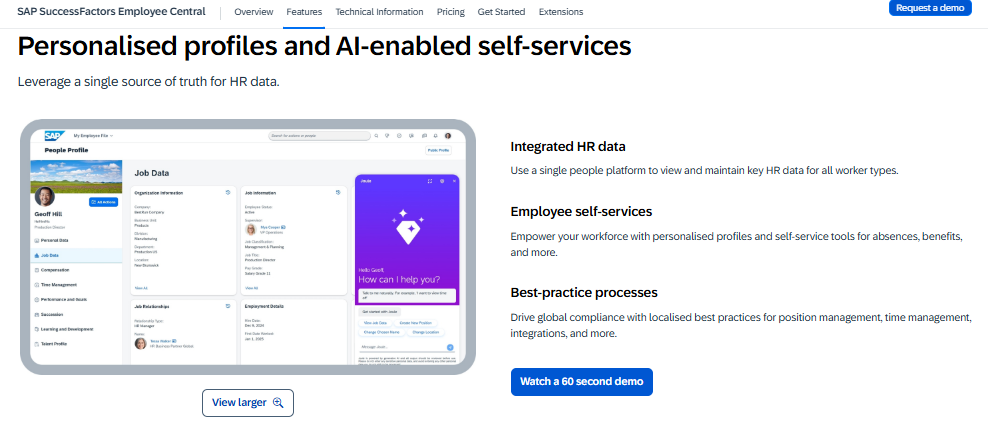
SAP SuccessFactors is a global enterprise HCM used by large multinationals, often those already standardized on SAP. Its strength is global module coverage and multi-country scale. On G2, reviewers cite the breadth but frequently criticize weak usability, system freezes, costly third-party customization, and heavy implementation. It is primarily used by global conglomerates, and reviewers repeatedly describe it as over-engineered and expensive for what it delivers at the mid-market level.
Core Services
- Core HR and payroll manage global, multi-country workforce data at enterprise scale.
- Talent modules cover recruiting, performance, and learning.
- Analytics support global reporting, though reviewers find reports hard to build.
- Extensive APIs enable custom integrations for large IT teams.
🇮🇳 India-Specific Compliance & Localization
- PF / ESI / TDS support: Yes (via localization, often partner-configured)
- Labour law compliance: Moderate (global engine, India tuned through implementation)
- Payroll localization: Partial (needs configuration and third-party vendors)
- Multi-state compliance handling: Partial (heavy customization required)
👤 Who This Is Built For
- Global conglomerate standardizing HR across many countries on SAP.
- Enterprise IT team with developers to configure and maintain the platform.
⚠️ Who Should Skip This
- 100-to-5,000 employee Indian firms without a dedicated HR-tech developer team.
- Buyers who want fast go-live and strong out-of-the-box usability.
💰 Pricing Structure
- Plan Type(s): Enterprise licensing, quote-based.
- Starting Price: Not publicly disclosed. Request a quote.
- Tier-wise Breakdown: Negotiated per deployment.
- Incremental Cost Drivers: Third-party customization, implementation partners, add-on modules.
- Implementation Fee: Yes, typically significant and partner-delivered.
- Cost at 200 Employees: Not publicly disclosed. Cost at 500 Employees: Not publicly disclosed.
⏰ Implementation & Support Reality
- Average go-live: long, often multi-month, partner-led.
- Support channels: partner-delivered and ticket-based.
- Data migration: partner-led, and reviewers report slow data exports.
- Reported NPS: not publicly disclosed.
SAP SuccessFactors is legitimately powerful at global scale, and I respect that. But the reviews make the mid-market mismatch clear.
“Not user-friendly, system often freezes. Customization requires third-party vendors, every change is costly. Extremely expensive for what it delivers. Ferrari price, Trabant value.”
— Janka Z. SAP SuccessFactors HCM G2 – Verified Review
“The most basic functionality is missing or severely flawed. If I could, I would take back our decision to implement the software.”
— Verified User in Internet SAP SuccessFactors HCM G2 – Verified Review
Needing a developer to change a leave policy is the tell that a tool is built for a different weight class. For a mid-market Indian firm, that is cost and delay you feel every quarter. HROne’s HRV Studio lets HR build custom apps without raising a developer ticket, which is the opposite philosophy, as the HROne vs SAP comparison highlights.
10. Kredily ⭐⭐
Kredily, free-tier payroll and attendance for cost-sensitive startups.
Overview
Kredily is a Bengaluru-based HR and payroll platform known for its free tier, popular with startups and very cost-sensitive small businesses. It offers core payroll, attendance, and leave at zero or low cost, monetizing through paid add-ons. It is primarily used by early-stage teams that want to digitize basic HR without spending, though depth beyond core HR is limited compared with paid mid-market platforms.
Core Services
- Free payroll automates basic salary and statutory deductions for small teams.
- Attendance and leave tracking centralizes time management.
- Employee self-service delivers payslips and basic HR access.
- Paid add-ons extend into deeper HR features.
🇮🇳 India-Specific Compliance & Localization
- PF / ESI / TDS support: Yes (core payroll compliance)
- Labour law compliance: Moderate (basic, startup-focused)
- Payroll localization: Yes (India-specific)
- Multi-state compliance handling: Limited (built for simpler setups)
👤 Who This Is Built For
- Bootstrapped startup founder wanting free payroll while cash is tight.
- Small HR admin needing basic attendance and payslips without budget.
⚠️ Who Should Skip This
- Mid-market and enterprise firms needing deep workflows and multi-entity compliance.
- Teams needing strong support and advanced modules as they scale.
💰 Pricing Structure
- Plan Type(s): Free tier plus paid add-ons per Kredily’s published model.
- Starting Price: Free core tier; paid features priced per add-on (exact figures not confirmed in source files).
- Tier-wise Breakdown: Free base plus paid modules.
- Incremental Cost Drivers: Paid add-ons for advanced HR and payroll features.
- Implementation Fee: Not publicly disclosed. Request a quote.
- Cost at 200 Employees: Not publicly disclosed. Cost at 500 Employees: Not publicly disclosed.
⏰ Implementation & Support Reality
- Average go-live: fast for small teams on the free tier.
- Support channels: email and ticket.
- Data migration: self-serve.
- Reported NPS: not publicly disclosed.
Kredily’s free tier is a genuinely smart on-ramp when cash is finite, and I would never tell an early founder to overspend. The honest truth is that “free” carries hidden cost once you scale, because you fill the gaps with manual work. The moment reconciliation and compliance start eating your team’s week, a connected system like HROne stops being a cost and starts being time you get back. The HROne vs Kredily page and a quick look at HROne pricing show where that crossover happens.
Q2: Why Do Companies Look for PeopleStrong Alternatives in the First Place?
Companies leave PeopleStrong mainly over unforeseen integration and hidden costs, implementation complexity, and doubts about long-term product momentum during its private-equity (PE) exit phase. Buyers describe being “traumatized” by systems they end up working for. Alternatives get benchmarked on payroll reliability, go-live speed, migration ease, and support responsiveness. Those are the axes where switchers feel the most pain.
💸 The Hidden-Cost Trauma
The sticker price is never the real price. I have seen firms spend upwards of ₹1.5 crore just integrating their HR system with an ERP (enterprise resource planning, the finance and operations backbone).
These are unforeseen costs that quietly compound over years as you make a system “work for you.” One HR leader described three full system changes in under four years, moving from one platform to the next, each promising to be the answer.
That churn is exhausting. Each migration means re-cleaning data, retraining staff, and re-explaining your policies from scratch. A transparent pricing model is the first thing switchers now demand.
⚠️ The Digital Filing Cabinet Fear
The deeper anxiety is buying another “digital filing cabinet.” That is a tool that stores data but still needs manual running-around to keep it correct.
The support model is where this bites hardest. When only email threads are available for help, teams get stuck mid-migration with no one to call. The verified reviews on legacy and enterprise tools echo this.
“Bad implementation experience, bad UI UX, terrible customer service. The solution was supposed to act as a full-fledged HRMS. We are ending up doing most of the products manually.”
— Verified User in Computer Software Darwinbox G2 – Verified Review
“Extremely poor customer support. They have an under-trained team handling tickets. Simpler, Managers can’t mark leaves on behalf of their direct reports, unlike other HR tools.”
— Verified User in IT and Services greytHR G2 – Verified Review
✅ What a Real Alternative Must Fix
A genuine alternative fixes four things: deep India compliance, fast go-live, responsive human support, and visible ROI. Anything less is a prettier portal for the same chaos. This is where a connected HR solution separates itself from a database.
I will be honest here. “Plug and play” is mostly a myth, so demand a vendor that talks about prerequisites and practice, not frictionless magic.
This is why HROne meters your subscription only after go-live, not from day one of purchase. You also get a dedicated SPOC (single point of contact) who has actually run HR, backed by a 9.8 NPS, instead of a ticket queue. You can even quantify the gain with an ROI calculator before you commit.
Q3: HRIS vs HCM vs HRMS: What Are You Actually Buying?
HRIS, HCM, and HRMS overlap heavily, but the practical difference is depth. An HRIS is largely a database for employee records. An HRMS adds payroll, attendance, and operational workflows. An HCM extends into talent, performance, and analytics that treat people as a growth lever. Many tools sold as “HCM” are just databases stuck gathering data, so test for workflow depth, not the acronym.
🔤 Cutting Through the Alphabet Soup
The industry throws these three letters around like alphabet soup, and it confuses good buyers. Here is the plain-English version, expanded in our HCM vs HRIS vs HRMS guide.
Think of it as a ladder of depth. Most tools claim the top rung but actually sit on the bottom one.
📋 HRIS vs HRMS vs HCM: What Each One Actually Does
| Term | What It Does | What It Can’t Do |
|---|---|---|
| HRIS | Stores employee records and basic data | Run payroll or drive workflows on its own |
| HRMS | Adds payroll, attendance, leave, and workflows | Deep talent and analytics |
| HCM | Adds performance, engagement, and ROI analytics | Little, if built properly |
India’s HR-tech market is valued in the hundreds of millions and rising fast, so vendors have every incentive to inflate their label. This makes a real core HCM hard to tell apart from a glorified record store.
🧪 The One Test Question
Software is really just a consistency engine. It makes a process consistent once you have formulated it, then spreads that across the org. It does not invent the process for you.
So ask any demo one question. “Show me a task starting, triggering the next step, and closing itself, without anyone sending an email.” A database freezes here. A real HCM keeps going. This is the exact test to run when you choose the best HRIS or HRMS software.
That is exactly the line HROne is built on. With 127 pre-built workflows spanning onboarding to offboarding, it moves work forward instead of just storing it, which is the difference between a filing cabinet and an operating system.
Q4: Compliance, Implementation, and True Cost: Which Alternative Wins on the Factors That Matter?
The alternatives that win automate multi-state PF, ESI, TDS, and professional tax, handle state-wise slabs, and stay ready for the Code on Wages, including its two-working-day full-and-final settlement rule. On cost, “plug and play” is a myth. Realistic go-live spans weeks to months, and true total cost of ownership (TCO, the full multi-year spend) hinges on whether billing starts on purchase day or after go-live. HROne bills only after go-live with no lock-in.
⚠️ Why Uniform Payroll Breaks in India
India does not do “one payroll fits all.” Professional tax slabs change by state, and PF and ESI rules shift with headcount and wages.
A tool built on uniform logic cracks the moment you run two states. You then patch the gaps by hand, which is exactly where errors and penalties creep in. Deep statutory compliance in payroll is what prevents that.
The Code on Wages, 2019, adds pressure by mandating that you clear a departing employee’s dues within two working days. Manual full-and-final (F&F, the final settlement on exit) simply cannot hit that clock reliably.
📊 Compliance Depth Compared
📋 Statutory Compliance Depth by Platform
| Tool | Multi-state PF/ESI/TDS | Code on Wages Ready | F&F Automation | OU/State-Slab Filters |
|---|---|---|---|---|
| HROne | Yes | Yes | Yes | Yes |
| Darwinbox | Yes | Partial | Partial | Yes |
| Keka | Yes | Partial | Partial | Partial |
| greytHR | Yes | Partial | Partial | Partial |
| SAP SuccessFactors | Partial (partner-configured) | Partial | Partial | Partial |
An organizational-unit (OU) filter simply means payroll software runs correctly per entity, state, or branch.
💸 The Plug-and-Play Myth and Hidden Costs
Here is the honest truth. Plug and play needs a middle step, so think plug, practice, play.
Serious payroll setup can mean 10 to 11 settings per module, and each takes real time. Owning an HRMS is like owning a Ferrari. You must train the driver, or you will burn the clutch.
Then come hidden costs. I have seen firms spend upwards of ₹1.5 crore just integrating an HR system with an ERP (enterprise resource planning). If your general-ledger codes go 30 layers deep, systems that cannot bridge them leave you unable to export meaningful data, which is why robust integrations matter.
✅ The Billing Trigger to Demand
📋 Go-Live, Billing, and Lock-In Terms Compared
| Tool | Typical Go-Live | Billing Starts | Lock-In | Hidden-Cost Risk |
|---|---|---|---|---|
| HROne | ~30 days | After go-live | None | Low |
| Darwinbox | Months | Day one of purchase | Multi-year | Moderate |
| SAP SuccessFactors | Multi-month | On license | Multi-year | High |
Never sign a contract where the subscription starts on purchase day. Demand flat pricing, no lock-in, and billing that meters only after go-live. Our take on pricing transparency explains why this protects your budget.
This is the exact model HROne runs. With group payout validations for zero computation errors, OU-level salary filters, and a subscription that starts after go-live, you are not paying while you wait. One customer, CGS, ended “scot-free” overtime this way, since the system now generates overtime only against marked attendance, a direct win for workforce management.
Q5: Compliance, Implementation, and True Cost, Which Alternative Wins on the Factors That Matter?
The alternatives that win automate multi-state PF, ESI, TDS, and professional tax, handle state-wise slabs, and stay ready for the Code on Wages, including its two-working-day full-and-final settlement rule. On cost, “plug and play” is a myth. Realistic go-live spans weeks to months, and true total cost of ownership (TCO, the full multi-year spend) hinges on whether billing starts on purchase day or after go-live. HROne bills only after go-live with no lock-in.
⚠️ Why Uniform Payroll Breaks in India
India does not do “one payroll fits all.” Professional tax slabs change by state, and PF and ESI rules shift with headcount and wages.
A tool built on uniform logic cracks the moment you run two states. You then patch the gaps by hand, which is exactly where errors and penalties creep in. Deep statutory compliance in payroll is what prevents that.
The Code on Wages, 2019, adds pressure by mandating that you clear a departing employee’s dues within two working days. Manual full-and-final (F&F, the final settlement on exit) simply cannot hit that clock reliably.
📊 Compliance Depth Compared
📋 Statutory Compliance Depth by Platform
| Tool | Multi-state PF/ESI/TDS | Code on Wages Ready | F&F Automation | OU/State-Slab Filters |
|---|---|---|---|---|
| HROne | Yes | Yes | Yes | Yes |
| Darwinbox | Yes | Partial | Partial | Yes |
| Keka | Yes | Partial | Partial | Partial |
| greytHR | Yes | Partial | Partial | Partial |
| SAP SuccessFactors | Partial (partner-configured) | Partial | Partial | Partial |
An organizational-unit (OU) filter simply means payroll software runs correctly per entity, state, or branch.
💸 The Plug-and-Play Myth and Hidden Costs
Here is the honest truth. Plug and play needs a middle step, so think plug, practice, play.
Serious payroll setup can mean 10 to 11 settings per module, and each takes real time. Owning an HRMS is like owning a Ferrari. You must train the driver, or you will burn the clutch.
Then come hidden costs. I have seen firms spend upwards of ₹1.5 crore just integrating an HR system with an ERP (enterprise resource planning). If your general-ledger codes go 30 layers deep, systems that cannot bridge them leave you unable to export meaningful data, which is why robust integrations matter.
✅ The Billing Trigger to Demand
📋 Go-Live, Billing, and Lock-In Terms Compared
| Tool | Typical Go-Live | Billing Starts | Lock-In | Hidden-Cost Risk |
|---|---|---|---|---|
| HROne | ~30 days | After go-live | None | Low |
| Darwinbox | Months | Day one of purchase | Multi-year | Moderate |
| SAP SuccessFactors | Multi-month | On license | Multi-year | High |
Never sign a contract where the subscription starts on purchase day. Demand flat pricing, no lock-in, and billing that meters only after go-live. Our take on pricing transparency explains why this protects your budget.
This is the exact model HROne runs. With group payout validations for zero computation errors, OU-level salary filters, and a subscription that starts after go-live, you are not paying while you wait. One customer, CGS, ended “scot-free” overtime this way, since the system now generates overtime only against marked attendance, a direct win for workforce management.
Q6: Which Alternatives Deliver the Best Daily Experience: Ease of Use and Real AI?
Daily experience comes down to two things. Does closing a task mean juggling tabs and email threads, or working from one screen in about three clicks? And does the “AI” actually execute tasks, like applying leave, parsing resumes, and scoring CVs, or just label a chatbot? HROne’s InboxforHR and One AI, India’s first employee AI agent, set the current India-native bar.
⚠️ The Tab Juggle That Kills Adoption
Most HR tools make you juggle tabs and email threads to close one task. That friction is why employees quietly stop using the tool. A single HR inbox removes that friction entirely.
I have watched managers call into corporate all day just to get data they should have at their fingertips. When the tool is harder than a phone call, people pick the phone.
📋 Daily Interface and Mobile Experience Compared
| Tool | Interface Model | Mobile App | Review Sentiment |
|---|---|---|---|
| HROne | Single-screen inbox | Strong | Clean, intuitive |
| Darwinbox | Multi-tab | Good | Slow at scale |
| ZingHR | Multi-tab | Weak | Dated UI |
| greytHR | Multi-tab | Weak | Aging, glitchy |
✅ The Three-Click Standard
Good design means all activities sit on one screen, and you finish a task in three clicks. That is the bar, and the verified reviews show who clears it. A strong mobile HR app is what makes that standard real for employees.
“The InboxforHR is a game-changer, centralizing every HR task into one simple inbox. Searching for information is as simple as using Google.”
— Vignesh J., HR User HROne G2 – Verified Review
“The app simply doesn’t work. I cannot do anything on my mobile, be it apply for leaves or submit a reimbursement. The UI absolutely sucks.”
— Piyush G. ZingHR G2 – Verified Review
🤖 Real AI vs a Chatbot Sticker
The honest test for AI is simple. Does it do work, or just answer questions? A true employee AI agent executes tasks rather than deflecting them.
📋 AI Execution Capability Compared
| Tool | AI That Executes | Automation Depth | Resume/CV AI |
|---|---|---|---|
| HROne | Yes (One AI agent) | 120+ automations | Yes |
| Keka | Limited | Basic | Partial |
| Zoho People | Limited | Basic | Via add-ons |
HROne treats the system as process-dependent, not person-dependent, which is the real point of automation. Its One AI agent applies leave, parses receipts, and scores CVs, backed by 120+ automations across web and mobile. That is execution, not a chatbot wearing an AI badge.
Q7: How Do You Choose the Right PeopleStrong Alternative for Your Company?
Choose by matching your profile to the tool. Mid-market Indian firms of 100 to 5,000 people needing compliance depth, fast go-live, and daily usability fit HROne. Global enterprises wanting heavy analytics may weigh Darwinbox or SAP SuccessFactors. SMBs prioritizing budget lean toward Keka, greytHR, or factoHR. Whatever you pick, demand billing after go-live, verify multi-state compliance, and test the interface with a real task before signing.
🎯 Match Your Profile to the Tool
There is no single “best” HRMS, only the best fit for your reality. Think of it like a parachute. You turn on only what you need, when you need it. Our guide on how to choose the best HRIS or HRMS software walks through this fit-first approach.
📋 Best-Fit Alternative by Company Profile
| Company Profile | Top Pick | Why |
|---|---|---|
| Mid-market Indian firm, 100 to 5,000 staff | HROne | Compliance depth, ~30-day go-live, single-screen usability |
| Global enterprise, heavy analytics | Darwinbox or SAP | Brand scale, multi-country breadth |
| Budget-first SMB | Keka, greytHR, or factoHR | Lower cost, simpler needs |
| Bootstrapped startup | Kredily | Free-tier payroll |
✅ The Demo Checklist to Run
Do not get lost in a feature tour. The bread and butter is core HR, workforce, time office, and payroll, which roughly 98% of buyers actually use. A connected core HCM is what ties those four together.
Run this checklist in every demo, no exceptions:
- Ask them to close one real task, end to end, on mobile.
- Confirm multi-state PF, ESI, TDS, and F&F on the spot.
- Get the billing-start date and lock-in terms in writing.
- Check if you can build a custom app without a developer.
💬 A Conversation, Not a Contract
I might be wrong for your exact case, and that is fine. The goal is a tool that works for you, not one you work for. If you want a candid second opinion, just book a demo and tell us what you run today.
Most buyers now search by specific pain, like “a 300-person India company needing shift-based payroll,” not by brand. If that sounds like you, tell us what your HR team is running on today, and we will tell you honestly whether HROne fits or whether another name on this list serves you better.
What I keep wondering is this. In two years, will buyers still shortlist by feature count, or finally by proven hours saved?














 Secures Top Spot in
