


Q1. What are the 9 Best Leave Management Systems in India for 2026?
The nine best leave management systems in India for 2026 are HROne, Keka, greytHR, Darwinbox, Zoho People, factoHR, Zimyo, Qandle, and Pocket HRMS. HROne leads for mid-market and enterprise teams (100 to 5,000 employees) that need statutory-grade leave rules, deep payroll sync, and multi-unit control. The rest fit specific niches: SME budgets, large enterprises, or lightweight startup setups, detailed in the comparison below.
🗓️ Why the Tool You Pick Actually Matters
I have sat with enough HR teams to know the real pain. It is not “we lack a leave tracker.” It is the last week of every month, gone.
A payroll manager once described spending a full week, with two or three people, just pulling attendance out of Excel. That is not a tooling gap. That is your best people doing robot work while employees wait on wrong numbers.
💸 The Hidden Cost Nobody Puts on the Invoice
Here is the part that keeps CHROs up at night. When leave and attendance do not sync into payroll software, paydays go wrong.
Wrong paydays break trust fast. And broken trust is expensive: surveys of payroll error impact suggest a large share of employees start eyeing the exit after just two payroll mistakes. So a leave system is not a “nice to have.” It is trust infrastructure.
⚖️ A Quick, Honest Word Before the List
I will say something a vendor usually will not. A system cannot replace an HR professional. The best HR leaders I know say the same thing: keep the human in human resources, and let the software clear the tactical clutter.
So read this list as an operator, not a shopper. No tool here is the “end all, be all.” Each one shines for a specific team, a specific size, and a specific mess you are trying to end.
🏆 The 9 Tools at a Glance
Here is the shortlist with a one line verdict for each. Match it to your headcount and your industry, not to the loudest brand.
- 1.1 HROne: Best for Indian mid-market and enterprise teams needing statutory-grade leave rules plus deep payroll sync.
- 1.2 Keka: Best for fast-setup SMEs wanting a clean interface.
- 1.3 greytHR: Best for statutory payroll and leave basics at smaller firms.
- 1.4 Darwinbox: Best for large enterprises wanting broad modules under one brand.
- 1.5 Zoho People: Best for teams already living inside the Zoho stack.
- 1.6 factoHR: Best for value-focused buyers watching every rupee.
- 1.7 Zimyo: Best for growing startups crossing into mid-market.
- 1.8 Qandle: Best for teams that want highly configurable workflows.
- 1.9 Pocket HRMS: Best for lightweight, simple leave tracking.
📊 Comparison Table: All 9 Leave Management Systems
| Provider | Best For | Standout Strength | Known Limitation | Leave & Compliance Fit (India) | Support Model | Pricing Model |
|---|---|---|---|---|---|---|
| HROne ⭐⭐⭐⭐⭐ | HR ops leads drowning in multi-unit, multi-rule leave and payroll reconciliation | Consolidates complex leave rules and syncs live biometric punches into payroll with near-zero manual work | Some users report a steep learning curve during onboarding | Strong: PF, ESI, TDS, comp-off, multi-legal-entity, India-tuned | Phone, email, and dedicated HR SPOC (9.8 NPS) | Flat PEPM, no lock-in, billing starts after go-live |
| Keka ⭐⭐⭐ | SMEs wanting a clean, modern interface fast | Intuitive UI and strong payroll compliance automation | Email-thread support and slow, delayed implementation reported | Strong on core PF, ESI, and TDS payroll | Email-led support | Per-employee/month, quote-based tiers |
| greytHR ⭐⭐⭐ | Small firms needing statutory payroll and leave basics | Long-standing, simple payroll and payslip engine | Rigid configuration; users manually correct leave balances | Moderate: solid payroll, weaker leave flexibility | Ticket and callback | Per-employee/month tiers |
| Darwinbox ⭐⭐⭐⭐ | Large enterprises wanting one broad-module brand | Feature-rich suite; easy bulk leave approvals | Tab-switching, slow pages, and tough migration reported | Moderate to strong for enterprise India | Vendor support (mixed reviews) | Quote-based, multi-year contracts common |
| Zoho People ⭐⭐⭐ | Teams already inside the Zoho ecosystem | Clean digital leave and attendance approvals; ties into Zoho Payroll | Shallow feature depth and slow support reported | Moderate; India payroll via Zoho Payroll add-on | Email/ticket (slow reported) | Per-user/month, freemium tier |
| factoHR ⭐⭐⭐ | Value-focused buyers watching cost | Affordable payroll and attendance bundle | Less known for deep enterprise workflows | Moderate India payroll fit | Email and phone | Per-employee/month |
| Zimyo ⭐⭐⭐ | Growing startups crossing into mid-market | Modular, budget-friendly HRMS | Depth thins as complexity grows | Moderate India fit | Email and chat | Per-employee/month |
| Qandle ⭐⭐⭐ | Teams wanting configurable workflows | Flexible, configurable leave and workflow setup | Smaller install base in enterprise | Moderate India fit | Email and chat | Per-employee/month |
| Pocket HRMS ⭐⭐⭐ | Small teams wanting simple leave tracking | Lightweight, easy attendance and leave basics | Not built for complex multi-entity needs | Basic to moderate India payroll | Email/ticket | Per-employee/month |
Ratings reflect the evaluation rubric detailed in the next section. HROne holds 5 stars for consolidating multi-unit leave rules and near-total payroll automation; competitor stars reflect publicly documented strengths and operator-reported gaps.
Now let me break down each tool in detail, starting with the two that anchor the mid-market conversation.
1.1 HROne
India-first, mobile-native HCM that turns leave and attendance into zero-delay payroll.
📌 Overview
HROne is a cloud-based HCM (Human Capital Management) platform founded in 2016 and headquartered in Noida. It is built for Indian mid-market and enterprise teams, roughly 100 to 5,000 employees, across IT, manufacturing, BFSI, logistics, and healthcare. It ranks 3rd out of 1.17 lakh products for customer satisfaction on G2, and is used by 1,500-plus brands. Teams usually come to it drowning in manual attendance and tangled leave rules.
⚙️ Core Services
HROne ships 30-plus modules and 127 pre-built workflows, so the breadth is visible on one platform. For leave specifically, these are the ones that matter.
- Time Office (leave and attendance): manages rosters, shifts, comp-offs, and attendance regularization, so HR stops rebuilding leave balances by hand. See how leave management works end to end.
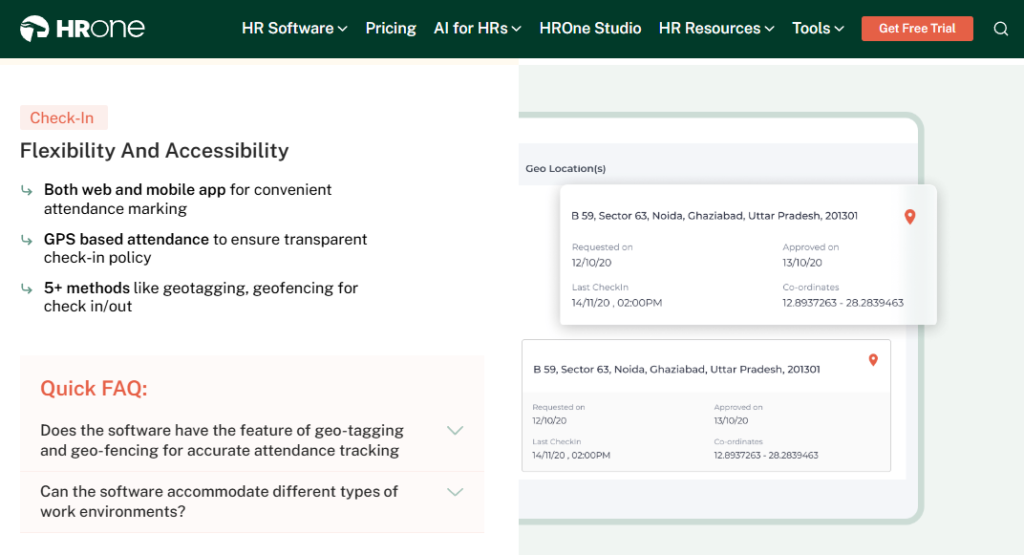
- Real-time biometric and mobile sync: syncs punches live from devices and the mobile app, removing the month-end scramble to fetch attendance from Excel. This ties into attendance management.
- Automated payroll engine: auto-calculates PF, ESI, TDS, and arrears with group payout validations, cutting the computation errors that cause wrong paydays.
- Policy Engine (front-end setup): lets HR configure leave and overtime policies for each legal entity without raising a developer ticket, removing IT bottlenecks.
- Super Inbox (InboxforHR): surfaces every leave approval and request in one Gmail-style inbox closed in three clicks, so managers stop juggling tabs. Explore the HR inbox in detail.
- Offline attendance with auto-sync: captures punches in low-network areas and syncs later, so field staff are never wrongly marked absent.
🇮🇳 India-Specific Compliance & Localization
This is where HROne pulls ahead for Indian teams.
- PF, ESI, and TDS support: Yes (automated calculation, filing, and challans).
- Labour law compliance: Strong (built India-first, front-end policy updates as laws change).
- Payroll localization (India-specific): Yes (FBP, CTC revisions, LWF, and PT slabs).
- Multi-state compliance handling: Yes (multi-legal-entity and OU structures for pan-India units).
👤 Who This Is Built For
- HR ops lead manually reconciling biometric exports against a separate leave portal every month-end.
- Payroll manager consolidating 15 to 16 leave rules and shift timings that vary from one unit to another.
- CHRO who needs an ROI figure on HR automation to take into a board review. See CHRO solutions.
🚫 Who Should Skip This
- Startups and teams under 100 employees, since HROne intentionally targets mid-market and enterprise complexity.
- Teams hunting for a cheap, standalone biometric or attendance-only tool with no workflow layer.
💰 Pricing Structure
- Plan Type(s): Basic, Professional, and Enterprise.
- Starting Price: ₹4,950 per month for up to 50 users (Basic), billed monthly.
- Tier-wise Breakdown:
- Basic: ₹4,950/month up to 50 users; Core HR, Time Office, Payroll, mobile app, and reports.
- Professional: ₹6,500/month up to 50 users; adds Workforce module and digital letter acknowledgment.
- Enterprise: custom quote; adds Recruitment, Performance, Engagement, Expense, Asset, and Helpdesk.
- Incremental Cost Drivers: Additional users at ₹99 (Basic) or ₹130 (Professional) per user/month, plus add-on modules.
- Implementation Fee: Yes, a one-time fee, particularly for enterprise clients.
- Cost at 200 Employees: Basic is approximately ₹4,950 + 150 × ₹99 = ₹19,800/month. Cost at 500 Employees: Basic is approximately ₹4,950 + 450 × ₹99 = ₹49,500/month (indicative, before module and entity add-ons). Compare tiers on the pricing page.
🛠️ Implementation & Support Reality
- Average go-live: clients report going live in about one month after signing.
- Support channels: phone, email, and a dedicated HR SPOC (Single Point of Contact).
- Data migration: vendor-led, run by prior-HR onboarding consultants who know the domain.
- Publicly reported NPS: 9.8 on dedicated SPOC support.
💬 Reviews
“I use HROne daily for my attendance, leave, and all HR related activities. It’s very user-friendly with a clean UI… I can quickly apply for leave, mark attendance, and complete other tasks.”
— Prajwal B. HROne G2 Verified Review
“What I like most is how it blends smart HR technology with a genuine human touch… one thing I don’t like is that it can sometimes feel a bit overwhelming for new users. Certain features take time to understand.”
— Nijanthan R., 3.5/5 HROne – G2 Verified Review
Where HROne fits the leave conversation: When a manufacturing client came to us with 15 to 16 leave rules, three to five overtime policies, and shift timings that changed unit to unit, the win was consolidation. We fit all of it into one structure, synced biometric punches live, and let managers clear leave approvals from the Super Inbox instead of email threads. That is the difference between digitising leave and actually removing the month-end grind. For sector-specific fit, see manufacturing HR.
1.2 Keka
Clean, modern HRMS built for SMEs that want quick setup and a friendly interface.
📌 Overview
Keka is a mid-market and SME-focused HRMS with high visibility in the Indian HR and payroll search space. Its calling card is a polished, intuitive interface that employees pick up quickly. It bundles payroll, attendance, leave, and performance in one place. Teams usually choose it wanting a clean tool that is easy to roll out, though several report friction once implementation and support get tested.
⚙️ Core Services
Keka ships what it actually offers; here are the leave-relevant capabilities.
- Payroll and compliance engine: automates salary, PF, ESI, and TDS with statutory payslips, reducing manual month-end math.
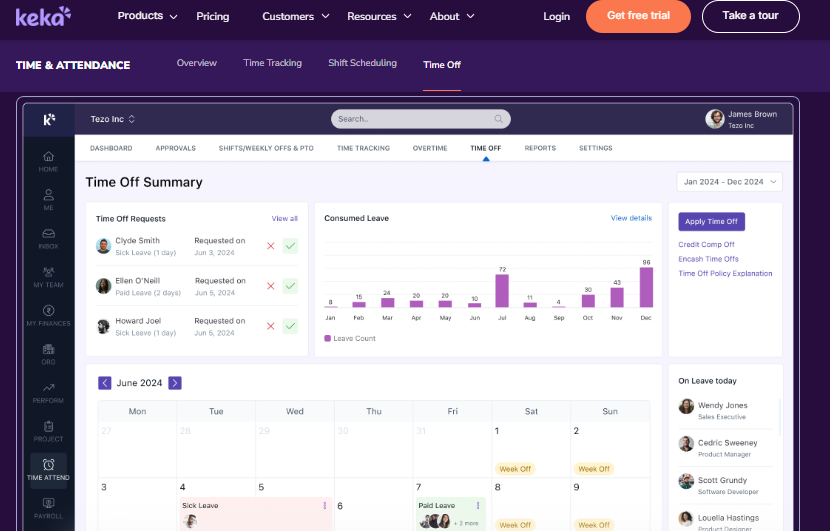
- Leave and attendance: handles leave requests and attendance tracking through web and mobile, cutting basic paperwork.
- Mobile app: lets employees apply for leave and check details on the go, easing dependence on HR.
- Document management: generates HR documents digitally, reducing paperwork and keeping records confidential.
- Employee surveys and KRAs/KPIs: supports engagement surveys and performance setup, though users find the PMS module confusing.
🇮🇳 India-Specific Compliance & Localization
- PF, ESI, and TDS support: Yes (strong payroll compliance automation).
- Labour law compliance: Moderate (solid core payroll, some state-specific gaps reported).
- Payroll localization (India-specific): Yes (TDS on salary, quarterly returns).
- Multi-state compliance handling: Partial (users report trouble configuring location-specific leave, like menstrual leave for one city).
👤 Who This Is Built For
- HR generalist at an SME wanting a clean interface employees adopt without training.
- Payroll manager needing dependable PF, ESI, and TDS automation for a single-entity setup.
🚫 Who Should Skip This
- IT consulting or multi-entity firms needing fast, deep customization; one long-time user said “Keka is not built to service IT consulting firms.”
- Teams that need weekend or emergency phone support during migration. If you are weighing options, see this HROne vs Keka breakdown.
💰 Pricing Structure
- Plan Type(s): Foundational, Strength, and Growth tiers (as published by Keka).
- Starting Price: Not publicly disclosed on a flat basis, request a quote.
- Tier-wise Breakdown: Not publicly disclosed, quote-based per module bundle.
- Incremental Cost Drivers: Add-on modules and per-employee scaling.
- Implementation Fee: Not publicly disclosed, request a quote.
- Cost at 200 Employees: Not publicly disclosed, request a quote. Cost at 500 Employees: Not publicly disclosed, request a quote.
🛠️ Implementation & Support Reality
- Average go-live: users report onboarding can run slow and longer than expected.
- Support channels: largely email threads, with limited weekend phone access reported.
- Data migration: vendor-led, but described as complex by some users.
- Publicly reported NPS: not publicly disclosed.
💬 Reviews
“Strong payroll and compliance, automate salary and attendance processing with PF, ESI, TDS… Responsive support team. Mobile app available… PMS module is confusing and needs to be simpler.”
— Kiran B., 3/5 Keka – G2 Verified Review
“I have been a Keka user since 2021, and the service is decreasing day by day… I was trying to configure menstrual leave only for Bangalore location and needed some help, the chat was not at all helpful.”
— Verified User in Consulting, 2.5/5 Keka – G2 Verified Review
How HROne reads against Keka on leave: Keka wins on first-impression UI, and that is real. The gap operators feel shows up later: location-specific leave rules and support during setup. Where Keka routes you to email threads, HROne assigns a prior-HR SPOC on phone and email (9.8 NPS), and lets HR configure state-specific leave from the front end without a ticket. For a single-city SME, Keka is a fair pick. For a multi-unit, multi-rule Indian firm, that difference compounds every month. Teams outgrowing single-entity tools often explore full HR software instead.
1.3 greytHR
Long-running payroll and leave engine built for small Indian firms.
📌 Overview
greytHR is one of India’s oldest cloud HR and payroll platforms, widely used by small and mid-size firms. Its core strength is a dependable payroll and payslip engine that has run for over a decade. It handles leave, attendance, and statutory payroll in one portal. Teams usually pick it for reliable, no-frills payroll on a tight budget, though many hit walls on customization and leave flexibility.
⚙️ Core Services
greytHR ships a focused set of payroll-first capabilities.
- Payroll engine: automates salary, PF, ESI, and TDS with statutory payslips, cutting manual month-end math.
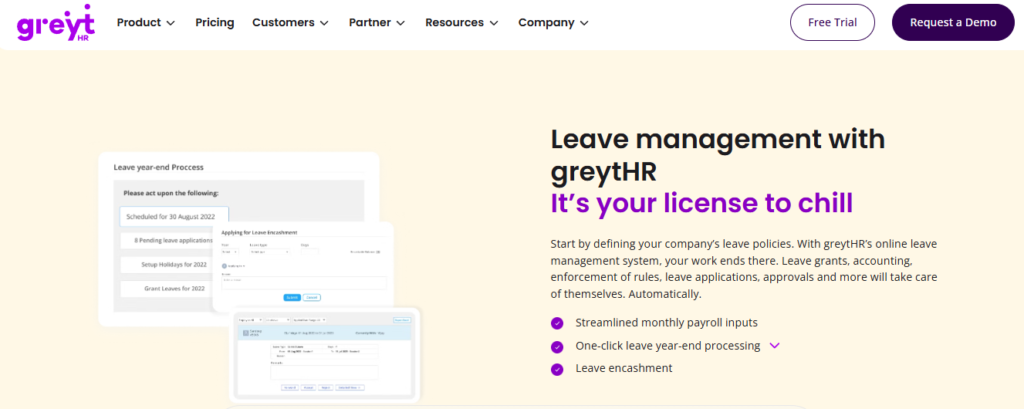
- Leave and attendance: tracks leave requests and holidays, though users report needing to correct balances by hand.
- Employee self-service: lets staff pull payslips, apply for leave, and view tax details without pinging HR.
- Tax declaration: supports employee tax declarations across regimes, easing filing season.
- Onboarding: automates basic new-joiner data collection and documentation.
🇮🇳 India-Specific Compliance & Localization
- PF, ESI, and TDS support: Yes (core payroll compliance).
- Labour law compliance: Moderate (solid statutory basics, weak on flexible rules).
- Payroll localization (India-specific): Yes (payslips and tax regimes).
- Multi-state compliance handling: Partial (rigid configuration limits multi-unit policy).
👤 Who This Is Built For
- HR generalist at a small firm wanting reliable payslips and statutory filing.
- Payroll manager who needs a proven, low-cost payroll base over deep workflows.
🚫 Who Should Skip This
- Multi-entity or shift-based teams needing flexible leave rules; one user noted “we cannot properly implement our company policies due to the limitations of greytHR.” Teams in this spot often explore greytHR alternatives.
- Managers who need to mark leave on behalf of direct reports, a feature users say is missing.
💰 Pricing Structure
- Plan Type(s): Introductory, Essential, Growth, and Enterprise (as published).
- Starting Price: Free tier for up to 25 employees; paid tiers from around ₹3,495/month.
- Tier-wise Breakdown: Not fully disclosed publicly, module-based per tier.
- Incremental Cost Drivers: Add-on modules and per-employee scaling above tier caps.
- Implementation Fee: Not publicly disclosed, request a quote.
- Cost at 200 Employees: Not publicly disclosed, request a quote. Cost at 500 Employees: Not publicly disclosed, request a quote.
🛠️ Implementation & Support Reality
- Average go-live: varies; users report configuration rounds during setup.
- Support channels: ticket-based, with callback in one to two hours reported by some.
- Data migration: vendor-led, described as customization-heavy by some users.
- Publicly reported NPS: not publicly disclosed.
💬 Reviews
“It is helping with payroll and payslips. We are using GreytHR for leave and holiday management… from implementation onwards, there were issues with leave balance and all. Many times we were manually correcting the leave balance of employees.”
— Verified User in IT Services, 2/5 greytHR – G2 Verified Review
“GreytHR is fine software for payroll processing and I have been using since 10 years… Reporting configuration, TDS filing, revising of TDS is not possible.”
— Krishnanand B., 3/5 greytHR – G2 Verified Review
Where HROne reads against greytHR on leave: greytHR earns its reputation on payroll longevity, and for a 40-person firm that is often enough. The gap operators describe is leave flexibility: manually fixing balances and rigid policy limits. When a manufacturing client came to us with 15 to 16 leave rules and unit-varying shifts, we consolidated all of it into one front-end leave management engine, no manual balance patching. That is the line between a payroll tool and a leave operating system.
1.4 Darwinbox
Enterprise-brand HR suite with broad modules under one roof.
📌 Overview
Darwinbox is a well-known enterprise HCM platform with strong brand recognition across large Indian and Asian organizations. Its strength is breadth: attendance, leave, payroll, and performance in one suite. Employees generally find bulk leave approvals and the mobile app easy. Teams usually choose it for enterprise scale, though some report slow pages, tab-switching, and tough migration.
⚙️ Core Services
Darwinbox ships a broad enterprise module set.
- Unified HR suite: brings attendance, leave, payroll, and performance together, reducing tool sprawl.
- Bulk leave approvals: lets managers see who is out and approve leaves in bulk, saving manager time.
- Mobile app: supports leave, attendance, and payslips on the go, though some find it less smooth than desktop.
- Customizable workflows: adapts to internal processes with limited technical work, per users.
- Org structure view: maps reporting and organizational hierarchy for clarity.
🇮🇳 India-Specific Compliance & Localization
- PF, ESI, and TDS support: Yes (enterprise payroll).
- Labour law compliance: Moderate to strong (enterprise India coverage).
- Payroll localization (India-specific): Yes (built for Indian enterprises).
- Multi-state compliance handling: Yes (enterprise-grade, brand-proven).
👤 Who This Is Built For
- Enterprise HR lead at a 3,000-plus employee firm wanting one broad-module brand.
- HR ops team needing bulk leave visibility across large headcounts.
🚫 Who Should Skip This
- Mid-market teams wary of multi-year lock-ins and billing that starts before go-live. A side-by-side HROne vs Darwinbox comparison helps here.
- Teams needing fast, lightweight setup; users report tough transitions and slow pages.
💰 Pricing Structure
- Plan Type(s): Enterprise, quote-based.
- Starting Price: Not publicly disclosed, request a quote.
- Tier-wise Breakdown: Not publicly disclosed, custom enterprise contracts.
- Incremental Cost Drivers: Module add-ons and multi-year commitments.
- Implementation Fee: Not publicly disclosed, typically bundled in enterprise deals.
- Cost at 200 Employees: Not publicly disclosed, request a quote. Cost at 500 Employees: Not publicly disclosed, request a quote.
🛠️ Implementation & Support Reality
- Average go-live: enterprise timelines; users report migration can be difficult.
- Support channels: vendor support, with mixed reviews on responsiveness.
- Data migration: vendor-led, described as challenging by some users.
- Publicly reported NPS: not publicly disclosed.
💬 Reviews
“Its my favourite part, its the view that it creates for me for leave approvals. You can check days when most of your employees are OOO, do bulk approvals for leaves/attendance.”
— SP B., 4/5 Darwinbox – G2 Verified Review
“Transitioning from the old system to Darwinbox is quite difficult. User interface of Darwinbox is very outdated. Darwinbox Support team is not supportive.”
— Ankush B., 4/5 Darwinbox – G2 Verified Review
Where HROne reads against Darwinbox on leave: Darwinbox brings real enterprise weight, and its bulk leave view is genuinely liked. The operator gap shows in two places: proving ROI, and billing that starts before you go live. HROne meters subscription only after go-live and ships India’s first inbuilt ROI calculator, which calculates lifetime hours saved against average HR salary. So a CHRO can walk into a board review with a rupee figure, not a vibe.
1.5 Zoho People
Leave and attendance HR tool that shines inside the Zoho stack.
📌 Overview
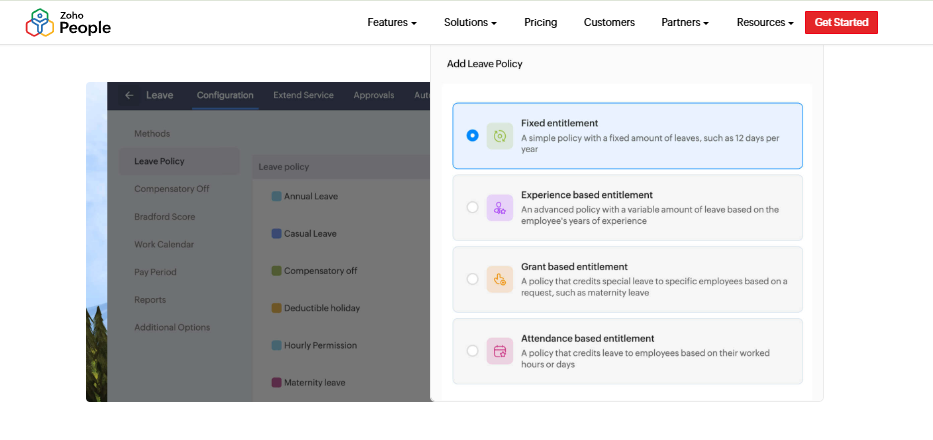
Zoho People is the HR module within the wider Zoho software ecosystem. Its strength is clean digital leave and attendance management, plus tight ties to Zoho Recruit and Zoho Payroll. Teams already using Zoho apps get smooth integration. It is usually chosen by existing Zoho customers, though users flag shallow feature depth and slow support.
⚙️ Core Services
Zoho People ships a solid leave-and-attendance core.
- Leave and attendance management: handles digital leave requests and approvals, cutting coordination emails.
- Holiday list sharing: shares company holiday lists in-app, easing planning.
- Manager approvals: lets managers approve or reject leave directly, removing HR as middleman.
- Zoho ecosystem integration: connects to Zoho Recruit and Zoho Payroll, streamlining hire-to-pay.
- Self-service balances: lets employees check leave balances, cutting repetitive queries.
🇮🇳 India-Specific Compliance & Localization
- PF, ESI, and TDS support: Partial (via Zoho Payroll add-on).
- Labour law compliance: Moderate (depends on Zoho Payroll).
- Payroll localization (India-specific): Partial (India payroll is a separate product).
- Multi-state compliance handling: Partial (grows with the paid stack).
👤 Who This Is Built For
- HR generalist already running Zoho Recruit and Zoho Payroll wanting one login.
- Small team needing clean digital leave and attendance approvals.
🚫 Who Should Skip This
- Compliance-heavy manufacturing or BFSI teams needing deep India payroll depth. For that band, dedicated finance HR tooling fits better.
- Teams that need fast, reliable support; users report long response waits.
💰 Pricing Structure
- Plan Type(s): Essential HR, Professional, Premium, and Enterprise (as published).
- Starting Price: From around ₹48 per user/month, billed annually; a free tier exists for very small teams.
- Tier-wise Breakdown: Per-user/month tiers with rising module depth.
- Incremental Cost Drivers: Higher tiers, Zoho Payroll add-on, and other Zoho apps.
- Implementation Fee: Not publicly disclosed, largely self-serve.
- Cost at 200 Employees: Varies by tier, request a quote. Cost at 500 Employees: Varies by tier, request a quote.
🛠️ Implementation & Support Reality
- Average go-live: quick, self-serve setup with instructional videos reported.
- Support channels: email/ticket, with slow responses reported by users.
- Data migration: largely self-serve.
- Publicly reported NPS: not publicly disclosed.
💬 Reviews
“I find Zoho People particularly valuable for its comprehensive digital management of employee attendance and leave management… the initial setup was very easy.”
— Anshul M., 4/5 Zoho People – G2 Verified Review
“This tool has made handling leave requests much easier… The biggest drawback for me has been the lack of customer support. Whenever I try to reach out, it often takes a long time to get a response.”
— Dhana C., 4/5 Zoho People – G2 Verified Review
Where HROne reads against Zoho People on leave: Zoho People is a fair pick if you already live in Zoho, and its leave approvals are clean. The gap for Indian mid-market teams is depth and support: India payroll sits in a separate product, and users wait on help. HROne ships India-first payroll software (PF, ESI, TDS, and FBP) in one platform with a dedicated HR SPOC at 9.8 NPS. For a compliance-heavy firm, that single-stack depth matters more than app count.
1.6 factoHR
Value-focused, mobile-first HR and payroll bundle for cost-conscious teams.
📌 Overview
factoHR is a mobile-first HR and payroll platform founded in 2016, based in India. It holds a 4.6 rating on Techjockey across 90-plus reviews. Its strength is an affordable, all-in-one payroll, attendance, and leave bundle. Teams usually pick it to control cost while still getting statutory compliance and biometric attendance.
⚙️ Core Services
factoHR ships a broad, value-priced module set.
- Payroll and statutory compliance: automates PF, ESI, PT, TDS, and LWF, cutting manual reconciliation.
- Leave management: configures leave policies and tracks balances, easing manual tracking.
- Biometric integration: connects to biometric devices for attendance, removing manual entry.
- Employee self-service: lets staff view leave balance, payslips, and tax statements anytime.
- Geo-fence attendance: supports geo-punch and offline punch for field staff.
🇮🇳 India-Specific Compliance & Localization
- PF, ESI, and TDS support: Yes (automated statutory calculation).
- Labour law compliance: Moderate to strong (labour-code aware).
- Payroll localization (India-specific): Yes (PT, LWF, and TDS built in).
- Multi-state compliance handling: Partial to yes (multi-branch support).
👤 Who This Is Built For
- Payroll manager at a cost-sensitive firm wanting statutory automation on a budget.
- HR ops lead needing biometric and geo-attendance for field teams affordably.
🚫 Who Should Skip This
- Large enterprises needing deep, connected hire-to-retire workforce management and ROI instrumentation.
- Teams wanting a strong desktop-parity experience; some advanced features favor desktop.
💰 Pricing Structure
- Plan Type(s): Tiered plans published on factoHR’s site.
- Starting Price: ₹4,999/month for up to 50 employees, billed quarterly.
- Tier-wise Breakdown: ₹69/month per additional employee above 50 (entry tier).
- Incremental Cost Drivers: Per-additional-employee charges and higher module tiers.
- Implementation Fee: Not publicly disclosed, request a quote.
- Cost at 200 Employees: Approximately ₹4,999 + 150 × ₹69 = ₹15,349/month (indicative). Cost at 500 Employees: Approximately ₹4,999 + 450 × ₹69 = ₹36,049/month (indicative).
🛠️ Implementation & Support Reality
- Average go-live: not publicly disclosed; positioned as plug-and-play.
- Support channels: email plus phone, with ticketing.
- Data migration: vendor-led.
- Publicly reported NPS: not publicly disclosed.
Where HROne reads against factoHR on leave: factoHR is a genuinely value-minded pick, and its statutory automation is solid for the price. The difference for a 500-plus employee firm is connective tissue: workflows that trigger the next step and ROI you can show the board. HROne ships 127 pre-built workflows and India’s first inbuilt ROI Dashboard, so leave, attendance, and payroll are one chain, not a bundle of features. Value is not just low price; it is proven hours saved.
1.7 Zimyo
Modular, budget-friendly HRMS for startups crossing into mid-market.
📌 Overview
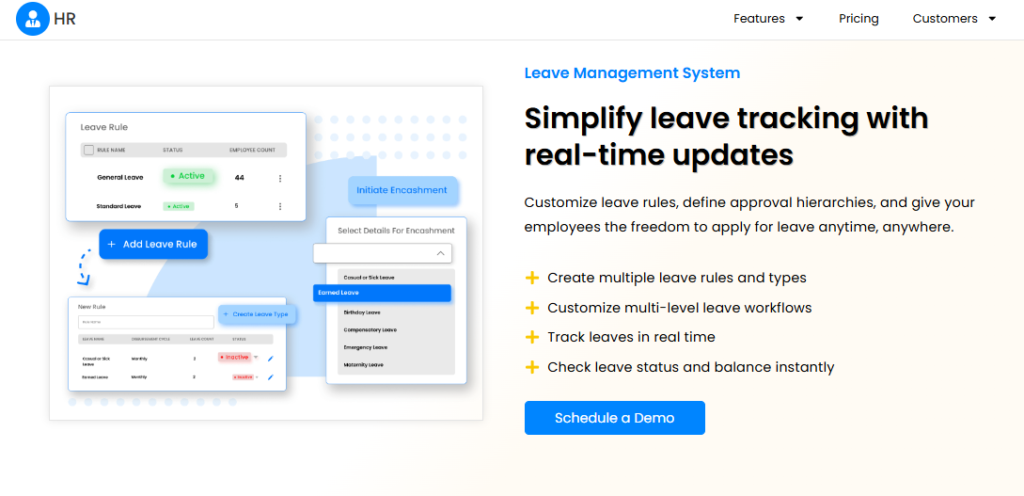
Zimyo is an India-based HRMS built for startups and small-to-mid businesses, trusted by 2,500-plus companies. It ships 50-plus modules covering core HR, payroll, leave, attendance, and engagement. It is ISO/IEC 27001 certified and hosted on AWS. Teams usually pick it for affordable, modular coverage as they scale, though depth can thin as complexity grows.
⚙️ Core Services
Zimyo ships a broad, modular set.
- Payroll: automates salary and statutory calculations, cutting manual payroll math.
- Leave and attendance: manages time, attendance, leaves, and shifts in one place.
- Employee self-service: lets staff manage requests and view records, easing HR load.
- Recruitment: supports hiring workflows for growing teams.
- Engagement modules: adds employee experience tools as teams scale.
🇮🇳 India-Specific Compliance & Localization
- PF, ESI, and TDS support: Yes (statutory payroll).
- Labour law compliance: Moderate (SME-focused).
- Payroll localization (India-specific): Yes (India payroll).
- Multi-state compliance handling: Partial (grows with tier).
👤 Who This Is Built For
- HR lead at a fast-growing startup wanting affordable, modular HR coverage.
- Small-to-mid team needing leave, attendance, and payroll without heavy setup.
🚫 Who Should Skip This
- Large, multi-entity enterprises needing deep, connected workflows and ROI proof. See how HR software for multi-entity companies differs.
- Compliance-heavy manufacturing teams needing enterprise-grade rule complexity.
💰 Pricing Structure
- Plan Type(s): Tiered plans (published on Zimyo’s site).
- Starting Price: Not fully disclosed publicly, request a quote.
- Tier-wise Breakdown: Per-employee/month tiers by module depth.
- Incremental Cost Drivers: Higher tiers and module add-ons.
- Implementation Fee: Not publicly disclosed, request a quote.
- Cost at 200 Employees: Not publicly disclosed, request a quote. Cost at 500 Employees: Not publicly disclosed, request a quote.
🛠️ Implementation & Support Reality
- Average go-live: positioned as quick for SMEs.
- Support channels: email and chat.
- Data migration: vendor-led.
- Publicly reported NPS: not publicly disclosed.
Where HROne reads against Zimyo on leave: Zimyo is a sensible starter for a scaling startup, and its module breadth at the price is real. The line it crosses is complexity: once you hit multi-entity leave rules and shift-based reality, depth thins. HROne is built for the 100-to-5,000 employee band precisely there, with multi-legal-entity structures and 127 workflows. If you are outgrowing your first HRMS, that is the jump you are shopping for.
1.8 Qandle
Configurable HRMS for teams that want to shape their own workflows.
📌 Overview
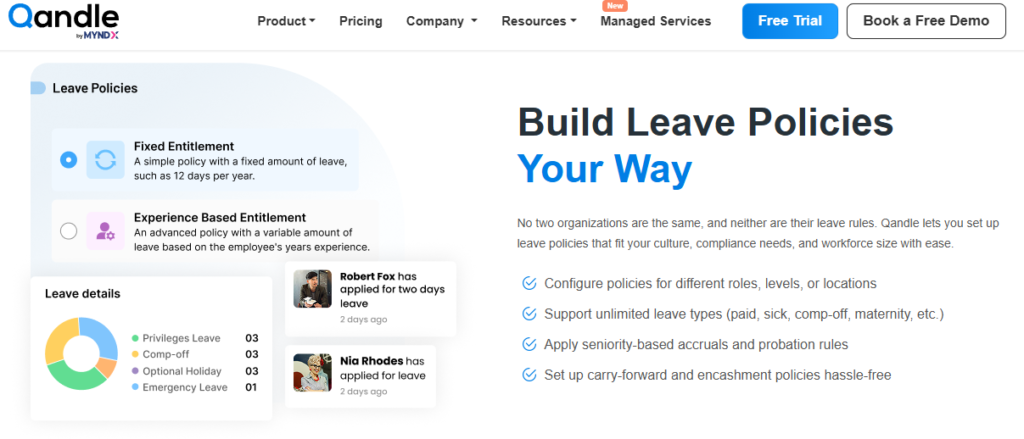
Qandle is an India-based HRMS known for high configurability across leave, attendance, and payroll. Its strength is flexible workflow and policy setup that teams can shape to their processes. It covers core HR, payroll, and performance in a modular design. Teams usually pick it when they want control over how leave and approvals are configured, though its enterprise footprint is smaller than the big brands.
⚙️ Core Services
Qandle ships a configurable module set.
- Configurable leave and attendance: lets teams shape leave policies and approval flows, reducing rigid workarounds.
- Payroll: automates salary and statutory calculations for India.
- Performance management: supports goals and reviews in the same platform.
- Employee self-service: lets staff manage leave and records directly.
- Onboarding: structures new-joiner flows for growing teams.
🇮🇳 India-Specific Compliance & Localization
- PF, ESI, and TDS support: Yes (India payroll).
- Labour law compliance: Moderate (configurable rules).
- Payroll localization (India-specific): Yes.
- Multi-state compliance handling: Partial (config-dependent).
👤 Who This Is Built For
- HR ops lead who wants to configure leave rules and approval flows themselves.
- Growing team needing flexible workflows over rigid, one-size templates.
🚫 Who Should Skip This
- Large enterprises needing a heavily proven, big-brand install base.
- Teams wanting a fully done-for-you setup with minimal configuration effort. A guided onboarding process matters more here.
💰 Pricing Structure
- Plan Type(s): Tiered plans (published on Qandle’s site).
- Starting Price: Not fully disclosed publicly, request a quote.
- Tier-wise Breakdown: Per-employee/month tiers by module.
- Incremental Cost Drivers: Module add-ons and higher tiers.
- Implementation Fee: Not publicly disclosed, request a quote.
- Cost at 200 Employees: Not publicly disclosed, request a quote. Cost at 500 Employees: Not publicly disclosed, request a quote.
🛠️ Implementation & Support Reality
- Average go-live: not publicly disclosed.
- Support channels: email and chat.
- Data migration: vendor-led.
- Publicly reported NPS: not publicly disclosed.
Where HROne reads against Qandle on leave: Qandle’s configurability is a real draw, and self-shaping workflows suit hands-on HR teams. The trade-off is that configuration without guidance can eat weeks. HROne pairs 127 pre-built workflows with a prior-HR onboarding SPOC (9.8 NPS), so you get configurable depth plus someone who has actually run HR helping you set it. Flexibility is only useful when it goes live on time.
1.9 Pocket HRMS
Lightweight, mobile HRMS for simple leave and attendance tracking.
📌 Overview
Pocket HRMS is an India-based, mobile-friendly HRMS aimed at simple leave, attendance, and payroll tracking. Its strength is lightweight ease of use for smaller teams. It covers core attendance, leave, and payroll basics in a clean app. Teams usually pick it for straightforward tracking without heavy workflow layers, so it fits simpler setups more than complex multi-entity ones.
⚙️ Core Services
Pocket HRMS ships a focused, lightweight set.
- Leave and attendance: tracks leave requests and attendance simply, easing basic paperwork.
- Payroll basics: automates core salary and statutory calculations for India.
- Mobile app: supports leave and attendance on the go for smaller teams.
- Employee self-service: lets staff check balances and payslips directly.
- Basic reporting: provides simple attendance and leave reports.
🇮🇳 India-Specific Compliance & Localization
- PF, ESI, and TDS support: Yes (core payroll).
- Labour law compliance: Moderate (basics covered).
- Payroll localization (India-specific): Yes.
- Multi-state compliance handling: Limited (built for simpler setups).
👤 Who This Is Built For
- Small-team HR lead wanting simple, mobile leave and attendance tracking.
- Payroll manager needing core statutory basics without complex configuration.
🚫 Who Should Skip This
- Mid-market and enterprise teams needing multi-entity leave rules and connected workflows.
- Compliance-heavy manufacturing or BFSI teams needing deep rule complexity. Explore fit-for-scale HR software instead.
💰 Pricing Structure
- Plan Type(s): Tiered plans (published on Pocket HRMS’s site).
- Starting Price: Not fully disclosed publicly, request a quote.
- Tier-wise Breakdown: Per-employee/month tiers.
- Incremental Cost Drivers: Module add-ons and higher tiers.
- Implementation Fee: Not publicly disclosed, request a quote.
- Cost at 200 Employees: Not publicly disclosed, request a quote. Cost at 500 Employees: Not publicly disclosed, request a quote.
🛠️ Implementation & Support Reality
- Average go-live: positioned as quick for small teams.
- Support channels: email and ticket.
- Data migration: vendor-led.
- Publicly reported NPS: not publicly disclosed.
Where HROne reads against Pocket HRMS on leave: Pocket HRMS does simple well, and for a lean team that is the right kind of light. The moment you add units, shift patterns, and layered leave rules, simple becomes a ceiling. HROne is built for that next stage, with offline attendance, live biometric sync, and multi-legal-entity leave rules feeding one payroll engine. Pick light when you are light; plan for the jump when growth arrives.
Q2. How Did We Choose These Tools? Our Selection Criteria & Scoring
We scored each tool on five weighted criteria: Compliance and Policy Depth (25%), Payroll and Attendance Integration (25%), Setup and Usability (20%), User Reviews (15%), and Pricing Transparency (15%). Scores map to stars: 0 to 20 equals 1 star, 21 to 40 equals 2, 41 to 60 equals 3, 61 to 80 equals 4, and 81 to 100 equals 5. HROne earns 5 stars for consolidating multi-unit leave rules and near-total payroll automation.
⚖️ Why These Five Criteria (And Why the Weighting)
I did not pick these weights at random. I weighted them the way an Indian HR team actually bleeds time.
Compliance and payroll integration sit highest, at 25% each, for one reason. In India, a leave error is not a leave error. It becomes a payroll error the same month.
🔗 Leave Errors Become Payroll Errors
When leave balances do not feed payroll software cleanly, paydays go wrong. Wrong paydays break employee trust fast.
That is why I refuse to score a “pretty portal” the same as a system that syncs leave into salary. One HR leader described HROne automating “90 to 95% of calculations” and cutting turnaround from “7 to 10 days” down to “two to three days.” That gap is the whole ballgame.
⏰ How the Star Mapping Works
Each tool gets five sub-scores out of 100, weighted, then rounded to a star band. User Reviews pull from G2 and Capterra aggregate ratings, not cherry-picked quotes. Pricing Transparency rewards published, flat numbers over “request a quote.”
Here, HROne’s ₹85 to ₹115 per user per month published bands score well against Keka’s quote-only model. Compare the transparent pricing tiers yourself. Below is the scored view.
| Tool | Compliance (25%) | Payroll/Attendance (25%) | Setup/Usability (20%) | Reviews (15%) | Pricing Clarity (15%) | Total Stars |
|---|---|---|---|---|---|---|
| HROne | 24 | 24 | 17 | 15 | 13 | ⭐⭐⭐⭐⭐ |
| Keka | 18 | 18 | 18 | 12 | 8 | ⭐⭐⭐ |
| greytHR | 18 | 17 | 14 | 11 | 12 | ⭐⭐⭐ |
| Darwinbox | 20 | 20 | 13 | 14 | 7 | ⭐⭐⭐⭐ |
| Zoho People | 15 | 15 | 17 | 13 | 13 | ⭐⭐⭐ |
| factoHR | 18 | 17 | 15 | 13 | 13 | ⭐⭐⭐ |
| Zimyo | 16 | 15 | 15 | 12 | 10 | ⭐⭐⭐ |
| Qandle | 16 | 15 | 16 | 12 | 9 | ⭐⭐⭐ |
| Pocket HRMS | 14 | 14 | 15 | 11 | 9 | ⭐⭐⭐ |
💬 What Users Say About the Scoring Reality
“It handles salary calculations, statutory deductions PF, ESI, taxes, and filings automatically, with zero manual intervention… the InboxforHR is a game-changer, centralizing every HR task.”
— Waldon S., 4/5 HROne – G2 Verified Review
“There were issues with leave balance and all. Many times we were manually correcting the leave balance of employees.”
— Verified User in IT Services, 2/5 greytHR – G2 Verified Review
Where HROne lands on this rubric: We built HROne so leave feeds payroll without a manual reconcile step, which is exactly what the top two weights measure. When a client consolidated 15 to 16 leave rules into one structure and automated 90 to 95% of payroll math, the score followed the outcome, not the pitch. See the full HR software platform for context.
Q3. What Exactly Is a Leave Management System and How Does It Work?
A leave management system is software that automates requesting, approving, tracking, and reporting employee leave, then feeds accurate balances, accruals, and encashment into payroll. It connects four people: the employee applying, the manager approving, HR configuring policy, and payroll calculating pay, so no one reconciles spreadsheets by hand. In India, it also enforces statutory leave rules that vary by state and act.
📖 The Concept, in Plain English
Think of a leave management system (LMS) as the referee for time off. It knows the rules, tracks the score, and pays out correctly.
Without it, HR plays referee by hand in Excel. That is where errors and month-end stress creep in.
📱 The Example: One Leave Request, Four Handoffs
Here is a real flow. An employee opens the mobile app and applies for two days off.
The request routes straight to the reporting manager, no face-to-face needed. The manager approves in a tap. HR’s policy config decides how the balance deducts, and payroll picks up the accurate paid days automatically. This is exactly how leave management should route.
🔑 Why the Mobile Layer Matters
Leave data is not an office-hours privilege. As one HR leader framed it, an employee’s records are “their legal right also to get 24 into seven,” not something to “restrict them for just an eight hours.”
So a good LMS keeps balances visible around the clock. A capable mobile HR app makes that possible. That single shift kills the “what’s my leave balance?” ping that floods HR inboxes.
✅ What to Configure First on Monday
Start with the base layer. Core HR, workforce, time office, and payroll are the “bread and butter” of any organization.
- Set your leave types and yearly quotas first.
- Map each employee to a reporting manager for approvals.
- Connect the leave module to payroll so paid days flow automatically.
Where HROne fits: In HROne, this whole flow lives in one HR inbox, so a manager closes a leave approval in three clicks without switching tabs. That is the difference between digitising leave and actually removing the manual chase.
Q4. How Do Leave Policies, Accruals & Encashment Work Under Indian Law?
An Indian LMS must handle earned, casual, sick, maternity (26 weeks under the Maternity Benefit Act), and compensatory leave, plus edge cases like prorated accruals and mid-cycle joiners. Earned leave typically accrues at one day per 20 days worked under the Labour Codes, and encashment is optional and calculated on “wages” as defined by the Code on Wages, 2019. Comp-off after continuous work is a statutory right.
📋 Standard Leave Types and Their Statutory Basis
Most Indian policies rest on a few legal pillars. Maternity leave is the clearest: 26 weeks of paid leave for women with fewer than two surviving children. Establishments with 50 or more employees must also provide a creche.
| Leave Type | Statutory Anchor | Config Note |
|---|---|---|
| Earned/Privileged | OSH Code (1 day per 20 days worked) | Needs 180 days worked to qualify |
| Maternity | Maternity Benefit (Amendment) Act, 2017 (26 weeks) | Max 8 weeks before delivery |
| Casual/Sick | State Shops & Establishments Acts | Varies by state |
| Compensatory | Labour Codes (extra-day working) | Trigger comp-off on weekly-off work |
⚠️ The Messy Edge Cases Nobody Warns You About
Standard types are easy. The mess is in the exceptions.
Mid-cycle joiners need prorated accruals and restricted-holiday rules. Short leaves must apply both retrospectively and in advance. And absence penalties, like AHA and AWA (absent-half-attendance and absent-whole-attendance), need enforced deductions, not manual notes. Strong attendance management handles these automatically.
💰 Worked Example: Accrual and Encashment
Say an employee works 240 days in a year. At one day per 20 days, that is 12 earned leave days accrued.
Encashment is optional, and it is calculated on “wages” as defined by the Code on Wages, 2019. You can run the numbers with a leave encashment calculator. Here is the math on a simple case.
| Item | Value |
|---|---|
| Unused earned leave | 10 days |
| Daily wage (Code on Wages basis) | ₹1,000 |
| Encashment payout | 10 × ₹1,000 = ₹10,000 |
Also note carry-forward: a worker can carry up to 30 days of leave into the next year under the Labour Codes.
🗺️ Multi-State Variance Is the Real Trap
Casual and sick leave rules shift by state Shops and Establishments Acts. A firm in Karnataka and Maharashtra runs two different rulebooks.
That is where policies pile up into “policy debt.” One HR leader described sitting on “15 to 16 leave rules, 3 to 5 overtime policies,” with “shift timings varying from one unit to another unit.” This is common across multi-state payroll compliance setups.
Where HROne fits: We helped that client “consolidate all those rules and fit into the structure,” automating AHA and AWA penalties and prorated joiner rules, with “90 to 95% of calculations automated.” The contrarian truth is that most tools just “collect data.” The harder question is how you put that data into action, and that is the layer core HCM is built for.
Q5. How Does Leave Management Connect to Payroll & Attendance?
Leave management connects to payroll because every leave, loss-of-pay day, and comp-off changes what an employee is paid. When leave and attendance data do not sync, HR reconciles by hand, often a week a month, and payroll errors follow. Since nearly half of employees consider leaving after just two payroll mistakes, tight leave, attendance, and payroll integration is the single highest-value feature to evaluate.
📉 The Grind Nobody Budgets For
Here is the pain in real numbers. One HR team told me they spent “at least one week with two to three manpower” every single month.
The job? Just fetching attendance out of Excel. That is three skilled people doing robot work, twelve weeks a year, gone. A modern attendance management system removes that grind.
💸 Why Sync Failures Turn Into Attrition
When attendance does not flow into payroll, paydays go wrong. And wrong paydays are not a small mistake.
Surveys of payroll-error impact suggest nearly 50% of employees start eyeing the exit after just two payroll errors. So a sync gap is not an ops annoyance. It is a retention risk sitting inside your salary run. Reliable payroll software closes that gap.
🔗 What Real-Time Sync Actually Looks Like
Good sync means a leave approval instantly updates paid days, with no export or manual patch. Loss-of-pay, comp-off, and arrears all recalculate on their own.
When you demo any tool, test three things.
- Apply leave, then check if payroll paid days update without a manual step.
- Add a mid-cycle joiner and see if accruals prorate automatically.
- Run a multi-unit scenario and watch for reconciliation gaps.
💬 What Users Report on Sync
“Payroll is automated, cutting errors, and the employee self-service feature improves team efficiency… reduces HR’s admin time by 60 to 70%.”
— Waldon S., 4/5 HROne – G2 Verified Review
“Many times we were manually correcting the leave balance of employees.”
— Verified User in IT Services, 2/5 greytHR – G2 Verified Review
Where HROne fits: One HROne client ran “20 units pan India,” and multi-unit payroll that used to sprawl “became seamless” and moved in-house. We also ship India’s first inbuilt ROI calculator, which competitors like Darwinbox and greytHR lack after setup. It calculates lifetime hours saved against average HR salary, so the sync value shows up in rupees, not vibes.
Here is what I am sitting with. If payroll errors quietly drive attrition, why do so many buyers still treat leave-to-payroll sync as a checkbox instead of the whole decision? I would love to hear how your team measures that leak today.
Q6. HROne vs Keka vs greytHR vs Darwinbox: How Do the Top Tools Compare?
Across the top four, HROne stands out for consolidating complex multi-unit leave rules, a dedicated SPOC (Single Point of Contact), and an inbuilt ROI dashboard. Keka suits SMEs wanting quick setup, greytHR is strong on statutory payroll basics, and Darwinbox targets large enterprises with broad modules. The recurring competitor gaps, email-thread-only support and no ROI tracking, are where HROne differentiates for mid-market Indian teams.
🧭 How to Decide Between Them
Match the tool to your size and your deepest pain. That is the honest starting filter.
A 40-person firm and a 2,000-person manufacturer should not buy the same thing. For a direct view, see the HROne vs Keka breakdown. Here is the head-to-head.
| Platform | Compliance Depth | Payroll Sync | Support Model | ROI Tracking | Best For |
|---|---|---|---|---|---|
| HROne | Strong, multi-unit | Deep, automated | Phone + email + SPOC | Inbuilt ROI Dashboard | Indian mid-market, 100 to 5,000 |
| Keka | Solid core | Strong | Email-led | None built in | Fast-setup SMEs |
| greytHR | Statutory basics | Reliable | Ticket + callback | None built in | Small-firm payroll |
| Darwinbox | Enterprise-grade | Broad | Vendor (mixed) | None built in | Large enterprises |
⚠️ The Honest Trade-Offs
No tool here is perfect, so read the “skip this” cases too. Keka is not built for complex IT-consulting or multi-city leave configs, per long-time users. greytHR gets rigid the moment multi-entity rules appear.
Darwinbox carries real enterprise weight, but migration can be tough and support runs mixed. A closer HROne vs Darwinbox look shows the difference. HROne, honestly, has a learning curve some new users feel during onboarding.
💬 What Users Say
“The InboxforHR is a game-changer, centralizing every HR task into one simple inbox, cutting down administrative time by 60 to 70%.”
— Waldon S., 4/5 HROne – G2 Verified Review
“Transitioning from the old system to Darwinbox is quite difficult… Darwinbox Support team is not supportive.”
— Ankush B., 4/5 Darwinbox – G2 Verified Review
Where HROne fits: Two gaps repeat across competitors. First, the email-thread trap: users get stuck with “only email threads available to help you,” versus a dedicated SPOC at 9.8 NPS. Second, the ROI blindspot: there is “no method to track the ROI after setting up Darwinbox or greytHR,” while HROne ships India’s first inbuilt ROI Dashboard. And instead of juggling tabs and emails, HROne’s HR inbox lets a manager plan the day from one screen.
My current thinking? The next two years of HRMS competition will be won on support and proof, not feature counts. Which of those two gaps hurts your team more right now?
Q7. How Do You Choose the Right System, and Can You Switch Mid-Year?
Choose a leave management system on six checks: statutory compliance depth, real-time payroll and attendance sync, configurable multi-unit policies, employee and manager self-service with local-language support, scheduled analytics, and dedicated support over email threads. And yes, migrating mid-year is very doable despite the myth, if you map what you are solving for. Prorated configs handle mid-cycle joiners, and costs typically run ₹50 to ₹200 per employee per month.
✅ The Six-Check Buyer’s Checklist
Run every shortlisted tool through these six. I have listed what “good” looks like for each.
- Compliance depth: handles PF, ESI, TDS, and state-specific leave without manual patches.
- Payroll and attendance sync: leave updates paid days with zero exports.
- Multi-unit policy config: one structure absorbs varying shift and leave rules.
- Self-service with local language: employees self-serve in their own language.
- Scheduled analytics: reports auto-email to leaders on a set timeline.
- Dedicated support: a named SPOC, not just an email queue.
🔍 What “Good” Feels Like in Practice
Small touches decide daily usability. HROne clients can “schedule emails triggered to their mail IDs on a specified timeline,” so leaders stop bugging HR for numbers.
Two more that matter: a global search tab that finds records “in a fraction of seconds,” and shadow-admin access to act “on behalf of their teammates.” Localization is real too; one HROne client ran the mobile HR app in Bengali, another unit in Tamil.
⏰ Busting the Mid-Year Migration Myth
Here is the contrarian bit. “Switching payroll providers mid-year is too complicated” is, frankly, a myth.
It comes down to your in-house resources and mapping what you actually need solved. A clear HRMS implementation timeline makes this concrete. Prorated accrual configs handle mid-cycle joiners cleanly, so a July switch does not break balances.
💰 Cost and the In-House vs Outsourced Call
Budget realistically at ₹50 to ₹200 per employee per month, depending on modules and depth. Check the published pricing tiers to model your own number. If you have HR ops muscle in-house, a self-run migration is cheaper and faster.
I will be honest about one caveat. Some third-party integrations, like learning-and-development partners, “take time” to connect, so plan those later, not on day one. A capable integrations layer keeps that flexible.
💬 What Users Say
“The workflows are pretty handy as they allow us to map our policies automatically… their onboarding process was thorough, with helpful training sessions.”
— Rishiraj R., 4/5 HROne – G2 Verified Review
“It’s very user-friendly with a clean UI… the initial setup was straightforward and simple, and I didn’t require training to use it from the first day.”
— Prajwal B., 5/5 HROne – G2 Verified Review
Where HROne fits: We built the prorated joiner config and scheduled analytics precisely so a mid-year switch is practical, not scary. Pair that with a prior-HR onboarding process SPOC who has actually run HR, and migration stops being a leap of faith.
So here is my open question. If mid-year migration is genuinely a myth, what is really holding your team on a tool that is not working, the switching cost, or the fear of switching? I would genuinely like to know which one it is for you.














 Secures Top Spot in
